1
mcc (Compiler 1.2)
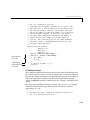
creates bell.mex. The entry point of bell.mex is the compiled code from
bell.m. The compiled version of bell.m can call the compiled version of
watson.m. However, compiling as
mcc –V1.2 watson bell
creates watson.mex. The entry point of watson.mex is the compiled code from
watson.m. The code from bell.m never gets executed.
As another example, suppose that x.m calls y.m and that y.m calls z.m. In this
case, make sure that x.m is the first M-file on the command line. After x.m, it
does not matter which order you specify y.m and z.m.
Calling feval
If the M-file you are compiling contains a call to feval, you can use the
fun=feval_arg syntax to specify the name of the function to be passed to
feval.
Do not put any spaces on either side of the equals sign. Consider these right
and wrong ways to specify a feval_arg:
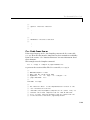
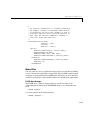
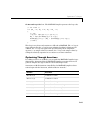
mcc –V1.2 citrus fun1=lemon
mcc –V1.2 citrus fun1 = lemon
% correct
% incorrect
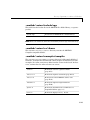
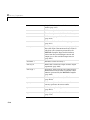
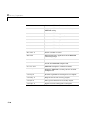
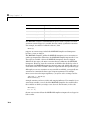
MATLAB Compiler 1.2 Option Flags
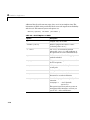
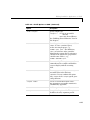
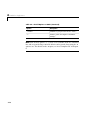
Some MATLAB Compiler option flags optimize the generated code, other
option flags generate compilation or runtime information, and some option
flags are Simulink-specific.
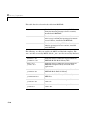
If you use the MATLAB Compiler mcc option flag –p to generate C++ code, then
these options are not supported:
• –i
• –l
• –r
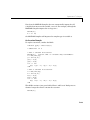
-B <filename> (Bundle of Compiler Settings)
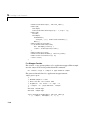
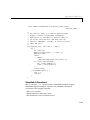
Replace –B <filename> on the mcc command line with the contents of the
specified file. The file should contain only mcc command line options and
corresponding arguments and/or other filenames. The file may contain other
6-47