1
Optimization Techniques
necessary. If you do not need this behavior, instruct the MATLAB Compiler to
optimize the code further.
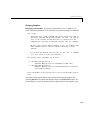
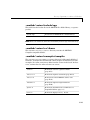
Optimizing with the -r Option Flag
Compiling an M-file with the –r option flag causes the MATLAB Compiler to
impute the type real for all input, output, and temporary values and variables
in the MEX-file. In other words, the generated MEX-file does not contain any
code to handle complex numbers. Handling complex numbers normally
requires a significant amount of code in a MEX-file, so eliminating this code
can make a MEX-file run faster. Note that if the Compiler detects a complex
number when compiling with the –r option, it will generate an error message.
Compiling with the –r option makes squibo.mex run about 92% faster than
squibo.m. Obviously, the –r option has made a significant impact. To find out
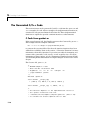
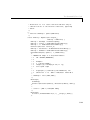
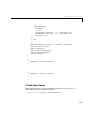
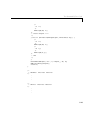
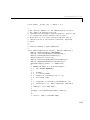
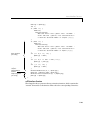
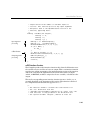
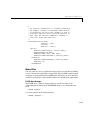
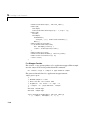
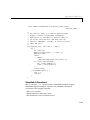
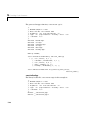
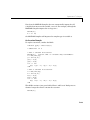
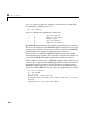
why, examine the MATLAB Compiler imputations and the generated loop
code.
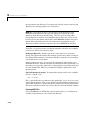
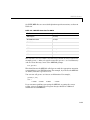
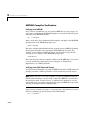
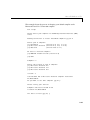
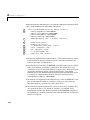
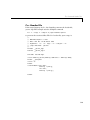
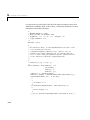
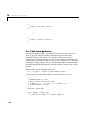
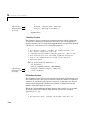
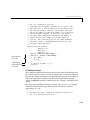
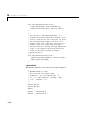
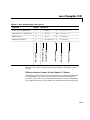
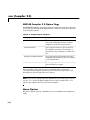
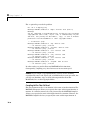
Type Imputations for -r. The –r option flag forces the MATLAB Compiler to
assume that no variables are complex. With the –r option flag, the MATLAB
Compiler assumptions are:
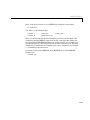
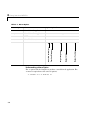
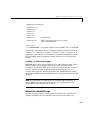
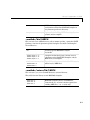
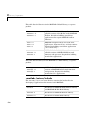
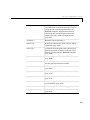
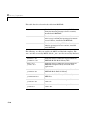
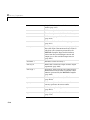
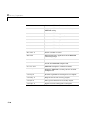
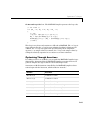
/***************** Compiler Assumptions ****************
*
*
I0_
integer scalar temporary
*
R0_
real scalar temporary
*
g
real vector/matrix
*
i
integer scalar
*
n
integer scalar
*
realsqrt
<function>
*
squibo
<function being defined>
*
zeros
<function>
*******************************************************/
Notice that variable g is now real. (Without –r, variable g is complex.)
Is it safe to compile with the –r option flag? Yes, because g(i–1) cannot become
negative. As long as g(i–1) is nonnegative, sqrt(g(i–1)) is always real.
D-13