1
Linking Through a Gateway
5.
2
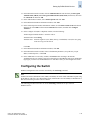
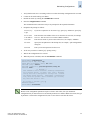
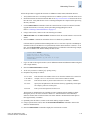
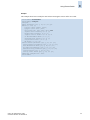
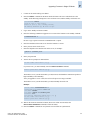
Enter a unique domain ID at the Domain prompt. Use a domain ID value from 1 through 239 for
normal operating mode (FCSW compatible):
Domain: (1..239) [1] 3
6.
Respond to the remaining prompts (or press Ctrl-d to accept the other settings and exit).
7.
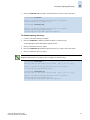
Enter the switchEnable command to reenable the switch.
Linking Through a Gateway
A gateway merges SANs into a single fabric by establishing point-to-point E_Port connectivity between
two Fibre Channel switches that are separated by a network with a protocol such as IP or SONET.
Except for link initialization, gateways are transparent to switches; the gateway simply provides E_Port
connectivity from one switch to another.
By default, switch ports initialize links using the Exchange Link Parameters (ELP) mode 1. However,
gateways expect initialization with ELP mode 2, also referred to as ISL R_RDY mode. Therefore, to
enable two switches to link through a gateway, the ports on both switches must be set for ELP mode 2.
Any number of E_Ports in a fabric can be configured for gateway links, provided the following rules
are followed:
•
•
All switches in the fabric must be upgraded to Fabric OS v3.1.0 (or later) or v4.1.0 (or later).
•
When determining switch count maximums, include the switches connected to both sides of
the gateway.
•
Extended links (those created using the Extended Fabrics licensed feature) and the security features
in Secure Fabric OS are not supported through gateway links.
To prevent fabric segmentation, make sure that all switches in the fabric are using the
core PID format, as described in “To configure a link through a gateway” next.
Fabric OS Administrator’s Guide
Publication Number: 53-0000518-09
2-17



























![FICON_AdminGd_v700[1].](http://vs1.manualzilla.com/store/data/005962703_1-207ddf39f2a91b852624dcbb8fd7d57f-150x150.png)