1
WebWhacker_Mac.BK : 2_Installing Page 6 Friday, September 12, 1997 1:50 PM
Installing WebWhacker
Upgrading from 2.0
Step
Procedure
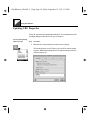
1. Install the new WebWhacker version in the same directory as your old
version, following the instructions in Installing WebWhacker. When you
reach step 5, be sure to navigate to the folder holding your current
WebWhacker installation.
OR
If you wish to install the new WebWhacker version in a different folder,
follow the instructions in Installing WebWhacker. When you reach step 5,
choose a folder other than the one holding your current WebWhacker
installation. When you finish installing the new version,
• locate the file named WebWhacker DataBase;
• press Command-D to make a duplicate of the file;
• drag the duplicate file to the folder holding your new WebWhacker
installation; and
• rename the duplicate file WebWhacker DataBase.
2. Configure the program as outlined in the rest of this chapter. See Setting
Program-Wide Preferences for WebWhacker.
Related Pages:
Installing WebWhacker, pg. 2–7
Setting Program-Wide Preferences for WebWhacker, pg. 2–8
2–6
WebWhacker User’s Guide