1
WebWhacker_Mac.BK : 3_Using Page 8 Friday, September 12, 1997 1:50 PM
Using WebWhacker
Grabbing a URL
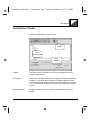
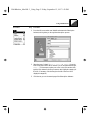
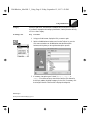
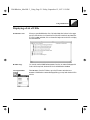
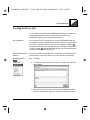
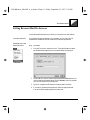
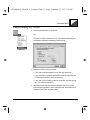
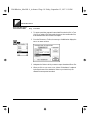
You can easily add a new URL to your WebWhacker database by grabbing it from
your Web browser. When you use this procedure, be sure you are viewing the site
through the browser specified in your WebWhacker Browser/Mail preferences.
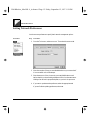
Fore more information, see Setting Browser/Mail Preferences.
Whack Levels
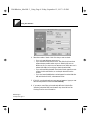
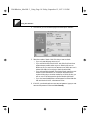
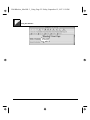
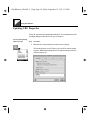
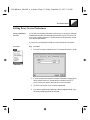
The whack levels you specify in the URL properties determines the number of
pages WebWhacker acquires when it whacks the site. You can choose to whack
only this single page, whack links from the page and from the linked pages, or
whack all the pages linked to the page and all its linked pages. You can also choose
whether or not you want to whack pages from other sites linked to the selected
page. For more information about setting whack levels see Updating URL Whack
Level Properties.
Remain on Site
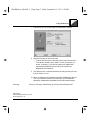
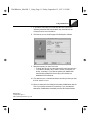
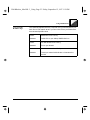
When WebWhacker begins whacking a Web site, it whacks all links to the level you
specify. If the page has links to pages at another site, you might not want to whack
those pages. You can use Remain on Site to keep WebWhacker from transversing
links to other sites. You can only use the Remain on Site option if you are specifying
a number of levels to whack; if you are whacking all the links from a page, Remain
on Site is selected automatically and the option is disabled.
Update Frequencies
and Scheduling
Preferences
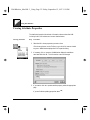
The URL Update Frequency property and the Scheduling preferences work
together in performing your whacks and renewals. The URL Update Frequency is
an individual property set separately for each URL. The Scheduling preferences
are global (within the context of WebWhacker), and apply to all URLs. Scheduling
preferences can override Update Frequency properties because WebWhacker only
looks at Update Frequencies when the Scheduling Preference requests it. For
instance, if your Scheduling preferences are set for weekly on a specific day (say,
Sunday) but a particular URL’s Update Frequency property is set to daily, that
URL will only be updated once a week (on Sunday). For more information see
Modifying URL Frequency Properties.
Related Pages:
Setting Browser/Mail Preferences, pg. 4–11
Updating URL Whack Level Properties, pg. 3–39
Modifying URL Frequency Properties, pg. 3–35
3–8
WebWhacker User’s Guide