1
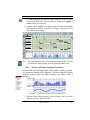
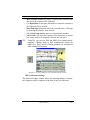
USING
Music is a kind of counting performed by the
mind without knowing that it is counting.
G.W. Leibnitz (1714)
Mathematics is music for the mind.
Music is mathematics for the soul.
Anonymous (18th century)
410 Bryant Circle, Suite K, Ojai, CA 93023
Copyright 2003 - Musitek - All rights reserved.
ii
Customer Service Plan
Registration
NOTE: If you ordered your product directly from Musitek you won’t find
a registration card; you are already registered.
Please complete and return your registration card. It costs you nothing to
do so. You will only be able to receive technical support if you are a registered owner of this product. Registering your product is important for you
in many ways:
• You will be eligible for free periodic updates from our website as well as special upgrade prices for future product
releases.
• You will be given priority access to Musitek Technical Support as well as to Customer Service using your Customer ID.
Warranty
Customer
Service
Web Page
E-Mail
Phone / FAX
Address
Technical
Support
Tech Page
E-Mail
Phone / FAX
All Musitek products are covered by a limited 90-day warranty. To
replace a defective CD that is still under warranty, contact Musitek Customer Service. Out of warranty CDs and manuals can be ordered online or
by phone. A nominal charge will be applied.
Musitek’s website contains up-to-date information on all our products.
You may register online and download posted updates. Also, you may email Musitek Customer Service for upgrade information, to notify us of a
change in your address or request other product-related information.
• http://www.musitek.com
• [email protected]
• OFFICE: (805) 646-8051 / FAX: (805) 646-8099
• 410 Bryant Circle., Suite K,
Ojai, CA 93023-4200
Most solutions to technical issues can be found in the manual or by accessing FAQs from our website. To contact a specialist, send e-mail either
from the website or from your own e-mailer. To contact a specialist by
phone, call during the hours listed below. If you are located outside the
U.S. or Canada, contact your local Musitek dealer. You may also FAX us
your questions.
• www.musitek.com/techsup.html
• [email protected]
• Phone: (805) 646-5841 / FAX: (805) 646-8099
10 AM to 4 PM Pacific Time - Monday thru Friday
Notices
MusitekTM and its licensors retain all ownership rights to the SmartScore for WindowsTM and MacintoshTM computer program and other computer programs offered by
Musitek including all associated documentation and materials. Use of SmartScore is
governed by the license agreement printed on the envelope containing your original
media. The SmartScore source code is a confidential trade secret of Musitek. You
may not attempt to decipher, reverse-engineer or decompile SmartScore or develop
source code for SmartScore, or knowingly allow others to do so. You may not
develop passwords or codes or otherwise enable the Save feature for equipment that is
not authorized for use with SmartScore. SmartScore and its documentation may not
be sublicensed and may not be transferred without the prior written consent of
Musitek.
SmartScore is licensed to be used on only one computer platform at a time. You may
not make copies for the purpose of installing SmartScore on additional computer platforms even if at the same location. The only copies authorized in your license agreement with Musitek are to be for archival purposes only. Only you, your employees
and consultants who have agreed to the above restrictions may use SmartScore.
Your right to copy SmartScore and this manual is restricted by international copyright
laws. Making copies, adaptations or compilation works without prior written consent
of Musitek is prohibited by law and constitutes a punishable legal violation.
MUSITEK PROVIDES THIS PUBLICATION “AS IS” WITHOUT WARRANTY
OF ANY KIND, EITHER EXPRESS OR IMPLIED, INCLUDING BUT NOT LIMITED TO THE WARRANTIES OF MERCHANTABILITY OR FITNESS FOR A
PARTICULAR PURPOSE: Musitek may revise this publication from time to time
without notice. Some states or jurisdictions do not allow disclaimer of express or
implied warranties in certain transaction; therefore, this statement may not apply to
you.
Using SmartScore 3 was written by
Christopher Newell and edited by Jon Berger.
SmartScore was designed and developed by
Christopher Newell and Wladyslaw Homenda.
Programming by ICT, S.A., Warsaw, Poland.
SmartScore is a registered trademark of Musitek Corporation.
Microsoft is a registered trademark of Microsoft Corporation. Windows is a trademark of
Microsoft Corporation.
Apple, Macintosh and OS X ares registered trademarks of Apple Computer, Inc..
USING SmartScore
Important Information Regarding
Reproduction of Copyrighted Printed
Music and the “Fair Use” doctrine
Title 17 of the US Code governs the making and reproduction of works
protected by copyright. Under this code, reproduction, distribution and
display of works protected under copyright is illegal if done without the
permission of the copyright owner unless the proposed use falls under
the definition of “Fair Use”.
If you have reservations that your proposed use of SmartScore may be
in violation of copyright law, consult with your attorney.
USING SmartScore
Table of Contents
Chapter 1
Introduction to SmartScore - - - - - - - - - - - - - - 1
What SmartScore does... - - - - - - - - So, what do you want to do? - - - - - - - What’s new with Version 3? - - - - - - - What Edition does what. - - - - - - Parts and Voices in SmartScore - - - What to do when this manual does not help -
-
-
-
-
-
-
-
-
-
-
-
-1
-2
-3
-4
-5
-6
Chapter 2
Installation and Quick Tour - - - - - - - - - - - - - 9
Installation - - - - - - - - - - - - - - Recognition of Scanned Music - - - - - System Report - - - - - - - - - - ENF Editing - - - - - - - - - - - Playback - - - - - - - - - - - - - Changing Instrument sounds - - - Working with the System Manager- Changing Parts and MIDI instruments - Manipulating a Multiple-voice Score - - Extracting Parts and Voices - - - - Editing Lyrics and Text - - - - - - - - Editing three or more voices - - - - Open MIDI View - - - - - - - - - Viewing all open windows using Tile
-
-
-
-
-
-
-
-
-
-
-
-
-9
-9
10
11
14
17
18
19
20
21
21
22
23
23
Chapter 3
Scanning and Recognition - - - - - - - - - - - - - - 25
Scanning Music - - - - - - - - - - - - - - Scanning in Windows®: - - - - - - - - - Using the SmartScore Scanning Interface
Automatic image-enhancement functions
-
-
-
-
-
-
-
-
-
-
25
25
26
27
Table of Contents
Scanner settings - - - - - - - - - - - - - - Choosing an alternative scanning interface - - Working with HP Scanners in Windows - - - - - Scanning for Macintosh® - - - - - - - - - - - - Scanner drivers for Mac - - - - - - - - - - Selecting a scanner - - - - - - - - - - - - - Selecting the SmartScore Scanning Interface - Choosing Your Scanner’s Interface: Automatic
Scanner settings - - - - - - - - - - - - - - Choosing Your Scanner’s Interface: Manual - Recognition Sequence - - - - - - - - - - - - - - Recognition Options - - - - - - - - - - - - Post-Recognition - - - - - - - - - - - - - - Scanning Outside of SmartScore - - - - - - - - - Selecting Pre-scanned Files for Processing - - - - Scanning Part Scores (Score-Parts) - - - - - - - Recognition Accuracy - - - - - - - - - - - - - - Troubleshooting Scanning and Recognition - Image Editor - - - - - - - - - - - - - - - - - - -
-
-
-
-
-
-
-
29
30
31
32
32
33
33
34
35
36
37
38
41
42
43
45
46
48
50
Chapter 4
ENF Playback - - - - - - - - - - - - - - - - - - - - 57
Getting Started - - Error Check - - - Playback Console - Working with Voices
Altering Playback - Repeats and Endings
Instrument Templates
Add drum tracks - Karaoke View - - -
-
-
-
-
Chapter 5
Editing Notes and Rests
-
-
-
-
-
-
-
-
-
-
-
-
-
-
-
-
-
-
57
61
61
62
67
72
73
74
74
- - - - - - - - - - - - - - - 77
Navigating Inside an ENF Document
Preliminary Cleanup - - - - - - - ENF Editing Modes - - - - - - - - General Note Editing - - - - - - - USING SmartScore
-
-
-
-
-
-
-
-
-
-
-
-
-
-
77
78
79
80
2
Table of Contents
Undo - - - - - - - - - - - - - - - - - Tool Palettes (F2-F9 keys) - - - - - - - Grace Notes - - - - - - - - - - - - - - Select tool (“O” key) - - - - - - - - - - Voice color - - - - - - - - - - - - - - Error Check - - - - - - - - - - - - - - Pitch shift - - - - - - - - - - - - - - - Editing beamed notes - - - - - - - - - - Stem direction - - - - - - - - - - - - - Dots of Prolongation - - - - - - - - - - Tuplets and Slurs (Legatos) - - - - - - - Ties - - - - - - - - - - - - - - - - - - Barlines - - - - - - - - - - - - - - - - Edit Shapes - - - - - - - - - - - - - - - - Key and Clef Transposition - - - - - - - - - Creating a New ENF Score from Scratch - - Saving and Exporting an ENF File - - - - - - Saving ENF files as MIDI or other file types
-
-
-
-
-
-
-
-
-
80
81
81
81
82
83
83
84
85
85
85
86
87
87
87
88
90
91
Chapter 6
Editing Text and Symbols - - - - - - - - - - - - - - 93
Text - - - - - - - - - - - - - - - - - - - - - - - Lyrics - - - - - - - - - - - - - - - - - - - - - - Text and Lyrics: Changing Styles and Entering - - - Edit Shapes - - - - - - - - - - - - - - - - - - - Guitar Frets and Chord Symbols - - - - - - - - - - Creating and changing chord symbols in the GCL
Bracketing - - - - - - - - - - - - - - - - - - - - -
-
-
-
-
-
- 93
- 94
- 96
- 97
- 99
-101
-103
Chapter 7
Working with Drums - - - - - - - - - - - - - - - -107
Percussion clef (Clefs Palette) - - - - - - - - - - - - - - - - - -107
Automatic Drum Patterns - - - - - - - - - - - - - - - - - - - -108
Virtual Drum Kit - - - - - - - - - - - - - - - - - - - - - - - -111
3
USING SmartScore
Table of Contents
Chapter 8
Changing Score Structure - - - - - - - - - - - - - 115
Controlling Structure from the System Manager - Page Setup - - - - - - - - - - - - - - - - - - - Re-link Parts - - - - - - - - - - - - - - - - - - Merging Systems - - - - - - - - - - - - - - Re-linking optimized systems - - - - - - - - Score Structure - - - - - - - - - - - - - - - - - Structure and hierarchy - - - - - - - - - - - Creating a Conductor’s Score from Part Scores Joining open ENF files - - - - - - - - - - - Creating Part Scores from Ensemble Scores - Controlling Voices within Score Structure - - -
-
-
-
-
-
-
115
120
121
121
122
124
124
124
125
126
127
Chapter 9
Detailed ENF Editing - - - - - - - - - - - - - - - - 129
More ENF navigating - - - - - - - - - - - - - - - Quick Keys - - - - - - - - - - - - - - - - - - - - QuickSelect (Ctrl + Click) - - - - - - - - - - Insert and Change Modes (C) - - - - - - - - - Delete by Group / Delete Any (X) - - - - - - - Select Tool (O) - - - - - - - - - - - - - - - - - - Using the Select tool for quick deletions - - - - Using the Select Tool (O) to edit selected objects Dots (D) - - - - - - - - - - - - - - - - - - - Ties (V) - - - - - - - - - - - - - - - - - - - Beam direction (A) - - - - - - - - - - - - - - Flags and beams (F) - - - - - - - - - - - - - Stem direction (S) - - - - - - - - - - - - - - Accidentals - - - - - - - - - - - - - - - - - Rests (R) - - - - - - - - - - - - - - - - - - - Barlines (I) - - - - - - - - - - - - - - - - - - Dynamics (P, < and >)- - - - - - - - - - - - - Tuplets (T) - - - - - - - - - - - - - - - - - - Unify Signatures/Clefs (U) - - - - - - - - - - Note values (Number Pad)- - - - - - - - - - - -
USING SmartScore
-
-
-
-
-
129
132
132
132
133
133
133
134
134
135
135
135
135
136
137
137
137
137
137
137
4
Table of Contents
Navigator - - - - - - - - - - - - - - - - Transposition - - - - - - - - - - - - - - - System Manager - - - - - - - - - - - - - Instrument Templates - - - - - - - - - - - Working with Voices and Colors- - - - - - Playback Console - - - - - - - - - - - - - Hidden Symbols - - - - - - - - - - - - - Dynamics, Articulations and Tempo Markings
Properties Tool - - - - - - - - - - - - - - Repeats and Multiple Endings - - - - - - - Unify Key, Time and Clefs (U) - - - - - - MIDI to ENF - - - - - - - - - - - - - - - Troubleshooting ENF Problems - - - - - - -
-
-
-
-
-
-
-
-
-
-138
-139
-143
147
149
-154
155
-156
-162
165
168
-170
-172
Chapter 10
MIDI Editing and Sequencing - - - - - - - - - - - -177
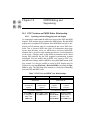
ENF Notation and MIDI Editor Relationship - - - - - - Opening, Changing and Closing Multiple MIDI Views - Track Overview - - - - - - - - - - - - - - - - - - - Playback - - - - - - - - - - - - - - - - - - - - - - - Spacebar - - - - - - - - - - - - - - - - - - - - - Mini-Console - - - - - - - - - - - - - - - - - - MIDI Devices - - - - - - - - - - - - - - - - - - Playback Range - - - - - - - - - - - - - - - - - Piano Roll - - - - - - - - - - - - - - - - - - - - - - Velocity and Tempo Graphical Controllers - - - - Switching between tracks - - - - - - - - - - - - - Shuttle Tool - - - - - - - - - - - - - - - - - - - Inserting program changes (Assign MIDI instrument)
MIDI Instrument settings - - - - - - - - - - - - - MIDI event selection - - - - - - - - - - - - - - - Changing MIDI event characteristics - - - - - - - Note Event window - - - - - - - - - - - - - - - Cut/Copy and Paste - - - - - - - - - - - - - - - Measure Settings - - - - - - - - - - - - - - - - - Setting Repeats and Multiple Endings - - - - - - - Segnos - - - - - - - - - - - - - - - - - - - - - - -
5
USING SmartScore
-
-
-
-177
-179
-180
-182
-182
-182
-183
-184
-184
-185
-186
-186
-186
-187
-189
-190
-191
-192
-193
-195
-195
Table of Contents
Event List - - - - - - - - - - - - - - - Changing parameters of selected notes Inserting note events - - - - - - - - Editing Key, Time and Tempo - - - Inserting Non-Note Events - - - - - Playback Console - - - - - - - - - - - - Display Controls - - - - - - - - - - - - MIDI Recording - - - - - - - - - - - - Step Time Recording - - - - - - - - - - Virtual Drum Kit - - - - - - - - - - - - Playback Considerations after MIDI Editing
MIDI to ENF - - - - - - - - - - - - - - Saving MIDI Files - - - - - - - - - - - -
-
-
-
-
-
-
-
-
-
-
197
198
198
199
199
200
201
202
206
207
208
208
208
Chapter 11
Reference - - - - - - - - - - - - - - - - - - - - - - 211
Properties Tool - - - - Tool Palettes - - - - - ENF FILE Menu - - - ENF EDIT Menu - - - ENF VIEW Menu - - ENF OPTIONS Menu - ENF PLAYBACK Menu
ENF Help Menu - - - MIDI FILE Menu - - - MIDI EDIT Menu - - MIDI VIEW Menu - - MIDI OPTIONS Menu OMS (Mac Classic Only)
MIDI REALTIME Menu
MIDI WINDOW Menu Image File Menu Items Image EDIT Menu - - Image VIEW Menu - - Image REALTIME Menu
-
-
-
-
-
-
-
-
-
-
-
-
-
-
-
-
-
-
-
211
211
218
223
229
234
237
238
239
240
241
242
243
244
245
245
246
248
249
Glossary - - - - - - - - - - - - - - - - - - - - - - 251
Score Formats - - - - - - - - - - - - - - - - - - - - - - - - 251
USING SmartScore
6
Table of Contents
Score Components - Other Notational Terms
MIDI Terms - - - - SmartScore Terms - -
-
-
-
-
-
-
-
-
-
-
-
-
-
-
-
-
-
-
-
-
-252
-254
-255
-259
Index - - - - - - - - - - - - - - - - - - - - - - - - -258
7
USING SmartScore
Table of Contents
USING SmartScore
8
What SmartScore does... - - - - - - - - - - - - - - - - - - - - - 1
So, what do you want to do? - - - - - - - - - - - - - - - - - - - 2
What’s new with Version 3.0? - - - - - - - - - - - - - - - - - - 3
What Edition does what. - - - - - - - - - - - - - - - - - - - 4
Parts and Voices in SmartScore - - - - - - - - - - - - - - - 5
What to do when this manual does not help - - - - - - - - - - - - 6
0
USING SmartScore
Chapter 1
1.1
Introduction to SmartScore
What SmartScore does...
1.1.1
Scan and play
With SmartScore, you are able to scan, recognize and playback sheet
music in just minutes. To listen, just hit the space bar! Assign different
MIDI sounds to each instrumental part and recreate a band or an
orchestral performance. Assign different sounds to contrapuntal voices
to create interesting and unusual textures of sound or to emphasize
inner voices in complex arrangements. Recognition of dynamics, articulations, repeats and endings gives added nuance and realism during
playback. Students can listen to an unfamiliar piece before learning it.
Practice along while playing back at various tempos without altering
pitch or key. Mute or solo one or more parts on the fly. Parts selected
by name are automatically assigned proper MIDI instruments and
maintain playback continuity even with optimized scores. Transposed
instruments notated in different keys will play back in tune. Automatically add drum tracks to playback... choose from many preset styles or
create your own drum tracks from imported MIDI files. You can even
record playback to audio-CD with the built-in CD Writer.
1.1.2
Scan and work
While playback of sheet music has its uses, it is just the beginning.
SmartScore has intelligent tools that will enable you to transform your
scanned score into virtually any configuration. You can transpose and
print out your music into a new key including any changes of key, time
and clef. Transpose globally or by selected region; by key or by clef.
Transform a viola part in C to a horn part in F. Recognized guitar frets
and chord symbols automatically transpose along with notes and key
symbols. Instrumental parts or contrapuntal voices can be extracted to
new SmartScore documents using Visibility in the System Manager.
Solo part scores can be scanned in and joined into a conductor’s score
with drag-and-drop ease using Score Structure. Preserve proper playback of instruments that appear and disappear throughout the score by
USING SmartScore
1
Introduction to SmartScore
using Part Linking tool. Fine object repositioning in Edit Shapes
refines the look of your score giving you a professional finish. Printed
output can be reformatted by resizing staffline, staff and system spacing and page margins. It’s all possible with SmartScore.
1.1.3
Turn MIDI files into music notation
Transform your favorite MIDI files into engraver-quality music notation. If the MIDI file contains complex voicing in a track, SmartScore
can separate them into independent voicelines. If voices are joined into
chords, use SmartScore’s voice-splitting tool to separate them into discrete contrapuntal voices.
1.1.4
Create scores from scratch
By selecting one of 15 templates, you can create musical scores from
scratch. Drop in one key and time signature, press a button and the
entire score is updated. Need more space between staves? Change one
setting and apply to the current system, subsequent systems, page, part
or entire score. For easy score editing, refer to the Quick Key card.
1.1.5
Sequence and record
View and edit the MIDI data of your scanned music in the familiar
Overview, Piano Roll and Event List format. Record your MIDI performance either as an accompaniment to your scanned music or in layered
tracks and transform it into musical notation. Record drum tracks from
your computer keyboard while listening to the playback using Virtual
Drums.
1.2
So, what do you want to do?
• Scan and play back sheet music?
Scan > Recognize > Playback > Karaoke
• Transpose
Edit > Transpose > Print
• Create score from scratch?
Choose Template > Assign Instruments
2
USING SmartScore
Introduction to SmartScore
• Create score from MIDI keyboard?
Choose real-time or step time
• Create score from imported MIDI or NIFF files?
Choose Import MIDI or NIFF
• How would you like to output your score?
Print ENF / Export to MIDI / Export to Finale® / Export to
Sibelius® / Export to PDF / Export to NIFF / Record to CD
1.3
What’s new with Version 3?
1.3.1
Even greater recognition accuracy and realism
State-of-the-art recognition methods make SmartScore the most accurate music-reading software ever. This means you will spend less time
“cleaning up” recognized files. Version 3 has greatly improved notation, text and lyric recognition. Guitar fretboard and chord symbols,
triplets (both noted and implied), arpeggios, glissandos, accents, multiple endings, tempo, pedal and bowing markings are now recognized.
1.3.2
New tools to enhance your experience
Improved editing functions include smarter beaming including grouping of selected notes into beams and cross-measure beaming. Apply
changes to articulation and dynamic markings individually or globally.
The Guitar Chord Library now contains more than 500 chords. Playback your SmartScore files with automatic drum tracks. Choose from a
library of drum styles and even add your own. A new Karaoke View
lets you sing along with “bouncing ball” and moving lyrics. Immediately add drum tracks based on various styles.
1.3.3
Enhanced ENF-to-MIDI relationship
Unlike most MIDI sequencing programs which support only one MIDI
channel per part (Type 1 format), SmartScore supports multiple MIDI
channels within each MIDI track. This is because SmartScore can differentiate more than one voice within a part. When Option > Color =
Voice, contrapuntal voices become assigned to individual MIDI
USING SmartScore
3
Introduction to SmartScore
channels. In practice, this level of detail creates a world of possibilities
for extracting voices or for creating different voice textures during
playback.
1.3.4
What Edition does what.
Not all SmartScore editions can accomplish everything listed above.
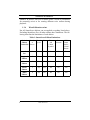
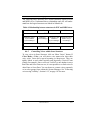
Excluding SmartScore Pro, all other editions have limitations. The following chart lists the limitations of each edition.
Table 1: SmartScore Edition Limitations
4
Limited
Number Text &
Edition
of
Lyrics
Feature Set Staves
Print
Guitar
and
Chord
Symbol
Score
Structure
MIDI /
Drum
Tracks /
Virtual
Drums
SmartScore
Pro
32
Yes
Yes
Yes
Yes
Yes
Songbook
Edition
3
Yes
Yes
Yes
Yes
Yes
Piano
Edition
2
No
Yes
No
No
No
Guitar
Edition
1
No
Yes
Yes
No
No
MIDI
Edition
4
No
No
No
No
Yes
USING SmartScore
Introduction to SmartScore
1.3.5
Parts and Voices in SmartScore
A careful analysis of the structure of music notation reveals that there
are two fundamental elements on which all other musical components
are built: Voices and Parts. The following table describes their interrelationships in the context of printed music notation. See the Glossary
on page 251 for more detailed descriptions of these terms.
Table 2: How parts and voices are handled in SmartScore
Element
Contained
Inside:
Visible
Components:
Part
Systems
Staves
Voice
Staves
Notes / Rests
MIDI
Representation
Track
Channel
SmartScore is based on these relationships. The ability to track these
basic components throughout a score, the ability to apply different
characteristics to them, to control their visibility and spacing on the
page, etc. gives SmartScore its unique flexibility. The usefulness of
these relationships becomes most apparent in the System Manager,
where instrumental characteristics are assigned.
1.4
How to use this manual
An excellent way to start using SmartScore is to turn to the Quick
Tour on page 9. As you scan, recognize, play back and edit your files,
turn to the corresponding chapter in this manual. Later chapters will
help you to work with text and symbols, to change the structure of your
score, to do more detailed editing and to operate in a pure MIDI environment.
This manual is fully indexed and cross-referenced. The easiest and
quickest method of obtaining information on any topic is to look it up
in the Index on page 258 then turn to listed page(s). Detailed descriptions of SmartScore menu items can be found in Reference chapter on
page 211.
USING SmartScore
5
Introduction to SmartScore
1.4.1
What Edition symbols mean
This manual is written for all editions of SmartScore. Features
described that do not apply to all editions will have a symbol in the left
margin.
• SmartScore Full Edition
No restrictions.
• Songbook Edition (Not found in MIDI, Piano or Guitar Edi-
tions)
Identical to SmartScore Full Edition but limited to processing music
with no more than 3 staves per system.
• Piano Edition (Not found in MIDI or Guitar Editions)
Limited to processing music with no more than 2 staves per system. No
text or lyric recognition or editing. No guitar or chord symbols. No
MIDI recording or editing.
• Guitar Edition (Not found in MIDI or Piano Editions)
Limited to processing music with no more than 1 staffline per system.
No text or lyric recognition or editing. No MIDI recording or editing.
• MIDI Edition (Not found in Piano or Guitar Editions)
Limited to processing music with no more than 4 staves per system. No
text or lyric recognition or editing. No guitar or chord symbols. Limited
score editing.
1.5
What to do when this manual does not help...
When you register your copy of SmartScore, you become eligible for
technical support for as long as you own the product. But before you
reach for the phone, try to solve your issues first by referring to this
manual. E-mail is the most efficient method of communicating with
Musitek Technical Support We recommend attaching any scanned
6
USING SmartScore
Introduction to SmartScore
images you are having trouble with along with a brief description of the
problems you are facing. Technical Support E-mail address is:
[email protected]
If you must phone in for help, we ask that you have a few things ready
before calling Technical Support:
• Please have your computer on with SmartScore up and running
• Please have the following information ready to give the support
technician:
Customer ID:_____________ Serial Number:____________________
• SmartScore Version Number
•
•
•
•
(found under Help > About SmartScore)
Windows or Macintosh operating system you are running under.
Model of Scanner you are using
The type of music you are scanning (orchestral, hand-written,
etc.).
Your e-mail address.
USING SmartScore
7
Installation
- - - - - - - - - - - - - - - - - - - - - - - - - - - 9
Recognition of Scanned Music - - - - - - - - - - - - - - - - - - 9
System Report - - - - - - - - - - - - - - - - - - - - - - - 10
ENF Editing - - - - - - - - - - - - - - - - - - - - - - - - 11
Playback - - - - - - - - - - - - - - - - - - - - - - - - - 14
Changing Instrument sounds - - - - - - - - - - - - - - - - 17
Working with the System Manager - - - - - - - - - - - - - 18
Changing Parts and MIDI instruments - - - - - - - - - - - - - - 19
Manipulating a Multiple-voice Score - - - - - - - - - - - - - - 20
Extracting Parts and Voices - - - - - - - - - - - - - - - - 21
Editing Lyrics and Text
- - - - - - - - - - - - - - - - - - - - 21
Editing three or more voices - - - - - - - - - - - - - - - - 22
Open MIDI View - - - - - - - - - - - - - - - - - - - - - 23
Viewing all open windows using Tile - - - - - - - - - - - - 23
8
USING SmartScore
Chapter 2
2.1
Installation and
Quick Tour
Installation
With the packaged CD, you will be able to install SmartScore an unlimited number of times onto your computer. Application files should not
be copied to other computers. SmartScore will operate only when
installed correctly. Both the Internet and CD installers are copy-protected as a precaution against software piracy. Internet installers can be
installed up to 5 times (using ID and Password) before it becomes necessary to call Customer Service to obtain a new download ID.
a. Insert the SmartScore CD into your computer’s CD drive.
b. (Windows) Push Start > Run and Browse to find your CD drive
under “Look In”. Double-click SS3INSTALL.EXE.
c. (Macintosh) Double-click SmartScore CD icon on your desktop.
Double-click SS3INSTALL.
d. Follow all installation steps including entering Serial Number,
Customer ID and registering your copy of the product.
2.2
Recognition of Scanned Music
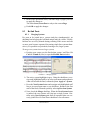
SmartScore includes several pre-scanned TIFF files. Launch SmartScore by double-clicking its icon. We will start the tutorial with the
sample pre-scanned file, FANDANGO.
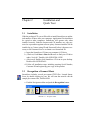
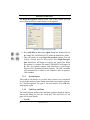
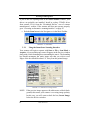
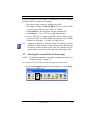
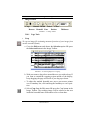
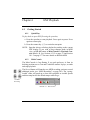
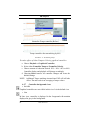
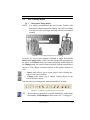
a. Find the Navigator toolbar and push the Recognition button.
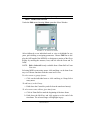
FIGURE 2 - 1: Navigator toolbar
USING SmartScore
9
Installation and Quick Tour
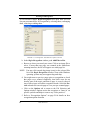
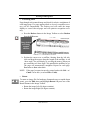
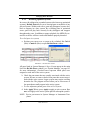
The Begin Recognition window opens. This is the window you will
use to select previously-scanned music for recognition.
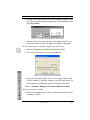
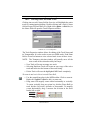
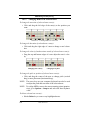
FIGURE 2 - 2: Begin Recognition window
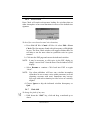
b. Press Add Files to List. In the Open dialog box, double-click on
the sample file, FANDANGO.TIF, inside the SmartScore folder.
c. This will return you to the Begin Recognition window. Turn off
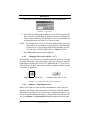
Triplets, Endings and Text Recognition. Press Begin Recognition. SmartScore will begin to recognize the sample file. When
Recognition is complete, the name FANDANGO will appear in
the Save As filename window with SmartScore’s own filetype
listed as ENF (Extended Notation Format). The ENF extension
will automatically be added to all filenames after recognition.
Click on Save.
2.2.1
System Report
This window will indicate to you how many systems were recognized
as well as the number of parts found in the largest and smallest systems.
See “Post-Recognition” on page 41 for more details. Press OK after
studying the report.
2.2.2
Unify Key and Time
The Unify function unifies all key and time signatures based on choices
listed in the dialog box. See See “Unify Key, Time and Clefs (U)” on
page 169 for more details.
• Hit OK.
10
USING SmartScore
Installation and Quick Tour
2.3
Editing an ENF File
2.3.1
Macintosh / Windows shortcut conventions
Most SmartScore keyboard shortcuts are identical on both Windows
and Mac machines. These include “Ctrl + Click” or “Ctrl + key +
Click”. Occasionally, however, an entirely different command is
required, specifically the familiar Windows Right Mouse Click. Since
most Macs do not have a right mouse button, the Windows right-click
function is performed on the Mac version of SmartScore with “Option
+ Click”
2.3.2
ENF Editing
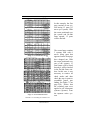
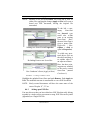
The original scanned image is displayed in the upper window and the
newly recognized ENF file appears below it. Use the scroller bars,
mouse wheel, or arrow keys on your keyboard to scroll up and down
the page. Notice the image and ENF windows are synchronized for
comparison.
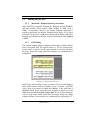
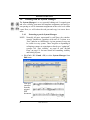
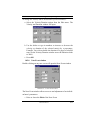
FIGURE 2 - 3: Sample TIFF / ENF view
In ENF, only one staff line is active at a time. The active staff displays
black while inactive staff lines display as grey. To make a staff line
active, move your cursor to within the boundary of the staff until it
highlights black. If you want all staves to display in black, go to the
View menu and uncheck Show Active Staff. If you do this, remember
to move your cursor within a staff line first before doing any editing
within a staffline. For more info, see visiting staff line tip on page 153.
USING SmartScore
11
Installation and Quick Tour
NOTE: In this manual, Quick Keys (keyboard shortcuts) are indicated
in bold parentheses: e.g. (C).
As accurate as SmartScore is, you should always check for errors in
recognition. Sometimes only a few simple edits are all that is required.
• To see all staff lines in black, go to the View menu and un-check
“Show Active Staff”. Editing is done a staff-to-staff basis. If you
are unsure to which staff a note belongs, turn this back on. To
quickly check for errors, select Error Check (Ctrl + “E”).
2.3.3
Editing Fandango
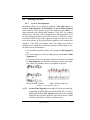
To insert the missing grace note in the first measure,
a. Move your cursor to the “Notes” tool palette on the left of your
screen. Select a 16th note (The number “5” key on your computer
keyboard will do the same). Hit the “C” key and toggle to Insert
mode (displaying only a note). In both Insert and Change
modes, your cursor becomes the selected object.
b. Press the “A” key to change the beam direction until it points
towards the right. In the “Notes” palette, click on the “Grace
note” button. Move your cursor into Measure 1 and position the
notehead of the grace note on D. Press the “S” key to flip its stem
direction. Click to insert the first grace note. Notice the cursor’s
beam direction has gone from right to left. Position the cursor
notehead on F and click to insert the second grace note. See
“Insert and Change Modes (C)” on page 132.
NOTE: Grace notes can play back either on the beat (accaciatura) or
before the beat. To change, go to Playback > Sound Grace
Notes.
TIP:
The “F1” key will reset all windows and palettes to their default
positions. This is especially useful when windows, palettes and
tool bars become too scattered or too numerous.
To insert the missing dynamic markings,
a. Move your cursor over any tool palette on the left side of your
screen and right-click (Win) / Ctrl + click (Mac). This allows
you to select any available SmartScore tool palette.
Choose the “Dynamics” Palette (F8).
12
USING SmartScore
Installation and Quick Tour
b. Select Mezzo forte (mf) in the “Dynamics” palette. Click in Measure 15 to insert the new dynamic marking.
c. Select Piano (f) to activate Piano mark. Insert mark in Measure
14.
d. Hit the “X” key and click on the false “P” in Measure 17 to delete
it. Toggle the “C” key to return to Insert mode.
e. Select Piano (p) in the “Dynamics” palette to activate Piano
mark. Click to insert the mark in Measure 17.
NOTE: To Undo any editing action, select the Undo button in the
toolbar (Ctrl + Z (Win) / Cmnd + Z (Mac)).
To insert missing barlines,
a. Hit the “I” key. The cursor will become a barline.
b. Click to insert barlines in the correct spots of Measures 10 & 17.
Using the Quick-select tool to change note values,
a. In Measure 3, the beamed triplet was recognized with 16th notes.
Hold down the Control button of your keyboard and click the
first 16th note of the eighth-note triplet in Measure 2. Notice how
the cursor changes to an “eighth note-start beam”. This action is
what we call Quick-Select (Ctrl + Click). Hit the “C” key to toggle to the Change mode (with white arrow) and click on the first
note in Measure 3 to correct.
b. Ctrl + Click again on the middle note of the triplet in Measure 2,
hit the “C” key and click the middle note of the triplet in Measure
3 to change its value. Repeat with the last note of each triplet.
To edit chord clusters,
A note is missing from the chord in the treble clef of Measure 9.
a. Press the “Z” key to activate the Cluster Tool. The Cluster Tool is
used to build chords or remove single noteheads from a chord.
b. To insert the new note, click where the D belongs below the F.
NOTE: To delete one notehead from any chord, first hit “Z” (the cluster tool), then “X” (the delete mode). Clicking on any notehead will remove it without deleting the entire note cluster.
USING SmartScore
13
Installation and Quick Tour
Select tool (Copy and Paste / Quick Delete)
c. Hit the “O” key to activate the Select tool. Drag to highlight the
beamed grace notes you entered in Measure 1 earlier. When only
the two notes are highlighted, hold down Ctrl + C to copy (Edit
> Copy is the same).
d. Now, hold down Ctrl + V (Edit > Paste). Position the mouse
pointer to left of the first note in Measure 23 and click to insert
the copied grace notes. Holding the Shift button down, move the
first grace note from D to E.
e. Quick-Select (Ctrl + Click) the flagged eighth note from the last
note in Measure 22. Push the Grace Note button in the “Notes”
palette and click to insert the grace note in Measure 24.
f. Go to Measure 23, Quick-Select the sharp to the left of the C#
notehead and then click on the grace note in Measure 24 in insert.
2.3.4
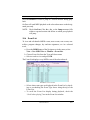
Playback
Just hit the spacebar to playback this fine little piece by Antonio Soler.
SmartScore has scrolling playback, so you will be able to see which
notes are sounding while the file plays. The TIFF window closes during
play.
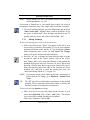
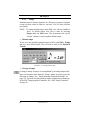
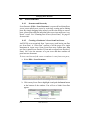
The Spacebar acts as a Playback / Pause toggle control. You can also
control ENF playback with the floating Mini Console. Transport controls are colored and there is a handy tempo controller that smoothly
speeds up or slows down playback the further the slider is moved away
from the center. Letting go returns the “spring-loaded” slider back to
the center and the default tempo resumes.
“Spring-loaded” tempo controller
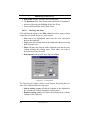
FIGURE 2 - 4: Mini Console
We will now process a second sample of music and see how SmartScore helps you edit parts, assign instrument sounds and isolate a part.
Most scores have parts joined together into “systems”. Each horizontal
staff of each system represents a “visible” part or active instrument.
14
USING SmartScore
Installation and Quick Tour
2.3.5
Editing Gluck
a. Push the Recog button in the Navigator. If you have any open
documents, you will be asked to save them. In the Begin Recognition window press Add Files to List. In the Open window,
double-click GLUCK.TIF inside the SmartScore folder.
b. In the Begin Recognition window, click to remove the check
mark next to “Text” checkbox Since there are no lyrics or text to
recognize.
c. Press Begin Recognition button to start the recognition process.
Save the recognized ENF file when prompted.
d. To listen to GLUCK.ENF just press the spacebar.
To shift note pitches,
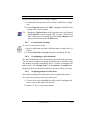
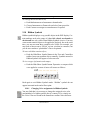
• In the flute part of Measure 3, an eighth note of a beamed group
needs to be a pitch higher. While holding the SHIFT button
down, drag the notehead of the first beamed note up from A to B.
To quickly delete objects,
• Activate the Select tool (“O” key). Click and drag to highlight
both the slur and the tie above the staffline in Measure 10. Hit the
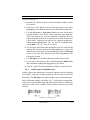
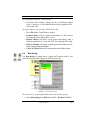
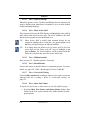
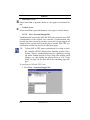
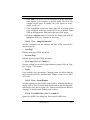
Delete key to remove them.
To quickly insert ties, dots and accidentals and articulations,
a. Ctrl + click on the dotted half note in the previous measure to
Quick-select it. Move the mouse pointer to the beginning of Measure 10 and click to insert the dotted half note.
NOTE: The “S” key will allow you to toggle the stem direction of
any selected note.
b. Hit the “V” to activate ties. Click on the dotted half notes in Measure 9 and again in Measure 10 to insert each tie.
NOTE: Right-click while inserting a tie (Mac: Ctrl + click) will
reverse the default orientation of its arc.
c. There is a spurious dot in the eighth note beam sequence inside
Measure 10. To delete the dot, toggle the “D” key until the cursor
appears as a greyed-out dot and arrow. Click on the notehead
with the dot to remove.
USING SmartScore
15
Installation and Quick Tour
d. In Measure 18, Quick-select (Ctrl + click) the natural sign in the
right hand piano part. Move your cursor up to the flute part and
click on the half-note B to insert the natural.
e. Right-click (Win) / Ctrl + click (Mac) on any open tool palette.
Click on Articulations and select Trill (“tr”). Click on the quarter
note at the end of Measure 19 to insert the trill.
Using the Properties Tools and Selecting Playback Range
a. Select the Properties Tool button from the SmartScore toolbar.
Click onto the trill you just inserted. A properties window will
open that allows you to change playback properties of the trill.
Move the “Permutations” slider to 8 and select “Fixed Number of
Durations”.
NOTE: The Properties Tool works for most articulation, dynamic
and tempo markings. See “Properties Tool” on page 162 for
more information on how to edit these object’s properties.
b. Go to Playback menu and select Select Play Range. Change the
beginning measure to 19. Select OK. In the Mini-console, press
the Rewind button then Play to hear the changes you just made.
Visualizing contrapuntal voices
Voice color mode will display contrapuntal voices in different colors.
This allows you to view secondary voices (both notes and rests) in red
and tertiary voices in green.
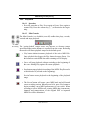
a. In the SmartScore Toolbar, push the “Voice Visibility” button.
b. Notice in each staff how notes and rests appear as either black or
red. This represents the two voices in each staff line.
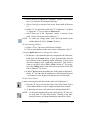
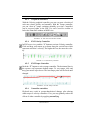
c. To see how multiple voice colors are represented in MIDI, reopen
the Playback Console (Ctrl + 9 / Cmnd + 9).
16
USING SmartScore
Installation and Quick Tour
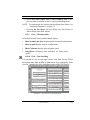
Notice that Track 2 (PianoR in System Manager) has two voices:
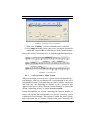
Black = Voice 1 / Red = Voice 2.
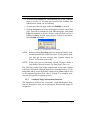
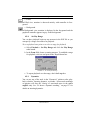
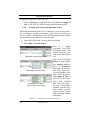
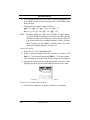
FIGURE 2 - 5: Playback Console with Options> Color Mode > Voice selected
2.3.6
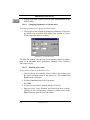
Changing Instrument sounds in Playback Console
The left and right-hand piano parts have been automatically recognized
as piano and assigned the General MIDI patch of Grand Piano. By
default, the solo part was automatically assigned the Flute patch. Let’s
say you want to hear the solo part as a clarinet sound instead.
a. Push the speaker button to open the Playback Console or use the
keyboard shortcut, Ctrl + 9 / Cmnd + 9.
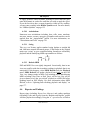
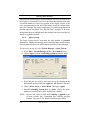
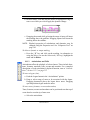
FIGURE 2 - 6: Changing instruments in Playback Console
b. In Track 1, click on Flute in the Instrument column and scroll up
2 instruments and select Clarinet. Push the spacebar or Play button to hear the solo part played as clarinet. Move volume slider
left or right to increase or decrease volume on one or more parts.
Reset Track 1 to Flute or some other instrument. Close Playback
Console.
USING SmartScore
17
Installation and Quick Tour
2.4
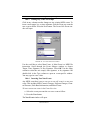
Working with the System Manager
The System Manager is a very powerful editing tool. It controls part
and voice visibility, part name and template assignment, staff and system spacing as well as instrument assignments at the voice level within
a part. Here, we will isolate the solo part and copy it to a new document.
2.4.1
Extracting a part in System Manager
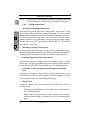
NOTE: Normally all parts, represented by staff lines, play simultaneously. SmartScore considers each staff of a system as a
“Part” and also as a MIDI track. A given part may or may not
be visible in every system. These irregular or expanding &
collapsing systems are sometimes referred to as “optimized”
systems. See “Part visibility” on page 145 and “Re-link
Parts” on page 121 for more details on controlling visibility
and linking of parts.
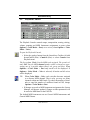
a. Hit (Ctrl + M / Cmnd + M) or select System Manager from
Edit menu.
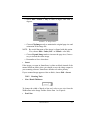
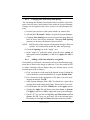
Flute part
extracted
from the
original
ENF
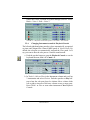
document.
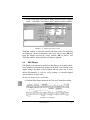
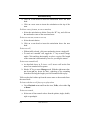
FIGURE 2 - 7: Extracting a part in System Manager
18
USING SmartScore
Installation and Quick Tour
b. Remove “Visibility checkmarks” for PianoR and PianoL parts
in the far-left column. Check “Visibility” in the Apply region.
Push Apply to New to create a new document which will include
only the part(s) selected by visibility checkmarks.
c. Play the flute part, then close this newly created document.
2.4.2
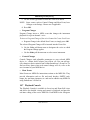
Changing Parts and MIDI instruments in System
Manager
We will now use System Manager to select parts and assign MIDI
sounds. MIDI instrument assignments can be changed in the System
Manager either by choosing one of a number of preset Part Names or
by changing the MIDI instruments assigned to any particular voice.
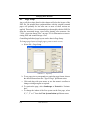
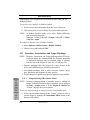
a. Return to the original Gluck score, hit Ctrl + M / Cmnd + M. Go
to the Part Name column and click on the first Part Name,
Flute. Scroll down the list and select Oboe. Notice Voice 1
becomes Oboe. NOTE: Default instrument names and linked
MIDI sounds are obtained from Instrument Templates.
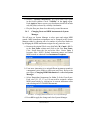
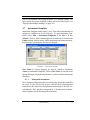
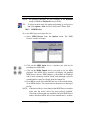
FIGURE 2 - 8: Changing MIDI instruments by selecting new Part Name
b. Even more interesting is to assign different instrument sounds to
contrapuntal voices within a single part (staff line). Refer to the
next figure, Changing MIDI Instrument of a voice in System
Manager.
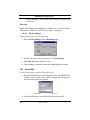
c. Select Harpsichord instrument for Voice 2 of the PianoR part.
Each voice (V1, V2, V3 or V4) can each be assigned a unique
MIDI sound simply by clicking on its current instrument name
and selecting one of 128 MIDI instruments.
FIGURE 2 - 9: Changing MIDI instrument of a voice in System Manager
d. Press OK to apply the change and close System Manager.
USING SmartScore
19
Installation and Quick Tour
e. Now hit the spacebar to play back. Whenever the secondary
voice in the right hand is played, you will hear a harpsichord
sound. This technique is ideal for distinguishing “inner voices” of
parts that are written contrapuntally.
NOTE: Changing MIDI instrument assignments of parts and voices
can also be accomplished in the Playback Console (Ctrl + 9 /
Playback Menu > Console).
2.5
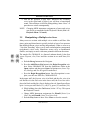
Manipulating a Multiple-voice Score
Many scores are written with multiple voices within a staff line. Solo
piano, guitar and choral music typically include at least a few measures
that include different voices moving independently. What we refer to as
“Voiceline Threading” allows you to track and manipulate contrapuntal
(polyphonic) voices easily. SmartScore treats voices as fundamental
entities, not simply as notes with stems pointed in different directions.
The sample file, CHORALE, is a famous Lutheran chorale. It has four
voices: Soprano, Alto, Tenor and Bass written in two staff lines (SA/
TB).
a. Push the Recog button on the Navigator.
b. Press the Add Files to List button in the Begin Recognition window. Select CHORALE.TIF from the SmartScore folder in the
Open window and then press Open. In Options area, leave Triplets, Endings and Text Recognition unchecked.
c. Press the Begin Recognition button. Once Recognition is complete, save the new ENF file, CHORALE.ENF.
In the upper staff, the Soprano voice is in black and the Alto voice is in
red. Because it is the first voice in the lower staff, the Tenor line is displayed in black and the Bass line is displayed in red. SmartScore allows
up to 4 voices per staff: black (V1), red (V2), green (V3) and blue (V4).
d. While holding down the Ctrl button, hit the “9” key. This opens
the Playback Console.
e. Change MIDI Instrument assignments for PianoR (Voice 1) to
Choir Ahs and PianoR (Voice 2) to Voice Oohs.
f. Push the Play button to hear. Press Close to close the console.
20
USING SmartScore
Installation and Quick Tour
2.5.1
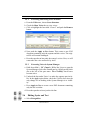
Extracting Parts using Score Structure
a. From the Edit menu, choose Score Structure.
b. Check the Show Voices box to view voices.
c. Click to highlight the box titled “PianoL” and push the Remove
button.
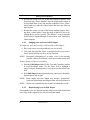
FIGURE 2 - 10: Eliminating a part in Score Structure
d. Now push the Apply to New button. This creates a new ENF
document containing only the soprano and alto voices. The original file will remain unchanged.
e. Press the spacebar to hear only the women’s voices. Now, we will
extract the alto voice and hear it by itself.
2.5.2
Extracting Voices in System Manager
a. Hold down Ctrl + “M” (Cmnd + M for Mac) keys to open the
System Manager. Select the PianoR part by clicking on the black
dot to the left of the part name. Voice Visibility check boxes
become active.
b. Uncheck the box under Voice 1 to make the soprano part invisible. In the Apply region below, check the Visibility box since the
only change we are making in the System Manager is to visibility.
c. Press Apply to New to create a new ENF document containing
only the alto voiceline.
d. Press the spacebar to hear just the alto line.
2.6
Editing Lyrics and Text
a. Select Recognition.
USING SmartScore
21
Installation and Quick Tour
b. Press the Add Files to List button in the Begin Recognition window. Select SONGBOOK.TIF and press Open. In the Options
area, check the box to the left of Text Recognition. Change Language to English.
c. Press the Begin Recognition button. Once Recognition is complete, save the ENF file, SONGBOOK.ENF.
d. The lyrics in the first system appear too close to the arcing slur in
the right hand piano part.
e. With Shift button down, click and drag the first set of lyrics up.
f. Press the L (Lyric) button in the Text and Controllers toolbar.
With the lyric cursor activated, click on half note in the top staff
line. The cursor will insert at the beginning of the lyric block
associated with that note.
g. Using the arrow keys, move the cursor down to the next lyric line
and then right to the end of the lyric block. Hit “?” to insert it.
h. Repeat in Measure 8 by clicking on the topmost dotted half note.
2.7
Editing Solo Guitar Music / MIDI View
2.7.1
Editing three or more voices
Solo classical guitar and solo violin scores are unique in the world of
published music. Usually more than two voicelines are present; each
voiceline represented by notes with opposite stem directions. In classical guitar notation, different voices represent the four plucking fingers
of the right hand and in solo violin music, notes with stems in opposite
directions represent the four strings of the instrument. A closely-spaced
cluster of three or four disconnected notes, stems pointing in either
direction with their noteheads slightly offset represents a “chord”. Such
interesting formulations pose real challenges to intelligent music-scanning software...
a. Push the Recognition button in the Navigator. In the Begin Recognition window, push Add FIles to List and select GUITAR.TIF from the SmartScore folder and press Open (or doubleclick the filename). Press Begin Recognition.
22
USING SmartScore
Installation and Quick Tour
b. Push spacebar to Play. Notice as the music plays, notes have
three colors, including green. The green notes represent the third
or tertiary voice. Hit spacebar again to Stop.
c. With the Select Tool (“O” key), click on the text “MY” in Measure 5 to highlight. Hit “Delete” to remove it.
d. Open the Playback Console (Ctrl + 9 / Cmnd + 9). Click into
Instrument selection for Track 1 / Voice 2. Change Nylon String
Guitar to Tango Accordion. Push the spacebar and listen to how
contrapuntal voices become more distinct when they are assigned
to different instrument sounds.
2.7.2
Open MIDI View
a. In the Navigator, push the MIDI button. This will open the MIDI
environment for the guitar score.
b. With view Type of Overview selected, push OK. Overview displays all ENF staff lines represented as MIDI tracks.
c. Push MIDI button in the Navigator again. This time the option of
opening Piano Roll appears. Push OK. The score is now displayed in a “piano roll” configuration where note lengths appear
as long bars. Notice that contrapuntal voices maintain their color.
2.7.3
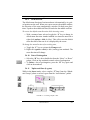
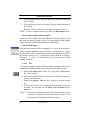
Viewing all open windows using Tile
a. Click on the “Tile Windows” button in the Main Toolbar to view
all windows that are open in SmartScore.
b. Using your mouse, click and drag on the margins of each window
to resize them as you wish.
c. Clicking into any window activates it. You may zoom, edit and
scroll as you would if it were the only open window.
TIP:
Viewing both the ENF and MIDI windows simultaneously
allows you to visualize both sides of the SmartScore equation:
The graphical environment and the time-based environment.
Whenever you have a playback problem that doesn’t appear to
be resolved in ENF view, open MIDI piano roll view, tile the
views and compare data. Often you will visualize the problem
in MIDI; e.g. Incorrect note or rest values may cause MIDI to
create more beats than what is written in the ENF view.
USING SmartScore
23
Scanning Music - - - - - - - - - - - - - - - - - - - - - - - - -25
Scanning in Windows®: - - - - - - - - - - - - - - - - - - - - -25
Using the SmartScore Scanning Interface - - - - - - - - - - -26
Automatic image-enhancement functions - - - - - - - - - - -27
Scanner settings - - - - - - - - - - - - - - - - - - - - - - -29
Choosing an alternative scanning interface - - - - - - - - - -30
Working with HP Scanners in Windows - - - - - - - - - - - - - -31
Scanning for Macintosh® - - - - - - - - - - - - - - - - - - - -32
Scanner drivers for Mac - - - - - - - - - - - - - - - - - - -32
Selecting a scanner - - - - - - - - - - - - - - - - - - - - -33
Selecting the SmartScore Scanning Interface - - - - - - - - -33
Choosing Your Scanner’s Interface: Automatic - - - - - - - -34
Scanner settings - - - - - - - - - - - - - - - - - - - - - - -35
Choosing Your Scanner’s Interface: Manual - - - - - - - - -36
Recognition Sequence - - - - - - - - - - - - - - - - - - - - - -37
Recognition Options - - - - - - - - - - - - - - - - - - - - -38
Post-Recognition - - - - - - - - - - - - - - - - - - - - - -41
Scanning Outside of SmartScore - - - - - - - - - - - - - - - - -42
Selecting Pre-scanned Files for Processing - - - - - - - - - - - -43
Scanning Part Scores (Score-Parts) - - - - - - - - - - - - - - - -45
Recognition Accuracy - - - - - - - - - - - - - - - - - - - - - -46
Troubleshooting Scanning and Recognition - - - - - - - - - -48
Image Editor
24
- - - - - - - - - - - - - - - - - - - - - - - - - -50
USING SmartScore
Chapter 3
3.1
Scanning and Recognition
Scanning Music
Be sure you have the necessary scanner drivers installed before
attempting to scan from inside SmartScore. Most scanners come with
software that enable programs such as SmartScore to control them.
TWAIN drivers and/or Mac plug-ins are normally included in the software packaged with most scanners. It may be necessary for some users
to perform “Custom > Install TWAIN” from the CD which was
included with your scanner, depending on the manufacturer.
NOTE: Scanner drivers are often updated by scanner manufacturers
and posted on their web sites. If problems occur during scanning, it is always a good idea to check the Internet for updated
scanner drivers before calling Musitek Technical Support.
Mac Only: Skip the next section. Turn to
“Scanning for Macintosh®” on page 32.
3.2
Scanning in Windows®:
a. Check File > Scan Music > Choose Interface = SmartScore’s.
b. Go to File > Scan Music > Select Scanner. With your mouse,
click on the driver that corresponds to your scanner.
FIGURE 3 - 1: File > Scan Music > Select Scanner
NOTE: (Win XP® and NT® only): Select “WIA xxxx xxxx” if available. Do not select “PrecisionScan”®, etc. when WIA driver
is available. For Win 98® or 2000®, see “HP” on page 31.
USING SmartScore
25
Scanning and Recognition
If you do not see anything listed in the Select Scanner window, your
drivers are probably not installed. Install or replace TWAIN driver
from scanner CD or from the “Download Drivers” area of scanner
manufacturer’s website. If the scanner still does not operate properly,
go to “Choosing an alternative scanning interface” on page 30.
c. Push the Scan button in the Navigator or in the Main Toolbar.
FIGURE 3 - 2: Scan Button
3.2.1
Using the SmartScore Scanning Interface
Your scanner will begin to operate with Scan or File > Scan Music >
Acquire. A low-resolution pre-scan will appear in the Preview window
along with a black bounding box surrounding the music. The bounding
box should encompass the entire image area that you wish to scan.
Edges of the box should be about 1/4” away from the printed image.
FIGURE 3 - 3: SmartScore scanning interface
NOTE: If the preview image appears with white notes on black background, this means your scanner is reversing image polarity.
In this case, you will want to check the box, Invert Image,
below the Preview window.
26
USING SmartScore
Scanning and Recognition
d. To resize the bounding box, click and drag any of the 4 sides so
there is at least 1/4” of white space between the bounding box
and the music which you are scanning.
e. To scan more than one page, make sure Multiple is checked.
f. Push the Scan button to create a final high-resolution scan of first
page. You will be prompted to scan additional pages. Push Next
Page and continue to preview, deskew and scan until you have
finished scanning in your song, project, section or movement.
Select Finish when done.
FIGURE 3 - 4: Scan Next Page / Finish window
NOTE: Before selecting Next Page place the next page into the scanner and wait until the scanner bar resets. If you push too soon,
you may get an error message that “Scanner cannot be
found.” or “Scanner is not ready.”
NOTE: If the piece you are processing exceeds 24 pages, divide it
into smaller, discrete sections, e.g. Intro, Part1, Part2, etc.
The following section lists image-enhancement and scanner settings
which you can control within the SmartScore scanning interface. If you
understand and/or accept the default settings in the Scan window, turn
to “Recognition Sequence (Win / Mac)” on page 37 to complete scanning and to begin the recognition process.
3.2.2
Automatic image-enhancement functions
The SmartScore interface has 4 automatic image-enhancement functions all designed to assist you in creating the best possible image for
recognition.
USING SmartScore
27
Scanning and Recognition
•
Auto Resolution
This feature takes the guesswork out of choosing the correct resolution
(dpi) setting for each scan. When selected, the image is analyzed and
sized in order to obtain an optimum image resolution, thus achieving
the highest possible recognition accuracy. Use this feature whenever
possible.
•
Auto Cropping
The cropping rectangle defines the final image area. You may change
its size by dragging any edge with your mouse. The cropping rectangle
should not intersect or interfere with any part of the music. There is no
need to extend the length of the rectangle beyond your area of interest.
SmartScore will automatically center each page of music to the
selected default page size. After the preview scan is completed on each
page, check that the image in the preview window is straight and properly cropped.
•
Auto Deskew
After an image is previewed, toggle this button on and off and choose
the setting that gives you the straightest possible image. If you are
unable to make the image appear straight in the Preview window, auto
deskew failed. Reposition your music in the scanner and preview again.
•
Override Grey
SmartScore’s scanning interface uses standard TWAIN commands to
control scanner settings such as resolution and color selection. Some
scanners use “image intelligence” that automatically select scanner settings. Many of these scanners “think” printed music is a photograph
and create a grey image which is then “dithered” to black and white. If
recognition fails or results are extremely poor, zoom If the image
appears as small speckles (salt-and-pepper) rather than solid black, then
the image has been dithered. In this case, re-scan with the Override
Grey option checked in the SmartScore interface.
28
USING SmartScore
Scanning and Recognition
FIGURE 3 - 5: Image dithered by scanner “intelligence”
NOTE: If still you fail to get a workable image using SmartScore’s
scanning interface, turn to “Choosing an alternative scanning
interface” on page 30.
3.2.3
•
Scanner settings
Darkness / Brightness
The default darkness setting is -15%. For typical printed music, this
setting should be fine. If beams smear together and whole and half
notes appear closed or “blobbed”, then brighten the scan. If the original
music is faded, if it is a weak copy or if it has become degraded, you
may want to scan even darker than the default setting. SmartScore
wants to see solid, well-defined lines that are neither razor-thin nor
smeared together.
NOTE: If recognition accuracy is poorer than expected, examine the
file in the Image Editor. Zoom in and determine the following:
• If objects lack detail, rescan with increased resolution.
• If objects such as note stems and staff lines are broken or lack
thickness, rescan with increased darkness.
•
Resolution
It is recommended that you use Auto-Resolution whenever possible. If
you choose to set resolution manually, check Auto-Resolution off. For
most printed music, the recommended resolution is around 350 dpi.
If the original music is printed in smaller type, you can increase resolution to 400 or 450 dpi. For miniature scores, try 500 dpi. Scanning at
too high or too low a resolution may actually reduce recognition accuracy. It is not recommended to scan music below 250 dpi or higher than
600 dpi.
USING SmartScore
29
Scanning and Recognition
•
Manual or Automatic Source (Document feeder)
Normally, you will preview and scan one page at a time. Some scanners have automatic document feeders. If you choose Automatic
option, you will be able to scan multiple pages at once. However, you
will only be able to preview the first page. If you select Automatic,
make sure when you preview the first page that the entire page is
selected and not cropped. Remaining pages will be scanned and fed
without preview checking.
3.2.4
Choosing an alternative scanning interface
If your scanner does not respond to the Scan command in the SmartScore interface or your scanned image is unacceptable (partially
scanned, grey, color, etc.)...
a. Check that your scanner is on and that the proper driver is
installed (File > Scan Music > Select Scanner). If a compatible
driver is not present, you will have to reinstall your scanner’s
software either from the original CD or by downloading the most
recent scanner driver from your scanner manufacturer’s web site.
If the above is true and pushing the Scan button in the Navigator
still causes problems, your TWAIN driver is probably incompatible with SmartScore’s own scanning interface.
b. Switch to the scanning software that was installed with your
scanner. To do this, go to File > Scan Music > Choose Interface
> Your Scanner’s. When you push the Scan button, you will
then be handed off to your scanner’s interface.
If you are using your scanner’s interface, follow the following guides:
• Place music in the scanner as squarely as possible.
• Scan in Black & White (Line Art, 1 bit or OCR). Do not scan in
color or in greyscale. “Black & White Document” may be grey.
• Crop in the music to be scanned by dragging mouse in preview.
• Scan between 300-400 dpi (average printed music).
30
USING SmartScore
Scanning and Recognition
3.3
Working with HP® scanners in Windows
3.3.1
•
Choose Interface > SmartScore’s (with HP scanners)
For Win XP and Win NT
Go to File > Scan Music > Select Scanner, choose “WIA xxxx xxxx”.
Do not select “PrecisionScan”. Push Scan button or File > Scan Music
> Acquire. If problems occur using SmartScore scanning interface, see
Section • below.
•
For Win 98, Win 2000
a. Push Scan button or File > Scan Music > Acquire.
b. Check the Override Grey button in the SmartScore interface.
NOTE: Adjust the midpoint where light grey pixels go to white and
dark grey pixels go to black by using the Threshold slider.
3.3.2
•
Choose Interface > Your Scanner’s (with HP scanners)
Working with HP PrecisionScan®
a. Go to File > Scan Music > Choose Interface and select
Your Scanner’s. Push the Scan button in the Navigator bar.
b. Select “Black and White Document or Text” in PrecisionScan.
c. Push the “Adjust Quality” link and change Resolution to 300,
350 or 400 as required.
d. Push “Scan”. Image will be transferred to SmartScore for saving
and recognition. If a warning that resolution is 7 dpi appears,
reset resolution.
NOTE: If problems still occur, scan outside of SmartScore. See
below. Refer to basic settings “Scanning Outside of SmartScore” on page 42.
3.3.3
•
Scanning Outside of SmartScore (with HP scanners)
HP PrecisionScan scanning interfaces (Win Only)
For HP scanner models 5100, 5200, and 5300 (PrecisionScan):
a. Choose Settings > Preferences from the main program window.
USING SmartScore
31
Scanning and Recognition
b. Click the tab labeled “Auto Detect”.
c. Remove the check mark for “Detect regions on the page”.
d. Set Resolution to 300 to 400 dpi.
For HP scanner models 5370, 6200, 6300, and 7400 (PrecisionScan
Pro):
a. Choose “Output Type” from the menu bar.
b. Select “Black and White”.
c. Set Resolution to 300 to 400 dpi.
For HP scanner models 3200, 3300, 4100, and 4200 (PrecisionScan
LT) and for HP scanner models 2100, 2200, 3400, and 4300 (PrecisionScan LTX):
a. Choose Settings > Output Type menu option.
b. Select “Black and White”.
c. Set Resolution to 300 to 400 dpi.
3.4
Scanning for Macintosh®
NOTE: Mac Scanning Notification: Many Mac scanners are not
fully TWAIN-compatible. In order for SmartScore to control
a scanning device, it must be TWAIN-compatible. This is
true for both Mac OS 8/9 and OS X®. As of this publication,
only a handful of OS X scanners have successfully implemented TWAIN. Tests performed at Musitek on many “Mac
OS X” scanners indicate that currently, only the newer lines
of HP® and Epson® OS X scanners are fully TWAIN-compatible. See “Selecting a scanner” below and “Selecting the
SmartScore Scanning Interface” on page 33 for details.
3.4.1
Scanner drivers for Mac
Make sure you have installed the scanner drivers that came with your
scanner. Often it is necessary to select “Custom Installation” and then
choose “TWAIN” and/or “Plug-ins” to install these specialized drivers.
32
USING SmartScore
Scanning and Recognition
3.4.2
Selecting a scanner
a. Go to File > Scan Music > Select Scanner. If your scanner’s
icon is visible, click it.
NOTE: If you have installed all available scanner driver software and
you still do not see a scanner driver listed, it will be necessary
to scan outside of SmartScore. In that case, turn to “Scanning
Outside of SmartScore” on page 42. If your scanner works,
disregard the Plug-ins option below.
b. Test scanner by pushing the Scan button in the Navigator or by
choosing File > Scan Music > Acquire.
•
Plug-ins
If your scanner does not include a TWAIN driver or if it does not
respond properly, try operating your scanner with a Plug-in instead:
a. To quickly test your scanner, go to File > Scan Music and select
a plug-in for your scanner if it is visible. Then push the Scan button in the Navigator or select File > Scan Music >Acquire.
b. If you do not see your plug-in listed in File > Scan Music >
Select Scanner, go to your scanner’s installed directory (folder),
look for a “Plug-in” file with an “Escher” icon and make a copy
of it (Cmnd + D). Drag the copied plug-in to the Plug-Ins folder
inside the SmartScore folder. (To search for plug-ins, click on
the desktop, select File > Find and search for “plug-in”.
NOTE: If you own Adobe® Photoshop®, your scanner plug-in will be
found inside Photoshop > Plug-ins folder.
NOTE: Older plug-ins and drivers may not work with SmartScore. If
so, try downloading the most current TWAIN driver or plugin from your scanner manufacturer’s web site.
3.4.3
Selecting the SmartScore Scanning Interface
Default scanning control is set to SmartScore’s interface (File > Scan
Music > Choose Interface > SmartScore’s).
USING SmartScore
33
Scanning and Recognition
a. Push the Scan in the Navigator or select File > Scan Music >
Acquire. The SmartScore scanning interface should open. Functions available within this interface are described in “Using the
SmartScore Scanning Interface” on page 26.
FIGURE 3 - 6: Scan Button (Macintosh)
b. After you have scanned in one page, you will be given several
options. Turn to “Recognition Sequence (Win / Mac)” on page 37
to continue.
If your scanner does not respond properly, choose File > Scan Music >
Choose Interface > Your Scanner’s > Automatic.
3.4.4
Choosing Your Scanner’s Interface: Automatic
Try this selection first if your scanner does not respond to SmartScore’s
scanning interface. Both this option and the alternative (Manual)
option use your scanner’s interface to acquire multiple pages of music.
Each scanned page is analyzed for optimum resolution. If the resolution
is out of range, you will be prompted with a recommended resolution.
You can choose to retry scanning again or to ignore and continue. Both
options will save multiple scanned pages in a single, highly compressed
image file format (TIFF CCITT Group IV).
NOTE: Once you make a successful scan, it will not be necessary to
reselect either your scanner or interface. They are stored.
a. Place the first page of your score face down into your scanner.
b. If your scanning software has a Preview button, push it.
Notice the scanning region defined in your scanner’s preview window.
The scan region is bounded by flashing dots, marching ants or by some
other obvious delineator and can be resized. This bounding box identifies the boundaries of the area to be scanned.
34
USING SmartScore
Scanning and Recognition
c. With your mouse, click and drag the edges of the bounding box
so the entire area of the music is encompassed. Do not cut off
any margins as they determine score structure. Try to leave about
1/4” to 1/2” of white space on all sides of the music. Press down
hard on the spine if you are using a book.
d. Find the controls for Resolution (dpi) and Darkness / Brightness in your scanner’s interface. It may take some poking around.
3.4.5
•
Scanner settings
Resolution
Select a resolution of 300-350 dpi for most music. If the original music
is printed in smaller type, increase resolution to 400-500 dpi. For miniature scores, try 600 dpi, but don’t expect miracles if the music has
extremely small print. It is not recommended you scan music below
250 dpi or higher than 600 dpi. If the resolution you selected is too high
or too low, you will receive a message at the beginning of the recognition sequence recommending another resolution. You will have to
choice to “Continue” or “Rescan”.
•
Darkness / Brightness
For typical printed music, scan slightly darker than “0” setting (e.g. 10). This tends to “fatten up” objects. If the original music is faded, if it
is a weak copy or if it has become degraded, you may want to scan even
darker (e.g. -10% or -15%). If beams smear together and whole and
half notes appear closed or “blobbed”, then brighten the scan (e.g.
+15%). SmartScore wants to see solid, well-defined lines that are neither razor-thin nor smeared together.
a. Once set, press the Scan or Final Scan button in the scanning
window. If you selected a resolution outside of the optimum
range, you will be prompted for the best possible resolution in
dpi. Push Retry and reset the recommended resolution. Ignore
sends you to the “Scan Next Page / Begin Recognition” dialog
(See “Recognition Sequence (Win / Mac)” on page 37).
If your scanner does not respond properly, choose File > Scan Music >
Choose Interface > Your Scanner’s > Manual.
USING SmartScore
35
Scanning and Recognition
3.4.6
Choosing Your Scanner’s Interface: Manual
For Mac "Classic" Users Only:
Choose Interface > Your Scanner’s > Manual option is the third and
final Macintosh option for scanning within SmartScore itself. Using the
Manual option is similar to using Automatic option, except for final
previewing, cropping, de-skewing and paging which is controlled by a
special “Image Processing” window. If your scanner still does not
respond properly in this mode, it will be necessary to scan outside of
SmartScore. See “Scanning Outside of SmartScore” on page 42 for
those details.
a. Push the Scan button or File > Scan Music > Acquire. Your
scanner’s interface should appear on-screen.
b. With your mouse, click and drag the edges of the scan region to
create maximum sized image. It is very important to acquire a
full-sized image in the preview window of your scanner’s interface. Subsequent scans may cut off regions of the music if you
are scanning several pages.
c. Preset scanner as described in “Scanner settings” on page 29.
Push Scan or Final Scan in your scanner’s interface.
In this mode, you will preview only the first page in your scanner’s
interface. All subsequent pages are previewed in the Image Processing
window.
d. After a page is scanned , the Image Processing window will
open...
FIGURE 3 - 7: Macintosh Image Processing window
36
USING SmartScore
Scanning and Recognition
Refer to the following descriptions of the controls available in the
Image Processing window:
•
Auto Deskew
Once an image is previewed, toggle this button on and off and choose
the setting that gives you the straightest possible image. If you are
unable to make the image appear straight in the Preview window, reposition your music in the scanner and preview again.
NOTE: If the preview image appears mostly black, this means your
scanner is reversing image polarity. In this case, you will
want to check the box, Invert Image, next to the Preview
window.
•
Auto Cropping
The cropping rectangle defines the image area. You may resize by
dragging any side with your mouse. The cropping rectangle should not
intersect or interfere with any part of the music. There is no need to
extend the rectangle beyond your area of interest. SmartScore will
automatically center each page of music to the selected default page
size. Check that the preview image is straight and properly cropped for
each page previewed.
3.5
Recognition Sequence (Win / Mac)
Choose Scan Next Page or Save As and Begin Recognition to initiate
the recognition process. Choose Open Pages in Image Editor to view
scanned pages and to make alterations such as cropping, deskew, line
drawing, cutting and pasting, etc. Choose Cancel to stop.
FIGURE 3 - 8: Scan Next Page / Finish window
NOTE: If you select Open Pages in Image Editor, turn to “Image
Editor” on page 50 to learn about editing scanned images.
USING SmartScore
37
Scanning and Recognition
To save your scanned image file and begin recognition sequence,
a. Push the Save As and Begin Recognition button.
b. Browse to a location for saving your SmartScore working files.
You may wish to add a unique directory at this time.
c. Give the image file a name. If you are using Windows, the extension “.TIF” will be added automatically.
d. Push OK to begin the recognition process.
The image file you have just saved contains all pages you scanned. The
default filetype is “Compressed TIFF” (CCITT Type 4), a multi-page,
single-file TIFF compression format. This type of TIFF file is approximately 10 times smaller than an uncompressed TIFF image file.
NOTE: If you are going to open the scanned image in Adobe Photoshop, you may want to save in the larger, uncompressed TIFF
format; Photoshop does not currently support CCITT Type 4
files.
TIP:
When you Save a file, SmartScore will continue to save to that
directory until you change it. The same is true when you Open
a file. Remember that SmartScore will look in one directory
when opening a file and may default in a different one when
saving a file. Once changed, the new path becomes the default.
3.5.1
Recognition Options
FIGURE 3 - 9: Recognition - Options
The following section describes options you can choose for recognition. When satisfied with your choices, push Begin Recognition.
38
USING SmartScore
Scanning and Recognition
NOTE: If Recognition fails, refer to “Troubleshooting Guide” on
page 48.
•
Language
SmartScore OCR interprets unique characters belonging to individual
languages. To exclude the possibility of recognizing characters that do
not belong to the language of a piece, choose its appropriate language.
•
Text
Check this box if you wish to recognize lyrics and text in the music.
TIP:
•
If you are scanning in single-line parts for the purpose of joining
them into a conductor’s score, it is recommended not to recognize text. Otherwise, text from every score-part will be overlaid
on the pages of the conductor’s score.
Lyrics Under Last Staff of Systems
Check this box if you are recognizing a choral or orchestral score that
has dissimilar lines of lyrics written under every staff line, including the
last staff line of each system. Otherwise, leave unchecked.
•
Triplets
Check this box if the score contains triplets that are indicated with the
number “3” along with an arc or bracket.
•
Implied Triplets
Check this box if the score has repeated groups of three beamed notes
(except for scores with “tripled time” signatures: x/3, x/6, etc.). The
first grouping is usually indicated with a triplet marking. For the sake of
convenience implied triplets are not repeated again.
•
Endings
If the music has more than one ending indicated, check this box.
•
Pedals
If pedal markings are written into the music, check this box.
USING SmartScore
39
Scanning and Recognition
•
Bowings
If up/down bowing marks are written into the music, check this box.
•
Hymnal Fonts
If you are scanning in music from a hymnal (with stubby flags and short
stems), check this box.
•
Join Offset Voices
Often you will see notes belonging to different voices appear horizontally offset, even though they sound at the same time. It is necessary for
the recognizer to decide which notes to join and which notes not to join
to a “vertical event” (See “Vertical Alignment and offset voices” on
page 64). Normally, offset notes belonging to different voices have no
more than 1/4 of a notehead’s space between them.
• If your music has offset voices which regularly exceed this dis-
tance, choose another distance. Distance is determined by the
white space between note heads.
• If your music has dense polyphonic texture, like that found in solo
guitar music or tightly-spaced orchestral passages, it may be necessary to “tighten up” the allowable distance between offset voices.
In these case, choose a distance less than 1/4 of a notehead.
•
Part Linking
When a score is “optimized”, parts do not appear until actually played.
Optimized scores have irregular numbers of parts (and staves) in systems. As new parts are introduced, they are normally added to the top,
e.g. a vocal line appears on top after a piano introduction. However,
sometimes parts are added to systems in a “bottom-up” fashion, e.g.
existing staves are bumped upwards. If your score is structured in this
way, change default to “Add Parts to Bottom”. However, this is rather
rare.
•
Fretboard Strings
The default fretboard for recognition is the six-string guitar. If your
music has ukulele fretboards (4 strings) or some other configuration,
change the selection to the correct number of strings.
40
USING SmartScore
Scanning and Recognition
3.5.2
Post-Recognition
FIGURE 3 - 10: Post-recognition System Report
Following recognition, a System Report will be displayed indicating
the number of systems found and on how many pages. Most importantly, it will inform you of the largest and smallest systems including
the number of parts found in each. If any of these structures do not
coincide with the original music, you will want to investigate the cause
before spending a lot of time editing the score... it may be difficult or
even impossible to restructure parts and systems later on.
• If you select either Open ENF or Open Super System, the first
thing to be saved is the image file (scanned pages). The Save As
> Image window has a field to type in a name for the image file.
• Following that, another Save As window will open. This is for
the ENF file (the SmartScore file). It acquires the same name as
was given the image file. It may be changed in the name field.
Select a destination directory and press Save to save your new
ENF file.
• If you select Open Super System, you will be able to scroll from
system to system and locate any systems containing an incorrect
number of parts. See “System Manager” on page 143 for details.
• If you select Open Image Editor, you will be taken to the image
editor where you are able to correct certain flaws in the scanned
image. See “Image Editor” on page 50 for more details.
USING SmartScore
41
Scanning and Recognition
The last window to open is to Unify key and time signatures. Selecting
Yes will unify all key and time signatures based on what was recognized in the topmost part of the first system. The default is No. Select
“No” if the piece is an orchestral score with transposed instruments.
See “Unify Key, Time and Clefs (U)” on page 169 for details.
FIGURE 3 - 11: Unify Key and Time After Recognition
NOTE: Both System Report and Unify Key and Time can be permanently disabled by selecting “Don’t show this window
again.”
e. Refer to page 57 for information on ENF playback, or to page 80
for information on editing of the ENF file.
When recognition is complete, the screen will split between an image
pane and the ENF pane which displays a representation of what was
recognized. As you scroll down and page, the image and ENF panes
remain synchronized. An alternative to the “split screen” view is the
“Zoom Window” view. See “Split-screen and Zoom Window Viewing”
on page 129
3.6
Scanning Outside of SmartScore
An alternative to operating your scanner from inside SmartScore using
TWAIN or a Mac plug-in is to scan in another application. You can use
your scanner’s software or a third-party imaging program like Photoshop® to scan and save images. Then Recognize the saved images in
SmartScore. This is the least desirable choice. You will get more reliable results if you scan from within SmartScore.
42
USING SmartScore
Scanning and Recognition
If you are going to scan outside of SmartScore, use the following
guidelines for successful music scanning:
• Place music in the scanner as straight as possible.
• Set Output or Purpose to Black & White (Line Art, 1 bit or OCR)
not color or gray. Do not select “Color” or “Photo”.
• Set Resolution to 300-400 dpi for average printed music.
• Set Darkness to -10 or -15% for average printed music.
• Save as TIFF file. Uncompressed will be about 1 MB per page.
Compressed files are smaller. BMP will work too. Use a unique
filename for each page... e.g. Page1.tif, Page2.tif, etc.
TIP:
Optimum resolution is achieved when the distance between
staff lines is about 20 pixels. Zoom into the image. Referring to
the mouse position readout in the status bar, measure the distance between two lines in a stave (measure white space only).
3.7
Selecting Pre-scanned Files for Processing
NOTE: For detailed information on proper scanning procedures, see
“Scanner settings” on page 35.
To create an ENF file from pre-scanned images of printed music,
a. Push the Recognition button on the Navigator or select Recognize under the File menu.
FIGURE 3 - 12: Recognition Button
USING SmartScore
43
Scanning and Recognition
A file-selection window Begin Recognition will open. Here you will
list your prescanned files for recognition by selecting them, rearranging
them, removing or adding them.
FIGURE 3 - 13: Recognition - Selected Files / Options / Preview
b. In the Begin Recognition window, push Add Files to List.
c. Browse to where you stored your scans. Click on an image file to
select. If more than one page was scanned in the SmartScore
scanning interface, the file will appear as a multi-page list.
NOTE: You may click on and drag image icon(s) to the selected files
list of the Begin Recognition window. Some older Windows
operating systems may not support drag-and-drop.
d. You might want to preview pages prior to recognition to check
that pages were scanned completely, that black areas do not
obscure part of the music and that no page is severely skewed.
Any of these issues will affect recognition results. Select the Preview tab and click on each page to view your pre-scanned pages.
e. Click on the Options tab to return to the File Selection and
Options window. Options assists the recognizer to “hone in” on
specific symbols and helps to remove any “false positives”.
f. Refer to “Recognition Options” on page 38 for details on how
recognition options function.
44
USING SmartScore
Scanning and Recognition
3.7.1
Rearranging the File List
If you scan more than 9 pages, you may notice “Page10” is listed
before “Page2”. This is because most operating systems list files
according to the first character of the filename. Click on any page and
hit Move Up or Move Down to reposition. Hitting Remove Files from
List will cause that page to be skipped during Recognition.
3.7.2
Recombining multiple image files (Creating new Page
Groups for Recognition) and re-saving a multiple-page
image file
If one page of a scanned group is incorrectly scanned or is missing altogether from a multi-page image file (Page group), you may reselect
individual pages to form a new page group.
a. Select (or drag) the original multi-page file inside the selected
files list of the Begin Recognition window.
b. Highlight a page to remove and push Remove Files from List.
c. To add a replacement or additional page to the original page
group, select or drag the page(s) to the selected files list.
d. Reorder pages as necessary.
NOTE: If pages were reordered, added to or deleted from the original
image file, you will be able to re-save the newly listed pages.
To Save a modified list of grouped pages as a new image file,
• Select all pages so they are highlighted and push Save As.
• Select the existing name to over-write or type in a new name.
3.8
Scanning Part Scores (Score-Parts)
SmartScore allows you to process and combine scanned pages of solo
parts, duets, trios or quartets and play them back simultaneously. They
may also be recombined into a conductor’s score.
TIP:
If you are scanning in Score-parts for the purpose of joining
solo parts into a conductor’s score, it is recommended not to
recognize text.
To scan and combine Score-parts into one ENF file,
USING SmartScore
45
Scanning and Recognition
a. Scan in all pages for each part. For easiest identification, give a
unique name or number for pages belonging to one part, e.g.
FluteP1, FluteP2, GuitarP1, GuitarP2, etc.
b. In the Begin Recognition window, arrange files in order of parts
then pages: e.g. Part1/Page1, Part1/Page2, Part2/Page1, etc.
FIGURE 3 - 14: Grouping pages to Score-Parts
c. Highlight the first set of pages that make up the first Score-Part.
d. Push Group to Score-Part. In the Part Name window, give the
selected pages belonging to a score-part a unique name.
e. When all pages are properly grouped to score-parts, push the
Begin Recognition button.
SmartScore will internally organize score-parts following recognition.
The ENF window will display pages for the first part followed by pages
of the next part. Parts will play back simultaneously. For more information on creating conductor’s scores, refer to “Creating a Conductor’s
Score from Part Scores” on page 124.
3.9
Recognition Accuracy
If recognition accuracy is not as good as what you expected, examine
the image up close by zooming into the image pane of your ENF view.
You may also open file in the Image Editor (FIle > Open > Files of
Type = Image).
Determine the following by zooming close up:
• If close-up examination reveals the image to be speckled (salt-
and-pepper), your scanner may have created a dithered image.
46
USING SmartScore
Scanning and Recognition
(See page 28). To override automatic dithering, check the “Override Grey” box in the SmartScore interface. Normal thresholding
level is +38. Decreasing will darken the image.
• If objects lack detail, rescan with Auto-Resolution = On or
increase scanning resolution manually. Optimum distance
between horizontal stafflines is 20 pixels. Use your mouse
pointer and pixel coordinate readout in the Status Bar to measure.
• If objects such as note stems and staff lines are broken or lack
thickness, rescan with increased darkness to fill in gaps.
• If the source document is poorly printed or is faded and weak, try
locating a better print copy of the music.
NOTE: Recognition accuracy is directly related to the quality of the
source document as well as the quality of the scanned image.
Cheaper scanners, including Fax-Scan-Copy combos, are
known to create poor images. Remember the old saw: “Garbage in / Garbage out”. You may want to contact Musitek
Tech Support for scanner recommendations.
If after examining the image and consulting the Troubleshooting chart,
you are still unable to achieve good recognition results, we invite you
to send us your TIFF file(s) for detailed analysis by our technicians.
You can attach your image (TIFF) files to e-mail along with a short
description of the problem you experienced to the following address:
[email protected]
We will as reply soon as possible. Most likely, we will be able to locate
the problem and offer a solution or recommendation.
USING SmartScore
47
Scanning and Recognition
3.9.1
Troubleshooting Scanning and Recognition
Table 3: Troubleshooting Guide
Problem
Scanner does not operate.
Probable Cause
Fix
Scanner drivers not
installed properly.
Install TWAIN software
and/or scanner Plug-in.
Scanner not selected in
SmartScore.
Ensure proper scanner
driver is selected (File >
Scan Music)
Scanner not connected or
not turned on.
Check cabling and power.
Use scan test program.
Music has irregular staff
widths. Scanner may be
distorting regions of
page.
Re-scan with Resolution
off. Re-scan in your
scanner’s software.
Select Black & White /
350 dpi / TIFF.
Scanner model used does
not support variable DPI
(1 pixel increments)
Re-scan with Resolution
off. Manually set to value
acceptable to scanner
(300 to 600 dpi).
“1-bit image only” or
“Cannot process grey
images.”
Scanner was set or forced
by scanner software to
scan in Grey, Color or
Photo.
Re-scan in SmartScore
interface with “Override Grey” = ON (Win).
“Recognition failed for
this page.”
Scanner set to screen resolution of 50-100 dpi.
Scan again accepting
Auto-resolution settings
for best results.
Automatic resolution
returns inconsistent resolution choices on the
same page.
Manually set resolution to
350 dpi and scan again.
Scanner was set or forced
by scanner software to
scan in Grey or Color.
48
USING SmartScore
Re-scan in SmartScore
interface with “Override Grey” = ON (Win)
Scanning and Recognition
Table 3: Troubleshooting Guide
Problem
“Recognition failed for
this page.” (cont’d)
Scanner hangs or
crashes.
Probable Cause
Fix
Scanner was set or forced
by scanner software to
scan in Grey or Color.
Rescan in Your Scanner’s interface: 350 dpi /
Black & White (Text /
Line Art).
Music not fully scanned
or is severely skewed.
Rescan making sure all
the music is selected.
Scan music straight or use
“Deskew” function.
Image too large for
selected resolution.
Re-scan ensuring “Auto
Resolution” is ON.
Driver conflict.
Ensure latest scanner
drivers are installed.
Scan outside of SmartScore using scanners software.
Poor recognition results.
Missing barlines due to
light obscuring right
margin or to right margin
having been cut off during scanning.
Open image file in Image
Editor. Use Select Tool to
delete obscured regions
and the Line Draw tool to
restore right-hand barlines.
Image too small for
selected resolution.
Scan again accepting
Auto-resolution settings
for best results.
Handwritten or non-standard notation. Poor print.
Scan well-printed, standard-sized sheet music.
Poorly printed music.
Increase Darkness level.
Find better original.
Image not straight
(skewed).
Open file in Image Editor
(File > Open > Image).
Use Deskew tool to
straighten each page.
USING SmartScore
49
Scanning and Recognition
Table 3: Troubleshooting Guide
Problem
Poor recognition results.
(cont’d)
Probable Cause
Image was dithered by
scanner software.
Fix
See “Dithered Images” on
page 28 for information.
3.10 Image Editor
•
Begin Recognition or Open in Image Editor
Following the final scan of music pages, you may choose to “Begin
Recognition” or “Open Image Editor”. This choice will stop the Recognition process and open the scanned images in the Image Editor.
NOTE: The image will not be saved until File > Save As is selected.
•
Load an image file
To open an image file you have previously scanned,
a. Press the Open button on the Navigator or choose Open (Ctrl +
O / Cmnd + O (Mac)) from the File menu.
b. Change Files of Type pull-down menu to Image Files.
c. Browse and highlight an image file from the listed saved files.
Press Open.
•
Image Information
Select View > Image Information to display characteristics about the
current scanned image including resolution, file type and page size.
•
Zoom
To Zoom in and out click the Zoom Tool in the Main toolbar (Ctrl + Q
/ Cmnd + Q for Mac). Click inside the image will increase the scale of
your view (Zoom In), while right-click (Option + click for Mac) will
decrease the scale of your view (Zoom Out).
•
Page
To view pages of an image file, use the paging buttons in the Main
Toolbar or select Next Page/ Previous Page from the View menu.
50
USING SmartScore
Scanning and Recognition
•
Image Toolbar
Crop
RotateL Brush Select Color
Reverse RotateR Line
Deskew
Thickness
FIGURE 3 - 15: Image Toolbar
3.10.1
•
Page Tools
Crop
To crop an image file (trimming unwanted portions of your image from
outside a marked frame),
a. Go to the Edit menu and choose the Selection option OR press
the Select tool button in the Image Toolbar.
FIGURE 3 - 16: Selecting Region for Cropping
b. With your mouse, drag a box around the area you wish to keep. If
you want to extend the cropping region outside of the display,
keep dragging; the page will scroll as you drag up or down.
c. To adjust the marked bounded area, move your mouse pointer
over a boundary line, click and drag the boundary to a new position.
d. Select Crop from the Edit menu OR press the Crop button in the
Image Toolbar. The resulting image will be reduced to the area
inside the bounded frame. Remember to Save when done.
USING SmartScore
51
Scanning and Recognition
•
Correcting Skew
Page through each scanned image and check for relative straightness of
each image page. If a page appears tilted or skewed, recognition accuracy will be compromised. The Deskew tool will rotate the image
slightly to correct skewed pages and will optimize recognition accuracy.
a. Press the Deskew button in the Image Toolbar or select Deskew
from the Edit menu.
Drag deskew
tool along
topmost
staffline
FIGURE 3 - 17: Manual Skew Correction
b. Position the cursor over a staffline. Starting from the left side,
click and drag the mouse along the length of the staffline. A red
“skew angle” line will display as you drag the mouse. When you
are certain the red “skew angle” line parallels the staffline, let go.
The page will automatically straighten. Repeat for each page.
Remember to Save when done.
NOTE: If the page becomes incorrectly rotated, undo with Ctrl + z /
Cmnd + z for Mac (or select Edit > Undo).
•
Rotate
To rotate an image file (for landscape formatted scores or upside down
scans), go to the Edit menu and highlight Rotate OR press one of the
Rotate buttons in the Image Toolbar.
• Rotate the image Left (90 degree rotation).
• Rotate the image Right (90 degree rotation).
52
USING SmartScore
Scanning and Recognition
• Select Edit > Rotate > Any to rotate at angles other than 90
degrees.
FIGURE 3 - 18: Image Rotation
• Choose Clip Image mode to maintain the original page size and
orientation of the image file.
NOTE: Be careful that none of the image is clipped with this option.
If so, choose Edit > Undo (Ctrl + z / Cmnd + z for Mac).
• Choose Expand Image mode to increase the page size, if neces-
sary, to include the entire image.
• Remember to Save when done.
•
Invert
If the image you open in SmartScore is white-on-black (instead of the
normal black-on-white), then you should reverse the image output in
your scanning software. SmartScore defaults to 0=white polarity.
If your scanned image appears white on black, choose Edit > Invert.
3.10.2
•
Drawing Tools
Line / Brush Thickness
To change the width of brush or line tool, select a new size from the
Width menu in the Image Toolbar. Select from 1 to 50 pixels.
•
Pen Color
USING SmartScore
53
Scanning and Recognition
Toggle the Pen Color push button to choose the color used when drawing. Color changes from White to Black as you toggle the button. Or
choose Pen Color from the Edit menu and choose Black or White.
•
Line Draw
Some printed scores have weak or missing stafflines and/or brackets
that can create problems during recognition and may result in missing
or incorrectly bracketed systems. Sometimes, by accident, brackets
and/or barlines are cut off during scanning. If this is the case, you can
manually draw in staffline and brackets or enhance their thicknesses.
To draw in missing stafflines and brackets,
a. Select Edit > Line or choose Line Draw in the Image Toolbar.
b. Push the Pen Color push button in the Image Toolbar, if necessary, to choose Black Color.
c. In the Width pull-down selector, choose a fairly wide thickness
(10-20 pixels).
d. Click and drag the mouse to draw a line along the missing or broken bracket along the left margin of the music.
FIGURE 3 - 19: Using Line Draw tool to recreate missing bracket
e. When finished modifying the image. Select File > Save As and
give it a name. You may then Recognize the file with corrections.
•
Paint Brush
To draw free hand lines in your image file, select Brush from the Edit
menu OR press the Brush button in the Image Toolbar. Choose a line
width then click and drag to paint.
54
USING SmartScore
Scanning and Recognition
3.10.3
•
Cut / Copy and Paste
Cut
To Cut an area from the scanned image, use the Select tool and drag a
box with the mouse. Select Edit > Cut (Ctrl + X (Win) / Cmnd + X
(Mac)). Cut region will be stored in the clipboard’s memory.
•
Copy
To Copy an area without removing it from the image, use the Select
tool and drag a box with the mouse. Select Edit > Copy (Ctrl + C
(Win) / Cmnd + C (Mac)). Copied area will be stored in the clipboard.
•
Paste
To Paste the contents of the clipboard into an image file, select Edit >
Paste (Ctrl + V / Cmnd + V (Mac)). The cut or copied section will
drop into the image. With the mouse, drag the fragment anywhere
within the image and release the left mouse button. To fix the fragment
in place, click outside the pasted fragment.
•
Transparent Background
To Cut or Copy the marked off area of an image file with a transparent
background, highlight Selection Mode from the Edit menu and select
Transparent.
NOTE: After modifying pages in the Image Editor, remember to Save
the modified image file.
USING SmartScore
55
Getting Started - - - - - - - - - - - - - - - - - - - - - - - - - 57
Error Check - - - - - - - - - - - - - - - - - - - - - - - - - - 61
Playback Console
- - - - - - - - - - - - - - - - - - - - - - - 61
Working with Voices - - - - - - - - - - - - - - - - - - - - - - 62
Altering Playback
- - - - - - - - - - - - - - - - - - - - - - - 67
Repeats and Endings - - - - - - - - - - - - - - - - - - - - - - 72
Instrument Templates - - - - - - - - - - - - - - - - - - - - - - 73
Add drum tracks - - - - - - - - - - - - - - - - - - - - - - - - 74
Karaoke View - - - - - - - - - - - - - - - - - - - - - - - - - 74
56
USING SmartScore
Chapter 4
4.1
ENF Playback
Getting Started
4.1.1
Quick Play
To play back an open ENF file using the spacebar,
a. Press the spacebar to start playback. Press again to pause. Press
again to resume play.
b. Press the comma key (“,”) to rewind to start point.
NOTE: Spacebar always refreshes playback according to the current
ENF display. If you wish to keep changes made in MIDI
view, use PLAY button in Mini-Console or Playback Console (Ctrl + 9). See Section 4.5.12 on page 72 and Section
10.1.1 on page 177 for more details on Refresh MIDI.
4.1.2
Mini-Console
The Mini-Console is free-floating if you grab and move it from its
docking position next to Text and Controllers toolbar. It plays, rewinds
and stops playback.
The Record button will launch a new MIDI recording session to record
additional tracks (see “MIDI Recording” on page 202). The “springloaded” slider will speed up or slow down playback at variable speeds
and then snap back to the default tempo when let go.
No MIDI
Recording
FIGURE 4 - 1: Mini-Console
USING SmartScore
57
ENF Playback
4.1.3
Lock to Time Signature
Playback of the ENF file can be controlled in one of two ways: “Lock
to Time Signature” or “play whatever is there”. Selecting Lock to
Time Signature will force playback to progress with exactly the same
number of beats / measure as indicated by active Time Signature. This
is the default. For pickup measures, turn Lock to Time Signatures off.
To play back each measure exactly as written in the ENF display,
Uncheck Playback > Lock to Time Signature. Playback will then
sound every measure exactly as notated. If ENF is unedited, you will
probably hear mistakes played back as longer measures or interrupted
passages.
4.1.4
MIDI Devices
It is necessary to identify the MIDI device attached to your system in
order for SmartScore to play through it. Selecting the MIDI device is
similar on both Windows® and Macintosh®. One nice advantage of the
Mac® Operating System 8.0 and better is that it includes QuickTime™
Musical Instruments soft synthesizer. This allows you to select and play
General MIDI (GM) sounds without attaching an external synthesizer
or internal soundcard to your computer.
To set the MIDI input and output devices,
a. Select MIDI Devices from the Playback menu. The MIDI
Devices window will open
FIGURE 4 - 2: Playback > MIDI Devices
b. Click on the MIDI Output device you wish to use for MIDI
playback. The MIDI device window will display all installed
MIDI device drivers.
58
USING SmartScore
ENF Playback
c. If you intend to record in SmartScore, select the desired MIDI
recording device/interface in Input window.
NOTE: If the desired device is not listed in the MIDI Devices window
make sure your MIDI device driver has been properly
installed.
d. Press OK to set the selected MIDI devices as your MIDI sources.
NOTE: Some MIDI programs may prevent playback if opened before
SmartScore. By closing the first MIDI program, the output
port will be released.
4.1.5
Audio MIDI Setup (Mac OS X Only)
To access Audio MIDI Setup in Mac OS X, locate “Utilities” folder
inside the “Applications” folder. Double-click on Audio MIDI Setup.
FIGURE 4 - 3: Applications > Utilities > Audio MIDI Setup (OS X)
If you have external MIDI devices installed such as an external synthesizer module and MIDI interface, they should appear as icons in the
window. Using your mouse, drag the “Out” arrow of the source device
to the “In” arrow of the receiving device and vice-versa. Internal connections should then be established. Close Audio MIDI Setup.f
FIGURE 4 - 4: Connecting MIDI Devices in Audio MIDI Setup
USING SmartScore
59
ENF Playback
With SmartScore ENF file open, go to Playback menu, click and select
Playback at the bottom of the list. Choose CoreMIDI Playback to activate devices connected in Audio MIDI Setup.
FIGURE 4 - 5: Selecting external MIDI devices in SmartScore
To activate built-in soft-synthesizer (Macintosh QuickTime Musical
Instruments), choose QT Internal Playback.
4.1.6
OMS Setup (Mac Classic Only)
NOTE: To work properly, OMS requires AppleTalk to be turned
OFF.
If you intend to record MIDI to your Mac or if you use an external
MIDI device/interface, make sure you have installed OMS from the
SmartScore installer. Choose OMS > OMS Setup to run the setup routine. Choose Easy OMS Setup to begin. Leave “Run MIDI in Background” unchecked. If you have an external MIDI device attached to
either your printer or modem parallel port, select the right port in the
first window. Following MIDI Setup, you should see all available
MIDI devices in the display screen. These same devices will appear in
the MIDI Device window in SmartScore and in OMS Studio Setup
when selected.
NOTE: For USB connections, select both Printer and Modem
options.
Select Playback > QT Internal Playback if you want to play back
through QuickTime Musical Instruments (QuickTime 3.0 or better
only).
60
USING SmartScore
ENF Playback
NOTE: If no sound is heard after pressing the space bar, select
“Refresh MIDI” from the Playback menu then reselect QT
Internal Playback from the Playback menu. Check speaker
volume.
4.2
Error Check
It’s a good idea to select Edit > Error Check (Ctrl + E for Win /
Cmnd + E for Mac) to quickly identify problem measures before moving on to more editing activities. See “Error Check” on page 83 for
details on this option.
4.3
Playback Console
In the Playback Console, you can make changes to MIDI Instruments,
tempo, transposition, muting, soloing and pan settings.
To open the Playback Console,
• Press the speaker button in the SmartScore Toolbar. Or hold
down Ctrl + 9 (Win) / Cmnd + 9 (Mac) or select Playback >
Console.
FIGURE 4 - 6: Playback Console
The first column, Track, lists the MIDI track assigned. The second column, Ch/V lists the MIDI channel number within a colored box representing one of 4 possible voices (black, red, green and blue).
The Playback Console will display just tracks (parts in black only)
when Options > Color Mode = Part. If Options > Color Mode =
Voice is selected, all voices (in colored boxes) will be displayed. Refer
to “Working with Voices and Colors” on page 149 for more information on controlling voices.
USING SmartScore
61
ENF Playback
• Play button plays the current ENF file. Once playback has begun,
the Play button changes to Pause.
• Pause suspends playback. Play resumes where pause was
selected.
• Stop button stops playback of the ENF file.
• Rewind button resets playback to the start of the playback range.
4.3.1
Adjustable Playback Console settings
• Scroll to any beat in the score using the Measure / Beat slider.
• Adjust the overall or individual volumes of playback with the
Volume sliders.
• Use the Port pull-down menus to select new MIDI output device.
• Adjust tempo with the Tempo slider.
• Change MIDI Instrument or Channel (Chan) of any voice /
part.
• Transpose the file globally or by individual voices / parts.
NOTE: Transposition in the Playback Console is for playback only.
To transpose notation, see “Transposition” on page 139.
• Mute a voice while all others continue to play or Solo a single
voice.
• Use Pan to create a stereo image.
4.4
Working with Voices
SmartScore treats contrapuntal voices (multiple voicelines in a single
staff) as a fundamental musical component. In a score’s hierarchy,
voices are treated as the “primary building block”. You can visualize
your music’s hierarchy by going to Score Structure in the Edit menu.
(See “Score Structure” on page 124 for more details.)
All scores contain one or more voices in any given measure; occasionally three or four. The ENF editor provides extremely useful voicebased functions including the ability to extract voices to new documents, to split two-note chords into separate voices and to control individual voice playback such as assigning unique MIDI instruments,
muting and soloing each voiceline.
62
USING SmartScore
ENF Playback
4.4.1
Color Mode > Voice
To view contrapuntal voices as separate colors in an ENF file, push the
Voice Color button in the SmartScore toolbar or go to the Options
menu and select Color Mode > Voice. Each ENF Part (each staffline of
the score) can contain a maximum of 4 voices (represented by 4 colors). We recommend that you normally view your ENF files with voice
color on. An alternative note-coloring method, useful in orchestral
scores, is to view each Part (each staffline) with a unique color. For
more about coloring parts and voices, see “Working with Voices and
Colors” on page 149.
TIP:
When Color Mode = Voice, the number of MIDI channels will
be increased to equal the total number of voices in the score.
When Color Mode = Part, the number of channels equals number of parts; far less than if Color Mode = Voice. Open Playback Console (Ctrl + 9 / Cmnd + 9) in either mode to view the
difference.
4.4.2
Assigning instruments to voices
Assigning a unique MIDI instrument to each voiceline adds richness
and tonal variety while allowing the listener to distinguish one contrapuntal voice from all others during playback. There are two areas
where you can change MIDI instrument assignments for voices: inside
the Playback Console and inside the System Manager.
To change an instrument assignment of a voice in the Playback Console,
a. Set Options > Color Mode to Voice. Open the Playback Console (Ctrl +9 / Cmnd + 9) or select Playback > Console.
FIGURE 4 - 7: Changing MIDI instrument of a voice in Playback Console
USING SmartScore
63
ENF Playback
The Track column displays each ENF Part as a MIDI track number. To
the right, the Ch/V column displays the voice number of the part/track
inside a colored box corresponding to the color for that voice.
b. In the Instrument column, click to select a new MIDI instrument.
To change an instrument assignment of a voice in the System Manager,
a. Open the System Manager (Ctrl +M / Cmnd + M) or select System Manager from Edit menu. All staves are displayed in horizontal rows as “Parts”. Voices are arranged in columns above
each part (1 thru 4).
b. Find the voice within the part you want to change. Click the pull
down menu in MIDI instrument assigned to that part and voice.
Select an alternative instrument from the pull-down menu for that
voice. You will hear each voice stand out from other voices
within the same part/staffline when played back; provided you
chose instruments with enough difference in their respective timbres.
FIGURE 4 - 8: Changing MIDI instrument of a voice in System Manager
4.4.3
Vertical Alignment and offset voices
In printed music, it is common for notes belonging to different voices
to appear horizontally offset from one another. Such offset notes are
clearly meant to sound simultaneously even if they are not aligned vertically. Such notes belong to different voices, may have opposite stem
directions and will appear horizontally offset. See FIGURE 4 - 9: on
page 65. Prior to recognition, you will have the option of varying the
distance that SmartScore uses to determine whether to join these offset
notes to one vertical event or not. See “Join Offset Voices” on page 40.
for more details.
64
USING SmartScore
ENF Playback
TIFF
Window
ENF
Window
FIGURE 4 - 9: Vertical Alignment
TIP:
In Edit Shapes environment, vertically joined events are
“glued” and will move together when nudged. To verify
whether or not offset voices are actually joined to the same vertical event, press the Edit Shapes button in the Main Toolbar
and nudge one of the notes horizontally. For more info, see
“Edit Shapes” on page 87.
4.4.4
Correcting Vertical Alignment
The best way to test if offset voices are not vertically aligned is to
examine them in MIDI view. Push the MIDI button in the Navigator.
Select Overview or Piano Roll. Unless there are changes in time signatures, all measures should have the same number of beats (marked by
vertical lines within measures). Tiling ENF/MIDI views may alos help.
You may also listen to the playback (uncheck Lock to Time Signature
first). If you find offset notes that should, but don’t play together, you
can join offset voices manually or they can be joined with a global
“Join Voices” command.
To vertically align offset voices (manual method),
a. Use the Select tool (“O” key) and highlight a group of horizontally offset notes or rests (See FIGURE 4 - 9:)
b. Press the “Y” key to group the selected, offset notes into a single
vertical event. Selected voices may move or jump slightly closer.
To globally join offset voices (automatic method),
NOTE: The following procedure is “global” and may result in joining
voices which do not belong to the same vertical event. Use
caution when employing this procedure. Less is better.
USING SmartScore
65
ENF Playback
a. Press the “J” key or select Join Voices from the Edit menu.
FIGURE 4 - 10: Join Voices
b. Notes and rests belonging to different voices will be joined to the
same vertical event based on the distance selected (1 through 20).
These units are arbitrary. The default is 6. It is recommended not
to change distance more than 2 or 3 units at a time.
NOTE: Be careful not to overdo it. You may inadvertently join voices
that ought to be syncopated. Always playback and listen after
joining voices. If you wind up with sewing machine or worse,
you can always UNDO (Ctrl + Z Win / Cmnd + Z Mac).
c. Press OK and hit the spacebar to audition.
4.4.5
Swapping offset voices (Select + “L”)
Occasionally, you will want to swap the horizontal positions of a pair
of joined offset notes. This can easily be done by selecting a vertically
aligned pair with the Select Tool (“O”) and hitting the “L” key. The relative positions of these joined notes will be swapped without altering
voice color or playback.
Highlight with Select Tool
Positions swap with “L” key
FIGURE 4 - 11: Swapping horizontal positions of offset notes
4.4.6
Options > Align Joined Voices
Offset voices that are joined will have simultaneous “start” times for
playback. By default, joined notes and rests become vertically aligned.
Sometimes, especially in cases where notes are particularly dense, you
may not want horizontal movement. To keep joined notes and rests offset, go to Options > Align Joined Voices and remove the check mark.
66
USING SmartScore
ENF Playback
4.5
Altering Playback
4.5.1
Lock to Time Signature
SmartScore allows for two kinds of playback: “Play what’s there” or
Lock to Time Signature. With Playback > Lock to Time Signature
check marked, every measure plays back with the exact number of
beats indicated in the default time signature. If the ENF file contains
editing errors, this may result in dropped notes during playback or in
the case of pickup measures and “split” measures, it will cause a pause
to be heard. With Lock to Time Signature turned off, whatever is written in each measure will be played back regardless of the current time
signature. If the ENF file contains errors, this option may result in
irregular meter, lengthened or shortened measures. Either option is useful under certain circumstances.
• For smoothest playback effects, leave Lock to Time Signature
on.
• For “aural editing” to uncover editing errors, turn Lock to Time
Signature off.
• For pickup measures or measures split between lines, turn Lock
to Time Signature off. Playback will ignore current time signature. Make sure rhythm values are consistent in all parts.
Pickup Measure (typical)
“Split” Measure (typical)
FIGURE 4 - 12: Pickup and split measures
NOTE: Lock to Time Signature (on or off) will reflect its actual representation in MIDI. When an unedited ENF file is saved to
MIDI with Lock to Time Signature unchecked, the resulting
MIDI file may produce measures with various meters. When
checked, all measures will have constant meters.
USING SmartScore
67
ENF Playback
4.5.2
Tempo
Default tempo for all time signatures is 120 beats per minute (120 bpm)
except for music which is either in “cut-time” or in 2/4 time (60 beats
per minute).
NOTE: To change default tempo in the ENF view, always establish a
“base” or default tempo first. This is done by selecting
Tempo under the Edit menu. The metronome tool (in the
“Tempo” palette) is used to update default tempo.
•
Default tempo
To set or to alter default playback tempo in ENF, open Edit > Tempo
and set a new default speed. This can also be done in the Playback
Console.
FIGURE 4 - 13: Setting Default Tempo
•
Change of tempo
Creating a change-of-tempo is accomplished by inserting tempo marking or a metronome mark from the “Tempo” palette anywhere you wish
the tempo to change. See “Tempo Markings (Metronome Mark)” on
page 156. You may also alter playback tempo continuously with the use
of the ENF Tempo graphical controller. See “ENF Tempo Controller”
on page 69.
68
USING SmartScore
ENF Playback
4.5.3
Graphical controllers
With the Velocity graphical controller you can vary note velocities of
each note cluster quickly and smoothly. With the Tempo controller,
you can “draw in” tempo variations smoothly over time. Controllers
can be accessed either in the ENF Text and Controllers toolbar or
below the Piano Roll window in MIDI view.
FIGURE 4 - 14: ENF Text and Controllers Toolbar
4.5.4
ENF Velocity Controller
In ENF score view, push the “V” button to activate Velocity controller.
Click and drag your mouse up or down along the vertical bars which
represent each note’s velocity. The higher the bar, the more the velocity.
FIGURE 4 - 15: ENF Velocity Controller
4.5.5
ENF Tempo Controller
Push the “T” button to active tempo controller. The horizontal line in
the topmost staff represents default tempo. To vary tempo, click and
drag your mouse up or down. The last tempo point will be fixed until
changed.
FIGURE 4 - 16: ENF Tempo Controller
4.5.6
Normalize controllers
Playback may result in greater-than-desired changes after altering
either tempo or velocity controllers. If so, you may globally reduce the
effects of either controller by applying normalizing.
USING SmartScore
69
ENF Playback
Normalize Tempo controller (Before)
Tempo controller after normalizing by 80%
FIGURE 4 - 17: Normalizing Tempo
To reduce effects of either Tempo or Velocity graphical controllers
a. Choose Playback > Graphical Controller
b. Select either Normalize Tempo or Normalize Velocity.
c. Choose amount of reduction desired: 20% / 40% / 60% or 80%.
Controller display and playback will change accordingly.
d. Choosing Reset removes all controller changes and resets the
default settings.
NOTE: Additional Tempo markings inserted into ENF will still take
affect. The end result is an averaging of tempo values.
4.5.7
Controller background views
• Invisible
Graphical controllers are not visible in this view. It is the default view.
• Line
In Line view, controller is displayed in the foreground with notation
displayed in grey in the background.
70
USING SmartScore
ENF Playback
• Filled
In Filled view, notation is obscured entirely with controller in foreground.
• Background
In Background view, notation is displayed in the foreground and the
graphical controller appears in grey in the background.
4.5.8
Set Play Range
You can have playback begin on any measure in the ENF file or you
can specify a range of measures for playback.
To set a playback start point or to select a range for playback,
a. Select Playback > Set Play Range and click the Play Range
radio button.
b. In the From field, choose a starting measure. To establish a range
for playback, select an end point in the To pull-down box.
FIGURE 4 - 18: Set Playback Range
c. To repeat playback over the range, check the Loop box.
4.5.9
Dynamics
You can use any of the tools in the “Dynamics” palette to alter playback velocities. Inserting dynamic, crescendo / decrescendo markings
or hairpins will alter the velocity of associated notes in the active
staffline only. See “To Insert a Dynamic marking,” on page 157 for
details on inserting dynamics.
USING SmartScore
71
ENF Playback
To apply dynamics and/or dynamic markings to more than one staff,
enter the dynamic in each active staff that you wish to apply the effect.
If you do not wish to have so many dynamics visible in every staffline,
you may enter symbols in the Hidden Symbols mode. For more details,
see “Hidden Symbols” on page 155.
4.5.10
Articulations
Numerous note articulations including slurs, trills, turns, mordents,
staccatos, tenutos, accents, arpeggios, glissandos and tremolos can be
applied from the “Articulations” palette. For more information, see
“Articulations and Trills” on page 159.
4.5.11
Swing
This very cool feature applies standard swing rhythm to straight 8th
and 16th notes notated in beamed groups. If the header in the original
music says “swing” or gives a similar marking, SmartScore will modify
playback and the underlying MIDI representation as follows:
4.5.12
Refresh MIDI
ENF and MIDI Views are tightly integrated. Occasionally, data in one
view may conflict with data in another resulting in playback that is not
anticipated. If this happens, select MIDI Refresh from the Playback
menu. MIDI Refresh will update playback based only on the ENF
View. Any changes made in MDI view including tracks added during
MIDI recording (Step Time or Real Time) will be lost. You will be
given a chance to save the “pre-refresh” playback as a MIDI file before
updating based on ENF display. For more information about MIDI
Refresh, refer to “Updating and refreshing playback and display” on
page 177.
4.6
Repeats and Endings
Repeat signs (including Repeat Last Measure) and ending markings
(including Codas and Segnos) from the “Barlines and Repeats” palette
will alter playback accordingly. Using the “n” repeat barline will allow
72
USING SmartScore
ENF Playback
you to set beginning and ending measures of a multiple ending. For
more details on repeats, multiple endings and Codas and Segnos, see
“Repeats and Multiple Endings” on page 165.
4.7
Instrument Templates
Instrument Templates makes up the “pool” from which instruments are
assigned to stafflines in System Manager. To open Instrument Templates, select Edit > Instrument Templates or hit Ctrl + F Win
(Cmnd + F Mac). Most common musical instruments are listed in the
Names column. Abbreviations, MIDI instruments and transposed playback have been preassigned, but may be changed.
FIGURE 4 - 19: Instrument Templates
Part Names in System Manager are directly linked to instrument
Names in Instrument Templates. When a Part Name is selected in the
System Manager, all playback parameters are derived from Instrument
Templates.
4.7.1
Transposed instruments
Since transposed instruments do not actually play the pitches notated in
the score, to play them back in tune with the other non-transposed
instruments, they must have their playback adjusted up or down by certain intervals. This “playback transposition” is already preset in Instrument Templates for most transposed instruments.
USING SmartScore
73
ENF Playback
4.7.2
Adding instruments
You can add new instruments with unique names and playback parameters as well as change existing names and parameters in any template.
For more information on Instrument Templates, turn to “Instrument
Templates” on page 147. For more information on the System Manager, turn to “System Manager” on page 143.
4.8
Add drum tracks
Adding an automatic drum track will add more pizazz to the mix.
Push the “Drum Pattern” button in the SmartScore toolbar to select an
appropriate pattern for your piece. For more information on adding or
creating drum tracks, go to "Automatic Drum Patterns", Section 7.2, on
page 108.
4.9
Karaoke View
Feel like singing out loud? Hey, you only live once...
To view moving lyrics with familiar bouncing ball,
a. Press the Karaoke View button in the floating Navigator palette.
b. Use the floating mini-console transport buttons to control playback.
c. Open the Playback Console (Ctrl + 9 / Cmnd + 9 for Mac) to
adjust tempo and change instrument assignments for parts and
voices.
74
USING SmartScore
ENF Playback
USING SmartScore
75
Navigating Inside an ENF Document - - - - - - - - - - - - - - 77
Preliminary Cleanup - - - - - - - - - - - - - - - - - - - - - - 78
ENF Editing Modes
- - - - - - - - - - - - - - - - - - - - - - 79
General Note Editing - - - - - - - - - - - - - - - - - - - - - - 80
Undo - - - - - - - - - - - - - - - - - - - - - - - - - - - 80
Tool Palettes (F2-F9 keys) - - - - - - - - - - - - - - - - - 81
Grace Notes - - - - - - - - - - - - - - - - - - - - - - - - 81
Select tool (“O” key) - - - - - - - - - - - - - - - - - - - - 81
Voice color - - - - - - - - - - - - - - - - - - - - - - - - 82
Error Check - - - - - - - - - - - - - - - - - - - - - - - - 83
Pitch shift - - - - - - - - - - - - - - - - - - - - - - - - - 83
Editing beamed notes - - - - - - - - - - - - - - - - - - - - 84
Stem direction - - - - - - - - - - - - - - - - - - - - - - - 85
Dots of Prolongation - - - - - - - - - - - - - - - - - - - - 85
Tuplets and Slurs (Legatos) - - - - - - - - - - - - - - - - - 85
Ties - - - - - - - - - - - - - - - - - - - - - - - - - - - - 86
Barlines - - - - - - - - - - - - - - - - - - - - - - - - - - 87
Edit Shapes
- - - - - - - - - - - - - - - - - - - - - - - - - - 87
Key and Clef Transposition - - - - - - - - - - - - - - - - - - - 87
Creating a New ENF Score from Scratch
Saving and Exporting an ENF File
- - - - - - - - - - - - 88
- - - - - - - - - - - - - - - 90
Saving ENF files as MIDI or other file types - - - - - - - - - 91
76
USING SmartScore
Chapter 5
Editing Notes and Rests
This section is intended to give you a brief overview of ENF editor
functions. Turn to Section Chapter 9, "Detailed ENF Editing" on
page 129 for more.
5.1
Navigating Inside an ENF Document
5.1.1
Zoom
To Zoom in and out,
• Click the Zoom Tool in the Main Toolbar. Ctrl + Q (Cmnd + Q
for Mac) will toggle between In and Out.
• Click will increase the scale of your view (Zoom In), while rightclick (option + click for Mac) will decrease the scale of your
view (Zoom Out).
NOTE: An alternative to the “split screen” view is the “Zoom Window” view. See “Split-screen and Zoom Window Viewing”
on page 129 for more details.
5.1.2
TIP:
Paging
It is possible to view several pages at once with either File >
Print Preview or the View > True Scrolling function. See
page 231, "View > True Scrolling".
To page forward or backward in an ENF document,
• Use the paging buttons located in the Main Toolbar or push the
“Next page” / “Previous page” arrows at the lower right-hand
corner of the SmartScore window.
USING SmartScore
77
Editing Notes and Rests
5.1.3
Status Bar
The status bar in the lower right corner of the SmartScore window contains information about the current page being viewed such as Part
Number, Page Number, Cursor Position, Page Size and Zoom View.
Clicking inside any of these fields will open a control window: Go To
(Part, Page, Cursor), Page Setup (Page Size) or Zoom Level (Zoom).
5.1.4
Active staffline
In SmartScore, only one staff is capable of being edited at a time. A
staff becomes activated when the mouse pointer crosses into it. If Show
Active Staff is checked, all other staves display as greyed out (inactive).
You may display the active staff highlighted or show all staves in black.
To allow every staff to display in color or in black,
• Go to the View menu and uncheck Show Active Staff.
For additional information on navigating inside an ENF document, go
to“More ENF navigating” on page 129.
5.2
Preliminary Cleanup
Many new symbols are recognized in SmartScore 3. In order to limit
“false positives”, we’ve added options that selectively narrow the set of
objects to be recognized. (See “Recognition Options” on page 38.). It
may be necessary to remove incorrectly recognized objects in any case.
We recommend this simple “sweep” method following recognition.
a. Hit the “O” key to activate the Select tool.
b. Click and drag the Select Tool to highlight a group of “false positives” that may be found between staff lines.
c. Pay attention to any false tempo and dynamic markings (e.g. f, ff,
etc.) but at the same time, be sure not to select valid markings,
notes, chord symbols or other objects you don’t wish to remove.
d. Hit the “Delete” key to remove highlighted objects.
e. Repeat between subsequent staff lines and on remaining pages.
f. See “Inserting or Deleting Multiple Articulations” on page 161.
78
USING SmartScore
Editing Notes and Rests
5.3
ENF Editing Modes
5.3.1
Insert and Change modes
NOTE: It is highly recommended that you become familiar with
SmartScore’s hand position for editing. You will find editing
fast and easy once you begin working with this two-handed
method:
FIGURE 5 - 1: Left and Right Hand Positions for Editing
Press the “C” key of your computer keyboard to toggle between the
Insert and Change modes. Notice how this changes the appearance of
the cursor. In the Insert mode, the cursor becomes the chosen object. In
the Change mode, the cursor becomes an arrow with the chosen object
next to it. The Change and Insert buttons in the toolbar alternate as
well.
Insert mode allows you to insert objects when clicking anywhere in the active staffline.
• Change mode allows you to change existing objects to the
selected notation object.
•
You can select any editing mode from the SmartScore Toolbar.
FIGURE 5 - 2: SmartScore Toolbar with Insert mode selected
TIP:
In areas that are particularly crowded with objects, nudge notes
horizontally in Edit Shapes to make room. See 5.5 on page 87.
USING SmartScore
79
Editing Notes and Rests
5.3.2
Delete by Group / Delete Any
Press the “X” key of your computer keyboard to toggle between the
Delete by Group and Delete Any modes.
In the Delete by Group mode, the cursor becomes an arrow with the
selected object type in grey. In the Delete Any mode the cursor
becomes an arrow with an “X” next to it.
• Delete by Group mode deletes any object that is listed in the
active Tool Palette group. Objects from other groups will not be
deleted.
• Delete Any mode removes any notation object that is clicked
with the mouse. NOTE: This action will remove an entire chord.
To remove a single note from a chord, hit the “X” then “Z” key.
5.3.3
Chords (Cluster Tool)
To attach note to existing note stem (Chord-building) Tool,
a. Press the Cluster Tool button (“Z” key) in the “Notes” palette.
b. While in the Insert mode, click above or below an existing note
to Insert a new note along the stem. The new note inherits the
same duration of the original note.
To Delete a single note from a chord cluster,
• Press the “X” key with the Cluster Tool active and click on any
note to remove it from the chord. Delete Any will erase the entire
chord.
5.4
General Note Editing
TIP:
The “F1” key will reset all windows and palettes to their default
“startup” positions. Use when things get messy.
5.4.1
Undo
To undo any edit action, hold the Ctrl and “Z” keys down (Cmnd + Z
for Mac). Repeat again to undo a previous action.
80
USING SmartScore
Editing Notes and Rests
5.4.2
Tool Palettes (F2-F9 keys)
All notation objects used in SmartScore can be selected from one of
several Tool Palettes.
NOTE: For full description of all SmartScore tool palettes, turn to
"Tool Palettes", Section 11.2, on page 211.
To quickly select any alternative Tool Palette, right-click (Ctrl + click
for Mac) on any open Tool Palette. All possible Tool Palettes become
available for selection. Notice that the “active” palette is replaced by
the newly-selected palette when Recycle is the palette mode.
TIP:
Quick-Select (Ctrl + Click) is probably the quickest way to
select an object to Insert or Change. Hold down the Ctrl button
and click on any object in the active staff line. The cursor will
become that object and also inherit its attributes.
TIP:
Notes can be selected from number keys. Use SHIFT for rests
and Ctrl + 2 and 3 for accidentals.
5.4.3
Grace Notes
While in Insert mode, select a rhythmic value and press the grace note
button in the “Notes” palette. Click before any note in the active staff to
insert a grace note. ENF playback will insert the grace note and truncate the duration of either the following or the previous note.
To control how grace notes play back and are written to the resulting
MIDI file, go to Playback > Sound Grace Notes,
• On the Beat (Accaciatura) - Plays on the beat and shortens the
duration of the following note.
• Before the Beat - Plays before the beat and shortens the duration
of the preceding note.
5.4.4
Select tool (“O” key)
Use the Select tool to highlight one or more objects for selected editing
functions such as delete, vertically align multi-voice notes, split voices,
flip stem directions and copy/paste. The “O” key activates this tool. Its
button is found in the SmartScore toolbar.
USING SmartScore
81
Editing Notes and Rests
TIP:
Use the Select tool + Delete key to remove any object other
than lyrics and barlines. It is especially useful for removing spurious or unwanted text or multiple objects that do not delete easily with the “X” key.
5.4.5
Voice color
Contrapuntal voices can be viewed in color as well as in black. To view
contrapuntal voices as separate colors in an ENF file, push the Voice
Visibility button in the SmartScore toolbar or go to the Options menu
and select Color Mode > Voice. The initial default is Options > Color
Mode > Part > Black. Voice color can be turned off or on anytime by
clicking the Voice Visibility button.
Voice color is automatically determined based on several factors (number of voices, stem direction, vertical alignment, etc.) You can override
voice colors manually. Changing voice color also changes its voice
assignment and, possibly, changes voice assignments of other notes in a
given measure.
NOTE: DO NOT override voice colors until a measure is entirely
edited. Unusual color combinations usually correct themeselves.
To override automatic voice color assignment (and change voice number),
a. Select desired voice number (and color) from Voice Color
combo button in the SmartScore Toolbar.
b. Locate the note or rest in a voice you wish to change and click on
it.
c. Color and voice assignment will update as will any other voices
within the same measure, e.g. other notes in the same vertical
event.
For more about part and voice colors, see “Working with Voices and
Colors” on page 149. See also “Vertical Alignment and offset voices”
on page 64.
82
USING SmartScore
Editing Notes and Rests
5.4.6
Error Check
Error Check will search each measure looking for voicelines that are
either incomplete or have total durations in excess of the default time
signature.
FIGURE 5 - 3: Error Check window
To check for errors based on total voice durations,
a. Press Ctrl +E Win / Cmnd + E Mac. Or select Edit > Error
Check. The first measure found with a discrepancy will highlight
in grey. The Error Check window will suggest whether there are
too many or too few note values in a particular voice in a given
measure.
b. Click into the ENF page and correct the indicated voiceline.
NOTE: It may be necessary to click twice in the ENF display to
change “cursor focus” from the Error Check window to ENF
display.
c. Select Resume to continue. Click back into ENF to regain
“focus”.
NOTE: Very often publishers will leave one voiceline incomplete
when there are two or more voices within a measure (to avoid
cluttering a measure with rests). SmartScore may successfully cope with such a situation provided voices are vertically
aligned.
d. Choose Ignore to skip the indicated voiceline discrepancy or
Quit.
5.4.7
Pitch shift
To change the pitch of any note,
• Hold down the “Shift” key, click and drag a notehead up or
down.
USING SmartScore
83
Editing Notes and Rests
NOTE: To move objects horizontally, activate Edit Shapes from the
Text and Controllers Toolbar. See “Edit Shapes” on page 87.
5.4.8
•
Editing beamed notes
Inserting and deleting beamed notes
To create beam groups, first select a flagged note value and the “right
beam” option from the “Notes” palette. Toggle the “C” key to enter
Insert mode. Multiple clicks inside a staff will form beamed groups of
two notes. Deleting an end beam note will cause adjacent beamed
groups to connect. To join multiple 2-beam groups into larger groups,
use the Select tool (“O” key) and then hit the “B” key. All selected
beam groups will reform.
•
Inserting an “inside” beamed note
To insert an inside beamed note, be sure you are in the Insert mode.
Select the proper note value from the “Notes” palette and then push the
“Middle Beam” button. Position the cursor inside a beam and click.
•
Forming flagged notes into beamed notes
To transform a group of flagged notes into a beamed group, use the
Select tool (“O” key) to highlight any group of flagged notes adjacent
to each other. Hit the “B” key to join the notes into a beamed group.
•
Forming a beamed group from mixed flagged and beamed
notes
Any number of flagged or beamed notes may be reformed into a new
multiple group by first selecting a group of adjacent flagged or beamed
notes using the Select tool. Then hitting the “B” key.
•
Quick-beam
Using any “Beam” tool, you can quickly insert and edit a series of
beamed groups.
• With any beam tool selected, clicking from left-to-right, will cre-
ate 2-note beamed sets.
• With “middle” or “right beam” selected, clicking to the left of an
existing beamed group will insert a note to the beginning of that
group.
84
USING SmartScore
Editing Notes and Rests
5.4.9
Stem direction
The default stem direction of an inserted note is determined by its vertical position on the staff. When your cursor crosses the middle staffline,
the direction of the stem automatically switches. Default stem directions: Up above the middle staff line; Down below the middle staff line.
To reverse the default stem direction while inserting a note,
• With a stemmed note selected, toggle the “S” key to change its
default stem direction. Another method is to insert the note with a
right-click (option + click for Mac). This will reverse the default
stem direction of the note as it is displayed by the cursor.
To change the stem direction of an existing note,
a. Toggle the “C” key to activate the Change mode.
b. Right-click (option + click for Mac) on any given notehead. The
stem direction will change.
5.4.10 Dots of Prolongation
• Select the “D” key, dot or double dot from the “Notes” or “Rests”
palette. Click on any notehead to attach a dot of prolongation.
• To Delete a dot of prolongation, press the “D” key again and
click on the notehead.
5.4.11
Tuplets and Slurs (Legatos)
While in the Insert mode, select a triplet (“T” key) from the “Rhythmic Groups” palette or select Legato from the “Articulations” palette.
FIGURE 5 - 4: Creating a Tuplet or Slur
USING SmartScore
85
Editing Notes and Rests
a. Click and drag down to insert the tuplet or legato above the notes
to be selected.
b. Click and drag up to insert the tuplet or legato below the notes to
be selected.
c. Press the “X” key and click on the tuplet or legato to delete it.
NOTE: To move a tuplet bracket up or down, use Edit Shapes mode.
•
Nested tuplets (tuplet within a tuplet)
Choose the value required from the “Rhythmic Groups” palette. Click
and drag the mouse pointer to select a tuplet group within another
tuplet. A bracket will drop identifying the nested tuplet.
•
User-defined Tuplet
Other than the common triplet, quintuplet, etc. it may be necessary to
create a unique rhythmic group. Divisions = the number of equally
divided notes. Value = total duration equal to one undivided note times
the number selected. E.g. a quarter-note triplet defaults as follows:
Divisions = 3 / Value = 2. (Total duration of 2 quarter notes divided
equally into three.)
5.4.12
Ties
Ties connect contiguous notes of the same pitch causing the first note to
sound for the duration of both notes. Ties are not the same as slurs.
a. While in the Insert mode, hit the “V” key or press a Tie button in
the “Notes” palette.
b. Click on the notehead of the first note of a tied pair to insert the
tie with a downward arc.
c. Right-click (option + click for Mac) to insert a tie with upward
arc.
d. To delete a tie, hit the “X” key and click the first note of the pair
to delete. You can also use the Select tool and Delete key to
delete ties.
NOTE: A tie across a system (tie at end of line) automatically creates
a “linked tie” marking at the end of the source system as well
as to its partner at beginning of the next system.
86
USING SmartScore
Editing Notes and Rests
5.4.13
Barlines
While in the Insert mode, hit the “I” key (or select any barline from the
“Barlines & Repeats” palette).
• Click anywhere in the active staffline to Insert a barline.
To Change a barline,
a. Select a barline from the “Barlines” palette.
b. In Change mode, click on a barline to change to selected barline.
c. Press the “X” key and click on the barline to delete it.
5.5
Edit Shapes
Detailed features of certain objects can be changed in the “Edit Shapes”
mode. Beam angles, lengths and curves of slurs and ties, even horizontal and vertical “nudging” of notes and rests are all controlled by dragging control points or the objects themselves. To open “Edit Shapes”
mode, press the “Edit Shapes” button in the “Text and Controllers”
toolbar. To return to normal edit mode, press the “Edit Shapes” button
again. For more information, turn to "Edit Shapes", Section 6.4, on
page 97.
5.6
Key and Clef Transposition
Transposing all or part of a score can be accomplished in one of several
ways. The most common is “transpose globally by key”, e.g. change an
entire song from the key of E-Flat to the key of C.
Other transposition methods such as transpose-by-clef, transpose
within a selected range and transpose-notes-only (either harmonically
or enharmonic ally) are all possible. For information on these additional transposition methods turn to "Transposition", Section 9.5, on
page 139.
To transpose the key of an entire score,
a. Choose Transpose from the Edit menu (Ctrl +T Win / Cmnd+T
Mac).
USING SmartScore
87
Editing Notes and Rests
b. The “source” key signature will appear in the main window along
with its signature name listed in both major and relative minor
keys.
FIGURE 5 - 5: Key Transposition
c. Choose to transpose either by Key or by Clef or by Pitch.
d. Use the scroller to select a new key signature if by Key or a new
clef sign if by Clef.
e. With Closest selected, SmartScore will transpose to the target
key, up or down, with the least number of intervals. Choose Up
or Down if you wish to make your own choice. Push OK.
5.7
Creating a New ENF Score from Scratch
5.7.1
New score
To create an empty ENF score using one of several basic templates,
a. Push the Score button on the Navigator or select New > New
ENF under the File menu (Ctrl + N (Win) / Cmnd + N (Mac)).
b. Type in a Title for the new score.
c. Add the Composer’s name for the first page score header.
d. Press the Page Setup button to change the basic page layout of
your score. See “File > Page Setup” on page 220 for details.
88
USING SmartScore
Editing Notes and Rests
NOTE: Tempo will set the metronome for display in ENF and for
playback.
FIGURE 5 - 6: New score window
NOTE: To create an ENF document without clefs, uncheck Insert
Clef Signs Automatically.
5.7.2
Using Built-in Templates
SmartScore has 15 preset templates including solo instrument, piano,
SA / TB score, duet and custom.
a. Select a desired template from System Type in Score window.
b. Once the score is open, use palettes to select objects and place
them in the score in Insert mode.
c. Remember to select File > Save As in order to save the new ENF
file with a name you give to it.
TIP:
To create a new page once you have reached the bottom of an
ENF page, place your cursor in the last system and hold down
the CTRL button (this “holds” the active system). Select Edit >
System > Insert Below. A new page will be created and the
new system will be added to it. Repeat as necessary to create as
many new systems and pages as you require.
USING SmartScore
89
Editing Notes and Rests
5.7.3
Real Time Recording
An alternative to entering notes in by hand is to record MIDI-based
performances using a MIDI keyboard or some other MIDI instrument.
For more about this, see "MIDI Recording", Section 10.9, on page 202.
5.7.4
Step Time Recording
An alternative to Real Time Recording is Step Time Recording. Step
Time Recording is done in MIDI and can be a very fast method of
entering in notes (when you can’t scan it in of course!). For more, turn
to "Step Time Recording", Section 10.10, on page 206.
5.7.5
Select Area (create bitmap for pasting)
To Copy an area of an ENF file for pasting into another application
(e.g Microsoft™ Word®, Adobe™ Photoshop®, etc.),
a. Press the “O” key to activate the Select tool.
b. Right-click (option + click for Mac) and drag to select desired
region in the ENF pane.
c. Hit (Ctrl +C / Cmnd+C) or Edit > Copy to copy selected region
to the clipboard as a bitmap image.
NOTE: Before copying to clipboard, uncheck View > Show Active
Staff, otherwise, you may not capture the entire view.
TIP:
Use this feature to take “snapshots” of musical snippets and
Paste into word processors or other non-music programs.
5.8
Saving and Exporting an ENF File
You can save the current ENF file at any time by hitting the Save button in the Main toolbar, by hitting Ctrl + S (Cmnd + S for Mac) or by
selecting File > Save. If Options > Auto-Save is on, incremental saving becomes automatic. For more on Auto-Save, turn to “Options >
Auto Save” on page 236. A rule of thumb for all files, especially big
ones, is “Be safe. Save often.”
90
USING SmartScore
Editing Notes and Rests
5.8.1
Saving ENF files as MIDI or other file types
You can save SmartScore files in several different file formats such as
MIDI, Finale®, NIFF for Sibelius®, or standard NIFF files.
• .MID files will import playback data into most other music soft-
ware programs with no page formatting. All graphical information about note position, stem direction, voices, etc. are lost.
MIDI is to music what ASCII is to text.
•.FIN files will import SmartScore pages into Finale 2000c or better
with graphical information and page layout intact. Use the File >
Import selection in Finale to open a SmartScore .FIN file.
• SmartScore saves several flavors of .NIF files: NIFF for Lime,
NIFF for Sibelius and raw NIFF files; one conforming to the
NIFF (Notation Interchange File Format) Specification 6a as
published by the NIFF steering committee in 1998 and one to the
6b update. NIFF files contain both graphical and playback information and can be used as a means of exchanging music notation
and MIDI data between software programs that support the format.
a. Select File > Save As.
b. In the Filetype/Format window, choose a format to save the
active SmartScore file: MIDI Type 1 (Multiple Track / Multiple
Channel), MIDI Type 0 (Single Track / Multiple Channel),
FINALE or NIFF for Lime, NIFF for Sibelius, NIFF 6a or 6b.
c. Browse to another directory and change the name if desired.
d. Press OK. The file will be saved in the last directory used with
the “Save As” command. The extension is automatically added.
NOTE: When saving ENF to MIDI files, a dialog box will open to
explain that articulations such as slurs, staccatos and tenutos
will create MIDI events that are not quantized. You will be
given a choice to save the MIDI files with articulations
removed or kept. For the purpose of playback only, it is recommended that articulations be kept. If t is recommended that
articulations be removed if MIDI files are to be imported into
other notation-based programs.
USING SmartScore
91
Text - - - - - - - - - - - - - - - - - - - - - - - - - - - - - - 93
Lyrics - - - - - - - - - - - - - - - - - - - - - - - - - - - - - 94
Text and Lyrics: Changing Styles and Entering - - - - - - - - - - 96
Edit Shapes
- - - - - - - - - - - - - - - - - - - - - - - - - - 97
Guitar Frets and Chord Symbols - - - - - - - - - - - - - - - - - 99
Creating and changing chord symbols in the GCL - - - - - -101
Bracketing - - - - - - - - - - - - - - - - - - - - - - - - - - -103
92
USING SmartScore
Chapter 6
Editing Text and Symbols
During recognition of music, text characters found between stafflines
are assumed to be lyrics. Characters found outside stafflines are treated
as standard text fields. There are certain exceptions. For example, the
recognizer attempts to identify italicized f and p marks (dynamic markings). If so, these characters are classified as dynamics and their values
are applied to MIDI playback. See “Dynamics” on page 71 for information about dynamics.
Push the “T” or “L” button to enter and exit Text or Lyric modes.
While in either mode, it is not possible to do other sorts of edits.
FIGURE 6 - 1: Text and Lyric icons
6.1
Text
Characters outside of stafflines are treated as “dumb” text blocks. They
are differentiated from lyrics by color. Text is black. Lyrics are blue.
NOTE: Score headers are not considered “text”. See “Edit > Score
Header” on page 227 for creating and editing the header line.
To edit a text field,
a. Push the “T” button in the Text and Controllers toolbar. Toggle
the “C” and select Edit mode (vertical cursor). Click anywhere
inside an existing ENF text block to edit text.
b. The cursor will flash within the highlighted field. Use the Left
Arrow or Right Arrow buttons on your keyboard to navigate
within a text field.
c. Drag to highlight one or more characters within the field to
replace with newly-typed characters or to delete (Delete key).
Highlighted characters can also be cut, copied or pasted elsewhere using standard Ctrl +“X”, “C” and “V” shortcuts (Cmnd
+ “X”, “C” and “V” for Mac).
USING SmartScore
93
Editing Text and Symbols
To move a text field vertically,
a. Hold the Shift button down while clicking and dragging a text
field up or down.
To move a text field in any direction,
a. Push the Edit Shapes button in the Text and Controllers toolbar.
b. Position your mouse in the staff associated with the text field.
NOTE: You may want View > Show Active Staff checked to verify.
Remember to hold the Ctrl button down to keep a particular
staff line active while moving you cursor around the page.
c. Click and drag any text field to move. Use the Select tool to
select and move multiple text fields around while in Edit Shapes.
To create a new text field,
a. Push the “T” button and toggle “C” to enter Insert mode (white
arrow). Click anywhere in an ENF page outside a staff and begin
typing.
To delete text fields,
a. To delete one or more text fields use the Select tool (“O” key) to
highlight fields by clicking or dragging. Hit the Delete (Del) key.
NOTE: Click outside any text field to reset cursor (Insert / Change).
6.2
Lyrics
Lyrics hold special meaning in SmartScore. A lyric “block” is a string
of characters equivalent to a spoken syllable. Out of recognition, a lyric
block becomes associated with a single note or rest in the staffline
immediately above it. Locating the note or rest associated with a lyric
block is as simple as searching directly above the center-justified lyric
block. All lyric blocks within stafflines are horizontally linked and are
separated from each other by dashes, underlines and/or periods.
NOTE: Lyrics may be found below a system (e.g. some choral scores)
and a special option should be selected before Recognition.
See “Lyrics Under Last Staff of Systems” on page 39.
TIP:
94
Nudge notes in Edit Shapes to verify lyric-to-note associations.
USING SmartScore
Editing Text and Symbols
To edit existing lyrics,
a. Push the “L” button in the Text and Controllers toolbar to enter
Lyric mode.
b. Click into a lyric block or on an associated note or rest. Once
highlighted, text within the block can be edited like normal text.
c. Use the left arrow or right arrow buttons on your keyboard to
navigate within a lyric block. Once positioned, type normally.
Click and drag on one or more characters within the block to
replace with new characters or to delete one or more characters in
a lyric block. Characters can also be cut, copied or pasted elsewhere using standard Ctrl + “X”, “C” and “V” keyboard shortcuts (Cmnd + “X”, “C” and “V” for Mac).
d. To edit a lyric block below the current line of lyrics, click into the
topmost line of lyrics and use the down arrow key. Cursor will
enter the next lyric block in line immediately below. Hit Return
to start a new lyric line (and new lyric block) beginning at the
first note of system.
e. Use Backspace key to delete characters within a lyric block.
f. Lyrics can be moved up or down while holding the Shift button
down and then clicking and dragging any lyric block.
g. Push “L” again (Text and Controllers toolbar) to exit Lyric Edit.
6.2.1
Dashes, spaces and underscores
Dashes, spaces and underscores are special characters used to separate
lyric blocks. Typing any of these characters will move the cursor to the
next block. The Backspace key deletes dashes, spaces and underscores.
In the following example, the block “der-” was missed in recognition.
The cursor was positioned at the end of the previous block. A dash was
entered to create a new “syllabic” block and the correct text was then
entered.
FIGURE 6 - 2: Editing Lyrics
USING SmartScore
95
Editing Text and Symbols
• Dash = Moves the cursor to next lyric block and inserts a dash.
•
•
•
•
6.3
Normally used to connect multiple syllables within a single word.
Space = Moves the cursor to the next lyric block. Normally used
to separate words. Does not insert a dash or an underline.
Underline = Normally used as a “melisma”, an underline indicates that one vocal sound should be extended over two or more
beats. Inserting creates an underline up to the next block. Entering multiple underlines will string them together over several
lyric blocks.
Backspace = Deletes characters inside a lyric block. Also deletes
hyphens when backspacing from one lyric block to the next.
Carriage Return = Creates a new lyric line and positions cursor
in the first lyric block below beginning note or rest of the
staffline.
Text and Lyrics: Changing Styles and Entering
6.3.1
Changing styles of Text and Lyrics
Out of recognition, all text fields and lyric blocks are matched to the
closest font type and size available on your computer. You can change
the font type, size and color of text and lyrics. Modifying the style of
any lyric block will change ALL lyric blocks because lyric blocks are
tightly integrated and text fields are not (they’re “dumb”).
To modify font styles of text fields or lyric blocks,
a. Push the “T” button to enter Text mode. The Select tool will
highlight more than one text field and changes will apply to all.
Right-click (alt / option+ click for Mac) to open the Style window.
b. For lyrics, push the “L” button and click on either the associated
note or rest or directly into a lyric field. Right-click to open the
Style window (alt / option+ click for Mac).
The current text style will be highlighted in the Text Style window.
Other font styles found in the current document will also be displayed.
96
USING SmartScore
Editing Text and Symbols
c. Click on the style you wish to change and then select “Modify
Style”. “Add Style” and “Delete Style” options are also available.
FIGURE 6 - 3: Changing Text and Lyric styles
The Font window is where the current font name, style, size and color
are displayed. Choose an alternative font, style, size or color. OK will
apply the change and exit the “Font” window. OK in “Styles” will
close that window. Selected fields will then be updated.
6.4
Edit Shapes
Edit Shapes is an extremely useful tool that allows you to make a number of graphical (non-musical) changes to the ENF view. Modify beam
angles, change the shape of slurs, tuplets and ties, move one or more
objects horizontally as well as verify joining of vertically-aligned
voices and note-to-lyric links.
To alter the shape of arcs and beams,
a. Push the Edit Shapes button in the Text and Controllers toolbar.
FIGURE 6 - 4: Edit Shapes
USING SmartScore
97
Editing Text and Symbols
b. Position the cursor over one of the black-outlined squares, hold
down and drag. These “handles” alter the height and/or angle of
an associated beam. They also alter the endpoint of slurs... particularly handy in a tight area where beams and slurs may intersect
other objects.
c. Position the cursor over one of the brown-outlined squares. Moving these “control points” alters the angle of half of a slur or tie,
making the arc lessor or greater. The “balance” of an arc depends
on the relative length and angle of each control “arm” attached to
either endpoint.
6.4.1
Nudging notes and rests in Edit Shapes
To nudge text, note and rest objects horizontally in Edit Shapes,
a. Place your cursor over any notehead, rest or text field.
b. Click and drag until the object is positioned where you want it.
Notice that text fields can move in any direction.
NOTE: Horizontal reformatting of an entire score is not currently
possible. Objects fixed inside a staff must remain in that staff.
To move groups of objects horizontally,
a. Push the Edit Shapes button in the Text and Controllers toolbar
to exit Edit Shapes mode. Use the Select Tool to highlight a
range of objects including notes, rests, guitar fret and chord symbols.
b. Push Edit Shapes button again and using your mouse, drag highlighted objects left or right.
NOTE: Beam angles and stem length may become “normalized”
(return to default angle and length) when selected and moved.
NOTE: Objects are constrained to the measure in which they reside.
6.4.2
Repositioning lyrics in Edit Shapes
Occasionally, lyrics are jammed together either because the default font
is too large or the original music was not well-punctuated.
98
USING SmartScore
Editing Text and Symbols
a. In Edit Shapes, click and drag on the notehead associated with
the lyric block that in a crowded area. Move the note left or right
to reposition. Notice that the lyric block will move with the note
when moved horizontally.
FIGURE 6 - 5: Edit Shapes - repositioning Lyrics
TIP:
Rather than repositioning a lot of lyrics, try reducing lyric font
size. See “Changing styles of Text and Lyrics” on page 96.
6.4.3
Using Edit Shapes to verify associations
Nudging note heads horizontally is a great way to verify that a particular lyric block is indeed associated with a note stem. Besides verifying
notes with lyric blocks, Edit Shapes is extremely useful in verifying
that vertical events are properly aligned. Refer to “Vertical Alignment
and offset voices” on page 64 for more information.
To verify vertical alignment of two or more voices,
a. Open Edit Shapes. Horizontally nudge the upper note (Voice #1)
of a vertically aligned set of notes and/or rests. All vertically
aligned (joined) notes or rests will move together.
b. To exit Edit Shapes mode, push the Edit Shapes button again.
6.5
Guitar Frets and Chord Symbols
Guitar fret diagrams are recognized automatically. Frets and their associated chord symbols also update with key transposition. You can
choose to display either the chord symbol or the fret diagram, or both.
It is important to understand that each corresponding chord symbol is
automatically tied to the fret diagram. For a chord symbol to have
“intelligence” by itself, that is, for it to change with key transposition,
its associated fret diagram must be recognized or inserted first. Alpha/
numeric chord symbols may be recognized, but only as dumb text.
USING SmartScore
99
Editing Text and Symbols
You can easily change mis-recognized fret diagrams in the ENF editor.
To change an existing guitar fret / chord symbol,
a. Ctrl + click on any existing fret symbol (or select the fret symbol
from the Text and Controllers Toolbar). Your cursor should
change to a “fretboard”.
b. Toggle the “C” key to Change mode (fretboard with arrow).
c. Click on any existing fretboard symbol. The Guitar Chord
library will open with the selected symbol displayed. If the
selected fret is not found in the Guitar Chord Library, a C major
chord will be displayed.
FIGURE 6 - 6: Guitar frets and chord symbols library
d. Select the desired chord from Root pull-down menu.
e. Select sharp, flat, Tonality, Extension and Augmentation.
NOTE: More than one chord can apply to the same parameters. When
Primary is checked, that chord pattern will be selected before
other chords having duplicate parameters.
f. Click OK. The fret diagram and chord symbol will update.
To insert a fret / chord symbol from the Guitar Chord library,
a. Push the fretboard symbol in the Text and Controllers toolbar.
FIGURE 6 - 7: Guitar Fret Symbol
100
USING SmartScore
Editing Text and Symbols
b. Click above the staff line where you wish to insert the symbol.
6.5.1
Creating and changing chord symbols in the GCL
To create a new guitar fret / chord symbol,
a. Select Guitar Chord Library from the Edit menu.
b. Push the Add button in the Library section of the chord window.
c. Choose a root with sharp or flat, bass tone (with sharp or flat) and
descriptive modifier (tonality, extension and augmentation).
d. Press the Frets tab in the upper part of the window.
FIGURE 6 - 8: Frets tab window of Guitar Chord library
• Right-click (Option + click for Mac) on any finger marker
•
•
•
•
inside the fretboard to remove it.
Clear All (grid) removes all current finger markers in fretboard.
String Marker (dot) places a finger marker on any string
between frets on the fretboard. Clicking above the fretboard nut
(thick line) places an open string symbol (open dot) at any string
position.
Barre Marker (arc) places a barre marker above the fretboard
by dragging above the nut. When dragged across strings inside
the fretboard, the barre marker is positioned between frets.
Mute-string marker (x) places an X above any string position to
indicate a muted string. When clicked above the nut, any finger
marker of that string is deleted.
USING SmartScore
101
Editing Text and Symbols
• For banjo, ukulele, bass or other non-six string fretted instrument
or for chords that require more range than 4 frets, choose the configuration you wish from Strings x Frets combo box.
• To show fingerings in other than 1st position, choose from Position Selector. The solid line represents the fret position.
• Press Copy to copy the current fretboard to the clipboard.
• Press Paste to paste in the fretboard layout from the clipboard.
Press Add. The newly created chord and symbol will be written to the
library. You will be warned if a symbol with the exact chord label
already exists. If so, push Done, rename the chord and Add again.
To change an existing chord or symbol in the Guitar Chord Library,
a. Push the Change button in the Library section of chord window.
b. Proceed to edit chord symbol as described above. When finished,
press OK in Frets window. Chord symbol is automatically
updated.
NOTE: You can page through symbols using either the scroller or
clicking through the “index” window in bottom right corner.
To delete existing chord symbol(s),
• In Delete mode (“X” key), click on any symbol to delete it.
To delete several fret symbols, use the Select tool, highlight as
many frets on one line that you wish and hit the Delete key.
To move a chord symbol vertically
Hold the Shift button and click and drag a chord symbol up or down.
To move one or more chord symbols,
a. Use the Select tool (“O” key) and highlight more than one guitar
fretboard / chord symbol above a staff line.
b. Push the Edit Shapes button in the Text and Controllers toolbar.
c. Use your mouse to click and drag fretboard/chord symbols.
To reorder all chords based on alphabetical order,
• Press Reorder.
102
USING SmartScore
Editing Text and Symbols
To scale guitar fretboard / chord symbols,
• From the Scale window, change the size of fretboard symbol
from +2 down to -6. All fretboard and/or chord symbols will resize to this scale.
To export, import, reset or clear a GCL library file,
• Press File in the Chord Library window.
• Export Library will save guitar chord library to a file. Choose
the target directory and/or drive to save.
• Import Library will load a saved guitar chord library from a
directory and/or drive. Locate the .GCL file and push OK to load.
• Reset to Default will reload original guitar chord library as initially loaded during installation.
• Clear All Chords deletes all current guitar chord library data.
6.6
Bracketing
Use Bracketing to assign braces, grand staff brackets and to join
selected parts into barline groups in an ENF document.
FIGURE 6 - 9: Bracketing window
To create braces, grand staff brackets and create barline groups,
a. Select Bracketing from Edit menu (Ctrl + B (Cmnd + B Mac).
USING SmartScore
103
Editing Text and Symbols
b. Highlight two or more parts in list to select for grouping.
c. Choose Brace, Grand Staff or Barline Group set and press Set
Sel.
d. Continue to select parts for any other type of group. Any selected
group can overlap parts of another selected group.
e. Click “Break Barline by Brackets” checkbox to have barlines
break according to instrument families which are already designated by braces, groups and grand staffs.
f. Choose Clear Sel or Clear Selected Parts in selected group or
Clear All to remove groupings.
104
USING SmartScore
Editing Text and Symbols
USING SmartScore
105
Percussion clef (Clefs Palette) - - - - - - - - - - - - - - - - - -107
Automatic Drum Patterns - - - - - - - - - - - - - - - - - - - -108
Virtual Drum Kit - - - - - - - - - - - - - - - - - - - - - - - -111
106
USING SmartScore
Chapter 7
Working with Drums
SmartScore has some really nice drum features including MIDI support
for the percussion clef, automatic drum patterns and a “drum kit” which
records a drum track by tapping keys on your computer keyboard.
7.1
Percussion clef (Clefs Palette)
When the Percussion Clef is entered on a staffline, the MIDI channel
assignment for that staff and part switches to 10; the default drum channel. Notes can be entered, deleted and pitch-shifted normally, and will
playback as MIDI drums. The percussion clef works in den tic ally as
all other clefs, including Unify Clefs (See Section 9.15.3 on page 170).
7.1.1
Playback > Drumset
Drum sounds are associated with every line and space of the drum clef
staff. Accidentals are ignored regardless of the key of the score,
To change default pitch-to-MIDI drum mapping
a. Select Playback > Drum Set.
FIGURE 7 - 1: Linking stafflines to MIDI drums in Drumset map
b. Using the mouse, drag links from staff and ledger lines and
spaces in the window and reconnect to list of General MIDI
USING SmartScore
107
Working with Drums
drums on left-hand and right-hand sides of window. Press OK to
finalize changes.
7.1.2
Creating a drum pattern in ENF
a. From the Navigator palette, select “Score”. In the System Type
in Score pull-down menu, select Solo/Part. Click OK.
b. Right-click (Ctrl + click for Mac) on any open palette and select
Clefs. Click on the rectangular “percussion clef”.
c. Toggle the “C” key to get to the Change mode and click on the
treble clef in the first staff line. All clefs should then update.
d. Select eighth note from “Notes” palette and using beam direction
tools, create the following pattern. Hit Spacebar to play back.
FIGURE 7 - 2: Creating a drum pattern
NOTE: Simultaneous drum sounds must be contained in the same
voice. Therefore, you will need to use the Cluster tool to add
additional drum “note heads” to an existing note stem. Holding down Shift and dragging a notehead up or down will
allow you to hear each drum sound associated with each
space and line.
7.2
Automatic Drum Patterns
It’s more fun if it’s got a beat! Simply select a drum accompaniment or
you can add customized patterns to the drum library yourself.
7.2.1
Play back with automatic drum pattern
To select an instant drum pattern for ENF playback,
a. With any ENF file open, click on the Drum Pattern button in the
SmartScore toolbar.
108
USING SmartScore
Working with Drums
b. Sort any column by clicking on its name in the column header.
FIGURE 7 - 3: Automatic Drum Pattern Library
c. Click on a pattern that matches the time signature and style of
your ENF file. Enter a starting measure in the from measure no.
window. Push the Insert button.
d. To insert another drum pattern, select it from the pattern library,
set a starting measure and press Insert.
e. Use the Insert Silents button to enter measures without drums.
f. To change a start or ending measure, highlight an inserted pattern
and use the Begin or End scrollers to reset start or end measures.
g. Press OK to accept the selection.
h. Press the spacebar to hear your file playback with a drum track.
7.2.2
Adding custom drum patterns from ENF
The drum pattern library is expandable. You can add new patterns that
you have either created yourself or imported from a MIDI file which
contains a drum track on MIDI Channel 10.
To add an ENF drum pattern to the automatic drum pattern library,
a. Open an ENF file which contains a percussion part (written with
a percussion clef) or,
b. Open an ENF file in which you have created your own drum pattern. Refer to “Creating a drum pattern in ENF” on page 108 for
more information on how to create drum patterns.
c. Click MIDI button in the Navigator to open the MIDI Overview.
NOTE: See Section 10.2 on page 179 for more about MIDI views.
USING SmartScore
109
Working with Drums
d. Select Edit > Create Automatic Drum Pattern.
FIGURE 7 - 4: Creating a drum pattern from a MIDI file
e. Locate the track in which the drum is played and select it in the
Track field. Note that MIDI drums will sound only if they are
assigned to MIDI Channel 10.
NOTE: To check the channel number of a track, right-click (Ctrl +
click for Mac) next to the track number in MIDI Overview
then select Piano Roll. The channel number (and its color)
will appear in the upper left corner of the Piano Roll View.
Close the Piano Roll window to return to Overview window.
Another option is to simply open the Playback Console (Ctrl
+ 9). Next to each track number listing is a colored box containing the MIDI channel number assigned.
f. Enter the name you wish to give the pattern in the Name field.
g. Select a musical style to classify the new pattern and enter it in
the Style pull-down menu.
h. Locate the first measure where you wish the pattern to begin and
enter it into the Beginning Measure field.
i. Decide how many measures you wish the pattern to contain and
enter it in the Length (in Measures) field. This is a very important decision if you want to have proper-sounding patterns.
j. Click Generate to add the pattern to the library. It’s name will
then appear in the Automatic Drum Pattern window.
TIP:
110
Add “fills” to longer patterns (8 or 12 measures). Repeated fills
in patterns having 1 or 2 measures usually sound dumb.
USING SmartScore
Working with Drums
•
Importing MIDI drum patterns
a. Push the Open button in the Navigator (File > Open) and click to
select MIDI from the “Files of Type” pull-down menu. Browse to
a MIDI file containing a drum track and double-click.
b. Push the Play button to hear the MIDI file play back. Push Close.
c. The imported MIDI file will appear in the MIDI Overview window.
d. Repeat the process from Step d) above.
7.3
Virtual Drum Kit
This option allows you to create a drum track to accompany any ENF
playback without requiring a drum machine or any other external MIDI
device. It maps selected MIDI drum sounds to the keys of your computer keyboard. MIDI quantization to sixteenth notes is applied by
default. For more information about quantization, see “Snap to” on
page 204.
7.3.1
Recording a virtual drum track
To create a virtual MIDI drum track in ENF,
a. Select Options > Virtual Drum Kit.
b. In the New MIDI View window, New Track is selected. Press
OK.
c. A MIDI Record view will open. Test drum sounds by hitting the
center keys on the two front rows of your computer keyboard.
d. When ready, hit the Record button. You will hear a metronome
sound for one measure. Playback and drum recording begins.
e. Hit Stop when finished. Close the MIDI window to return to
ENF.
USING SmartScore
111
Working with Drums
7.3.2
Defining Virtual Drum Kit
To change a MIDI drum and link to your computer keyboard,
a. Select Options > Virtual Drum Kit Definition
FIGURE 7 - 5: Virtual Drum Kit Definition
b. Click on an instrument / key in Instrument list.
c. To reassign a MIDI drum instrument, push Change Instrument
and make another MIDI drum selection in the pull-down menu.
d. To reassign a keyboard key for that instrument, push Change
Key and press any keyboard key to be linked to that instrument.
e. When finished, press OK.
To add a MIDI drum and link it to your computer keyboard,
a.
b.
c.
d.
112
Push Add.
Press a key to become associated with the sound.
Select a new drum sound from the pull-down menu.
When finished, press OK.
USING SmartScore
Working with Drums
USING SmartScore
113
Controlling Structure from the System Manager - - - - - - - - -115
Page Setup - - - - - - - - - - - - - - - - - - - - - - - - - - -120
Re-link Parts - - - - - - - - - - - - - - - - - - - - - - - - - -121
Merging Systems - - - - - - - - - - - - - - - - - - - - - -121
Re-linking optimized systems - - - - - - - - - - - - - - - -122
Score Structure - - - - - - - - - - - - - - - - - - - - - - - - -124
Structure and hierarchy - - - - - - - - - - - - - - - - - - -124
Creating a Conductor’s Score from Part Scores - - - - - - -124
Joining open ENF files - - - - - - - - - - - - - - - - - - -125
Creating Part Scores from Ensemble Scores - - - - - - - - 126
Controlling Voices within Score Structure - - - - - - - - - -127
114
USING SmartScore
Chapter 8
Changing Score Structure
FOR PRO and SONGBOOK EDITIONS ONLY: Once you have recognized and edited your music, you now have the ability to reconfigure
the score. In this chapter we will look at how to change the structure of
your music by extracting and recombining parts, score-parts and voices
or creating a conductor’s score from separate parts.
8.1
Controlling Structure from the System Manager
8.1.1
Extracting parts using Visibility
In this example, we have recognized a vocal / piano arrangement:
FIGURE 8 - 1: Three-part score (ENF View)
To extract a selected Part from within the System Manager,
a. Position your cursor over an ENF system that contains the part
you wish to extract. Hit Ctrl+M (Cmnd+M for Mac). System
Manager opens.
b. Select an instrument template for the parts in Part Name column.
FIGURE 8 - 2: System Manager (displaying active system)
USING SmartScore
115
Changing Score Structure
c. Check the box “Visibility” in lower left-hand corner of the window. This informs the System Manager of the kind of action we
are taking.
d. Now we will choose which parts to extract. To the left of the
parts you do not wish to extract, remove the visibility checkmarks. This leaves only the part(s) you wish to extract with
checkmarks.
e. Press Apply to New to create a new score, leaving the current file
unaffected. Or press OK to remove parts from the open document.
FIGURE 8 - 3: is the result of the System Manager settings made in
FIGURE 8 - 2:
FIGURE 8 - 3: Extracted vocal Part
8.1.2
Extracting voices using Visibility
Let’s go back to the original ENF document in FIGURE 8 - 1: Let’s say
we want to extract a contrapuntal voice from the right hand part.
To extract a voice from an existing part,
a. Select Edit > System Manager (Ctrl+M (Cmnd+M Mac)).
b. Click the dot next to the Part Name to highlight the target part.
Remove checkmarks of all parts and voices except for the part
and voice you wish to target.
116
USING SmartScore
Changing Score Structure
FIGURE 8 - 4: Selecting Voices to be extracted
c. Make sure “Visibility” in lower left-hand corner is checked.
d. Press Apply to New to create a new score, leaving the current file
unaffected. Or press OK to isolate the part in the open document.
Here is the result of extracting Voice #1 from the right hand piano part:
FIGURE 8 - 5: Extracted Voice
8.1.3
Active System vs. Super System
When you position your cursor over a given system and open the System Manager, what you see displayed is a representation of the active
or highlighted system. Some parts may have their visibility checked on
and some may not depending on whether or not a particular part
appears in the active system. When the System Manager is opened, the
default “controlling system” is always the active system.
During Recognition, the system containing the greatest number of
staves will register that total number in a special controlling system
within the System Manager. This register is called the Super System
and it represents the true number of parts in the score. Normally, the
USING SmartScore
117
Changing Score Structure
Super System and the largest System Manager will have the same number of parts. Occasionally, however, total actual instrumental parts may
exceed the number of staves per system in the largest system of the
score (as represented in the list of Part Names inside the System Manager). For example, the largest system may not contain an instrumental
part that appears elsewhere. See “Re-link Parts” on page 121 for more
information about re-linking parts and dealing with scores having collapsed or expanded systems.
8.1.4
Super System
The Super System always represents the total number of potential
instruments. Adding or removing parts is normally done from the Super
System and not from active system displayed in the System Manager.
To add a new part to the score (System Manager > Super System),
a. Select Edit > System Manager (Ctrl + M (Cmnd+M Mac)).
b. Choose Super from the Controlling System pull-down menu.
FIGURE 8 - 6: Inserting a new part using Super System in System Manager
c. Select the part you wish to add a part next to by clicking on the
black dot to the left of the part. Apply to: All should be selected.
d. Choose Insert Above or Insert Below. Then press Apply.
e. Switch Controlling System back to Active. Notice the newly
added part is added, but is NOT checked for visibility.
NOTE: Parts are not visible in ENF until Visibility is applied to one
or more systems. See “Controlling Part Visibility and Part
Linking” on page 147 for details on making part visible.
118
USING SmartScore
Changing Score Structure
8.1.5
Changing line, staff and system spacing
You can change the distances between the lines in a staff as well as distances between staves and systems from inside the System Manager.
Changes can be applied to the active system or to all subsequent systems.
a. Position your cursor over the system which you want to alter.
b. Select Ctrl + M (Cmnd + M Mac) to open the System Manager.
c. Changing Line Spacing increases or decreases the space between
lines in staves and resizes noteheads. Changing Staff Spacing
increases or decreases the distance between staves.
NOTE: Staff Spacing of the last part will determine the space between
systems. It is usually about double the other staff spacings.
d. Check the Spacing box in the “Apply” area.
e. In the “Apply To” pull-down menu, select the active system, all
subsequent systems (System+) or All. Press Apply then OK to
close.
8.1.6
Adding a staff when missed by recognition
Occasionally, a staff inside a system may not be localized during recognition due to flaws in the image or otherwise. If so, the system in ENF
to which it belongs will not display that part. Missing staves can be
inserted quite easily as follows:
a. First, you want to re-link parts in the shorted system. Position the
cursor inside the system and hit Ctrl + L to open Re-link Parts.
b. Put a check next to the appropriate visible parts. Leave the missing part unchecked. Hit OK.
c. Open System Manager (Ctrl + M). You should see a part with a
missing check mark along the left side. This means it is invisible.
d. Check the part, and check the Visibility box in the Apply section.
e. Change the Apply To: pull down menu from Score to System.
Hit Apply to preview or OK to apply and close System Manager.
f. Hit the “U” key and select Unify Key and Time based on First
System. Hit OK. Now you need only fill in the missing notes.
Remember to use Copy and Paste functions whenever possible.
USING SmartScore
119
Changing Score Structure
8.2
Page Setup
Any or all the actions listed in this chapter will alter the layout of the
ENF file. Be mindful that synchronization with the original scanned
pages will probably be lost after one or more of these actions are
applied. Therefore, it is recommended you thoroughly edit the ENF file
using the associated image views before altering score structure. See
“View >Associate Image Files” on page 232 for information on reassociating ENF and scanned image views.
Controlling individual page layout can be done in Page Setup.
To change page layout of single pages, parts or entire scores,
a. Select File > Page Setup.
FIGURE 8 - 1: Page Setup
b. To set page size to correspond to a particular page format, choose
the desired format from the “Type of Page” pull-down menu.
c. Click and drag with your mouse or use the numeric scrollers to
change existing margins as required.
d. To reorient the page, select Landscape or Portrait in “Orientation”.
e. To change the indent of the first system on the first page, select
0”, 1”, 2” or 3” from the First System Indent pull-down menu.
120
USING SmartScore
Changing Score Structure
f. In the Scope pull-down menu, select the range of pages you wish
to apply the change to:
The entire Score, Score-Part or only to the current Page.
g. Push OK to apply the changes.
8.3
Re-link Parts
8.3.1
Merging Systems
For parts to be joined into a system (and play simultaneously), an
adjoining bracket along the left-hand margin must be visible. Usually,
brackets are cut off by mistake during scanning If this occurs and one
or more parts become separated (becoming single-line systems themselves), it is possible to rejoin them; forming a new, larger system.
To merge two systems into one larger system,
a. Position your cursor over the first broken system / staff line. Hit
Ctrl+L / Cmnd+L (Mac) to open the Re-link Parts window.
FIGURE 8 - 2: Merging Systems
b. The active system highlights in grey. Using the checkboxes, reassign each highlighted staff to its correct part name and position in
what will become the final, reformed system. Apply to = System.
c. Press the Next System button and reassign each highlighted staff
line to its correct part name as you did above. Return to the first
staff of the final, reformed system by selecting Previous System.
d. Now, check the Merge checkbox. When the Next System button
is pushed, the two systems will join into a single system. Continue using Next System again until all separated parts are correctly joined. Review Part Name checkboxes for correctness.
USING SmartScore
121
Changing Score Structure
8.3.2
Re-linking optimized systems
In scores with collapsed or expanded systems (also known as optimized
systems), Re-link Parts allows you to reassign parts to stafflines of any
selected system. Within such scores, parts may disappear, become doubled or reappear in a later system. By re-linking parts of optimized
scores, parts will play back correctly as they disappear and reappear
throughout the score. In addition to proper playback, the MIDI file created for such files will have tracks and channels properly threaded.
To re-link parts in a system,
a. Position your cursor over a system to be re-linked. Hit Ctrl+L
(Win) / Cmnd+L (Mac) to open Re-link Parts window.
FIGURE 8 - 3: Re-link Parts window
All parts listed in System Manager’s Super System appear in the main
list of the Re-link Parts window (see “System Manager” on page 143
for more information). Checked boxes represent which parts were
assigned to each staff of the active system.
b. Check the part names that are actually associated with the active
system. Be sure to remove checks from parts that are not associated with the active system. Larger systems may require scrolling
down the list. The program will not allow you to select more or
less parts than actually appear in the active system.
c. To view adjacent systems, press Next or Prev System.
d. In the Apply To box, press Apply to apply to active system. System+ will apply to the active system plus all subsequent systems.
NOTE: Revise part names in System Manager or Instrument Templates.
122
USING SmartScore
Changing Score Structure
In this example, the first
page consists of one system having 15 parts (15
staves per system). With
the cursor positioned over
the system and Re-link
Parts opened, 15 parts
will be checked.
Page #1 of Orchestral Score
Page #2 of Orchestral Score
The second page contains
3 systems each with 6
staves. Many parts that
appeared on the first page
have dropped out. With
the cursor positioned over
one of the systems, 15
Part Names will be listed
but only 6 will be checked
in the Re-link Parts window. In this case, it was
necessary to remove all
check marks and then
check the top six parts to
reestablish proper part
linking. See Figure 7-2 on
page 122a.. Notice that
the re-linked parts were
applied to all subsequent
systems (System+) from
the topmost active system.
FIGURE 8 - 4: Re-linking an orchestral score
USING SmartScore
123
Changing Score Structure
8.4
Score Structure
8.4.1
Structure and hierarchy
Score Structure (Edit > Score Structure) is a powerful tool that allows
you to create entirely new scores by removing, creating and re-linking
parts. By simply dragging links around, you have the ability to remove
parts, extract parts and join individual part scores into multi-part “conductor” scores. See “Scanning Part Scores (Score-Parts)” on page 45
for more info.
8.4.2
Creating a Conductor’s Score from Part Scores
An ENF file was recognized from 3 part scores (each having one Part
per Score-Part). A “Score-Part” consists of all the pages of a single
instrument in a part score. Some Score-Parts may contain more than
one Part (a piano Score-Part has 2 Parts and an organ Score-Part has 3
Parts). Let’s view the structure of a part score and then combine all
parts into one document.
To view score hierarchy & create a conductor’s score from score parts,
a. Select Edit > Score Structure.
FIGURE 8 - 5: Score Structure (Typical Part Score)
b. Click on any Score-Part to highlight it and push the Insert button
at the bottom of the window. You will see a blank Score-Part
appear.
FIGURE 8 - 6: Inserting new Score-Part
124
USING SmartScore
Changing Score Structure
NOTE: Inserting a new ENF Document will work just as well. In
either case, applying the change (Apply to New) will create a
brand new ENF document, leaving the original file
untouched.
Naming new Score-Part in Properties
Re-linking Parts to new Score-Part
New Conductor’s Score (Apply to New)
To the left, a new,
empty
Score-Part
was Inserted (you
could also re-link
parts to an existing
Score-Part).
Here,
the new Score-Part is
given a name (Win:
Right-click / Mac:
Option + click to
open its Properties).
To relink any structural object, click on
the object and drag it
to another object in
an adjacent column.
Here, the three existing parts are relinked
to the newly created
Score-Part (named
Conductor’s).
FIGURE 8 - 7: Creating a Conductor’s Score
Highlight the unlinked Score-Parts and push Remove. Push Apply to
New. The modified structure is transformed to a new ENF document.
NOTE: Newly-created documents will have the same name of the
source file plus “1”, “2” etc.
8.4.3
Joining open ENF files
You may discover that you have edited two ENF files that really belong
together as a single section, movement or song. ENF files can be joined
(appended) to a single ENF file.
USING SmartScore
125
Changing Score Structure
To append two open ENF files into one,
• Click to highlight two open ENF files. Click Join. Press Apply to
New. A new ENF file will be created from both selected files.
8.4.4
Creating Part Scores from Ensemble Scores
Extracting instrumental parts out of a conductor’s score in Score Structure is similar to creating a conductor’s score from score-parts, just
reversed. NOTE: All SmartScore files (ENF documents) must contain
at least one Score-Part linked to at least one Part.
a. Open an ENF file with 2 or more staves per system.
b. Select Edit > Score Structure.
Ensemble score having 4 parts
Inserting New Score-Parts
Naming and re-inking
Parts to New Score-Parts
Here is a typical
“ensemble” score (ENF
Document) which will
contain one Score Part
with several Parts linked
to it.
Three new Score-Parts
Insert. To name, Rightclick (option + click for
Mac) in Properties.
Drag each Part (child) to
new Score Parts (parent) to reconfigure each
open ENF document.
Push Apply to New to
spawn off a new document with included
data. This will create a
file with 4 Score-Parts
arranged in order. Playback remains synchronized and the original
ENF document remains
unchanged.
FIGURE 8 - 8: Creating Score Parts from Ensemble scores
126
USING SmartScore
Changing Score Structure
The following table describes how various structures appear in ENF
and MIDI views. Understand these relationships and you will understand how the logical structures are linked in SmartScore.
Table 4: Relationship between structures in ENF and MIDI views
Score (Document)
Score Part
Part
Voice
Defined by Part
Number in
System Manager.
Defined by Voice
Number in System Manager
ENF View
Defined by Super
System within
System Manager
Defined by
System Manager
Equivalents in MIDI View
MIDI File
8.4.5
MIDI Track
MIDI Track
MIDI Channel
Controlling Voices within Score Structure
To view voices in Score Structure, click on “Show Voices” button. If
Color Mode = Voice, you will notice voice names also show their
voice color. Voices have special meaning in Smart.score. They are
tightly linked to each other logically and physically (Vertical Event
joining for example). Since voices are “locked” to one another in ways
that Parts and Score-Parts are not, it is not possible to re-link voices to
other Parts or Score-Parts. You can, however, extract voices separately
or in select groups from within the System Manager. See "Extracting
voices using Visibility", Section 8.1.2, on page 116 for more.
USING SmartScore
127
More ENF navigating - - - - - - - - - - - - - - - Quick Keys - - - - - - - - - - - - - - - - - - - QuickSelect (Ctrl + Click) - - - - - - - - - - Insert and Change Modes (C) - - - - - - - - - Delete by Group / Delete Any (X) - - - - - - - Select Tool (O) - - - - - - - - - - - - - - - - - - Using the Select tool for quick deletions - - - - Using the Select Tool (O) to edit selected objects
Dots (D) - - - - - - - - - - - - - - - - - - - Ties (V) - - - - - - - - - - - - - - - - - - - Beam direction (A) - - - - - - - - - - - - - - Flags and beams (F) - - - - - - - - - - - - - Stem direction (S) - - - - - - - - - - - - - - Accidentals - - - - - - - - - - - - - - - - - Rests (R) - - - - - - - - - - - - - - - - - - Barlines (I) - - - - - - - - - - - - - - - - - Dynamics (P, < and >) - - - - - - - - - - - - Tuplets (T) - - - - - - - - - - - - - - - - - - Unify Signatures/Clefs (U) - - - - - - - - - - Note values (Number Pad) - - - - - - - - - - Navigator - - - - - - - - - - - - - - - - - - - - Transposition - - - - - - - - - - - - - - - - - - - System Manager - - - - - - - - - - - - - - - - - Instrument Templates - - - - - - - - - - - - - - - Working with Voices and Colors- - - - - - - - - - Playback Console - - - - - - - - - - - - - - - - Hidden Symbols - - - - - - - - - - - - - - - - - Dynamics, Articulations and Tempo Markings - - - Properties Tool - - - - - - - - - - - - - - - - - - Repeats and Multiple Endings - - - - - - - - - - - Unify Key, Time and Clefs (U) - - - - - - - - - - MIDI to ENF - - - - - - - - - - - - - - - - - - - Troubleshooting ENF Problems - - - - - - - - - - -
128
USING SmartScore
-
-
-
-
-
-129
-132
-132
-132
-133
-133
133
-134
-134
135
-135
-135
-135
-136
-137
-137
137
-137
-137
137
-138
-139
-143
147
149
-154
155
-156
-162
165
168
-170
-172
Chapter 9
9.1
Detailed ENF Editing
More ENF navigating
9.1.1
Split-screen and Zoom Window Viewing
The default view is the “split screen” view immediately following recognition. An alternative view is the floating “Zoom Window”.
FIGURE 9 - 1: Zoom Window
To use the “Zoom Window”,
a. Go to View menu, select “Zoom Window” and “TIFF” view.
FIGURE 9 - 2: View > Zoom Window
b. To increase or decrease zoom view of the window, choose a
zoom magnification from View > Zoom Window selection.
Available zoom levels are Normal (1x), 2x and 3x magnification.
USING SmartScore
129
Detailed ENF Editing
9.1.2
Scrolling
Use the scroll bar and up/down arrows to the right of the ENF window.
You may also use the arrow keys located on your computer keyboard to
scroll up, down, left, and right in an ENF document.
9.1.3
Paging
To page forward or backward in an ENF document,
• Use the “Next page” / “Previous page” buttons located in the
Main Toolbar or push the double paging arrows at the lower
right-hand corner of the SmartScore window.
9.1.4
Go To…(Ctrl +G or Cmnd+G for Mac)
While editing, you can quickly jump to any page or measure in ENF
file.
To open the GoTo… window
a. Choose the View menu and select Go To... (Ctrl+G or Cmnd+G
for Mac).
FIGURE 9 - 3: Go To window
b. Select whether it is a Part, Page or Measure you wish to jump to.
c. Enter the Part, Page or Measure number.
d. Checking the Open Target in New View box will open a new
ENF at the targeted Part, Page or Measure. Push OK to jump.
9.1.5
Tool Palettes (F1-F9 keys)
All notation objects used in SmartScore can be selected from one of
several Tool Palettes. By default, up to 3 palettes remain open at one
time. Palettes “recycle” by default, but you may have all open at once.
TIP:
130
The F1 key always resets windows and palettes to their default.
USING SmartScore
Detailed ENF Editing
TIP:
To quickly select an alternative Tool Palette, right-click on any
open Tool Palette. (Mac: Ctrl + click). All Tool Palettes
become available to select. Notice the open palette becomes
replaced with the selected palette when in the Recycle mode.
While selecting an alternative palette, you may choose one of 4 modes.
•
•
•
•
Show All opens all 9 SmartScore Tool Palettes.
Hide All removes all Tool Palettes from view.
Reset (F1) returns to default display of Notes and Rests palettes.
Recycle (Default) changes the secondary open palette when a
Quick Key is activated. The Notes palette remains open and does
not cycle.
FIGURE 9 - 4: Tool Palette Selection
You may also use the function keys along the top of your computer
keyboard to choose any of the available Tool Palettes. F1 will reset the
palettes to their default display settings.
NOTE: For detailed functions of all tool palettes, turn to "Tool Palettes", Section 11.2, on page 211.
9.1.6
Pitch shift (Shift + drag)
To change the pitch of any note,
• Hold down the “Shift” key, click on and drag a note head up or
down to shift its vertical position in the staff.
TIP:
To adjust vertical placement of a rest, hold the SHIFT key
down, click and drag the rest up or down.
USING SmartScore
131
Detailed ENF Editing
To change the pitch of several notes at once,
a. Press “O” key to activate the Select tool (also in SmartScore
Toolbar)
b. Click and drag a box around any series of notes.
c. Hold down the “Shift” key and drag the notes with the mouse.
9.2
Quick Keys
TIP:
Refer to the Quick Keys maps on page 174 for a graphic depiction of all SmartScore keyboard shortcut keys.
9.2.1
QuickSelect (Ctrl + Click)
The fastest way to choose any object for inserting and changing is to
QuickSelect it. Ctrl + Click on any object inside the active staff and
the cursor inherits all of that object’s attributes.The mouse pointer
becomes any object that is QuickSelected.
9.2.2
Insert and Change Modes (C)
To insert a note or rest anywhere in the active staffline,
a. Toggle the “C” key to activate the Insert mode.
b. Select any note or rest from the “Notes” or “Rests” palette.
c. Click anywhere in the active staff to drop the object.
To insert a multi-measure rest,
• Select the “n-measures” object from the “Rests” palette.
• Select the number of empty measures.
• Click in an empty measure of the active staffline.
To change the rhythmic value of an existing note or rest,
a. Toggle the “C” key to the Change mode.
b. Select any note value from the “Notes” or “Rests” palette.
c. Click on any existing note or rest to change to selected value.
NOTE: When you QuickSelect (Ctrl + Click) on any object inside the
active staff, the palette associated with the object will open.
132
USING SmartScore
Detailed ENF Editing
9.2.3
Delete by Group / Delete Any (X)
Press the “X” key of your computer keyboard to toggle between the
Delete by Group and Delete Any modes.
In the Delete by Group mode, the cursor becomes an arrow with the
selected object type in grey. In the Delete Any mode the cursor
becomes an arrow with an “X” next to it.
• Delete by Group mode removes any object clicked on that is
found in the active Tool Palette but no other object.
• Delete Any mode removes any notation object that is clicked
with the mouse.
NOTE: This delete will remove an entire chord. To remove a single
note from a chord, hit the “X” then “Z” (cluster) key. Click a
note.
To delete any object in the active staff,
a. Toggle the “X” key to Delete Any mode.
b. Click on any object.
TIP:
For the occasional object that does not respond to normal clickto-delete action, use the Select tool (“O” key). Hit the Delete
key to remove all selected objects.
9.3
Select Tool (O)
9.3.1
Using the Select tool for quick deletions
Use the Select tool (letter “O” key) to highlight more than one object.
Many functions including mass delete, mass pitch shift, vertical alignment, voice splitting, flipping stem directions and copy/paste work
with the Select tool. Its button can be found in the SmartScore toolbar.
To delete a group of objects including notes, rests and symbols,
a. Use the Select tool (O) to select only the range of objects to
delete. Do not highlight an entire system.
b. Hit the Delete key.
Occasionally, you might find an area full of incorrectly recognized ties
and/or slurs or hairpins. Use this tool to “mass-delete” these objects.
USING SmartScore
133
Detailed ENF Editing
To mass-delete ties and articulations,
a. Use the Select tool (O) to select an entire region for cleanup. Edit
> Select All (Ctrl + A) will select everything on the current page.
b. Hit the “G” key. Only articulations will be deleted. All other
notation objects remain unaffected.
To delete an entire system,
a. Use the Select tool (O) and highlight an entire system.
b. Hit the Delete key. The system will be deleted. All subsequent
systems will scroll upwards replacing the gap.
9.3.2
Using the Select Tool (O) to edit selected objects
A group of selected notes on the same staff can be transformed into one
beamed group if they are flagged or they can be pitch-shifted at once.
To convert a sequence of flagged notes into one beamed group,
a. Use the Select tool (O) to select a group of adjacent flagged notes
to be beamed together.
b. Hit the “B” key to form the flagged notes into a beamed group.
To move a selected group of notes upwards or downwards in pitch,
a. Use the Select tool (O) to select an entire region for cleanup. Edit
> Select All (Ctrl + A) will select everything on the current page.
b. Hit the “G” key. Only articulations will be deleted. All other
notation objects remain unaffected.
9.3.3
Dots (D)
Hit the “D” key. This toggles between Insert a dot and Delete a dot
modes. Notice how the cursor alternates between a solid insert dot and
grayed-out delete dot.
Any note or rest may be selected with dots of prolongation assigned to
it. Select a note or rest from the appropriate palette, then click on the
single or double-dot button inside the palette. In Insert mode, the new
note/rest will have a dot. In Change mode, a clicked note/rest will
acquire a dot.
134
USING SmartScore
Detailed ENF Editing
9.3.4
Ties (V)
Hit the “V” key. This toggles you between the solid Insert tie and
grayed-out Delete tie modes. To tie two contiguous notes of the same
pitch, click on the first note. The “V” tie tool will also insert multiple
ties from one chord cluster to the next as long as note pitches match.
NOTE: To over-ride default arc direction, insert ties with a right-click
(option + click for Mac). Inserted ties will have reversed arc
directions.
To insert only one tie at a time, select the “single tie” button from the
“Notes” palette.
9.3.5
Beam direction (A)
With any single flagged note chosen, hit the “A” key. This toggles
between Begin beam, Middle beam and End beam note configurations.
9.3.6
Flags and beams (F)
The “F” key toggles between flag and beam note attributes of any
clicked note. Flag/beam toggle works in both Insert or Change modes.
9.3.7
Stem direction (S)
The “S” key changes the default note stem direction. In Insert mode,
toggling the “S” key reverses the default stem direction of an inserted
note.
Default stem direction of an inserted note is determined by its vertical
position on the staff. Stem direction of inserted notes automatically
changes when the cursor crosses the middle line of any staff.
To place a note with a stem in the opposite direction of the cursor,
• Hit the “S” key before inserting any given note. Or right-click
(Windows) while inserting (option + click for Mac).
TIP:
To reverse the stem directions of several notes at one time, press
the “O” key, drag to select a group of notes. Then press the “S”
key to reverse the stem direction of all selected notes.
To change the stem direction of an existing note,
a. Toggle the “C” key to activate the Change mode.
USING SmartScore
135
Detailed ENF Editing
b. Right-click on any given notehead (option + click for Mac). The
stem direction will change.
NOTE: In general, Voice #1 should have stems up and Voice #2
should have stems down.
To change the stem direction of several notes at once,
a. Hit the “O” key to activate the Select tool.
b. Click and drag a box around any series of notes.
c. Press the “S” key to reverse the stem direction of the highlighted
notes.
In Change mode, an existing note stem can be reversed by right-clicking (Windows) on any existing notehead (Option + click for Mac).
9.3.8
Accidentals
To insert an accidental,
a. Select any accidental from the “Notes” or “Articulations” palette.
b. Toggle the “C” key to Insert mode.
c. Click on the notehead that is to receive the marking.
To change an accidental,
• Select an accidental from the “Notes” palette. Toggle the “C” key
until a white arrow appears and click on a notehead to change.
To delete an accidental,
• Press the “X” key with any accidental active in cursor and click
on a notehead to remove its associated accidental.
A courtesy accidental is bounded by parentheses and acts as a reminder
that a note has an accidental; normally used when notation becomes
dense. MIDI playback ignores these “redundant” accidentals.
To insert a courtesy accidental,
• Press the parentheses button when any accidental is selected
before clicking a notehead.
136
USING SmartScore
Detailed ENF Editing
9.3.9
Rests (R)
Press the “R” key to automatically select a quarter rest for editing.
“Shift” + “R” will select an eighth rest.
9.3.10
Barlines (I)
Hit the “I” key to select a standard barline for editing. The “Barlines
and Repeats” palette will open as the secondary palette.
9.3.11 Dynamics (P, < and >)
• Press the “P” key to select p (piano) dynamic marking.
• Hold down “Shift” + “,” to select the crescendo hairpin.
• Hold down “Shift” + “.” to select the decrescendo hairpin.
The “Dynamics” palette will open as the secondary palette.
9.3.12
Tuplets (T)
The “T” key opens the tuplet (Rhythmic Groups) Palette. Triplet is
selected as the default. Drag the mouse to box in the notes/rests to
become the selected tuplet. Drag downwards to insert the tuplet above
the selected notes/rests. Drag upwards to insert the tuplet below
selected notes/rests.
9.3.13
Unify Signatures/Clefs (U)
Press the “U” key to automatically open the Unify Score window.
Unify the clefs, key and time signatures throughout the entire score.
Refer to “Unify Key, Time and Clefs (U)” on page 169 for details on
using this tool.
9.3.14
Note values (Number Pad)
To quickly select note duration values,
• Use the keyboard Quick Keys number: 1 = whole note, 2 = half
note, 3 = quarter note, etc.
TIP:
See Quick Keys map on page 174 for a graphic of shortcut
keys.
USING SmartScore
137
Detailed ENF Editing
9.4
Navigator
9.4.1
Open (Ctrl+O / (Cmnd+M Mac)
Push to open any SmartScore-compatible file. Select SmartScore
(ENF), Image (TIFF, BMP, PCX), or MIDI file from “Files of Type”
pull-down menu. Same as File > Open.
9.4.2
Scan
Push to initiate scanning. Same as File > Scan Music > Acquire.
9.4.3
Recognition
Push to initiate recognition on any pre-scanned image. Same as File >
Recognize.
9.4.4
Unify (U)
Push to initiate Unify Key, Time and Clefs. Same as Edit > Unify Signatures. See “Unify Key, Time and Clefs (U)” on page 169 for details.
9.4.5
Score
Push to create ENF score from scratch. Choose ENF score template
from “System Type in Score” pull-down menu. Same as File > New >
New ENF. See “Creating a New ENF Score from Scratch” on page 88
for details.
9.4.6
Record
Push Record button to initiate MIDI Recording. All open ENF documents are closed when MIDI recording is launched. A MIDI Piano Roll
view opens with Track 1 staged for MIDI recording through an external
MIDI device. Identical to Realtime > Record in MIDI View.
9.4.7
Karaoke View
Push to enter Karaoke playback environment.
9.4.8
MIDI View (Ctrl + I / Cmnd + I for Mac)
Push MIDI button to view score in MIDI environment. Use also to
change from one MIDI view to another; e.g. to change from Overview
to Piano Roll view. Choose Overview or Piano Roll or Event List for a
138
USING SmartScore
Detailed ENF Editing
selected Part. Same as View > New MIDI View. ENF view remains
open until or unless recording is initiated. To revert back to ENF view,
close the open MIDI view.
9.4.9
Tiling
Viewing several displays of your score can be extremely useful. It is
possible to view several MIDI and ENF views simultaneously.
• Push Tile button to display all open TIF/ENF views along with
any open MIDI Overview, Piano Roll or Event List views. This
is identical to selecting the Window > Tile menu.
FIGURE 9 - 5: Tiled view (typical)
9.5
Transposition
SmartScore offers several types of transposition depending on your
needs. You can transpose by key, the most common type of transposition. Transposing by clef is useful for transforming parts to instruments
written in another clef sign. It is also most helpful for rewriting transposed instrument parts for other transposed/non-transposed instruments. You can also choose to transpose by altering note pitches only,
USING SmartScore
139
Detailed ENF Editing
either considering the active key signature or by ignoring the active key
signature. Using the Limit option, you can choose a specified range,
part or voice to transpose.
NOTE: It is recommended that you carefully edit your score before
transposing. If your score contains incorrect change-of-key
signatures and/or guitar fret and chord symbols, they will be
transposed to “who-knows-where”. Remember too that it
may become difficult to refer to the original score for visual
editing clues after transposing.
To Transpose your entire ENF document to a new key,
a. Position your cursor inside the first staffline of the score. Press
Ctrl + T / Cmnd + T for Mac or select the Transpose button in
the SmartScore Toolbar or select Transpose from the Edit menu.
The window in Transposition always displays the key signature
or clef sign of the active staff. This is your source key.
FIGURE 9 - 6: Transposition window
b. Select a new target key or target clef for the score by selecting
either the Key or Clef tab. Scroll up or down to select a target key
signature or target clef.
c. Closest allows SmartScore to automatically choose up or down
based on the least number of intervals. To choose the direction
manually, select either Up or Down.
140
USING SmartScore
Detailed ENF Editing
9.5.1
Transposition Strategy
You can choose two “strategies” for transposing your scores: Link
Accidentals to Key and Keep Line-space.
•
Link Accidentals to Key
This choice will consider the target key signature during transposition.
If the target key belongs to the opposite class than that of the source
key (e.g. transposing from a key with sharps to a target key with flats),
then accidentals may be swapped to their harmonic equivalents.
•
Keep Line-Space
This choice will retain exact relationships between intervals after transposition is completed. Accidentals will generally remain fixed. No
attempt will be made to swap harmonic equivalents of accidentals. For
example, c and d# may transpose up to c# and d double-#.
•
Transpose Symbols
To transpose guitar fret and chord symbols to match the new target key,
check this box. This selection will also move articulations, such as
slurs, up or down along with notes and rests. If necessary, guitar fret
and chord symbols may move up to avoid collisions with upwardlytransposed notes.
•
Ask For New Chord Symbol
This option allows you to accept or change each transposed guitar fret
and chord symbol during transposition. Use this option when you know
you won’t accept default fretboard patterns or when you know you will
need to add new fret and chord symbols to the library.
•
Adjust Stems
Stem directions will be maintained unless this box is checked. It is
important to remember, however, that adjusting the direction of stems
may create voicing problems. Automatic voiceline recognition relies
heavily on stem directions. Flipping stems as they cross the mid-staff
point can create unexpected results. Best Bet: Adjust Stems = Off. Use
Undo (Ctrl + Z / Cmnd + Z for Mac) if necessary.
USING SmartScore
141
Detailed ENF Editing
•
Move Notes
Uncheck this box to leave the notes in their original positions. This will
transpose only key signatures, leaving notes unchanged... good for
mental games, but not much more.
•
Change Pitch
This transposes notes without changing the key signature. Select the
number of half-steps to move selected notes (harmonic pitch shift).
Pitches are moved by a uniform interval while considering the key signature. Change Pitch can be used in conjunction with Transpose Limits.
TIP:
To shift the pitch of a small range of notes, it is easier to use the
Select tool (O). Click-drag to highlight the range of notes.
Then, while holding the Shift key down, drag the selected notes
up or down.
9.5.2
Limit Transposition
You may limit transposition to a part or voice or to a selected range
within the ENF score.
To limit transposition by part, voice or range,
a. Click on the Limit tab at the top of the Transposition window.
FIGURE 9 - 7: Limit Transposition
142
USING SmartScore
Detailed ENF Editing
b. Choose All Parts, or select individual parts by name to transpose. If you select a single part, you may also limit the scope of
transposition to a single voiceline. In the Part Voice box, select
the voice to transpose.
c. To limit transposition by range, choose Selected Area (range
must already be highlighted by the Select tool) or by Measure
number.
d. Click OK to transpose with selected limits applied.
9.6
System Manager
Use the System Manager to add or delete parts, change part names,
apply visibility to parts and voices, extract parts and voices, assign
MIDI instrument sounds to parts and voices and to control staff and
system spacing. The System Manager displays information about what
is found in the active system (the highlighted system). A special display
called the Super System which is a sort of “mother system” is also
accessible. (See “Active System vs. Super System” on page 117 for
more details). Changes made can be applied to the current system, current and following systems, active Score-Part or to the entire score.
FIGURE 9 - 8: System Manager
To open the System Manager,
a. Position the mouse pointer over a given system in the ENF view.
TIP:
To verify an active system, go to View > Show Active Staff.
USING SmartScore
143
Detailed ENF Editing
b. Press (Ctrl+M / Cmnd+M) or select Edit > System Manager
from menu. All parameters of the active system will be displayed
including part name, visibility, instrument and staffline, staff and
system spacing.
Parts run vertically along the left column along with checkmarks that
identify whether they “exist” in the active system. Voices run horizontally.
9.6.1
Part Names
Part Names in System Manager are directly linked to instrument
Names in Instrument Templates. When a Part Name is selected in the
System Manager, all playback parameters are derived from Instrument
Templates. See “Instrument Templates” on page 147 for additional
information.
To select a Part Name,
a. Highlight a part by clicking on the black dot next to its name.
Choose a desired instrument in Part Name column. Notice that
MIDI instruments for each voice become updated.
b. If you wish to add a new part name with a unique MIDI instrument assignment, select “Add New Part” from the top of the
pull-down list. This will open Instrument Templates and allow
you to add a new template, name it and assign any MIDI instrument to it.
9.6.2
Assigning MIDI Instruments to Voices
Voices inherit MIDI instrument assignments from Instrument Templates initially. You can change MIDI instrument assignment for voices
(in Voice mode) or parts (Part mode) in the System Manager or Playback Console.
TIP:
Assigning each voice a different MIDI instrument adds richer
sound texture and helps in hearing “inner voicings” of the
music. Highly recommended for classes in composition.
NOTE: Playback Console and System Manager are linked. Changes
made to MIDI instruments in one environment will update
the other. MIDI instrument assignments in Instrument Tem144
USING SmartScore
Detailed ENF Editing
plates are not changed automatically. They can only be
changed manually.
To change MIDI instruments for voices in System Manager,
• In System Manager, click on any voice of any part and select a
new MIDI instrument in the pull-down menu.
NOTE: In Playback Console, select a channel (voice color and number) and choose a new MIDI instrument from pull-down
menu.
9.6.3
Part visibility
Checkmarks along the far left column identify which parts SmartScore
thinks are visible in the active system; they can be turned on or off.
Individual parts and/or voices can be isolated or they can be “removed”
from a score by selective use of Visibility. Selected parts or removed
(un-selected) parts can be extracted to new files without altering the
original document.
To change Part Visibility,
a. Check or uncheck the Visibility box next to a Part Name to
restore or remove visibility of that Part.
b. Select Visibility in the Apply field and choose a scope from the
“Apply To” pull-down menu. See “Applying changes to the
score” on page 146 for details on “Apply To” options.
c. Push Apply to apply to the current document or Apply to New to
extract part(s) to or remove part(s) from a new ENF document.
9.6.4
Voice visibility
To change Voice Visibility,
a. Highlight a visible part by clicking on the dot next to Part Name.
b. Check or uncheck the Visibility box below the desired voice.
c. Select “Visibility” in the Apply field and choose a scope from the
“Apply To” pull-down menu.
d. Apply changes the open file. Apply to New creates a new ENF
file.
USING SmartScore
145
Detailed ENF Editing
TIP:
Part and voice extraction/removal can also be controlled in an
entirely different way by using the Score Structure feature. See
“Score Structure” on page 124 for more details on how to isolate, recombine and/or remove parts and voices from a score.
9.6.5
Applying changes to the score
Changes you make to System Manager will apply to the area of interest
you select in the “Apply To” pull-down menu:
• All
Applies the change to all systems of the score (including Super System). Used when you want a change to be globally applied.
• System
Applies only to the currently active system.
• System+
Applies to the currently active system and all subsequent systems.
• Score/Part
Applies to the Score or Score-Part, but not the Super System.
• Super System
Applies changed values only to the Super System.
To apply changes,
• OK
Applies changes to the current ENF document.
• Apply
Applies changes and allows further editing in System Manager.
• Apply to New
Creates and opens a new ENF document with changes applied to it.
This action does not affect the original document which remains open
behind the newly-created ENF document (Minimize window of topmost document to view other open ENF files.)
TIP:
146
Apply to New is useful when you want to extract parts or
voices to a new ENF document without affecting the original.
USING SmartScore
Detailed ENF Editing
Controlling System will determine whether selected values apply to
the active system or to the Super System. Since the active and the Super
System may have completely different values, changes you make to the
score are controlled by which you controlling system you select.
•
Controlling System = Active is used for most local and global
edits.
•
Controlling System = Super is used to add or remove parts from
the score. See “Active System vs. Super System” on page 117.
9.6.6
Controlling Part Visibility and Part Linking
To make added parts visible in one or more systems,
a. See “Super System” on page 118 for adding parts to score.
b. To make added part visible, change Controlling System to
Active. Insert Visibility check mark next to Part Name and in the
Apply region below the parts matrix.
c. When the Apply To option = Score, the part will be visible in all
systems. When System is selected, part is visible only in active
system. Visibility in subsequent systems = System + . Push OK.
To re-link optimized parts for proper playback,
a. Inserting or removing parts may affect continuity of instrument
playback. See “Re-link Parts” on page 121 for more information.
To remove any part from a score (System Manager > Super System),
a. Click the dot corresponding to the part you wish to remove.
b. Make sure Apply to: All is selected. Push Remove
9.7
Instrument Templates
Basic characteristics of all parts (ENF staves) are inherited from Instrument Templates. These include name, abbreviation, MIDI instrument,
playback transposition and color (when Color = Part mode). When an
instrument is selected from the Part Name pull-down menu in the System Manager, it is directly linked to the same name and its assigned
characteristics in Instrument Templates. Any or all of these characteristics can be changed at any time.
USING SmartScore
147
Detailed ENF Editing
To open, modify or add a new instrument template,
a. Hit (Ctrl+F/Cmnd+F) or choose Edit > Instrument Templates.
FIGURE 9 - 9: Instrument Template window
b. Instrument color can be changed by double-clicking in its color
field. When Part = Color in Options > Color Mode, notation
for parts associated with this instrument will inherit this color.
c. Click in the Name field of any template and type to change the
given name of an instrument.
d. To change an abbreviation, click then type inside the Abbr field.
e. Click and select a different MIDI instrument from the Instrument list to change default MIDI instrument assignment.
f. Transpose displays the default playback transposition for
selected instruments. The MIDI representation will reflect the
transposed shift in pitch.
g. Various sets of MIDI instruments can be selected in Instrument
Settings pull-down menu. Instrument sets acquire their names by
clicking on the Instrument Settings button and selecting a set.
h. To save settings for future ENF files, check “Save for Future”.
9.7.1
Transposed Instruments
Because ensemble instruments have such wide pitch ranges, it is necessary for transcribers to notate certain instruments in key signatures that
are remote from others in the ensemble. Players of transposed instruments “read” and “transpose” naturally without worrying that the part
they are reading is actually out of tune! In order for an ENF score with
transposed instruments to play back correctly, transposition of playback
148
USING SmartScore
Detailed ENF Editing
by specified amounts must be set. This is accomplished for preset
instruments in the Instrument Templates but it is also possible to
compensate for transposed instruments in the Playback Console.
9.8
Working with Voices and Colors
SmartScore uses 2 main color modes for viewing your music as well as
for controlling how MIDI data is handled: Color by Part or Color by
Voice. Each mode will change certain characteristics of how the notation is displayed and how parts and voices are assigned to MIDI channels. Changing the color mode of an open ENF document can be done
at any time. Nothing is lost by switching back and forth between color
modes.
To select or change the color mode for an open ENF score,
a. Choose Options > Color Mode > Voice to color by voicelines.
b. Choose Options > Color Mode > Part > Color to color by part.
c. Choose Options > Color Mode > Part > Black to color all parts
in black.
NOTE: To quickly toggle between viewing voices in different colors
or all in black, push the Voice Color button in the SmartScore
toolbar or select Options > Define Colors > Voices.
9.8.1
Options > Color Mode > Voice
The following table describes the relationships between color modes
and how parts and contrapuntal voices are assigned to MIDI channels.
Table 5: Parts and Voices and their MIDI equivalents
Options >
Color Mode =
MIDI Tracks
MIDI Channels
Voice
Each Staff = One Track
Each Voice = One Channel
4 Voice-channels per Track
Part > Black
Part > Color
Each Staff = One Track
One Voice per Track.
USING SmartScore
149
Detailed ENF Editing
In Voice mode, contrapuntal voices display as one of four colors (Voice
1= black, Voice 2 = red, Voice 3 = green and Voice 4 = blue). Voicelines
can then be extracted in either System Manager or in Score Structure.
In Voice mode, each contrapuntal voiceline is assigned a unique MIDI
channel. This allows you to control each voice’s Volume, Balance and
MIDI instrument in the Playback Console.
9.8.2
Overriding automatic voice colors
Voice colors are assigned automatically, but can be manually overridden.
To override default voice color of a note or rest (change voice number),
a. Select desired voice number (and color) from Voice Tool combo
button in the SmartScore Toolbar.
b. Locate the note or rest for which you want to change voice color.
c. Click on the note or rest to change it to the selected color and
voice.
TIP:
When editing a measure containing multiple voices, voice colors may change to green and blue as you insert or delete notes
and rests. Ignore these changes until the entire measure is fully
edited. Once edited correctly, colors should appear normal; that
is, mostly black (Voice 1) and red (Voice 2).
NOTE: Ties between notes belonging to different voices will not sustain during playback.
9.8.3
Options > Color Mode > Part
In Part mode, all notes within a staffline become assigned to a single
MIDI channel; stem directions, vertical events and other characteristics
that differentiate contrapuntal voicelines are ignored. In Color by Part
mode, each staff assumes a unique color as defined in Instrument Templates. This is most useful in orchestral scores that contain one part per
staff, allowing for quick visual referencing of each instrument by its
color.
150
USING SmartScore
Detailed ENF Editing
To change default staff colors when Color Mode > Part > Color,
a. Select Options > Define Colors > Part Color
b. Instrument Templates will open. Double-click the color of a
given part and choose a new color you want associated with that
part. Push OK.
9.8.4
Changing colors of hidden symbols and backgrounds
To change the default background color of the TIFF or ENF window,
a. Select Options > Define Colors > Background
b. Choose either Image Pane or ENF Pane.
c. Click to select a new color and push OK.
To change the default color of Hidden Symbols,
a. Select Options > Define Colors > Hidden Symbols
b. Choose a new color and push OK.
9.8.5
Voice Splitting (H)
To separate a two-note cluster to two separate voices,
a. Hit the “O” key to activate the Select tool.
b. Drag a box around any number of two-note clusters.
c. Press the “H” key to separate two-note clusters into 2 voices.
FIGURE 9 - 10: Splitting two-note chords into 2 voices
TIP:
Music ministers and choir directors: Use this handy tool to
split two-note clusters into 2 voices (e.g. hymnals). Assign each
voice a unique instrument or extract each voice to a separate
file.
TIP:
If you wish to split clusters containing three or more notes,
select and delete the least desirable notes until you are left with
two notes in each cluster. Only two note clusters will split.
USING SmartScore
151
Detailed ENF Editing
9.8.6
Cross-staff voicing
Occasionally, notes of one voice may “visit” an adjacent staff. Technically, visiting notes belong to their “home” staff. But they obtain their
pitch information from the visiting staff line. In order to maintain voice
continuity, cross-staff (visiting) notes must be handled in a special way.
To create cross-staff voicing,
a. If the visiting note is part of a beamed group, use the Shift button
to click and drag the notehead up (or down) into the adjacent
staff. Then drag to the line or space you to position it.
NOTE: Notes that “visit” adjacent staves do not display any ledger
lines. They inherit their pitch from the space or line of the
“visited” staff.
b. To create a cross-staff note with a flipped stem, create a two-note
beam. Toggle the “C” key to Change mode, then right-click
(option + click for Mac) on the note you wish to flip. Drag the
flipped note head into the desired staff and position it to the
desired line or space. Once in place, you may insert any additional beamed notes using the middle-beam tool in “Notes” palette.
c. If the visiting note is stand-alone (not part of a beamed group),
choose whether you want the cross-staff indicator lines to be
solid or dotted (View > Cross-staff Voicing > Solid or Dotted).
d. Drag the notehead up (or down) to an adjacent staff and position
it over the desired line or space.
Cross-staff voice
(beamed notes)
Cross-staff voice
(flipped stem)
FIGURE 9 - 11: Cross-staff voicing
152
USING SmartScore
Cross-staff voice
(flagged note)
Detailed ENF Editing
To edit a cross-staff note in a “visiting” staffline...
a. Position the mouse pointer over the “home” staff of the “visiting”
note.
b. Hit the CapLock button (On). Shift + drag the notehead of the
visiting voice to alter its pitch.
TIP:
Hitting the CapLock button (On) keeps the active staff selected
until CapLock is pressed again (Off). Use this “Hold Active
Staff” feature before selecting any of the Add or Remove staff
and system functions under the Edit menu.
9.8.7
Cross-measure beaming
To create a cross-measure beam,
a. Insert a right-beam note and a left-beam note on either side of a
barline.
b. Use the Select tool to highlight both notes and hit the “B” key.
9.8.8
Overlapping or offset noteheads
Two notes in different voices can share the same pitch at the same time.
You can choose whether note heads of different voices should overlap
one another or become horizontally offset. To allow overlapping note
heads, check off “Overlap Notes” in the Options / Overlap menu.
Playback will not be affected whether note heads are offset or overlap.
9.8.9
Swapping positions of offset notes
The relative orientation of offset notes can be swapped if necessary.
To swap the horizontal positioning of offset notes,
a. Use the Select tool to highlight two offset notes belonging to different voices in the same vertical event.
b. Hit the “L” key to swap note positions.
USING SmartScore
153
Detailed ENF Editing
9.9
Playback Console
FIGURE 9 - 12: Playback Console
The Playback Console controls tempo, transposition, muting, soloing,
volume, panning and MIDI Instrument assignments to parts (when
Options > Color Mode = Part) or to voices (when Options > Color
Mode = Voice).
To open the Playback Console,
• Select the speaker button from the SmartScore Toolbar. Or hold
down Ctrl+9 (Win) / Cmnd+9 (Mac) or select Console from
Playback menu.
The first column, Track, lists the MIDI track assigned. The second column, Ch/V lists the MIDI channel number within a colored box representing one of 4 possible voices (black, red, green and blue). When
Options > Color Mode = Part only tracks will be displayed. If
Options > Color Mode = Voice is selected, all tracks and all voices
will be displayed.
TIP:
When Color Mode = Voice, each voiceline becomes assigned
to a discrete MIDI channel. That is why you may see many
channels within one MIDI track. To reduce the number of channels to equal the number of stafflines found in ENF, change
Options > Color Mode to Part.
• If changes are made to MIDI instrument assignments the System
Manager will become updated. Changes to other parameters will
be stored as MIDI data for the ENF file.
The default MIDI instrument sets are General MIDI Instruments and
General MIDI Drums.
154
USING SmartScore
Detailed ENF Editing
To reassign MIDI instrument sets,
a. Push Set button next to Instrument column header.
b. Choose Instruments or Drums tab and select from preset list.
c. Push Custom to reassign to external names if required.
9.10 Hidden Symbols
Hidden symbols displays every possible object in the ENF display. Certain markings such as the range of a 8va, 8vb, ritard, accelerando or
decelerando are only visible when Hidden Symbols is active. You may
want certain notation objects to be applied to playback, but at the same
time, you may not want these symbols to be visible. For example, you
may need to insert rests to “fill out” a given voiceline in a measure, but
you do not want these “placeholder” rests to be printed.
To insert a hidden notation object,
a. Push the Hide/Show Symbol button in the Text and Controllers
toolbar. Insert any notation object normally. Symbols entered in
Hidden Symbols will appear as a brown color.
To view ranges of dynamics and tempos,
a. Push the Hide/Show Symbol button. Dynamics or tempos which
were applied to a range of notes will appear as follows:
FIGURE 9 - 13: Hidden range of an accelerando
Push again to exit Hidden Symbols mode. “Hidden” symbols do not
appear in normal mode and will not print.
9.10.1
Changing Voice assignments in Hidden Symbols
You may find that it is necessary to change the assigned voice color
(and number) of a hidden symbol after it is entered. If so, simply use
the Voice Color tool found in the SmartScore toolbar. Notes and rests
USING SmartScore
155
Detailed ENF Editing
with changed voice assignments will remain invisible after you exit
Hidden Symbols.
To override voice numbers in Hidden Symbols,
a. Select a voice color and number from the Voice Color tool.
b. Click on any note or rest to change its voice number and color.
NOTE: In Hidden Symbols mode, voice colors display differently
than in normal edit mode:
Voice #1 = Grey, Voice #2 = Purple, Voice #3 = Yellow,
Voice #4 = Aqua
To change the default color of Hidden Symbols,
a. Select Options > Define Colors > Hidden Symbols
b. Choose a new color and push OK.
9.11 Dynamics, Articulations and Tempo Markings
NOTE: Dynamic, Articulation and Tempo markings affect ENF playback and change the resulting MIDI file. Playback properties
of individual markings may be adjusted singly or globally
with the use of the Properties Tool. See 9.12 on page 162.
• Dynamic markings affect the volume of a range of notes in the
active staff (MIDI track) to which they are entered.
• Articulation markings, such as trills, staccatos, tenutos, arpeggios, glissandos and mordents are note-specific.
• Tempo changes are global and cannot be applied to one staffline.
9.11.1
Tempo Markings (Metronome Mark)
NOTE: Inserting a tempo marking is generally used as a “change-oftempo” indicator. Default tempo is normally set by going to
the Edit > Tempo menu or to the Playback Console See
“Tempo” on page 68 for more details.
To insert a tempo marking or change-of-tempo (metronome) mark,
a. Select a preset tempo marking in the “Tempo” palette or select a
custom tempo by pushing the Metronome Mark button at the
bottom of the palette.
156
USING SmartScore
Detailed ENF Editing
b. If using a metronome mark, select a new tempo and baseline note
value. Preset tempo markings ranges from 30 bpm (Lento) to 240
bpm (Prestissimo).
FIGURE 9 - 14: Tempo Change (Metronome Mark) window
c. In Insert mode, click anywhere above the topmost staff of a system to insert mark. Tempo will adjust accordingly at that point.
To edit a metronome or change-of-tempo mark in the score,
a. Select the Properties tool from the SmartScore toolbar.
b. Click on a mark in the score to edit its properties.
FIGURE 9 - 15: Tempo Marking Properties window
c. Using the horizontal slider, select a new tempo for the mark.
Choose whether to apply the change to just the single mark, all
similar marks or permanently apply the change for that mark.
9.11.2
Dynamics, Hairpins, Crescendos and Decrescendos
To Insert a Dynamic marking,
a. While in the Insert mode, select a dynamic marking from the
“Dynamics” palette.
USING SmartScore
157
Detailed ENF Editing
b. Click anywhere above the active staff. A change in playback volume (MIDI Volume) for that particular active staff (MIDI track)
then will apply.
c. Changes in note volumes range as follows:
pppp = 35 / ppp = 45 / pp = 55 / p = 65 / mp = 75
mf = 85 / f = 95 / ff = 105 / fff = 115 / ffff = 125.
NOTE: Dynamics apply only to the active staffline. To apply dynamics and/or dynamic markings to more than one staff, enter the
dynamic in each part in which you want the effect to apply. If
you do not wish to have multiple dynamics visible, you may
enter dynamics in the Hidden Symbols mode. For more
details see “Hidden Symbols” on page 155.
To insert a hairpin,
a. Toggle the “C” key to the Insert mode.
b. Select a dynamic hairpin from the “Dynamics” palette or hit
Shift + “,” for crescendo hairpin and Shift + “.” for decrescendo.
c. Click and drag to select notes for which a hairpin is to be applied.
d. Dragging downward will insert the hairpin above the active staff.
Dragging upwards will insert the hairpin below the active staff.
FIGURE 9 - 16: Hairpin crescendo (drag upwards)
To insert a crescendo or decrescendo,
a. Select Cresc. or Decresc. from the “Dynamics” tool palette.
158
USING SmartScore
Detailed ENF Editing
b. In Insert mode, click and drag the mouse to highlight the range of
notes over which you wish to apply the dynamic change.
FIGURE 9 - 17: Inserting a crescendo marking
c. Dragging downward while selecting the range of notes will insert
the marking above the staffline. Dragging upward will insert the
marking below the staffline.
NOTE: Playback properties of articulations and dynamics may be
changed using the Properties tool. See “Properties Tool” on
page 162.
To delete a dynamic or tempo marking,
• Press the “X” key and click on the marking. An alternative to
using the X key is to use the Select tool (“O” key), highlight the
mark and hit Delete.
9.11.3
Articulations and Trills
Articulations affect the playback of selected notes. These include slurs,
turns, fermatas, mordents, trills, accents and tremolos. For a complete
description of each articulation’s playback function, turn to "Articulations", Section 11.2.2, on page 211.
To insert a legato (slur),
a. Push the Legato button in the “Articulations” palette.
b. Drag to select range of notes to be associated with the legato.
Dragging downward places the legato above notes. Dragging
upward positions legato under the notes.
To insert turns, fermatas, accents and mordents,
Turns, fermatas, accents and mordents can be positioned near the top of
a note head or near the tip of note stem.
a. Select the articulation.
USING SmartScore
159
Detailed ENF Editing
b. Click on a note head to insert the articulation above the note
head.
c. Click on a note stem to insert the articulation at the tip of the
stem.
To delete a turn, fermata, accent or mordent,
• Select the articulation to delete. Press the “X” key, and click on
the notehead or stem of the associated note.
To insert a staccato, tenuto or accent,
a. Select the articulation.
b. Click on a note head to insert the articulation above the note
head.
To insert a trill,
• With tr (trill) selected, click on a notehead to insert a single trill.
• To create an “extended” trill, toggle the “C” key to enter Change
mode. Click and drag horizontally to select a region. The length
of the extension is determined by how far you drag the mouse.
To insert an extended trill,
a. As described above in To insert a trill, insert a trill on the first
note of an extended trill sequence.
b. Hit the “C” key to enter Change mode. With the right mouse button down (alt key down for Mac), right-drag a box extending
from the trill along the length you wish extended trills to play.
Trills can play back either up from the source note or downwards from
the source note.
To choose whether a trill plays up or plays down
a. Go to Playback menu and from the item, Trills, select either Up
or Down.
To insert a tremolo,
a. Select one of four tremolo values from the palette; single, double,
triple or quadruple.
160
USING SmartScore
Detailed ENF Editing
b. Click on the head of the note to apply the tremolo value.
To insert an arpeggio,
a. Select the arpeggio button (squiggly line) from the palette.
b. Click and drag the mouse to select a chord cluster (can include
more than one voice).
c. Dragging the mouse in an upward direction will cause the notes
to arpeggiate in an upward scale.
d. Dragging the mouse in the downward direction will cause the
notes to arpeggiate in a downward scale. A down arrow is added.
To insert a glissando,
a. Select the glissando button (two notes with line) from the palette.
b. Clicking on any single (non-chord cluster) note will insert a glissando to the following note belonging to the same voice. During
play back, the glissando will be heard.
To delete any articulation,
• Select the specific articulation to delete from the “Articulations”
palette. Press the “X” key, and click on the object itself or on the
note associated with the articulation.
NOTE: To delete any articulation that is not note-specific, use the
Select tool (“O” key) to highlight it and hit the Delete key.
9.11.4 Inserting or Deleting Multiple Articulations
Any articulation can be applied to multiple notes at one time.
To assign an articulation to many notes at once,
a. Use the Select tool (“O” key) then drag to select a range of notes.
b. Select the articulation to be applied to all highlighted notes and
insert it to any note.
To delete all articulation marks and slurs in a selected area,
a. Use the Select tool (“O” key) to drag a box around the area from
which you wish to remove articulations.
USING SmartScore
161
Detailed ENF Editing
b. Once the area is selected, hit the “G” key to delete all articulations in the selected region.
9.12 Properties Tool
The “Properties” tool displays and alters playback values of dynamic
and articulation markings. Changes can be applied to the marking itself
or globally to all similar markings and applied as new defaults.
To activate the Properties window of an object:
a. Hit the “Esc” key or select the Properties icon from the SmartScore toolbar.
b. Click on a listed marking below to open its properties.
9.12.1 Property Options (All Properties windows)
• Apply (changed property) to All:
Selecting this option will update playback properties of the same
mark throughout the score.
• Apply Setting(s) to All Future Files:
Selecting this option will permanently reset the default value for
the selected property to its new values for all future ENF files.
• Back to Default:
This will reset values to application launch defaults.
• Reset Defaults;
This will return values to new installation defaults.
9.12.2
Hairpin, Cresc. and Decresc. Properties
FIGURE 9 - 18: Hairpin Properties
162
USING SmartScore
Detailed ENF Editing
• Velocity sliders: Start value and Ending value.
• Range: 10 to 127 (Note Velocity)
9.12.3
Dynamic Marking Properties
FIGURE 9 - 19: Dynamic Marking Properties
• Volume slider: Resets the volume for the current part.
• Range: 10 to 127 (General Volume)
NOTE: To view the selected range of accelerando/descelerando, push
the “Hidden Objects” button. Range is shown with dotted
line.
9.12.4
Slur (Legato) Properties
FIGURE 9 - 20: Dynamic Marking Properties
• Increase duration of notes associated with the slur.
• Percentage - 10 to 50% (MIDI Note Duration)
• None = No increase of note duration
USING SmartScore
163
Detailed ENF Editing
9.12.5
Tempo Marking Properties
FIGURE 9 - 21: Tempo Marking Properties
• Tempo slider: Resets tempo (Beats per Minute).
• Range: 20 to 400 (Beats per Minute).
9.12.6
Trill Properties
FIGURE 9 - 22: Trill. Properties
• Fixed duration: Preset permutations based on SmartScore 2.0.
• Variable duration: Move the slider to the a number which well
represent the fraction of the note value to be trilled (1 to 1/32).
• Fixed number of divisions: Move the slider to increase or
decrease the number of permutations. The more permutations are
generated, the shorter the duration of the trills. (1 to 32 permutations).
164
USING SmartScore
Detailed ENF Editing
9.12.7 Tempo (Metronome) and Rhythmic Group Properties
• When either a Tempo or Rhythmic group marking is clicked with
the Properties Tool, their basic edit windows will open.
9.13 Fermata, Accent, Staccato and Tenuto Properties
These articulations are associated with a single note itself. To open the
properties control window for each these marks, click on the note to
which the mark is associated. As with all other properties, changed values may be applied to one or all similar markings in the ENF file and
can be stored permanently for future ENF files.
9.13.1 Fermata Properties Slider
• Increases or decreases the tempo for the duration of the note.
9.13.2 Accent Properties Slider
• Increases or decreases the velocity of the note.
9.13.3 Staccato Properties Slider
• Shortens the duration of the note.
9.13.4 Tenuto Properties Slider
• Lengthens the duration of the note.
9.14 Repeats and Multiple Endings
Many of these markings are recognized automatically. How they are
interpreted during playback is described below:
9.14.1
Repeats and repeat symbols
To insert a repeat barline, a repeat measure or any other repeat symbol,
• Toggle the “C” key to enter Insert mode. Select any repeat or
symbol from “Barlines & Repeats” palette and click to place the
symbol.
To change any current barline to a repeat barline,
• Toggle the “C” key to enter Change mode. Click on any existing
barline to change it to the selected repeat barline.
USING SmartScore
165
Detailed ENF Editing
To delete a repeat barline,
• Hit the “X” key and click on the symbol to delete it.
To insert a “Repeat Previous Measure” mark,
a. Select the Repeat Previous Measure mark from palette.
b. In Insert mode, click into an empty measure.
All notation present in the previous measure will automatically repeat
itself during playback.
9.14.2
Multiple Endings
To create a multiple ending,
a. Select the Start Alternate Repetition button from the “Barlines
& Repeats” palette. Toggle the “C” key to enter the Change
mode.
b. Click on the barline that begins the first ending. Select the number of times you want the section to repeat. The barline will
change into a start-of-ending bar. The cursor then switches to an
end-of-ending barline with a left repeat bar as default. Click on
the barline that terminates the first ending.
FIGURE 9 - 23: Multiple Endings
c. This “closes out” the first ending and stages the cursor to enter
another (second) ending section.
To create a second or third ending,
d. Select the Start Alternate Ending button. Select the number of
repeats and click the barline of the first measure of the second
ending (usually the same repeat barline that ends the first ending).
e. Click the last barline to close out the second ending.
166
USING SmartScore
Detailed ENF Editing
f. Repeat above steps as necessary for subsequent endings.
NOTE: If the last barline is not a repeat ending, it can be changed.
Choose an appropriate barline from the “Barlines and
Repeats” palette and Change the barline type.
9.14.3
Working with the Coda
A Coda sign marks the conclusion of a piece. A Coda is generally used
to repeat a theme or variation outside repeated endings.
To mark the beginning of a Coda and to insert a “jump to Coda” sign,
a. Select Coda sign from the “Barlines and Repeats” palette. In
Insert mode, click on the barline where the coda is to begin, usually at the end of a repeated section or numbered ending.
b. Select the To Coda sign and in Insert mode, find the point in the
last passage or ending where playback is to “jump” to the Coda
and click the barline where the jump is to occur.
NOTE: The Coda will not be played back until it is activated by the
To Coda or d.s. al Coda sign.
9.14.4
Working with the Segno
Segno means “sign”. It marks the beginning of a final repeat or ending.
Segnos are usually positioned early on in the piece, after a repeat.
To mark a final repeat with Segno,
a. Select Segno from the “Barlines and Repeats” palette.
b. Insert the Segno by clicking the barline that begins the last
repeated ending or section.
c. To stop a final repeat or ending, return to the Segno and continue
on to the Coda, select d.s. al Coda (meaning “from the sign to the
Coda”).
To have a final repeat or ending return to the beginning of the piece
and terminate at the Segno sign,
• Select d.c. al Segno (meaning “from the beginning up to the
sign”) and insert it by clicking on the barline in the last ending or
repeat where playback is to return. The repeated section will
USING SmartScore
167
Detailed ENF Editing
return to the beginning of the score and play through to the
Segno.
NOTE: To Coda, Segno, d.s. al Coda, D.S., D.C. and d.s. al Fine
signs are all ignored until an ending or repeat is played once.
9.14.5
Working with the da Capo (D.C.), dal Segno (D.S.), and
Fine signs
D.C. (da capo) means “from the beginning” or “return to the beginning”.
To have playback return to the beginning of the piece and play through
to the end,
• Select the D.C. button from the “Barlines and Repeats” palette.
D.S. (dal Segno) means “from the sign” or “return to the sign”.
To have a final repeat or ending return to the Segno and play through to
the end,
a. Select the D.S. button from the “Barlines and Repeats” palette.
b. Click on the desired barline to insert the D.S. sign.
Fine means ending. It is usually placed in the middle of a repeated ending and terminates the song.
To have the last repeat stop, return to the Segno and continue on to the
end of the piece,
a. Insert a Fine sign by clicking on the barline that marks the final
end point.
b. Select d.s. al Fine (meaning “from the sign to the end”) from the
“Barlines and Repeats” palette.
c. Insert either the d.s. al Coda or d.s. al Fine mark by clicking the
barline where the last repeat is to begin.
To have the final repeat or ending return to the beginning and play
through to the Fine,
• Place the Fine sign at the appropriate barline. Select and insert
d.c. al Fine in a measure following the Fine sign.
168
USING SmartScore
Detailed ENF Editing
9.15 Unify Key, Time and Clefs (U)
Unify updates key and time signatures as well as clef signs throughout
the score based on choices made in the dialog window.
• Hit the “U” key, press the Unify button on the Navigator, or
select the Unify Signatures button in the SmartScore Toolbar or
go to Edit menu and select Unify Signatures.
• Check the Insert Empty Rests box to Insert a whole rest into all
empty measures.
NOTE: Changing a clef sign does not reposition notes. Note pitches
alone are updated by a change in clef. To alter note position
by selecting a different clef, use Transpose (by Clef) function. See “Transposition” on page 139 for more details.
9.15.1
Part Linking before applying Unify
If your ENF score contains collapsing and expanding systems, it is recommended to perform Part Linking before Unifying. Unifying signatures and clefs will maintain part linkages as set in Logical Part
Linking. Refer to “Re-link Parts” on page 121 for more details.
9.15.2
Unify Key and Time
FIGURE 9 - 24: Unify Key, Time and Clefs
• Based on 1st system. Parse for changes
USING SmartScore
169
Detailed ENF Editing
All key and time signatures for every part are updated based on signatures found in the first system on the first page. Any changes in key or
time signatures are read in and subsequent systems are updated as they
are encountered. Use when systems have a consistent number of parts.
• Based on topmost staffline. (Default)
All key and time signatures for every part are updated based on signatures found in the first staffline of each system. Any change-of-key or
time signatures found in the topmost staffline will update subsequent
stafflines of each system. Use when systems do not have a consistent
number of parts.
9.15.3 Unify Clefs
• Parse every measure (Default)
Clefs are updated on a line-by-line basis. Any change of clef encountered in a given staff updates that staffline until another change of clef
is encountered. Use when many change of clefs are written into the
original score.
• Based on 1st Measure of 1st System
All clef signs are updated based on clefs found in the first measure of
the first system. Overwrites any change of clef found. Use if many false
change-of-clefs were recognized or if very few change-of-clef signs are
found in the original.
9.16 MIDI to ENF
SmartScore accepts any Standard MIDI file and converts it to an ENF
file.
To create an ENF document from a MIDI file,
a. Select File > Open and change the filetype pull-down menu from
SmartScore Files to MIDI Files. All MIDI files in the given
directory will appear in the selection window. Double-click on a
selected MIDI file to open.
b. The Playback Console window will appear with a MIDI Overview representation in the background. To hear the file playback,
push the Play button in the console.
170
USING SmartScore
Detailed ENF Editing
c. To convert the MIDI file into SmartScore notation, push the
Close button in the Playback Console. Closing the console will
begin the conversion process.
FIGURE 9 - 25: MIDI to ENF window
Staff Voicing
Choose the number of contrapuntal voices you wish to see in the converted ENF file.
NOTE: It is unusual to have more than 2 voices in most music.
Density
• Measures per System determines the number of evenly spaced
measures per system. Automatic is recommended.
• Systems per Page determines the number of evenly spaced systems per page. Automatic is recommended.
Quantization
SmartScore can quantize the MIDI file that will be converted. Each
note event will “snap to” the nearest beat boundary eliminating fluctuations in the timing of a MIDI performance.
Be forewarned, however, that MIDI files created with “free tempo”
(rubato) will probably have many irregular note divisions and oddlooking timing as SmartScore attempts to “compartmentalize” notes
“off-the-beat”.
• Check None to prevent the application of quantization.
USING SmartScore
171
Detailed ENF Editing
• Use Note On/ Note Off to determine the smallest rhythmic val-
ues used to when spelling note start times (Note On) and end
times (Note Off) in the ENF document.
• Use Note On/ Note Duration to determine the smallest rhythmic
values used to when spelling note start times (Note On) and the
minimum length of each note (Note Duration) in the ENF document.
• Shorten each note to the last Note Duration value.
• Lengthen each note to the next Note Duration value
• Justify each note to the nearest Note Duration value.
If the resulting ENF file has many stand-alone flagged notes, try reducing the Quantization value (e.g. to 1/8th notes).
• Divide By Beats: When ON, resulting ENF file will interpret
measure lengths by number of beats and insert change-of-time
signatures if beats of each measure do not correspond to the
default time signature. Turn OFF to lock default time signature.
• Smooth Voices: When ON, contrapuntal voices will be interpreted as continuous lines whenever practical. When OFF, contrapuntal voice will be interpreted loosely.
9.17 Troubleshooting ENF Problems
Table 6: Troubleshooting ENF Problems
Problem
Probable Cause
Fix
Notes and symbols
appear as large letters.
Font association lost.
Reinstall Chopin04 font.
Font is located in the
main SmartScore directory.
“MMSYSTEM008
Device is in use.”
MIDI Out port is not
available to SmartScore
due to another open
MIDI application.
Close any other MIDI
applications other than
SmartScore.
172
USING SmartScore
Detailed ENF Editing
Table 6: Troubleshooting ENF Problems
Problem
Probable Cause
Fix
Can’t delete an object.
Display pixel trapping
may not coincide with tip
of cursor.
Use Select tool (“O” key)
to click on or drag around
an object. Hit Delete.
How do I create a new
ENF page.
SmartScore creates new
pages by “rolling over”
added systems.
Position cursor inside the
last system of a page. Go
to EDIT > SYSTEMS >
ADD BELOW. A new
page will be created.
Systems detached.
(Staves broken into separate systems without
adjoining system
bracket).
System bracket cut off
during scanning leaving
disconnected staves
“floating”.
Merge systems. See
“Merging Systems” on
page 121.
Staffline missing from
system
Staffline cut off during
scanning.
Restore missing staff. See
“Adding a staff when
missed by recognition”
on page 119
Wrong part suddenly
plays.
Expanding / collapsing
score; Part / instrument
linking lost.
Reassign parts in system.
See “Re-link Parts” on
page 121
ENF display is brown,
orange or green lines
appear.
ENF mode is in Edit
Shapes, Tempo or Velocity controller mode.
Exit mode.
Can’t edit a cross-staff
note appearing in another
staff or system.
Active staff line switches
when cursor is moved to
an adjacent staff line.
“Visiting” notes can only
be edited when source
staff is highlighted..
Select View > Show
Active Staff. Position
cursor over source staff.
Note(s) in target staff /
system will highlight.
Press Caps Lock to
“freeze” active staff line
and allow editing of notes
‘visiting” in an adjacent
staff line. Press Caps
Lock again to release
“frozen” staff.
USING SmartScore
173
Detailed ENF Editing
QuicK Keys Map (Windows)
FIGURE 9 - 26: Quick Keys Map (Windows)
174
USING SmartScore
Detailed ENF Editing
QuicK Keys Map (Mac)
FIGURE 9 - 27: Quick-keys Map (Mac)
USING SmartScore
175
ENF Notation and MIDI Editor Relationship - - - - - - Opening, Changing and Closing Multiple MIDI Views - Track Overview - - - - - - - - - - - - - - - - - - - Playback - - - - - - - - - - - - - - - - - - - - - - - Spacebar - - - - - - - - - - - - - - - - - - - - - Mini-Console - - - - - - - - - - - - - - - - - - MIDI Devices - - - - - - - - - - - - - - - - - - Playback Range - - - - - - - - - - - - - - - - - Piano Roll - - - - - - - - - - - - - - - - - - - - - - Velocity and Tempo Graphical Controllers - - - - Switching between tracks - - - - - - - - - - - - - Shuttle Tool - - - - - - - - - - - - - - - - - - - Inserting program changes (Assign MIDI instrument)
MIDI Instrument settings - - - - - - - - - - - - - MIDI event selection - - - - - - - - - - - - - - - Changing MIDI event characteristics - - - - - - - Note Event window - - - - - - - - - - - - - - - Cut/Copy and Paste - - - - - - - - - - - - - - - Measure Settings - - - - - - - - - - - - - - - - - Setting Repeats and Multiple Endings - - - - - - - Segnos - - - - - - - - - - - - - - - - - - - - - Event List - - - - - - - - - - - - - - - - - - - - - - Changing parameters of selected notes - - - - - - Inserting note events - - - - - - - - - - - - - - - Editing Key, Time and Tempo - - - - - - - - - - Inserting Non-Note Events - - - - - - - - - - - - Playback Console - - - - - - - - - - - - - - - - - - Display Controls - - - - - - - - - - - - - - - - - - - MIDI Recording - - - - - - - - - - - - - - - - - - - Step Time Recording - - - - - - - - - - - - - - - - - Virtual Drum Kit - - - - - - - - - - - - - - - - - - - Playback Considerations after MIDI Editing - - - - - - MIDI to ENF - - - - - - - - - - - - - - - - - - - - - Saving MIDI Files - - - - - - - - - - - - - - - - - - -
176
USING SmartScore
-
-
-
- 177
- 179
- 180
- 182
- 182
- 182
- 183
- 184
- 184
- 185
- 186
- 186
- 186
- 187
- 189
- 190
- 191
- 192
- 193
- 195
- 195
- 197
- 198
- 198
- 199
- 199
- 200
201
- 202
- 206
- 207
- 208
- 208
- 208
Chapter 10
MIDI Editing and
Sequencing
10.1 ENF Notation and MIDI Editor Relationship
10.1.1
Updating and refreshing playback and display
It’s important to understand the difference between the ENF and MIDI
displays. ENF notation always updates the MIDI display. But the MIDI
display does not update ENF notation. Raw MIDI data can only be displayed as ENF notation when it is reintroduced into a new ENF document. This is because MIDI data lacks all information about page
layout, stem direction, voices, etc. MIDI data is time-based while ENF
notation data is graphical and contains much more visual information
of the music. Changes made in the MIDI environment can be heard
during ENF playback but the ENF graphical representation remains
unchanged. You can modify data in MIDI view, return to ENF view
and still retain changes made in MIDI by using the PLAY button in the
play console. It is always possible to return to ENF display-only for
playback by selecting Playback > Refresh MIDI or by using the Spacebar to play. The following table attempts to clarify the relationship
between ENF and MIDI views.
Table 7: ENF View and MIDI View Relationships
ENF to MIDI
MIDI to ENF
DISPLAY
MIDI View is
automatically
updated
ENF View is NOT
automatically
updated
ENF View
MIDI View
PLAYBACK
ENF <> MIDI
(Updates
Both Ways)
ENF > MIDI
(Updates
One Way)
TO UPDATE DISPLAY ------------------ TO UPDATE PLAYBACK
Select MIDI in
the Navigator or
View > New
MIDI View
Select View > Convert MIDI to ENF
USING SmartScore
Spacebar =
Refresh MIDI.
Play button =
Refresh MIDI.
Refreshes MIDI:
Close MIDI view,
return to ENF,
push MIDI again.
177
MIDI Editing and Sequencing
To sum up,
• Changes in ENF view automatically update MIDI display.
• Changes in MIDI view update ENF playback only, not its dis-
play.
• In MIDI view, choosing View > Convert MIDI to ENF will create a new ENF document based only on MIDI file data.
NOTE: Page formatting will be lost in the new ENF document,
but the source ENF document will remain open and unchanged.
• Close MIDI views (icons appear in upper left-hand corner) to
return display to ENF notation view. Changes made in MIDI
environment will be kept until Refresh MIDI is invoked.
• In ENF view, Playback > Refresh MIDI updates playback
based on the current ENF display only. MIDI Refresh is performed whenever an ENF file is opened or when the spacebar is
used for playback after MIDI editing. Select “Save As MIDI” to
save current playback as a MIDI file. Choose “Keep MIDI” to
ignore refresh and temporarily retain changes made in MIDI
environment. Choose “Refresh and Continue” to discard
changes made in MIDI and refresh playback based only on ENF
display.
FIGURE 10 - 1: Refresh MIDI based on ENF display
• Changes made in MIDI will be kept in ENF playback until MIDI
Refresh is activated either by hitting the spacebar for playback or
when closing and reopening the ENF file. The Play button in the
Mini Console and Playback Console will NOT activate MIDI
Refresh. Remember: Reopening an ENF file refreshes MIDI.
The rule of thumb for saving changed MIDI data is:
“Perform MIDI Editing Last - Then Save As MIDI”
178
USING SmartScore
MIDI Editing and Sequencing
10.1.2
Parts and Voices to Channels and Tracks
SmartScore is designed to map ENF parts and/or voices to MIDI tracks
depending on which Color Mode is selected: Part or Voice. For more
about color mode of parts and voices, see “Working with Voices” on
page 62.
10.2 Opening, Changing and Closing Multiple MIDI
Views
There are three ways to display MIDI data in the MIDI Editor: Overview, Piano Roll and Event List.
10.2.1
Opening MIDI views
To enter MIDI environment from ENF and to select or change a MIDI
view,
a. Press the MIDI button in the Navigator or choose View > New
MIDI View (Ctrl +I / Cmnd+I (Mac)).
The New MIDI View Window will open.
FIGURE 10 - 2: New MIDI View
b. In the Type window, select the type of MIDI view desired, Overview (display all tracks), Piano Roll (display detail of one track)
or Event List (display all MIDI events in all tracks).
USING SmartScore
179
MIDI Editing and Sequencing
10.2.2
Changing MIDI Views
The MIDI toolbar (View > Toolbars > MIDI Toolbar) includes buttons for opening new Overview, Piano Roll, Event List windows. The
Shuttle Tool, Record, Record to New Track and Virtual Drum Kit are
also visible.
FIGURE 10 - 3: MIDI Toolbar
You can also change to a new MIDI view by pressing MIDI in the Navigator. Views do not replaced. Each new view overlays all open views.
10.2.3
Closing MIDI Views
Each MIDI view (Overview, Piano Roll and Event List) has its own
“close” icon in the upper left-hand corner of the window. Click to close
an active MIDI view window. Or select File > Close. Closing the last
MIDI view will return display to its associated ENF view.
10.3 Track Overview
Overview provides a “bird’s eye view” of all existing MIDI tracks.
Some editing functions are limited
FIGURE 10 - 4: Track Overview window
180
USING SmartScore
MIDI Editing and Sequencing
10.3.1
Selecting tracks and MIDI events
Clicking into a track’s Name field in Overview will highlight the entire
track for cutting/pasting/shifting. Double-clicking into a track’s Name
field will open its Piano Roll view. Right-click (option + click Mac) in
the Name field will open the Track Properties window.
FIGURE 10 - 5: Track Properties
The Track Properties window allows for editing of the Track Name and
its Transposition. It is also used to create new MIDI tracks. Push Piano
Roll or Event List buttons to view selected track in one of these views.
NOTE: The Transpose selection window will actually move all the
note events of the selected track by half steps.
• New Track will create an empty new track.
• Selecting Duplicate Track will create an exact copy of the active
track and insert it at the bottom of the track listing.
• Delete Track will erase the highlighted MIDI track completely.
To zoom in and out in Overview and Piano Roll,
• Use the magnifying glass in the MIDI toolbar. Click to zoom in.
Right-click (option + click for Mac) to zoom out.
• Drag zoom will magnify events either horizontally or vertically.
To zoom vertically, drag any piano key divider (Piano Roll) or
track divider (Overview) upwards or downwards. To magnify
events horizontally, drag a measure bar division in the track
header left or right.
FIGURE 10 - 6: Drag Zoom in Piano Roll and Overview
USING SmartScore
181
MIDI Editing and Sequencing
10.4 Playback
10.4.1 Spacebar
• Press the spacebar to Play. Press again to Pause. Press again to
resume Play. Press the comma key (“,”) to Rewind to the beginning.
10.4.2
Mini-Console
The Mini-Console is a dockable (tear-off) toolbar that plays, records,
rewinds and stops playback.
No MIDI
Recording
The “spring-loaded” tempo slider will increase or decrease tempo
speed depending on the distance it is pulled from the center. Releasing
the mouse will return playback tempo to the default speed.
• Play button initiates/resumes playback of the active MIDI file.
Once playback has begun, the Play button becomes Pause. Use
this button to retain MIDI data after returning to ENF display.
• Pause will stop playback without rewinding to the beginning of
the score. Hitting Play again will resume playback.
• Stop button stops playback/recording of the MIDI. Play/Record is
re-initialized at 0 (rewinds to the beginning).
Rewind button resets playback to the beginning of the playback
range.
• The Record button will create a new MIDI track and will launch
a new recording session. When Record is lit, press Play button to
begin recording a new MIDI performance to a new track. When
recording to a new MIDI track, existing MIDI data, instruments,
channels and transpositions of the original ENF or imported
MIDI file will be maintained.
182
USING SmartScore
MIDI Editing and Sequencing
NOTE: All playback functions are also available in the Realtime
menu (in MIDI) or Playback menu (in ENF).
TIP:
To select an entire track for cutting and pasting, go to Overview
and click (option + click for Mac) in the track’s Name field.
10.4.3
MIDI Devices
To set the MIDI input and output devices,
a. Select MIDI Devices from the Options menu. The MIDI
Devices window will open.
FIGURE 10 - 7: Options > MIDI Devices
b. Click on the MIDI Input device / interface you will use for
recording new MIDI data.
c. Click on the MIDI Output device you wish to use for MIDI
playback. The MIDI device window will display all installed
MIDI device drivers. MIDI Mapper is the default in Windows
and is most commonly used for sound cards although a specific
soundcard driver may be selected from the Output list.
d. Press OK to set the selected MIDI devices as the current SmartScore MIDI sources. The selected device then moves to the top of
the list.
NOTE: If the desired device is not listed in the MIDI Devices window
make sure the device driver has been properly installed.
Check any software that was installed with your MIDI device
and/or download MIDI driver from manufacturer’s website.
USING SmartScore
183
MIDI Editing and Sequencing
When installing a new MIDI driver, reboot to initialize the
new driver.
Mac Only:
Rerun OMS Setup after installing new MIDI drivers. For more about
OMS, turn to “OMS Setup (Mac Classic Only)” on page 60.
10.4.4
Playback Range
To specify part of the score for playback,
a. Select Set Play Range from the Realtime menu.
FIGURE 10 - 8: Set MIDI Play Range
b. Set the first measure and last measure of the Play Range.
c. Mark Play All to play the entire score.
d. Check Loop to continually repeat the assigned playback range.
10.5 Piano Roll
To select and display a track in Piano Roll view:
a. Select the MIDI button in the Navigator. In the New MIDI View
window, select a track or Part Name. Pushing OK will open the
selected track in piano roll format.
FIGURE 10 - 9: Overview - Selecting a track
b. Select the MIDI track you wish to display and press OK.
184
USING SmartScore
MIDI Editing and Sequencing
c. Use the magnifying glass in the Main Toolbar to zoom in or out
of the Piano Roll view. Click to zoom in. Right-click (option +
click for Mac) to zoom out.
d. Another zoom method is to drag measure dividers horizontally
and piano key dividers vertically. See Figure 6 on page 181 for
more details on zooming.
FIGURE 10 - 10: MIDI Piano Roll View
TIP:
It is often helpful to have several tracks visible at once. Use the
Tile button to neatly display several open Piano Roll views.
10.5.1
Velocity and Tempo Graphical Controllers
In Piano Roll view, the bottom pane of the window displays a graphical, continuous-change MIDI controller. Click into controller Selector
pulldown menu to select the MIDI controller you wish to effect a
change to.
FIGURE 10 - 11: Velocity and Tempo controllers in Piano Roll view
• With the pencil mouse pointer, click and drag a curve over the
range you wish to apply the effect.
USING SmartScore
185
MIDI Editing and Sequencing
10.5.2 Switching between tracks
• To move from track to track, click the Track Paging buttons
located in the Main Toolbar.
10.5.3
Shuttle Tool
The Shuttle Tool allows you to sound MIDI events forward or backward by dragging the mouse over a range of events.
To operate the Shuttle Tool,
In Piano Roll view, the “S” key toggles the Shuttle Tool off and on. To
manually select, press the Toggle Shuttle button in the MIDI Toolbar
or go to the Options menu and select Shuttle On. Click and hold anywhere in an Overview or Piano Roll and drag the Shuttle Tool to the
right to play the MIDI file at your own tempo. Drag the Shuttle Tool to
the left to rewind and hear the MIDI file simultaneously.
To insert or change the voice assignment of selected note event(s):
a. Use the Voice Selection pull-down menu located above the piano
keyboard to select a voice number.
b. Right-click and drag to create a note event.
10.5.4
Inserting program changes (Assign MIDI instrument)
To insert a Program Change (MIDI patch change) for any given voice:
a. In an active track, position cursor and click wherever you wish to
make an instrument change. Select Edit > Program Change.
FIGURE 10 - 12: MIDI Program Change (Piano Roll)
186
USING SmartScore
MIDI Editing and Sequencing
b. Select a new Instrument from the pull-down menu. In Voice
Color mode, select a voice number from the Voice pull-down
menu. This will apply the new instrument sound to the selected
voice (voices will automatically be assigned different MIDI
channels). For more about Voice Color Mode, turn to “Working
with Voices and Colors” on page 149.
c. Press OK.
NOTE: List of instruments is determined by the selected Instrument
set selected in Options > Instrument Settings. Instrument
set is also able to be selected in the Playback Console (see
page 61).
d. An inverted red triangle will indicate the point where the program change was inserted. Clicking on any Program Change triangle will open the Program Change window for additional
changes.
NOTE: SmartScore supports multiple MIDI channels within each
MIDI track. This allows for contrapuntal voices within ENF
stafflines to be assigned to different instruments within each
MIDI track. In other words, multiple voices in ENF are
equivalent to multiple channels within a MIDI track. This is a
sort of hybrid MIDI type (MIDI Type 1/Type 0 hybrid).
10.5.5
MIDI Instrument settings
To change MIDI instrument parameters,
a. Select Instrument Settings under the Options menu. In Playback Console, push the Set Instrument button. This will open
the Instrument Settings window.
FIGURE 10 - 13: Instrument Settings
USING SmartScore
187
MIDI Editing and Sequencing
b. Select the MIDI Port of the MIDI instrument you will be adjusting with the MIDI Port pull-down menu.
c. Choose a specific Instrument Bank or all Banks from the selected
MIDI Port if numerical banks are supported by your MIDI
device.
d. Select the type of MIDI Instrument (GM, MT32, GS, Yamaha
XG, Numeric or Custom) from the Instrument pull-down menu.
e. Use the radio buttons to activate or deactivate specific MIDI
channels for selected Instrument set and Drum set. The default
MIDI channel for drums is 10.
f. Use the Drum pull-down menu to select the type of MIDI Drum
set your device supports (GM, No Drums, Roland GS Drums,
Yamaha XG Drums, Numeric or Custom).
g. Push Custom to create a formatted text document for displaying
custom instrument names for your MIDI device. Edit to change.
h. Save will save Custom patch names as a formatted text document (.TXT). Save this file then open it in a word processing
application and enter your patch names. Then save as a text document.
i. Load will allow you to load the Custom text file. Your custom
patch names will display throughout SmartScore’s MIDI patch
selection windows (Instrument Templates and Playback Console).
188
USING SmartScore
MIDI Editing and Sequencing
10.5.6
MIDI event selection
Under the Edit menu choosing Select opens the Select Window.
FIGURE 10 - 14: Select Event window
Select All tracks or an individual track or voice to highlight for cut,
paste, pitch shifting or assigning parameters. Choose Full time to display the full length of the MIDI file or designate a portion of the file to
display by entering the measure, beat, and tick into the From and To
fields.
NOTE: Edit > Select All is only available from a Piano Roll or Event
List view.
Selecting MIDI events using mouse click-and-drag can be done from
any view. Mouse functions work the same in all views.
To select a note or group of notes:
• Click on the individual note or click and drag to Group Select
many notes.
To add note(s) to the Group:
• Hold down the Control key and click on the unselected note(s).
To select note events within a given time frame:
a. Click in Piano Roll to mark the beginning of the time frame.
b. Hold down the Shift key and click again to set the end of the
timeframe. The selected range will highlight in grey.
USING SmartScore
189
MIDI Editing and Sequencing
10.5.7
Changing MIDI event characteristics
To change the start time of selected note event(s):
• Click and drag the left edge of the note(s) to the position you
want.
FIGURE 10 - 15: Editing MIDI note on/off events
To change the duration of selected note event(s):
• Click and drag the right edge of a note to change a note’s dura-
tion.
To change the velocity (loudness/note attack) of selected note event(s):
• Drag the top and bottom edges of a note adjust the note’s veloc-
ity.
Changing note velocity
Changing note pitch
FIGURE 10 - 16: Editing MIDI note velocities and pitches
To change the pitch or position of selected note event(s):
• Click and drag the center of the note to change pitch (vertical
drag) or note placement (horizontal drag).
NOTE: The arrow keys on your computer keyboard can also be used
to adjust the pitch and start time of the selected note.
NOTE: To realign MIDI events to the nearest starting point (quantization), go to Options > Snap to and select the base rhythmic
value.
To delete selected note event(s):
• Hit the Delete key to remove any highlighted notes.
190
USING SmartScore
MIDI Editing and Sequencing
To change the velocity and/or the duration of selected note(s):
a. Select the Velocity/Duration option from the Edit menu. The
Velocity and Duration window will open.
FIGURE 10 - 17: Velocity and Duration window
b. Use the sliders or type in numbers to increase or decrease the
velocity or duration of the selected note(s) by a percentage.
Example: You wish to double the duration of a group of selected
notes. In the Velocity/Duration window move the Duration slider
to 200%.
c. Press OK.
10.5.8
Note Event window
Double-clicking on any note event will open the Note Event window.
FIGURE 10 - 18: Note Event window
The Note Event window allows access to and adjustment of an individual note’s parameters.
• Raise or lower the Pitch of the Note Event
USING SmartScore
191
MIDI Editing and Sequencing
•
•
•
•
Start Time changes when the Note Event begins
The Duration of the Note Event can be shortened or lengthened
Increase or decrease the Velocity of the Note Event
Select a different Voice for the Note Event
10.5.9
Cut/Copy and Paste
Click and drag the mouse or use Edit > Select to select a region of note
events that you would like to cut, copy or paste.
• Cut removes the highlighted notes from the score and places
them in the clipboard.
• Copy stores the selected notes to the clipboard without removing
them from the score.
• Paste will insert the contents of the clipboard back into the score
without deleting the existing notes. Click where you want to
insert the music into the score.
• Paste Special will open the Paste Special window.
FIGURE 10 - 19: Paste Special
The Paste Special window offers several options for pasting the contents of the clipboard back into the music.
• Add to existing events will add the contents of the clipboard to
the selected area without erasing the existing notes.
• Replace existing events will replace the existing music with the
contents of the clipboard.
192
USING SmartScore
MIDI Editing and Sequencing
• Move to make room will push the existing music backward and
•
•
•
•
TIP:
then insert the contents of the clipboard.
Use Repetitions to determine the number of times the contents of
the clipboard will be inserted.
Start from time designates where the inserted music will begin
by choosing the measure, beat, and tick.
Select Start from track to paste to a selected track number.
All to track will insert the contents of the clipboard, no matter
how many tracks were originally selected, into one track.
Using Tile, you can view ENF and MIDI View windows simultaneously. Changes made in ENF automatically update the
MIDI view. This is useful if timing problems are encountered
while editing ENF notation.
FIGURE 10 - 20: ENF / MIDI Tile View (with floating Zoom window)
10.5.10 Measure Settings
The Measure Settings window allows for inserting changes of tempo,
time signature and key signature at the start of any given measure.
USING SmartScore
193
MIDI Editing and Sequencing
To open the Measure Settings window in Overview or Piano Roll view:
• Double-click on the measure number where you wish to insert a
change in key, time, or tempo.
FIGURE 10 - 21: Measure Settings
To insert a change of Tempo:
• Adjust tempo with the Tempo slider.
To insert a change of Time Signature:
• Use the Time Sign pull-down menus to select the number of
beats per measure and the base measure unit (2=Half note,
4=Quarter note, 8=Eighth note, etc.)
To insert a change of Key Signature:
• Select the number of accidentals in the new Key Signature with
the pull-down menu. Mark the key as major or minor with the
radio buttons next to the pull-down menu.
Press OK to make the changes current through the end of the active
MIDI file.
194
USING SmartScore
MIDI Editing and Sequencing
10.5.11 Setting Repeats and Multiple Endings
While you are more likely to insert repeats and multiple endings in
ENF view, they can also be edited in the Measure Settings window in
Overview or Piano Roll view. Double click any measure number to
open the Measure Settings window of that measure.
•
Simple Repeats
Check the 1st Measure of Repeat box to select a measure as the beginning of the repeated section.
Use the # of Passes scroller to determine the total number of times this
section will be played. For example: If you want the section to play
through and repeat one time, set the # of Passes to 2 (the default).
Check the Last Measure of Repeat box to set a measure as the final
measure of the repeated section. During playback, once the preset number of passes has been met, playback of the remainder of the score will
continue after this measure has finished.
The 1st Measure of Ending box designates a measure as the beginning
of an ending.
The Number of Passes scroller is used to number this ending, i.e, 1 =
1st Ending, 2 = 2nd Ending. Hold down the Ctrl key to select a number
to designate the number multiple passes this ending should have.
Use the Last Measure of Ending check box to define the total length
of the ending. After this measure is played, MIDI playback will jump to
the 1st Measure of Repeat and continue on with the next pass.
NOTE: This measure is also the Last Measure of Repeat. Check the
Last Measure of Repeat box to continue playback with the 1st
Measure of Repeat.
10.5.12 Segnos
A Segno is a musical notation symbol used to denote the beginning or
the end of a repeated section.
•
Starting from a Segno
Checking the Segno box will place a Segno in a measure.
USING SmartScore
195
MIDI Editing and Sequencing
Activate the Jump check box and select d.s. or Dal Segno (from
Segno). After this measure is played, MIDI playback will jump to the
Segno measure and continue playback.
•
Ending at a Segno
Check the Jump box and select d.c. or Da Capo (from the beginning)
and al segno (to the Segno).
Checking the Segno box will place a Segno in a measure. Playback will
stop with this measure.
•
Fine
Fine means final or end. It denotes the last measure of a score when
repeats are used.
•
d.c. al fine
Check the Jump to box and select d.c. or Da Capo (from the beginning) and al fine (to the end). After this measure is played, MIDI playback will jump to the beginning of the score and continue playback to
the end.
Use the Fine check box to insert a fine into a measure. MIDI playback
will stop at the end of this measure.
•
d.s. al fine
A Fine can be inserted after a Segno when the Segno is used to mark
the beginning of the repeated section.
Checking the Segno box will place a Segno in a measure.
Activate the Jump check box and select d.s. or Dal Segno (from
Segno) and al fine (to the end). After this measure is played, MIDI
playback will jump to the Segno measure.
Check the Fine box to insert a fine in a measure. MIDI playback will
play through the score, return to the Segno measure, and stop after the
Fine measure is played.
•
Jump
Jump can be used to “send” MIDI playback to a certain measure.
196
USING SmartScore
MIDI Editing and Sequencing
Select to Measure in order to jump to a chosen measure during playback.
On Pass will send MIDI playback to the selected measure on the designated pass only.
NOTE: Check On Pass if the d.s., d.c, or the Jump measure falls
within a repeated section and define on which pass playback
will jump.
10.6 Event List
To view and edit detailed MIDI events, meta events, note events, controllers, program changes, key and time signatures, etc. in a selected
track,
a. Press the MIDI button of the Navigator or in the menu, select
View > New MIDI View or Window > Event List.
b. Choose Event List from the Type pull-down menu
c. Select a track to view and press OK.
The Event List displays every MIDI event of the selected track:
FIGURE 10 - 22: Event List
• Select what event types are displayed in the Event List by check-
ing or un-checking the Event Type boxes along the top of the
Event List.
• To scroll the Event List display during playback, check the
“Scroll when playing” box in the Event List window.
USING SmartScore
197
MIDI Editing and Sequencing
• To page from track to track, click on Track Paging buttons in the
Main Toolbar.
10.6.1
Changing parameters of selected notes
To change parameters of a group of selected notes:
• Click in any of the columns to change the parameters of an exist-
ing MIDI event or double click in the Type column of a Note
Event to open the Note On window.
FIGURE 10 - 23: Note On window
The Note On window, like the Note Event window, allows for adjustment of an individual note’s parameters: Channel, Time, Duration,
Pitch, and Velocity.
10.6.2
Inserting note events
To insert new events in the Event List view,
a. Click the Event you want the Note to follow. Select New from
the upper left-hand corner of the Event List. The Create New
Event window will open.
b. Scroll to Note On in the Event Type menu.
c. Press OK.
d. A Note On event will be inserted into the Event List.
e. Enter the Voice, Time, Duration, and Pitch of the new event by
clicking in the corresponding columns or double-click in the
Type column to open the Note On window.
198
USING SmartScore
MIDI Editing and Sequencing
10.6.3
Editing Key, Time and Tempo
Click in any column to make changes to any existing MIDI events. To
insert a new tempo, key, or time signature click the event you want the
new event to follow. Press the New button. The Create New Event window will open.
FIGURE 10 - 24: Create New Event window
Use the scroll bar to select Meta Event. A Meta Event is a MIDI file
instruction. Scroll through the Event Subtype window to choose
Tempo, Time Signature, or Key Signature. Press OK. Use the Other
column to select the new tempo, time signature, or key signature OR
double-click in the Type column to open an event-specific window.
You may type in a new value.
10.6.4
Inserting Non-Note Events
Any MIDI event that is not a note-on or note-off event is a non-note
event. This includes MIDI Control Changes, Program Changes, Channel Pressure, Pitch Bend information, and Meta Events.
To insert a non-note event in the Event List view:
a. Select the event you want the non-note event to follow.
b. Press the New button.
The New Event window will open.
USING SmartScore
199
MIDI Editing and Sequencing
c. Use the Event Type menu to select the event to be added.
NOTE: Some events, such as Control Change and Meta Event, have
Subtype event listings. Choose one if applicable.
d. Press OK.
•
Program Changes
Program Change inserts a MIDI event that changes the instrument
playback for a given channel / voice.
To insert a Program Change of the voice/channel in Create New Event:
a. Program Change is the default New Event, so simply press OK.
The selected Program Change will be inserted into the Event List.
b. Use the Voice pull-down menu to designate the voice to which
the Program Change applies.
c. Use the Other pull-down menu to select a new instrument.
•
Control Changes
Control Changes send adjustable parameters to your selected MIDI
device i.e., vibrato, hold, volume, pan, effects, etc. You can add specific changes to these controls from within SmartScore’s Event List. To
find out more about what each control change will do, refer to the
user’s manual of your MIDI device.
•
Meta Events
Meta Events are MIDI file instructions written to the MIDI file. They
provide information such as file and track headers, SMPTE code,
tempo, key and time signatures, etc. and can be added to any MIDI file
using SmartScore’s Event List
10.7 Playback Console
The Playback Console is available in Overview and Piano Roll views
and allows for detailed viewing and control of playback and provides
real-time editing of the active MIDI file. Push MIDI in the Navigator
200
USING SmartScore
MIDI Editing and Sequencing
and select Piano Roll or Overview. Push the Playback Console button
in the SmartScore Toolbar or choose Real-time > Playback Console
(Ctrl +9 Win / Cmnd+9 Mac) to open the Playback Console.
NOTE: The console can act as a “window shade”. To shrink vertically, drag the bottom edge of the console up or down.
10.7.1
Adjusting Playback Console Settings
General;
• Adjust global playback volume using the General Volume
•
•
•
•
•
•
slider.
Adjust channel volumes using individual Volume sliders.
Use Pan to adjust stereo balance for each channel.
Default resets all MIDI tracks to their original settings.
The Close button will close the Playback Console.
Mute any voice while all others continue to play or Solo a single
voice for playback.
Change the MIDI Instrument or Channel of any voice.
To play back at a given point in the file;
• Use the Measure / Beat slider and scroll to the desired measure
and beat in the score.
To select the MIDI output device;
• Use the Port pull-down selector.
To transpose playback globally;
• Use the General Transposition pull-down selector.
To transpose an individual track / voice;
• Use the Transposition pull-down selector in any track / voice.
10.8 Display Controls
10.8.1
Time
To choose whether the timing of MIDI note events is displayed by Measure: Beat: Tick or by Tick Number;
USING SmartScore
201
MIDI Editing and Sequencing
• Go to the Options menu and select Time Format.
• Choose by Measure: Beat: Tick or by Tick Number.
10.8.2
Velocity
To choose whether the velocity of MIDI note events is displayed with
absolute numbers (0-127) or as percentages;
• Go to Velocity Format under the Options menu.
• Choose by Value (0-127) or Percent.
10.9 MIDI Recording
10.9.1
No MIDI
Recording
Recording Options
To activate the Record mode and adjust the recording options choose
Record from the Realtime menu.
•
Synchro Start
Recording is synchronized to start with the first MIDI note played. To
“unsynchronize” the start of recording with the first played MIDI event
uncheck Synchro Start from the Realtime menu OR choose the Metronome Settings listed under the Options menu and uncheck Synchro
On.
•
Thru
Sends new MIDI events to the selected MIDI output device. The active
Piano Roll determines the parameters of the MIDI Thru sound. If no
Piano Roll is open, MIDI Channel 1 is used.
10.9.2
Metronome
The Metronome is on by default. The metronome is useful in keeping
time while recording and as a “count-in” tool to mark the beginning of
the recording session.
Sometimes, you may want to record “freely”... that is, you simply want
to capture a performance in MIDI without worrying about timing or
about trying to convert the performance into notation. For this purpose,
you will want to turn the metronome off. To make the metronome inac-
202
USING SmartScore
MIDI Editing and Sequencing
tive during recording, uncheck Metronome from the Realtime menu
OR choose the Metronome Settings listed under the Options menu
and uncheck Metronome On.
To make changes to SmartScore’s metronome;
• Choose Metronome Settings from the Options menu. The Met-
ronome Settings window will open.
FIGURE 10 - 25: Metronome Settings
NOTE: The Metronome On check box must be selected for the metronome to sound during recording. To record without a metronome uncheck the Metronome On box.
With Synchro On, SmartScore will synchronize the start of recording
with the first played MIDI event.
Select which MIDI Port the metronome will play through.
Choose the metronome’s MIDI Channel.
NOTE: The de facto drum channel, MIDI Channel 10, is the default
channel. But you can change it if you wish.
Determine the number of Lead-in Measures that will play prior to the
start of recording. The metronome will click at each baseline beat
(derived from the time signature) for as many measures as you choose.
The Primary Beat (down beat) will sound when its On check box is
selected. The Pitch pull-down menu displays all General MIDI drum
sounds. Use the Volume scroll box to increase or decrease the volume
of the Primary Beat. The default accents the Primary Beat.
USING SmartScore
203
MIDI Editing and Sequencing
The Secondary Beat will sound when it On check box is selected. The
Pitch pull-down menu displays all General MIDI drum sounds. Use the
Volume scroll box to increase or decrease the volume of the Secondary
Beat.
10.9.3
Snap to
MIDI recording is very strict. Any fluctuation in timing or speed may
result in strange or even useless notation. To prevent this, you can
apply quantization to your performance. Select Snap to from the
Options menu prior to recording. Choose the smallest rhythmic value
that you think you can accurately play while recording. The resulting
MIDI events will be justified, each event beginning at the nearest
selected rhythmic timing mark.
You can reset start times of selected events to the nearest value set in
Options > Snap to will also reset start times of all selected MIDI
events and will fix the increment at which selected MIDI events can be
moved, when using the mouse or arrow keys to move events horizontally.
10.9.4
Recording New Tracks / Voices
To Record a new track to a MIDI file,
a. Select Record from the Realtime menu OR press the Record
button in the Playback Console. The New View window will
open if any MIDI data already exists in an active file.
FIGURE 10 - 26: Selecting Track to Record
204
USING SmartScore
MIDI Editing and Sequencing
b. Select an existing track to record a new voice within the same
track.
NOTE: The new MIDI data will be added to the existing track
without overwriting any material.
c. Select New Track to record a brand new MIDI track.
NOTE: A Piano Roll will open for the selected track. A Piano Roll
must be open to record in SmartScore. A new voice and MIDI
channel will automatically be created when recording into
any track.
d. Use the Playback Console to assign the MIDI parameters for the
new track / voice.
e. Press the spacebar or select Play from the Realtime menu, or
press the Play button in the Playback Console to start recording at
measure 1, unless a Punch In point has been set (see below).
While recording:
• Pause (spacebar) will temporarily halt recording.
• Play button (spacebar) will resume recording the same track /
voice
• Stop will end the current recording session. SmartScore will
return to the standard MIDI editing environment.
10.9.5 External Timer
• To run SmartScore’s MIDI recording from an external timer,
select External Timer from the Realtime menu.
10.9.6
Setting Punch In and Punch Out points
To set Punch In and Punch Out points for recording, double click any
measure number in an Overview or Piano Roll. The Measure Settings
window will open.
• Check Punch In to start recording at the beginning of this mea-
sure.
• Check Punch Out to set this measure as the last measure for
recording.
USING SmartScore
205
MIDI Editing and Sequencing
The Punch In and Out points are marked with red triangles in the Overview and Piano Roll displays.
10.10 Step Time Recording
Recording a “live” MIDI performance to a metronome may be very
useful to an accomplished keyboardist, but many of us do not have the
timing skills required to record a performance meaningful enough for
conversion to notation. Even if using “Snap to” quantization will result
in note positions that are offset with a mix of strange note values and,
usually, many rests. A logical alternative to live recording is Step Time
Recording. Using this method, you will be able to quickly select exact
note durations as well as “skips” (rests) from the number pad of your
computer keyboard. With your other hand, enter notes and chords from
your MIDI keyboard or MIDI instrument.
To activate Step Time Recording,
a. Make sure your MIDI keyboard or MIDI instrument is properly
connected to your computer and that it or its interface is selected
under Input in the MIDI Devices window (See “MIDI Devices”
on page 183 for more.)
b. From the Realtime menu, select Step Time Record.
c. Select a track. The default is set to “New Track”. If you wish to
record onto an existing MIDI track, select that track in the New
View window.
d. Press OK.
206
USING SmartScore
MIDI Editing and Sequencing
e. A floating window representing the computer keyboard number
pad and associated note durations appears. Record is now staged.
FIGURE 10 - 27: Step Time recording (Number Keypad)
f. Click on a note value or control button in the floating key pad
window. Or, you may select the corresponding value / control
function using the numerical keypad on your computer keyboard.
g. Press the Play button of the Mini Console. Recording will begin
at Measure 1.
h. Press a note or chord on your MIDI instrument. Notes of the
selected value will insert. The next note you enter will begin at
the same point the last note ended. e.g. In 4/4 time with quarter
note selected, hitting a note four times will fill up one measure.
i. To insert a rest, choose a note value and hit Enter or right arrow.
10.11 Virtual Drum Kit
In any MIDI view, you can record your own drum tracks onto existing
tracks using nothing more than your computer keyboard. To activate
Virtual Drums, go to the Realtime menu and select Virtual Drum Kit.
See for more information.
USING SmartScore
207
MIDI Editing and Sequencing
10.12 Playback Considerations after MIDI Editing
If you return to the ENF view after editing in the MIDI environment,
playback will retain changes made in MIDI views until the ENF display is updated with “MIDI Refresh”. If notation is subsequently edited
in ENF or if MIDI Refresh is selected, you will be given a choice of A)
Keeping current MIDI playback B) Refreshing ENF and clearing previous changes made in MIDI or C) Saving the current playback as a
MIDI file.
Refer to “Updating and refreshing playback and display” on page 177
for more information on how ENF and MIDI views are inter-related.
10.13 MIDI to ENF
SmartScore accepts any Standard MIDI file and converts it to an ENF
file.Turn to “MIDI to ENF” on page 170 for details.
10.14 Saving MIDI Files
When saving a MIDI file, remember that you are not saving a music
notation file. The more “humanized” the MIDI file sounds, the less
likely it will appear correctly when imported into a music notation
application, such as SmartScore. Saving SmartScore files derived from
scanning will normally give reasonably good results because the music
is already “quantized” into discreet start and stop times.
To save a SmartScore MIDI file,
a. Select FILE > Save As, click the “Save as Type” pull down
menu and select either MIDI Type 0 (Single Track/Multiple
Channels) or MIDI Type 1 (Multiple Tracks / Multiple Channels).
b. Push the Save button. A window appears saying the following:
Articulations such as slurs, staccatos and legatos will result in a
MIDI file that will not import properly into a notation program.
Choose whether you want your MIDI file for importing into a notation program or for playback only.
c. Choose Remove or Keep Articulations according to your need.
208
USING SmartScore
MIDI Editing and Sequencing
USING SmartScore
209
Properties Tool - - - - - - - - - - - - - - - - - - - - - - - - - 211
Tool Palettes - - - - - - - - - - - - - - - - - - - - - - - - - 211
ENF FILE Menu - - - - - - - - - - - - - - - - - - - - - - - - 218
ENF EDIT Menu - - - - - - - - - - - - - - - - - - - - - - - - 223
ENF VIEW Menu - - - - - - - - - - - - - - - - - - - - - - - 229
ENF OPTIONS Menu - - - - - - - - - - - - - - - - - - - - - 234
ENF PLAYBACK Menu - - - - - - - - - - - - - - - - - - - - 237
ENF Help Menu - - - - - - - - - - - - - - - - - - - - - - - - 238
MIDI FILE Menu
- - - - - - - - - - - - - - - - - - - - - - - 239
MIDI EDIT Menu - - - - - - - - - - - - - - - - - - - - - - - 240
MIDI VIEW Menu - - - - - - - - - - - - - - - - - - - - - - - 241
MIDI OPTIONS Menu - - - - - - - - - - - - - - - - - - - - - 242
OMS (Mac Classic Only) - - - - - - - - - - - - - - - - - - - - 243
MIDI REALTIME Menu - - - - - - - - - - - - - - - - - - - - 244
MIDI WINDOW Menu - - - - - - - - - - - - - - - - - - - - - 245
Image File Menu Items - - - - - - - - - - - - - - - - - - - - - 245
Image EDIT Menu - - - - - - - - - - - - - - - - - - - - - - - 246
Image VIEW Menu - - - - - - - - - - - - - - - - - - - - - - - 248
Image REALTIME Menu - - - - - - - - - - - - - - - - - - - - 249
210
USING SmartScore
Chapter 11
Reference
11.1 Properties Tool
Playback properties of many markings, including dynamics and articulations, may be adjusted singly or globally with the use of the Properties Tool located in the SmartScore toolbar. See Section 9.12,
"Properties Tool" on page 162 for more details.
11.2 Tool Palettes
11.2.1
Notes and rests
See “General Note Editing” on page 80.
11.2.2
Articulations
Turn to “Articulations and Trills” on page 159 for editing details.
•
Slur (Legato)
Note durations associated with slurs are increased about 10% giving an
overlapping or “connected” effect when played back.
•
Turn
Click on note head or note stem apply a turn. Turns play back as follows:
FIGURE 11 - 1: Turn
•
Fermata (bird’s eye)
Click on note head or note stem to apply a fermata. Tempo is slowed by
50% for the duration of the note to which the fermata is attached.
•
Staccato
USING SmartScore
211
Reference
Click on note head to apply a staccato. Duration of the associated note
is shortened by 25%.
•
Tenuto
Click on note head to apply a tenuto. Duration of the associated note is
extended by 125%.
•
Accent
Click on note head to apply an accent. Accent increases the velocity of
its associated note by 150%.
•
Soft Accent
Click on note head to apply a soft accent. Soft accent increases the
velocity of its associated note by 125%.
•
Trill
With tr (trill) selected, click on a notehead to insert a single trill marking. To create an “extended” trill, toggle the “C” key to enter Change
mode. Click and drag horizontally to select a region. The length of the
extension is determined by how far you drag the mouse.
Trill (Insert mode)
Extended Trill (Change mode)
FIGURE 11 - 2: Trill and Extended Trill
•
Sharp, Flat and Natural
With one of these modifiers selected, clicking on a trill marking will
cause playback of the trill to “flatten”, “sharpen” or “neutralize” certain
pitches within the context of the active key signature. The modifier also
appears above the trill marking when inserted.
•
Mordent
Click on notehead to apply a mordent. Mordents play back as follows:
FIGURE 11 - 3: Mordent
212
USING SmartScore
Reference
•
Inverted Mordent
Inverted mordent play back as follows:
FIGURE 11 - 4: Inverted Mordent
•
Tremolo (single, double, triple, quadruple)
Tremolos repeat the note affected by dividing the associated note by
four times the selected tremolo value.
FIGURE 11 - 5: Tremolo (Double)
•
Arpeggio
Arpeggiated chords will offset the start time of all members of a cluster
and will keep them sustained throughout the duration of the chord.
Written
Played
FIGURE 11 - 6: Arpeggio
•
Glissando
Glissandos divide connecting notes into equal notes of 1/4 base value.
Written
Played
FIGURE 11 - 7: Glissando)
11.2.3
Clefs
In Insert mode, select amy clef from the “Clefs” palette. Click anywhere in the active staff to insert the selected clef.
USING SmartScore
213
Reference
In Change mode, clicking on an existing clef to change to selected clef.
Note that playback becomes updated. Notes do not reposition themselves when a clef is changed either by a change-of-clef sign or by Unifying Clefs.
To Delete a clef, press the “X” key and click on the clef.
NOTE: See “Unify Signatures/Clefs (U)” on page 137 for more
details on how to update clefs throughout all remaining systems.
•
Alto / Tenor / Mezzo-soprano (“C”) clefs
The midpoint of the “C” clef indicates where C below middle C (MIDI
C3) is to be located.
•
Treble Octava / Bass Octava clefs
Playback in these clefs will be an octave higher than with a standard
clef.
•
Treble Octavo / Bass Octavo clefs
Playback in these clefs will be an octave lower than with a standard
clef.
•
Octava / Octavo tools
These are not clefs per se. Rather than insert with a mouse click, they
are applied to selected notes by dragging to select the notes to be modified. Playback of selected notes will be an octave higher when selecting
with Octava tool and an octave lower when selecting with an Octavo
tool.
To assign Octava or Octavo to a range of selected notes
a. Select either Octava or Octavo tool.
b. With the mouse pointer, drag to select notes in the active staff.
FIGURE 11 - 8: Octava
214
USING SmartScore
Reference
Notice that the Octava or Octavo mark will appear at the beginning of
the range of selected notes an the applied range will be indicated by a
dashed line above the selected notes.
•
Percussion clef
When the Percussion clef is entered on a staffline, MIDI channel
assignment of the staff switches to 10; the default drum channel. Notes
can be entered normally, but will playback only as MIDI drums. Note
pitch-to-MIDI drum assignments are mapped in Drumset option under
the Playback menu. Refer to “Playback > Drumset” on page 107 to
assign drums.
11.2.4
Barlines and Repeats
See “Repeats and Multiple Endings” on page 165.
11.2.5
Signatures (Key and Time)
To change an existing key or time signature to another signature,
NOTE: It is possible to change one or all key signatures in a system.
In Insert mode, all staves of the system are updated to the
inserted key signature. In Change mode, only the staff line
where the change is made will be affected. This is particularly
useful for transposed instruments.
a. Select a new signature from the tool palette.
b. Hit the “C” key to toggle to the Change mode.
c. Click on the signature to be change.
NOTE: The key of C major (A minor) does not have a visible sign to
indicate its presence. If no key signature is visible in the first
measure of the ENF display, the key signature will be C
major (A minor) by default.
To to change C major to a new key signature selected from
the palette, you must still toggle to Change mode and click
on or to the right of the clef sign. Simply inserting a new key
will not work.
To create a custom time signature to Insert or Change,
a. Select the Custom Time button from the “Signatures” palette
USING SmartScore
215
Reference
b. Using numeric scrollers, select a new numerator (beats per measure) and a new denominator (note value receiving the beat).
c. Click to insert signature immediately following any barline.
To insert a new key or time signature in the body of a score,
• With a time or key signature selected from the “Signatures” pal-
ette, Insert mode, click to the right of any barline.
To insert a new key or time signature at the end of a system:
According to the conventions of music notation, a change-of- key or a
change-of-time signature that begins on a new line should be indicated
at the end of the previous line.
FIGURE 11 - 9: Time Signature at the end of a system
• Insert a barline about 1/2” to the left of the end of a system. Insert
the new time signature anywhere to the right of a barline.
• If a barline “closes” the system, you may click to the right of the
last barline to insert a signature. It will appear outside and to the
right of the system.
• A final option is to simply insert the change-of-signature at the
beginning of a new line.
To delete a signature
• With the mouse pointer displaying a key or time signature, hit the
“X” key to enter Delete mode and click on the signature.
11.2.6
Rhythmic Groups
See “Tuplets and Slurs (Legatos)” on page 85.
11.2.7
Dynamics
See “To insert a crescendo or decrescendo,” on page 158
11.2.8
Tempo
See “Tempo Markings (Metronome Mark)” on page 156
216
USING SmartScore
Reference
11.2.9
•
Tools
Text
Selecting the Text button sets the mouse pointer to the Text Edit mode.
See "Text", Section 6.1, on page 93.
•
Lyrics
Selecting the Lyric button sets the mouse pointer to the Lyric Edit
mode. See "Lyrics", Section 6.2, on page 94.
•
Guitar Fretboard
Selecting the Guitar chord fretboard button set the mouse pointer to
“Insert Guitar Chord” mode. See "Guitar Frets and Chord Symbols",
Section 6.5, on page 99.
•
Edit Shapes
Selecting the Edit Shapes button activates Edit Shapes mode. See "Edit
Shapes", Section 6.4, on page 97.
•
Rehearsal
Ten Rehearsal Markings can be placed anywhere in the ENF view.
•
Pedals
Four Pedal Markings can be placed anywhere in the ENF view.
•
Bowings
Two Bowing Markings can be placed anywhere in the ENF view.
•
Breaths
A Breath Marking can be placed anywhere in the ENF view.
USING SmartScore
217
Reference
11.3 ENF FILE Menu
11.3.1
File > New ENF (Ctrl +N Win / Cmnd+N)
Select between a new ENF or a new MIDI. Choosing New ENF will
open the New SmartScore Document window. Select a Template or use
Custom to create a unique score. Choosing New MIDI will open a
blank MIDI Overview and Piano Roll for MIDI input.
11.3.2
File > Open (Ctrl +O Win / Cmnd+O)
Opens File Selection dialog box and lists saved files. A selected file
will be loaded into memory and will display on the screen.
11.3.3
File > Close (Cmnd+W)
Closes active ENF document. If changes have been made, a Save As
dialog box will open.
11.3.4
File > Save (Ctrl +S / Cmnd+S for Mac)
This will save an open SmartScore document to the same drive the file
was opened from. The original name remains unchanged. If ENF and
Image are displayed, only the ENF file is saved.
11.3.5
File > Save As
You can save files in several file formats other than SmartScore’s
native ENF format. These include MIDI (.MID), NIFF (.NIF for Lime
and .NIF for Sibelius) and (.FIN) file. Saving in the .FIN format will
create a file that can be opened in Finale 2000c or greater with page
layout and formatting intact. To save open ENF document into one of
these formats or to save open file with a new name,
a.
b.
c.
d.
Go to File > Save As.
In the Filetype/Format window, choose a format to save the file.
Browse to another directory and change the name if necessary.
Press OK. The file will be saved in the last directory used to
“save”.
NOTE: Use File > Save (Ctrl +S /Cmnd+S) to update the current
ENF file.
218
USING SmartScore
Reference
11.3.6
File > Scan Music
•
Acquire: Initiates scanning. Same as Scan in Navigator.
•
Select Scanner: Opens list of available TWAIN drivers to select.
•
Choose Interface (Windows only):
> SmartScore’s = selects the SmartScore scanning interface. Refer
to “Scanning in Windows®:” on page 25 for details.
> Your Scanner’s = selects the image scanning software included
with your scanner.
11.3.7
File > Import
SmartScore imports standard NIFF files (Notation Interchange File
Format) which conform to the NIFF 6b Specification. NIFF is an open
standard for the exchange of music notation files between music notation programs. The NIFF standard supports both graphical and timebased data. Unlike MIDI files, which are only time based, NIFF
attempts to logically integrate both page layout and playback information.
USING SmartScore
219
Reference
11.3.8
File > Page Setup
Page Setup allows for several adjustments of how your music will
appear on-screen and on the printed page. Since SmartScore is WYSIWYG (What you see is what you get), your pages will print just as they
appear on-screen, albeit sharper provided you have a high-resolution
printer.
FIGURE 11 - 10: Page Setup
To open Page Setup, go to File > Page Setup
a. Adjust margins, if necessary, by either dragging margin line in
page preview window or by setting amount in top, bottom or side
fields.
b. Apply changes using the Scope pull-down menu. Select Score to
apply changes to the entire ENF file. Choose Part to apply
changes only to current score-part. Choose Page to apply to current page.
11.3.9
File > Print Preview
Selecting this option gives you a page views in a horizontal format. See
page 231, "View > True Scrolling" for more information about previewing pages in horizontal or vertical format.
220
USING SmartScore
Reference
11.3.10 File > Print (Ctrl+P / Cmnd+P)
To Print the active ENF document,
• Only the active (topmost) ENF file will print. To print other open
ENF files, select (click on) the desired ENF file first.
11.3.11 File >Save As PDF
If you are using Windows or Macintosh OS X®, you can save your
SmartScore ENF files as Adobe® Acrobat® PDF files.
Windows Only:
PDF995.exe® resides in the SmartScore folder and is installed during
normal installation. PDF995 launches automatically when invoked in
ENF. The utility appears in your list of printers whenever you invoke
Print in an other applications.
FIGURE 11 - 11: Selecting PDF995 to create a PDF file.
Select File > Save As PDF, to generate a PDF file out of your ENF file.
Browse to any directory to save the PDF file on your computer.
Mac OS X Only:
In the Print window, select PDF to generate a PDF file. Browse to save.
USING SmartScore
221
Reference
11.3.12 File > CD Writer
Windows Only:
Using the CD Writer feature, you will be able to record one or more
ENF (MIDI playback) performances as a audio CD playable in your
car, home stereo, etc. It will be necessary to have a CD-R (CD Writable) device installed and connected to your system. CD Writer will
also record and burn MIDI files.
To record ENF or MIDI files and burn them to audio CD,
a. Push the CD Writer icon at the bottom of the Navigator.
b. Push “Add Files” and select one or more ENF or MIDI files to be
recorded to CD.
FIGURE 11 - 12:
c. Each selected file must undergo a conversion to an audio format.
(.WAV is the default). After converting, the selected file(s) will
appear in the “Files to Burn” list as an audio.
222
USING SmartScore
Reference
Files may be reordered using the “Move Up” or “Move Down”
buttons. They may be removed from the list separately or all
together with “Remove” or “Remove All” buttons.
d. Insert an unused writable CD (CD-R) into your CD tray. Burn
Method = Auto. Change to another method if you have trouble.
e. Push “Burn Last Track and Finalize CD” to record and finalize
your ENF files to CD. All selected files will record on a single
CD track. To record individual tracks, use “Burn New Track” as
described below.
NOTE: “Finalizing” a CD is necessary before a can be played back.
Once Finalize is applied, you will not be able to record anything more to the CD.
f. If you wish to continue burning new selections without finalizing
the CD, push “Burn new track”. Each set of converted files in
the “Files to Burn” list will record to one track. Select “Burn
Last Track and Finalize CD” to record last track and finalize
the CD.
11.4 ENF EDIT Menu
11.4.1
Undo (Ctrl +Z / Cmnd+Z)
Reverses the last action you performed. SmartScore has ninety-nine
layers of Undo.
11.4.2
Redo (Ctrl +Y / Cmnd+Y)
Reapplies the last action that has most recently been Undone.
11.4.3
Edit > Cut (Ctrl+X / Cmnd+X)
To Cut selected objects from the score and place them on the clipboard,
a. Hit “O” key or choose the Select tool from the Toolbar.
b. Click and drag a box with the cursor.
c. Press Ctrl + X / Cmnd + X or select Edit > Cut from the menu.
USING SmartScore
223
Reference
11.4.4
Edit > Copy
To Copy selected objects to the clipboard without removing them from
the score,
• Click and drag a box with the Select tool. Press Ctrl +C /
Cmnd+C or go to Edit > Copy.
To Copy selected objects to the clipboard without removing them from
the score,
• Click and drag a box with the Select tool. Press Ctrl +C /
Cmnd+C or go to Edit > Copy.
11.4.5
Edit > Paste (Ctrl +V / Cmnd+V)
To Paste the contents of the clipboard into an ENF file,
• Select Paste (Ctrl +V / Cmnd+V) from the Edit menu and click
anywhere in the score. The contents of the clipboard will be
added to the score without replacing the existing notes.
11.4.6
Edit > Paste Replace (Ctrl+R or Cmnd+R)
To Paste the copied material into an ENF file and replace existing
notation,
• Select Paste Replace from the Edit menu (Ctrl+R or Cmnd+R)
and click anywhere in the score.
TIP:
Use Paste Replace to quickly replace a complex passage that
was poorly recognized with an identical passage that is correct.
11.4.7
Edit > Select All (Ctrl+A or Cmnd+A)
To select all objects on the current page for cut, copy or paste / replace
action,
Choose Select All from the Edit menu (Ctrl+A or Cmnd+A).
11.4.8
Edit > Bracketing (Ctrl+B or Cmnd+B)
Refer to “Bracketing” on page 103.
11.4.9
Edit > System Manager (Ctrl+M or Cmnd+M)
Refer to “System Manager” on page 143.
224
USING SmartScore
Reference
11.4.10 Edit > Part Linking (Ctrl+L or Cmnd+L)
(Collapsing and expanding systems)
A lot of music contains parts that do not play for long periods of time.
Many printed scores “collapse” or “optimize” systems to show only
actively playing parts. Similarly, instruments that appear in one part
may split into two or more parts anywhere in the score causing systems
to “expand” in size. SmartScore automatically senses expanding systems when, for example, a piano solo introduction precedes a vocal/
piano arrangement. Expanding and collapsing parts are easily linked or
re-linked in a simple-to-use environment called Part Linking. Part
Linking is also used when merging staves with brackets that were cut
off. Turn to “Re-link Parts” on page 121 for details on this feature.
11.4.11 Edit > Score Structure
This special environment is used to perform useful functions such as
creating a conductor’s score from different parts and for isolating or
joining parts and voices. For detailed discussion on using this powerful
feature, turn to “Score Structure” on page 124.
11.4.12 Edit > Arrange Systems
You may select a fixed distance between systems and you can select a
fixed number of systems that will appear on each ENF page. In Edit >
Arrange Systems, you can select the distance between systems (in pixels) that will be applied to all systems. You can also select a number of
systems you wish to appear on all ENF pages.
11.4.13 Edit > System > Insert Above/Insert Below/Remove
NOTE: When an ENF score structure is changed by adding or deleting staves and/or systems from the Edit menu, synchronization with the scanned images will be lost. We recommend
that you complete all needed edits/corrections or save a copy
of the ENF file before using the Edit menu to change structure of your scanned music. See “View >Associate Image
Files” on page 232 for information on keeping synchronization.
Use this feature to insert an entire empty system above or below the
currently active system. Use to delete a system, if you need to.
USING SmartScore
225
Reference
a. Position the mouse pointer over the current system to make it
active.
b. Hit the CapLock button (On) and select the function you want
from the Edit menu. Press CapLock again to release active staff.
TIP:
Hitting the CapLock button (On) keeps the active staff selected
until CapLock is pressed again (Off). Use this “Hold Active
Staff” feature before selecting any of the Add or Remove staff
and system functions under the Edit menu.
c. To remove a system from a score, position the cursor over the
system you wish to delete and select Edit > System > Remove.
11.4.14 Edit > Staff > Insert Above/Insert Below/Remove
Use this feature to expand or collapse a system. This will add a new
part to the system and also add a new part to the Super System. Make
sure you hold down the Ctrl button before moving the cursor to the
Edit menu.
NOTE: Only the active system is affected when inserting or removing
a staff. Remaining systems do not change. Change visibility
in the System Manager and apply to Score/Part to update all
systems.
TIP:
Keep in mind that when you add a part to a system, you are also
adding a new part to the score. When adding a part to a system,
the new part will not be visible in any system except the active
system. See “Super System” on page 118.
11.4.15 Edit > Score-Part
Use this feature to append a new Score-Part to the ENF document.
When a new Score-Part is added, it will begin playback at measure #1
along with all other Score-Parts that have been created. For definition
of Score-Part, see Score-Part on page 251.
11.4.16 Edit > Unify Signatures (U)
Refer to “Unify Key, Time and Clefs (U)” on page 169.
226
USING SmartScore
Reference
11.4.17 Edit > Format Score
This is a kind of “cleanup” tool that attempts to horizontally reposition
notes and rests. Does not “roll” objects from one system to another.
11.4.18 Edit > Instrument Templates (Ctrl+S or Cmnd+S)
Refer to “Instrument Templates” on page 147.
11.4.19 Edit > Score Header
To enter a Score Header at the top of the first page of the ENF file,
FIGURE 11 - 13: Score Header
a. Select Title and type in the name of the score.
b. Select Composer and type in the name of the composer.
c. Type a part name if it is a Score-Part.
To move a Score Header vertically,
While holding the Shift button, click and drag score header up or
down.
11.4.20 Edit >Tempo
To set the default tempo,
a. Select desired Beats per Minute from the horizontal slider.
b. Choose a base note Tempo Value (4/4 default = quarter note).
c. Check the Metronome Mark Visibility box to display the Metronome Mark in the ENF document in the first measure.
Refer to “Tempo Markings (Metronome Mark)” on page 156 for entering change-of-tempo (metronome) markings.
USING SmartScore
227
Reference
11.4.21 Edit > Guitar Chord Library
The Guitar Chord library contains preset guitar chords and associated
chord symbols. You may add, change, delete and store any custom
chords. Guitar frets and chord symbols automatically transpose with
key transposition. Refer to “Guitar Frets and Chord Symbols” on
page 99 for details.
11.4.22 Edit > Join Voices
Automatically join offset voices to one “vertical event” as described in
“To globally join offset voices (automatic method),” on page 65.
11.4.23 Edit >Transpose (Ctrl +T / Cmnd+T)
Transpose your score by key or by clef. Limit to a part, a voice or select
a range. Refer to “Transposition” on page 139 for details.
11.4.24 Edit > Edit Mode
•
Zoom (Ctrl+Z / Cmnd+Z)
•
Select tool (Ctrl+O / Cmnd+O)
•
Insert / Change - See “Insert and Change modes” on page 79.
•
Delete by Group / Delete Any - See “Delete by Group / Delete
Any (X)” on page 133.
•
Edit Shapes - See “Voice Splitting (H)” on page 151.
11.4.25 Edit > Special
•
Vertical Alignment (Y) - See “Vertical Alignment” on page 64.
•
Beam Notes (B) - See “To convert a sequence of flagged notes into
one beamed group,” on page 134.
•
Split Voices (H) - See “Voice Splitting (H)” on page 151.
•
Flip Stems (S) - See “Stem direction (S)” on page 135.
•
Delete Selected Ties/ Articulations (G) - See “Occasionally, you
might find an area full of incorrectly recognized ties and/or slurs or
hairpins. Use this tool to “mass-delete” these objects.” on page 133.
228
USING SmartScore
Reference
11.4.26 Edit > Error Check (Ctrl +E / Cmnd+E)
Automatically check for errors such as missing notes and rests in voicelines. Refer to “Error Check” on page 83 for more details.
11.5 ENF VIEW Menu
11.5.1
•
View > Toolbars
Navigator
Opens and closes the SmartScore Navigator.
•
Main
Opens and closes Main Toolbar
•
SmartScore
Opens and closes SmartScore Toolbar
•
Image
Opens and closes Image Editing Toolbar
•
Text and Controllers
Opens and closes the toolbar containing control buttons for text and
graphical controllers.
•
Mini Console
Opens and closes the Mini playback console in ENF view.
•
Status Bar
Opens and closes Status Bar at the bottom of main SmartScore Window. Displays current page, cursor position, image size, and zoom percentage. Clicking inside any of the diplays opens a navigation aid or
zoom window.
11.5.2
View > Palettes
Refer to page 130, "Tool Palettes (F1-F9 keys)" for details.
USING SmartScore
229
Reference
11.5.3
View > Open at Startup
When this option is active, Toolbars and Palettes that are checked will
open by default when SmartScore is launched. Use to override default
toolbar and palette displays.
11.5.4
View > Show Active Staff
This selection will cause the ENF display to highlight the active staff in
black while other staves become grey. The active staffline is the staff
that the mouse pointer was last positioned over.
TIP:
Show Active Staff is useful when notation objects do not
respond to editing actions. Using this view option might reveal
that they actually belong to an adjacent staffline.
TIP:
If an object does not delete even if it shows itself to be in an
active staff, use the Select tool (“O” key) to highlight it and
then hit Delete. All selected objects will be removed with the
Delete key, whether they are in the active staff or not.
11.5.5
View > Hidden Symbols
Refer to page 155, "Hidden Symbols" for details.
11.5.6
View > Break Barline
Choose this option to break barlines by instrument groups. For more
details, see page 224, "Edit > Bracketing (Ctrl+B or Cmnd+B)"
11.5.7
View > Cross-staff Voicing
Choose solid or dashed line to indicate when a voice crosses over to an
adjacent staff line (“visiting”). Refer to “Cross-staff voicing” on
page 152.
11.5.8
View > Show Part Names
To display the part name or abbreviation on the left staffline margin,
a. Selecting Show Part Names and Abbreviations displays Part
Names in the first system and the Part Abbreviations in subsequent systems.
230
USING SmartScore
Reference
b. Select Show Part Names Only or Part Numbers Only to display just name or number in the 1st system and nothing more.
NOTE: For information on selecting and modifying Part Names, see
“Instrument Templates” on page 147.
c. Selecting Do Not Show will nor display any Part Names or
abbreviations in the ENF display.
11.5.9
View > Chord Symbols
Select how inserted chord symbols should display...
•
Show Symbols and Frets displays guitar chord and symbol name.
•
Show Symbol displays only the symbol name.
•
Show Fretboard displays only the guitar chord.
•
Long Minor will display “min” instead of “m” for the word
“minor”.
11.5.10 View > True Scrolling
It is possible to view several pages at once with Print Preview. Select
this option either from the File or View menus or by pushing the “Print
Preview” button in the lower right-hand corner of the ENF display.
FIGURE 11 - 14: Print Preview- Horizontal Format
USING SmartScore
231
Reference
•
Horizontal format
Select from View or push this button to view pages in horizontal format.
•
Vertical format
Select from View or push this button to view pages in vertical format.
11.5.11 View >Associate Image Files
Synchronization between the ENF and TIFF panes assumes exact ENF
correspondence to the original score structure. Synchronization may
become lost after systems are inserted, removed or if page margins are
changed. Once a system rolls from one page to another, ENF-TIFF synchronization will become lost for all subsequent pages.
TIP:
To keep ENF to TIFF panes synchronized for as long as possible, complete all ENF editing before inserting systems (Edit >
System > Insert). Synchronization may be regained by resizing
top and/or bottom margins in Page Setup after making small
changes; e.g. after altering line spacing. Refer to “File > Page
Setup” on page 220 for more details on controlling page margins.
To synchronize ENF and TIFF views,
a. Go to View > Associate Image Files...
FIGURE 11 - 15: Associate Image File Window
232
USING SmartScore
Reference
b. Push Add to locate the TIF file associated with the open document. Browse your computer to find the image file. If the file
contains several pages of images, they will appear as xxxP1,
xxxP2, xxxP3, etc.
c. Click to highlight a page in the image-page list. A preview of the
page will appear in the view window if Preview is checked. Then
click on the appropriate ENF page in the list of ENF pages.
d. Push the Associate button to associate the image page with the
appropriate ENF page. Continue as necessary.
11.5.12 View > Image Information
Provides information on the structure and type of the currently displayed image file.
•
Next Page
Displays next page of ENF document
•
Previous Page
Displays previous page of ENF document
•
Go to Page (Ctrl +G / Cmnd+G)
Presents a dialog box to select a page number to jump to. Refer to “Paging” on page 77 for details.
•
Zoom
Lists available view percentages. Changing zoom will affect both the
image and the ENF file simultaneously. Range is from 8% to 400%
view scale.
11.5.13 View > Zoom Window
Provides options for the floating zoom window including whether to
display ENF or TIFF close-ups in the zoom window and selecting additional zoom views. Refer to page 129, "Split-screen and Zoom Window
Viewing" for details on the floating zoom window.
11.5.14 New MIDI View (Ctrl +I / Cmnd+I)
Opens New MIDI View dialog box. Select type of MIDI view.
USING SmartScore
233
Reference
•
Overview - Displays all staves as MIDI tracks.
•
Piano Roll - Displays selected stave as MIDI track.
•
Event List - Displays MIDI events of selected staff line.
11.6 ENF OPTIONS Menu
11.6.1
Options >Measure Numbers
There are several options for displaying measure numbers in an ENF
file. Under the Options menu, highlight Measure Numbers.
•
None - removes all measure numbers from the ENF file.
•
Every Staff - displays a measure number for the first measure of
each system only.
•
Every Measure - displays a measure number at each barline.
11.6.2
Options > Color Mode
For detailed discussion of color modes, refer to page 149, "Working
with Voices and Colors".
•
Voice
Each voice of a staff line will display in a different color.
•
By Part
Each staff line will display in a different color or in black.
11.6.3
•
Define Colors
Voices
Define the colors used to identify each of four contrapuntal voices.
•
Part Color
Define the colors used while Color > By Part is selected.
•
Background
Define the background color for the ENF pane or Image pane.
234
USING SmartScore
Reference
•
Hidden Symbols
Define the colors used to display objects while in “Hidden Symbols”
mode. Main = Non-note object color / Voices = Colors displayed for
each of 4 possible contrapuntal voices while in “Hidden Symbols”
mode.
11.6.4
Options > Overlapping notes
Often two notes of different voices share the same pitch at the same
time. You can choose whether you want noteheads of different voices
to overlap one another or to become offset next to each other. To allow
overlapping noteheads, check off “Overlap Notes” in the Options
menu. Playback will not be affected whether note heads are offset or
overlap.
11.6.5
Options > Align Lyrics to the Left
Lyric fields are normally center-aligned to their associated note or rest.
Choose this option to left-align lyrics. All lyric fields will be affected.
11.6.6
Options >Melisma
Select Dash or Underline for how you wish lyric melisma lines should
be displayed.
11.6.7
Options > Accidental Stacking Rule
You may choose two alternative methods of stacking accidentals:
•
Diagonal
Applies the rule that adjacent accidentals should be positioned as
closely as possible to each other and become diagonally offset.
•
Zig-Zag
Attempts to arrange accidentals in back-and-forth rows no more than
three spaces wide.
11.6.8
Options >Triplet Angle
Select Flat, Beamed, Round or None for how you wish tuplet brackets
are be displayed. With None selected, the division number appears but
without any bracket.
USING SmartScore
235
Reference
11.6.9
Options > Virtual Drum Kit
Refer to “Recording a virtual drum track” on page 111.
11.6.10 Options > Virtual Drum Kit Definition
Refer to “Defining Virtual Drum Kit” on page 112.
11.6.11 Options > Auto Save
Open ENF files are automatically saved as a backup file. Should your
computer crash or a session somehow becomes interrupted, you will be
prompted that a previous version was detected when you reopen SmartScore. If so, accept the backup and save it.
You may change how frequently you want to Auto Save to backup your
current ENF file.
FIGURE 11 - 16: Auto Save
To change backup intervals for Auto Save,
• Select Auto Save from the Options menu.
The active, topmost ENF file will be saved as follows:
•
Every n minutes - even if no editing takes place.
•
Every n actions - based on number of editing actions, e.g. Inserting, Changing, Deleting, etc.
•
Whichever Comes First - based on which is first; the number of
minutes selected or the number of actions performed.
•
Never - deactivates Auto Save of the ENF file.
11.6.12 Options > Reset Tools and Palettes
Resets all toolbars and palettes to the default choices set at installation.
236
USING SmartScore
Reference
11.6.13 Options > Reset Tools and Palettes
Reactivates all warning windows that can be “permanently” disabled
by user. This applies to warning windows that have a “Do not show
this warning again.” checkbox option. If selected again, warning windows will not appear again until program is reinstalled or until Rest
Warnings is selected again.
11.7 ENF PLAYBACK Menu
11.7.1
Playback > Set Playback Range
Refer to “Set Play Range” on page 71.
11.7.2
Playback > Play / Stop / Rewind
Used to control playback functions from menu.
11.7.3
Playback > Thru
Sets MIDI device to play “live” without MIDI Record on.
11.7.4
Playback > Console
Opens Playback Console (Ctrl+9 / Cmnd+9).
11.7.5
Playback > Mini Console
Opens and closes Mini Console toolbar.
11.7.6
Playback > MIDI Devices
Opens MIDI device dialog box. Select MIDI input and output sources.
Refer to “MIDI Devices” on page 58 for details.
11.7.7
Playback > Swing
Turns swing playback on or off. Refer to “Swing” on page 72.
11.7.8
Playback > Sound tone when entering note
Notes will sound their pitch when entered or when shifted up or down.
Check this option off to not sound pitches while editing.
USING SmartScore
237
Reference
11.7.9
Playback > Sound grace notes.
Select whether to play grace notes before the following note (default)
or on the beat of the following note. Refer to “Grace Notes” on
page 81.
11.7.10 Playback > Trills
Trills can be played with diatonic permutations going either up or down
from the home tone. Select Up for permutations to play upwards or
Down for them to play downwards.
11.7.11 Playback > Drum Set
This window allows you to map MIDI Drum instruments to staff lines
and spaces when percussion clef is assigned to a staff. For more details,
turn to “Percussion clef (Clefs Palette)” on page 107.
11.7.12 Playback > Lock to Time Signature
Refer to “Lock to Time Signature” on page 67.
11.7.13 Playback > Graphical Controller
Refer to “Graphical controllers” on page 69.
11.7.14 Playback > Refresh MIDI
Refresh MIDI resets playback based on the current ENF display. All
changes made in MIDI view including newly recorded tracks are lost.
For details, see “Updating and refreshing playback and display” on
page 177
11.8 ENF Help Menu
11.8.1
Help > SmartScore Manual (PDF)
In CD versions, this selection will open the file, SSManual.pdf. This
file is the full Using SmartScore Version 2.0 manual in Adobe Acrobat
format. It can be opened by Adobe Acrobat.
In download versions, this selection will attempt to open an Internet
connection and begin downloading of the file, SSManual.pdf from the
Musitek website. If the file is moved to the SmartScore directory, the
238
USING SmartScore
Reference
file will open when the Help > SmartScore Manual (PDF) selection is
made again.
11.8.2
Help > Online Help
This selection will attempt to launch your Internet browser and connect
to a special interactive help system online at musitek.com. The Online
Help system is fully interactive and contains index links, table of contents links and text hyperlinks to related subjects.
11.8.3
Help > Helper Files
This selection will direct your Internet browser and connect to a special
online directory that contains various help and install files that may be
helpful. For Mac users who downloaded their versions, files include:
FreeMIDI
OMS
Acrobat Reader
11.9 MIDI FILE Menu
11.9.1
File > New
Select between a new ENF or a new MIDI. Choosing New ENF will
open the New SmartScore Document window. Select a Template or use
Custom to create a unique score. Choosing New MIDI will open a
blank MIDI Overview and Piano Roll for MIDI input.
11.9.2
File > Open (Ctrl +O / Cmnd+O)
Opens File Selection dialog box and lists saved files. A selected file
will be loaded into memory and will display on the screen.
11.9.3
File > Close - (Cmnd+W Mac)
Closes all MIDI views. If any changes were made to the MIDI file,
option to Save MIDI file. Return to main SmartScore window.
11.9.4
File > Save (Ctrl +S / Cmnd+S)
Writes currently displayed file to the hard disk.
USING SmartScore
239
Reference
11.9.5
File > Save As
Opens Windows File Selection dialog box
Save processed or modified MIDI files to hard disk following MIDI
Recording or Editing procedures.
Use to save selected files to directory other than the working directory
11.9.6
File > Recent (1,2,3, or 4)
Automatically loads one of the last four files accessed by SmartScore
(Win). Select any recent files by type (Mac).
11.9.7
File > Exit/ Quit- (Cmnd+Q)
Exit SmartScore. Save current file. Go to Windows main desktop.
11.10 MIDI EDIT Menu
11.10.1 Edit > Undo (Ctrl +Z / Cmnd+Z)
Reverses the last action you performed. SmartScore has ninety-nine
layers of Undo.
11.10.2 Edit > Redo (Ctrl +Y / Cmnd+Y)
Reapplies the last action that has been Undone.
11.10.3 Edit > Select
Opens the Select window for defined note selection.
11.10.4 Edit > Select All (Ctrl +A / Cmnd+A)
Selects all MIDI events in every track.
11.10.5 Edit > Cut (Ctrl +X / Cmnd+X)
Removes the highlighted notes from the score and places them in the
clipboard.
11.10.6 Edit > Copy (Ctrl +C Win / Cmnd+C Mac)
Places selected notes on the clipboard without removing them from the
score.
240
USING SmartScore
Reference
11.10.7 Edit > Paste (Ctrl +V / Cmnd+V)
Insert the contents of the clipboard back into the score without deleting
the existing notes.
11.10.8 Paste Special
Opens the Paste Special window. The Paste Special window offers several options for pasting the contents of the clipboard back into the
music.
11.10.9 Edit > Delete (Del)
Deletes the selected section from the MIDI file.
11.10.10 Edit > Program Change (Piano Roll only)
Opens the Change Instrument window. Insert a change to a new MIDI
patch.
11.10.11 Edit > Velocity/ Duration
Opens the Velocity and Duration window. Adjust the Velocity and/ or
Duration of the selected MIDI events.
11.10.12 Edit > Create Automatic Drum Pattern
If you wish to convert a MIDI drum pattern and add it to the SmartScore drum pattern library, load the MIDI drum pattern file and select
this option. For more information, see “Adding custom drum patterns
from ENF” on page 109.
11.11 MIDI VIEW Menu
11.11.1 View > Navigator
Opens and closes the SmartScore Navigator.
11.11.2 View > Main Toolbar
Opens and closes Main Toolbar
11.11.3 View > SmartScore Toolbar
Opens and closes SmartScore Toolbar
USING SmartScore
241
Reference
11.11.4 View > Image Toolbar
Opens and closes Image Editing Toolbar
11.11.5 View > Status Bar
Opens and closes Status Bar at the bottom of main SmartScore Window. Displays current page, cursor position, image size, and zoom percentage
11.11.6 View > New MIDI View
Opens New MIDI View dialog box. Select type of view.
• Overview- Displays all staves as MIDI tracks
• Piano Roll- Displays selected stave as MIDI track
• Event List- Displays MIDI events of selected stave
11.11.7 View > Show Track 0 (only in Overview)
Displays MIDI channel 0 in MIDI Overview
11.11.8 View > Synchronize
Synchronizes measure sizes in all MIDI views to that of current MIDI
view. Further horizontal resizing synchronized between all MIDI
views.
11.11.9 View > New ENF View
Opens the MIDI-to-ENF window for converting the active MIDI file
into and ENF document.
11.12 MIDI OPTIONS Menu
11.12.1 Options > Snap to (Quantization)
Quantities selected MIDI “Note On” events to the nearest “tick” specified. Also determines default quantization value for MIDI recording
and for horizontal nudging of selected MIDI events by mouse dragging
or by use of the arrow keys. Quantization values range from 32nd triplet to whole note.
242
USING SmartScore
Reference
11.12.2 Options > Time Format
Select whether start time of note events is displayed with Measure:
Beat: Tick numbers or solely with Tick numbers.
11.12.3 Options > Velocity Format
Select whether Velocity of note events is displayed with absolute numbers or as percentages.
11.12.4 Options > File Settings
Opens Sequence Settings window. Shows the MIDI header information
including: tempo, time base, time signature, key, and MIDI instrument.
11.12.5 Options > Track (not in Overview)
Opens Track Properties dialog box. Select a different track view,
delete, duplicate, rename, or transpose the selected track.
11.12.6 Options > MIDI Device
Opens MIDI device dialog box. Select MIDI input and output sources.
11.12.7 Options > Instrument Settings
Opens Instrument Settings dialog box. Allows for selection of Port,
Bank, and MIDI channel assignment for Instrument and Drum sources.
11.12.8 Options > Metronome Settings
Opens Metronome Settings dialog box. Allows for selection of Port,
MIDI Channel, number of lead in measures, MIDI sound and volume
for Primary and Secondary beats.
11.12.9 Options > Shuttle On
Activate/ deactivate SmartScore’s shuttle tool.
11.13 OMS (Mac Classic Only)
11.13.1 OMS MIDI Setup
Displays the current port selection for MIDI Device connection to your
computer. A new Setup can be created from here.
USING SmartScore
243
Reference
11.13.2 OMS Studio Setup
Launches OMS for editing of your current OMS studio setup
11.13.3 All Notes Off
Shuts off MIDI output.
11.14 MIDI REALTIME Menu
11.14.1 Realtime > Set Playback Range
Opens Set MIDI Play Range dialog window.
11.14.2 Realtime > Play/ Pause “Spacebar”
Begins/ pauses/ resumes playback of current MIDI file. In Record
Mode will start and pause MIDI recording.
11.14.3 Realtime > Stop
Stops playback or recording of current MIDI file.
11.14.4 Realtime > Rewind “,” (comma)
Rewinds to beginning of Set Playback Range.
11.14.5 Realtime > Solo (not in Overview)
Solos the active track during playback.
11.14.6 Realtime > Record
Check to activate MIDI Record mode
11.14.7 Realtime > External Timer
Set recording to begin from an external signal.
11.14.8 Realtime > Synchro Start
Active only in Record Mode, check to synchronize start of MIDI
recording with first note played on MIDI keyboard.
11.14.9 Realtime > Thru
Allows MIDI input to sound
244
USING SmartScore
Reference
11.14.10 Realtime > Metronome
Activates/ deactivates Metronome in recording
11.14.11 Realtime > Playback Console (Ctrl + 9 / Cmnd+9)
Opens the Playback Console.
11.15 MIDI WINDOW Menu
11.15.1 Window > New Window
Opens a second copy of the current MIDI view.
11.15.2 Window > Cascade
Layers all open windows within main SmartScore window. Active window is stacked on top.
11.15.3 Window > Tile
Arranges all open windows to fit within main SmartScore window.
Windows are arranged from left to right, top to bottom starting with the
active window.
11.16 Image File Menu Items
11.16.1 File > New
Select between a new ENF or a new MIDI. Choosing New ENF will
open the New SmartScore Document window. Select a Template or use
Custom to create a unique score. Choosing New MIDI will open a
blank MIDI Overview and Piano Roll for MIDI input.
11.16.2 File > Open (Ctrl +O / Cmnd+O)
Opens File Selection dialog box and lists saved files. A selected file
will be loaded into memory and will display on the screen.
11.16.3 File > Save (Ctrl +S / Cmnd+T)
Writes currently displayed file to the hard disk.
USING SmartScore
245
Reference
11.16.4 File > Save As
Opens Windows File Selection dialog box
Save processed or modified Image files to hard disk following Scanning and Editing. Use to save selected files to directory other than the
working directory.
11.16.5 File > Scan Music
Selects scanner or initiates scanner to acquire image.
11.16.6 File > Recognition
Initiates Recognition to begin processing saved image file(s).
11.16.7 File > Print (Ctrl +P Win / Cmnd+P Mac)
Initiates Windows Print Monitor. Current Image file is output to default
printer from selected printer port.
11.16.8 File > Recent (1,2,3, or 4)
Automatically loads one of the last four files accessed by SmartScore
(Win). Select any recent files by type (Mac)
11.16.9 File > Exit/ Quit (Cmnd+Q Mac)
Exit SmartScore. Save current file. Go to Windows main desktop.
11.17 Image EDIT Menu
11.17.1 Edit > Undo (Ctrl +Z / Cmnd+Z)
Reverses the last action you performed. SmartScore has ninety-nine
layers of Undo.
11.17.2 Edit > Redo (Ctrl +Y / Cmnd+Y
Reapplies the last action that has been Undone.
11.17.3 Edit > Cut (Ctrl +X / Cmnd+X)
Removes the selected section from the image file and places it on the
clipboard
246
USING SmartScore
Reference
11.17.4 Edit > Copy (Ctrl +C / Cmnd+C)
Places selected section on the clipboard without removing it from the
image file.
11.17.5 Edit > Paste (Ctrl +V / Cmnd+V)
Insert the contents of the clipboard back into the image file
11.17.6 Edit > Delete (Del)
Deletes the selected section from the image file.
11.17.7 Edit > Crop
Trims the image file down to the selected region
11.17.8 Edit > Invert
Switches the colors of the image file.
11.17.9 Edit > Rotate
• Left: Rotates the image file counter-clockwise
• Right: Rotates the image file clockwise
• Any: Opens the Rotate window for rotation by defines degrees.
11.17.10 Edit > Selection
Activates the Area Selection tool.
11.17.11 Edit > Line
Activates the Line drawing tool.
11.17.12 Edit > Brush
Activates the Brush tool.
11.17.13 Edit > Deskew
Activates the Deskew tool for straightening “crooked” scans
11.17.14 Edit > Selection Mode
• Opaque
USING SmartScore
247
Reference
When a selected area is moved to the clipboard the background will be included
• Transparent
When a selected area is moved to the clipboard only the black
portion of the selected area with be moved.
11.17.15 Edit > Pen Color
Select the color used by the Brush and Line drawing tools.
11.18 Image VIEW Menu
11.18.1 View > Navigator
Opens and closes the SmartScore Navigator.
11.18.2 View > Main Toolbar
Opens and closes Main Toolbar
11.18.3 View > SmartScore Toolbar
Opens and closes SmartScore Toolbar
11.18.4 View > Image Toolbar
Opens and closes Image Editing Toolbar
11.18.5 View > Status Bar
Opens and closes Status Bar at the bottom of main SmartScore Window. Displays current page, cursor position, image size, and zoom percentage.
11.18.6 View > Palettes
Opens and closes tool palettes for ENF document editing.
11.18.7 View > Image Information
Provides information on the structure and type of the currently displayed image file.
248
USING SmartScore
Reference
11.18.8 View > Next Page
Displays next page of ENF document
11.18.9 View > Previous Page
Displays previous page of ENF document
11.18.10 View > Go to Page (Ctrl +G Win / Cmnd+G Mac)
Presents a dialog box to select a page number to jump to. Use scroller
to select desired page and click OK.
11.18.11 View > Zoom
Lists available view percentages. Changing zoom will affect both the
image and the ENF file simultaneously.
11.18.12 View > Window
Opens a second copy of the current ENF document.
11.18.13 View > Cascade
Layers all open windows within main SmartScore window. Active window is stacked on top.
11.18.14 View > Tile
Arranges all open windows to fit within main SmartScore window.
Windows are arranged from left to right, top to bottom starting with the
active window.
11.19 Image REALTIME Menu
11.19.1 Realtime > Thru
Allows MIDI input to sound while recording.
USING SmartScore
249
Score Formats - - - - - - - - - - - - - - - - - - - - - - - - - 251
Score Components - - - - - - - - - - - - - - - - - - - - - - - 252
Other Notational Terms - - - - - - - - - - - - - - - - - - - - - 254
MIDI Terms - - - - - - - - - - - - - - - - - - - - - - - - - - 255
SmartScore Terms - - - - - - - - - - - - - - - - - - - - - - - 256
250
USING SmartScore
Chapter 12
Glossary
12.1 Score Formats
Score - A musical piece compiled as a document. A score usually contains more than one part with all the parts to be played together. In
SmartScore, it is a single computer file; an ENF file. A hand-written
score is called a manuscript.
Part - A part is represented by a staff line either alone (solo part) or
grouped into a system with other instruments (ensemble part). A part is
usually an single instrument, but in the case of two-handed instruments
(piano, organ, xylophone, etc.), it may represent one hand’s part.
Voice - Derived from choral music but applied to instrumental music as
well, contrapuntal voicing (sometimes referred to as polyphonic voicing) refers to a unique melodic thread distinct from other voices in a
measure by its harmonic direction and possibly its timbre. Contrapuntal
voices reside in the same measure of the same staff. Voices are often
distinguished by stem direction and sometimes by offsetting the horizontal position of notes. For the purposes of SmartScore, a “voice”
written in its own staffline is referred to as a “Part”.
Score-Part - Scores that are printed in sets for each individual instrument. Players read from their own unique set of pages. For example, a
duet for guitar and flute would be printed in two separate sets: one for
the flute player and one for the guitar. Staves of part scores flow like a
book where each staff line appends to the one above it.
Ensemble - Scores that have multiple staff lines connected by a vertical bar or “bracket” (usually along the left-hand edge of the music).
When joined in this way, each staff line represents a different part or
instrument. All parts are played “ensemble”. Piano music, (with lefthand and right-hand staves) are joined into one system, is regarded as
“ensemble”. SmartScore assigns each stave to separate MIDI tracks.
Landscape - Some scores are wider than they are high. These “landscape” layouts need to be rotated prior to processing.
USING SmartScore
251
Glossary
Folio - Large sized and conductor scores may need to be scaled down
during scanning or reduced on a copy machine before scanning. If the
score must be reduced more than 50% in order to fit the imaging area of
your scanner, you may consider scanning each full-sized page twice
and treat each scan as one “image-page”.
12.2 Score Components
System - A grouping of multiple staves linked together by a solid line
or bracket along the left margin is called a “system”. All staves belonging to a system are played simultaneously. In ensemble scores, each
system appends to the one before it. A single page of a symphony conductor's score, containing 10 or 20 staff lines per system, may represent
only a few seconds of music!
Staff (Stave) - The field on which notes are represented is called a
staff. “Staves” is normally used as the plural. At the core of every staff
are five horizontal lines. Each successive line and space are equivalent
to a full step in note pitch. The higher the note appears on the stave, the
higher its pitch. Every staff line anomaly begins with a clef sign and a
key signature.
Voiceline - An individual melodic line formed by a voice within one
measure. When a staff contains more than one voiceline in any given
measure, note stems of each voiceline usually point in the opposite
directions. The sum of all note and rest values of each voiceline in any
given measure should be accounted for, but sometimes are not. Refer to
“Working with Voices and Colors” on page 149 for more on dealing
with this rule in SmartScore.
Clef - The clef sign at the beginning of each stave identifies which
pitch “class” that stave belongs to. The lowest instruments are written
in the bass clef, intermediate instruments and voices often use one of
three “C” clef classes while higher-pitched instruments, in addition to
the right-hand part of a piano score, are scored in the treble clef. The
clef sign always appears at the beginning of every staff line and in the
first measure if a change of clef occurs. Change of clef signs are smaller
than normal clefs.
252
USING SmartScore
Glossary
Key Signature - The key signature, along with the clef sign, appears at
the beginning of every line; it is also found in the measure where a
change of key occurs. The key signature defines the “tonal center” of
the piece. The number of sharps or flats in the key signature determines
the key tone (or tonic).
Time Signature - Time signatures usually appear only once: at the
beginning of the stave in the first measure of the piece. They will also
appear when a change of time signature occurs. Time signatures indicate both the number of beats per measure (numerator) as well as which
note value is given the fundamental beat (denominator). The sum of
note duration values in a given measure must equal the value of the current time signature.
Note - A note is the fundamental unit of tone. The duration of a note is
determined by its note value (normally between 1 and 128 divisions).
The note’s vertical position on a given staff (with clef) determines its
pitch.
Rest - Rests are equivalent to notes insofar as their durations; but represent silence. They act as “place-holders” used to keep the rhythmic
structure of the measure intact.
Measure - Staff lines are segmented into equal time divisions called
measures. Measures are the building blocks that provide structure for
music. The sum of note and rest durations within each measure must
equal the value of the current time signature
Barline - Barlines are the vertical lines that define the beginning and
ending of measures
Accidental - Note pitches often range outside of the tonal center
defined by the key signature. An accidental shifts its associated note up
(sharp) or down (flat) by 1/2 step. Accidentals may also be doubled. An
accidental remains effective only for the remainder of the measure in
which it appears. A natural “cancels” a note’s current accidental.
Dot of Prolongation - Notes and rests that are dotted have the value of
their duration lengthened by 1/2. For example, a dotted quarter note is
equal in duration to three eighth notes. Double-dotted notes increase
the note’s duration by 3/4 of the original.
USING SmartScore
253
Glossary
Tuplet - Some notes belong to a special readmit class called “tuplets”.
These include triplets, quintuplets and sextuplets. A tuplet is a group of
notes, usually marked with a bracket, that are subdivided within a single beat, equal in duration to the note’s next higher value. For example,
a triplet of three eighth notes is equal in total duration to one quarter
note
Ties - A tie links two pairs of notes of the same pitch whose durations
are combined so that both notes are played as if one note. Ties are often
used to sustain the sound of a note across more than one measure.
NOTE:Ties and slurs (legatos) often look alike, but they are as different
as lightning and a lighting bug. Ties connect two notes of the same
pitch and combine their durations into one note event and slurs connect
two or more notes over a range of pitches forming a legato that when
performed, creates a slight overlapping of the notes. The arc of a slur
can vary from flat to angular. The arc of a tie is always flat.
Articulations - Performance markings that provide instructions for
playback of the marked notes. For example, a staccato, a dot placed
above/ below a notehead, means the note should be short, sounding for
only a moment.
Dynamics - Dynamic markings are used to denote the general volume
and intensity of music. For example, “f” or forte means loud and “p” or
piano means soft.
12.3 Other Notational Terms
Polyphony - The dynamic harmony which evolves as voicelines move
horizontally against one another in time. Polyphony evolved from the
simpler homophony of middle ages where vocal harmony was more
chordal, vertical and static. Polyphony usually refers to the harmonic
relationships between voices but also applies to instruments and parts.
For the purposes of this manual, we use the adjective “contrapuntal”
rather than “polyphonic”. Contrapuntal voices are fundamental to
SmartScore’s design. Refer to “Working with Voices” on page 62 for
more details.
254
USING SmartScore
Glossary
Counterpoint - Similar to polyphony but more formalized by the theoretical, rule-based conventions of music composition. Counterpoint
usually refers to the melodic and rhythmic relationship between parts
or voices.
12.4 MIDI Terms
MIDI- Musical Instrument Digital Interface. Originally a hardware
device that allowed a computer and a synthesizer to communicate, now
a generally accepted term for hardware or software that operate according to General MIDI standards.
Standard MIDI File (SMF) - The file protocol or format for music
files saved as MIDI (.MID extension). Includes Type 1 (multiple track /
multiple channel) and Type 0 (single track / multiple channel) formats.
Device- A MIDI driven tone generator. Sound cards, synthesizers, and
MIDI modules all fall under this category.
MIDI Event - Each piece of information contained within a MIDI file
is an event. This includes Notes (attack and release), Control Changes,
System Exclusive, Meta Events, Program Changes, etc.
Velocity - The speed at which the note was struck, measured with a
number from 0-127.
Channel -A MIDI device sends and receives MIDI information along
separate and distinct Channels. Each channel contains note and nonnote event data. Most MIDI devices can support up to 16 MIDI Channels at one time.
Patch - Every MIDI channel has a MIDI patch assigned to it. A Patch
is the instrument sound selected for a particular channel when playing
back.
Program Change - Same as a patch. Indicates a change of patch within
a given channel or track.
Bank - MIDI devices divide patches into groups of 128. One Bank of
patches from a MIDI device can be accessed at a time by a MIDI computer program or another MIDI device.
USING SmartScore
255
Glossary
Port - A computer can run several MIDI devices at a time with the
proper hardware. Each device is connected to a unique Port.
12.5 SmartScore Terms
ENF - Extended Notation Format. This is SmartScore’s proprietary file
format. It is created after scanning, when creating a new score or when
converting an imported MIDI file into ENF (MIDI-to-ENF).
Navigator - The floating window containing buttons designed to “navigate” through SmartScore’s main features and editing environments.
System Manager - The System Manager is a sort of “virtual system”
which allows for manipulating all or specific voices, parts and systems
in the score. Generally, it is a list of all the parts and voices that make
up the LARGEST system in the score. The System Manager is the basis
of many editing features including; Visibility, Voices, Spacing, and
Part Names.
Voice Line Threading - SmartScore will differentiate multiple voices
within a single staff line by displaying them with different colors
(Voice 1-black, Voice 2-red, Voice 3-green, and Voice 4-blue) while,
at the same time, creating an independent MIDI channel for each voice.
The individual voice lines will “threaded” from the TIFF file, through
Recognition, to the ENF file, from the ENF file to the MIDI file, and
from the MIDI file back to the ENF file.
256
USING SmartScore
Glossary
USING SmartScore
257
INDEX
Index
A
Accaciatura 81
accent
editing 159, 160
playback 212
Accidental 253
accidentals, editing 136, 235
accuracy, recognition 46, 52
active staffline 11, 78, 153, 226,
230
active system 117, 122
Apply To
System Manager 146
Apply-New 146
arpeggio 161
Articulations 254
articulations 156
deleting 161
editing 159
multiple
inserting or deleting 161
palette button 211
Associate Image Files 232
Audio MIDI Setup 59
Auto Save 236
B
Bank, MIDI 255
Barline 253
barlines
bracketing 104
breaking 230
editing 87
repeat 165
258
beaming flagged notes 134
beams
changing angles and height 87,
97
cross-measure 153
cross-staff voicing 152
Quick-beaming 84
Begin Recognition Window 10
bowings 40
bracketing 103
C
Cap Lock 226
CD Writer 222
Change mode 13
Channel 255
chord
deleting single note from 133
splitting into voices 151
chord cluster tool 80
chord symbols 99, 231
editing and adding 101
recognition of 99
classical guitar notation 22
Clef 252
clefs
editing 213
transposition 139
unifying 170
Coda 167
collapsed systems 122
Color Mode
overriding automatic color 150
parts and voices 63, 149, 150
Colors, defining 234
conductor score from parts 39, 45,
124
contrapuntal voices 3, 16
USING SmartScore
INDEX
Controlling System 117
Copy 224
ENF region to clipboard 90
copy and paste 14
Counterpoint 255
courtesy accidentals 136
crescendos and decrescendos
hiding 155
inserting 158
properties 162
Crop 51
cross-measure beaming 153
cross-staff voicing 152
D
da Capo 168
dal Segno 168
Darkness, scanning 29, 35
Delete
quick 14
delete 82
a note from chord 13, 80
entire system 134
selected group of objects 133
selected ties & articulations 133
when all else fails (Tip) 82, 230
Delete / Delete Any toggle 80,
133
dithered images 28
dot
delete 15
Dot of Prolongation 85, 253
drag zoom, MIDI 181
drums
automatic drum patterns 108
virtual 111
working with 107
Dynamics 254
USING SmartScore
dynamics 137, 156
inserting 157
properties 163, 164
E
EDIT menu 223
Edit Shapes 87, 97
moving fret and chord symbols
102
endings 39
endings, multiple
editing 165
ENF 256
adding or removing parts 147
associate view with image 232
bracketing 103
creating a new page 89
creating from scratch 88
Cut, Copy and Paste 223
editing files 11
editing modes 79
editing scanned files 32
Error Check 83
Graphical Controllers 69
joining files 125
multiple endings 166
Paging 130
playback 14, 57
preliminary cleanup 78
Save as PDF 221
saving and exporting 90
Score Header 227
scrolling 130
Select area 90
set play range 71
Status Bar 78
System Manager 143
Templates 89
259
INDEX
tempo marking 227
to CD 222
Zoom 77, 181, 185
ENF - MIDI
relationship 177
remove articulations 91
ENF Menu Items 218
ENF playback 57
real-time settings 62
Ensemble 251
creating part scores from 126
Error Check 61, 83
expanded systems 122
exporting ENF files 90
Extended Notation Format 10
extracting
voices 21
extracting parts and voices
Apply-New 146
F
fermata
editing 159
playback 211
FILE menu 218
Finale
exporting to 91
Fine 168
flagged notes
beaming 134
Folio 252
fonts, changing styles 96
Format Score 227
G
glissando 161
Go to… 130
grace notes 81
260
Graphical Controllers
ENF 69
MIDI 185
guitar frets & chord symbols
display 231
editing and adding 101
inserting 99
moving 102
recognizing 40
scaling 103
guitar, tutorial 22
H
hairpin
inserting 158
properties 162
Help menu 238
Hewlett-Packard scanners 31
Hidden Symbols 155, 235
horizontal nudging 97
horizontal reformatting 98
I
image background 55
Image Editor 50
Cut/ Copy and Paste 55
image info 50
pen options 53
indent, first system 120
Insert mode 12
Insert/ Change toggle 79, 132
inserting new systems 225
Installation 9
Instrument Templates 73, 147
instrument, select for playback 63
instruments
selecting for playback 17
Invert Image 26, 37
USING SmartScore
INDEX
J
Join Voices 65
K
Key Signature 253
key signature
change 215
at end of line 216
unifying 169
key transposition 87, 139
L
Landscape 251
Lock to Time Signature 58, 67
Lyrics 94
aligning 235
recognizing 39
when found under last staff 39
M
Mac OS X MIDI Setup 59
Macintosh / Windows shortcut
conventions 11
map, Quick Keys 174
Measure 253
Measure Numbers 234
melisma 235
merging
ENF files 125
systems 121
metronome markings 156
MIDI
closing MIDI views 180
Cut/Copy and Paste 192
display controls 201
Event List 197
event selection 189
Graphical Controllers 185
USING SmartScore
importing files 170
inserting note events 198
Instrument settings 187
measure settings 193
metronome 202
note characteristics 190
Note Event 191
patch 186, 255
playback 182
playback range 184
Program Change 186
recording 202
new tracks 204
Refresh 177
repeats and endings 195
select by time frame 189
shuttle tool 186
snap to 204, 242
Step Time Recording 206
switching tracks 186
Track Overview 180
velocity and duration 191
Zoom 181
MIDI Devices 58, 183
MIDI Event 255
MIDI Files
burn to CD 222
opening from ENF document
179, 233
MIDI instruments
assigning 144
MIDI Menu Items 239
MIDI Refresh 61, 178
MIDI to ENF 170
miniatures, scanning 29, 35
Mini-Console 57
modes
color 149
261
INDEX
insert and change 79, 132
mordent
editing 159
playback 212
multiple endings 166
N
navigating around ENF 77, 129
Navigator 9, 256
NIFF 219
normalize graphical controllers
69
Note 253
notes 132
add to (cluster) 80
associated with lyric block 94
beaming 84
changing pitch 83, 132
changing values 132
color 82
delete from chord 80
dotted 85
forming chords 80
grace notes 81
horizontal nudging 87
insert, change & delete 79, 132
nudging 98
overlap or offset 153
splitting 151
stem direction 85, 135
swapping noteheads 153
nudging objects 87, 98
O
offset notes 153
OMS 60
optimized systems 18, 122, 225
262
P
Page Setup 120
page, creating new 89
Paint Brush 54
Part 251
parts
adding to score 118, 147
color mode 150
extracting 115, 145
insert or remove from system
226
naming in System Manager 144
re-linking / optimized 122, 147
removing from score 147
show names in ENF 230
Paste 224
Paste / Replace 224
PDF 221
pedals 39
Percussion clef 107, 215
Piano Roll 184
pickup measures 58, 67
pitch shift 83
select range 258
selected notes 134
Playback
changing instruments 17
linking parts 121
lock to time 58
tempo 61
transposing 61
with spacebar 14
Playback Console 154, 200
polyphonic voices 3, 16
Polyphony 254
Port 256
Print Preview 220
Printing 221
USING SmartScore
INDEX
Program Change 255
Event List 200
Piano Roll 186
Properties Tool 16, 162
Q
quantization 242
Quick Keys 132
Barlines 137
Beam Direction 135
Dots 134
Dynamics 137
Flags and Beams 135
Note Values 137
QuickSelect 132
Rests 137
Select Tool 133
Stem Direction 135
Ties 135
Tool Palettes 81, 130
Tuplets 137
Unify Signatures/Clefs 137
Vertical Alignment 65
Quick Tour 9
Quick-Select 13, 81
R
recognition
adding a staff missed by 119
bowings 40
endings 39
fretboard 40
hymnal fonts 40
join offset voices 40
languages 39
lyrics and text 39
lyrics under every staff 39
merging separated systems 121
USING SmartScore
options and preview tabs 38
pedals 39
poor 29, 46
pre-scanned music 43
relink parts 40
scanning music 9
System Report 10
triplets 39
record a CD 222
record new MIDI track 204
Refresh MIDI 72, 178
refreshing ENF playback 177
Re-link Parts 121
Relink Parts
after Unify 169
before inserting staff 119
Repeat previous measure mark
166
repeats
editing 165
repeats and endings 72
reset windows and palettes 80
Resolution, scanning 29, 35
Rest 253
rests 77, 132
associated with lyric block 94
multi-measure 132
Rotate scanned image 52
S
SATB scores 20
Save ENF 90, 218
Scanner Drivers for Macintosh 32
scanning music 25
HP scanners (OS X) 32
Mac OS X 32
manual/automatic 30
user interface 30
263
INDEX
score formats 251
Score from Scratch 89
Score Header 227
Score Structure 124
Score-Part 124, 226, 251
scanning in 45
Segno 167
Piano Roll 195
Select Tool 133
shift pitch 15
shortcut conventions 11
Sibelius
exporting to 91
signature
unifying 169
signatures 215
Slur 211
slur
editing 85, 159
playback 211
SmartScore scanning interface 26
soft accent
playback 212
solo violin tutorial 22
spacing
line, staff and system 119
split measures 67
Split-screen Viewing 129
staccato
editing 160
playback 211
staff
active 230
adding a part 118
when not recognized 119
Staff (Stave) 252
stem direction
changing 85, 135
264
selected note 15
Step Time Recording 206
Super System 117
apply changes to 146
System 252
system
active 117
apply changes to 146
collapsing and expanding 225
fix distances and number 225
indent first 120
insert
above/below/remove
225, 226
merging 121
relink parts in 122
System Manager 5, 18, 143, 256
Active vs. Super 117
Controlling system 147
part extraction 115
Part Names 144
Super System 117
Visibility 145
visibility 115
voice extraction 116
System Report 41
System+, apply changes to 146
T
tempo
change mark (metronome) 156
change properties 157
properties 164
set default 227
setting default 68
Tempo Controller
ENF 69
MIDI 185
Tempo slider 194
USING SmartScore
INDEX
tenuto
editing 160
playback 212
Text
deleting 94
editing 93
moving 94
This 230
Ties 86, 254
ties 15
tiling views 139, 185
Time Signature 253
time signature
change 215
at end of line 216
unifying 169
Tool palettes 211
changing 12
palette modes 81, 131
resetting 80
Toolbars 229
open at startup 230
transposed instruments 73, 148
Transposition 87, 139
tremelo 160
playback 213
trill
editing 160
extended 160
playback 212
Up or Down 238
trills and mordents 159
triplets 39, 85
change bracket type 235
implied 39
nested 86
True Scrolling 231
Tuplet 254
USING SmartScore
user-defined 86
turn
editing 159
playback 211
U
Undo 13, 80
Unify key, time and clefs 169
V
Velocity 255
Velocity Controller
ENF 69
MIDI 185
vertical alignment 64
correcting 65
verifying 65, 99
vertical event 40, 97
View > Color > By Voice 63
views, tiling 139
violin, solo 22
Visibility 115
Parts 115
Voices 116
Voice 251
voice color 16, 63
override automatic 82
switching 149
Voiceline 62, 252
voiceline
color 150
threading 20, 256
visibility 145
visiting another staff 152, 230
voices
assigning instruments to 63,
144, 187
color modes 149
265
INDEX
extracting 116, 145
in Score Structure 127
offset 40, 64
swap position 66
polyphonic 20
splitting 151
using hidden rests 155
vertically aligning 65
W
What’s new? 3
window synchronization 120
Z
Zoom
ENF 77
MIDI 181
Piano Roll 181
Window view 129
266
USING SmartScore