1
R
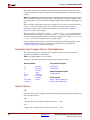
PowerPC Compiler Usage and Options
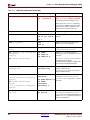
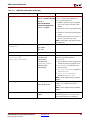
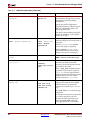
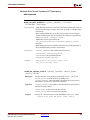
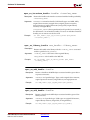
dp_lite
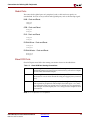
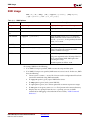
Produces code targeted to the Double precision Lite FPU coprocessor. This version
supports both single and double precision hardware floating point and does not use
hardware divide and square root instructions. The compiler automatically defines the
C preprocessor definition, HAVE_XFPU_DP_LITE, when this option is given.
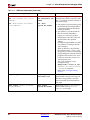
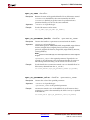
dp_full
Produces code targeted to the Double precision Full FPU coprocessor. This version
supports both single and double precision hardware floating point and uses hardware
divide and square root instructions. The compiler automatically defines the C
preprocessor definition, HAVE_XFPU_DP_FULL, when this option is given.
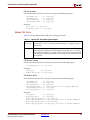
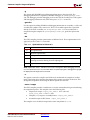
Caution! Do not link code compiled with one variant of the -mfpu switch with code compiled
with other variants (or without the -mfpu switch). You must use the switch even when you are
only linking object files together. This allows the compiler to use the correct set of libraries and
prevent incompatibilities.
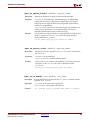
none
This option tells the compiler to use software emulation for floating point arithmetic.
This option is the default.
Refer to the latest APU FPU user guide for detailed information on how to optimize
use of the hardware floating point co-processor. A link to the guide is provided in the
“Additional Resources” on page 109.
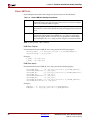
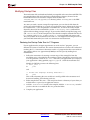
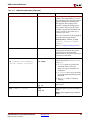
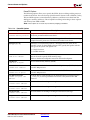
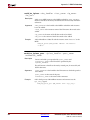
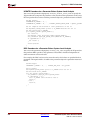
-mppcperflib
Use PowerPC performance libraries for low-level integer and floating emulation, and
some simple string routines. These libraries are used in the place of the default emulation
routines provided by GCC and simple string routines provided by Newlib. The
performance libraries show an average of three times increase in speed on applications
that heavily use these routines. The SourceForge project web page contains more
information and detailed documentation. A link to that page is provided in the
“Additional Resources” section of this chapter.
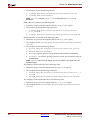
Caution! You cannot use the performance libraries in conjunction with the -mfpu switch. They
are incompatible.
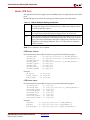
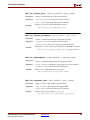
-mno-clearbss
This option is useful for compiling programs used in simulation. According to the C
language standard, uninitialized global variables are allocated in the .bss section and are
guaranteed to have the value 0 when the program starts execution. Typically, this is
achieved by the C startup files running a loop to fill the .bss section with zero when the
program starts execution. Additionally optimizing compilers will also allocate global
variables that are assigned zero in C code to the .bss section.
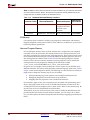
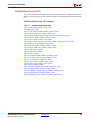
In a simulation environment, the two language features above can be unwanted overhead.
Some simulators automatically zero the whole memory. Even in a normal environment,
you can write C code that does not rely on global variables being zero initially. This switch
is useful for these scenarios. It causes the C startup files to not initialize the .bss section
with zeroes. It also internally forces the compiler not to allocate zero-initialized global
variables in the .bss and instead move them to the .data section. This option may
improve startup times for your application. Use this option with care. Do not use code that
relies on global variables being initialized to zero, or ensure that your simulation platform
performs the zeroing of memory.
Embedded System Tools Reference Manual
EDK 10.1, Service Pack 3
www.xilinx.com
143