1
R
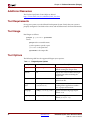
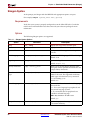
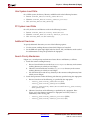
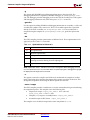
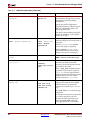
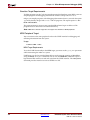
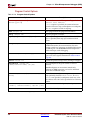
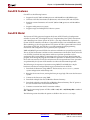
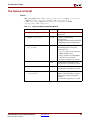
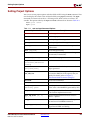
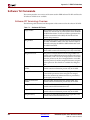
Simgen Syntax
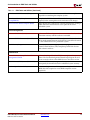
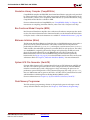
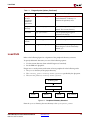
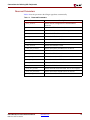
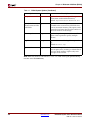
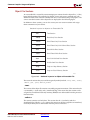
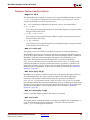
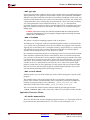
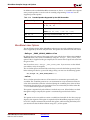
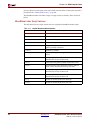
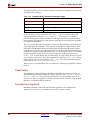
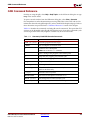
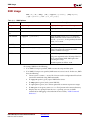
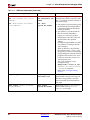
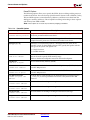
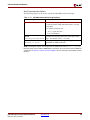
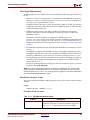
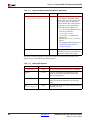
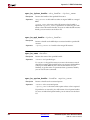
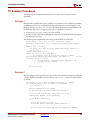
Table 3-1:
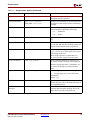
Simgen Syntax Options (Continued)
Option
Command
Description
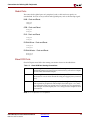
Target Part or Family
-p <partname>
Allows you to target a specific part or family.
This option must be specified.
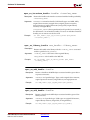
Processor ELF Files
-pe <proc_instance>
elf_file <elf_file>
Specifies a list of ELF files to be associated with
the processor with instance name as defined in
the MHS.
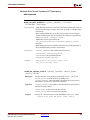
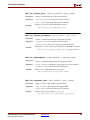
Simulator
-s [mti|ncs]
Generates compile script and helper scripts for
vendor simulators ModelSim and NcSim,
mti - ModelSim
ncs - NcSim
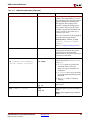
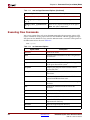
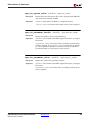
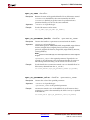
Source Directory
-sd <source_dir>
Specifies the source directory to search for netlist
files.
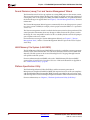
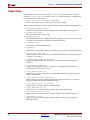
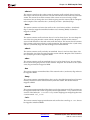
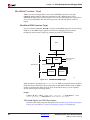
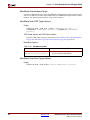
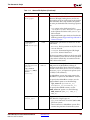
Testbench Template
-tb
Creates a testbench template file.
Use -ti and -tm to define the design under test
name and the testbench name, respectively.
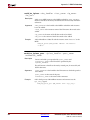
Top-Level Instance
-ti <top_instance>
When a testbench template is requested, use
<top_instance> to define the instance name
of the design under test.
When design represents a submodule, use
top_instance for the top-level instance name.
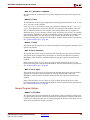
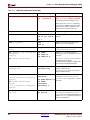
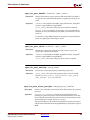
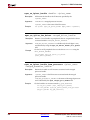
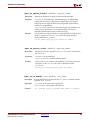
Top-Level Module
When a testbench template is requested, use
top_module to define the name of the testbench.
-tm <top_module>
When the design represents a submodule, use
top_module for the top-level entity/module
name.
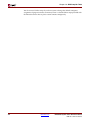
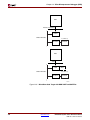
Top-Level
-toplevel [yes|no]
yes - Design represents a whole design.
no - Design represents a level of hierarchy
(submodule).
Default: yes
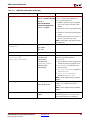
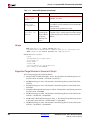
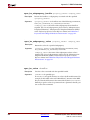
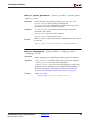
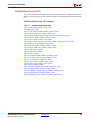
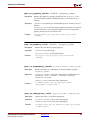
EDK Library Directory
-E <edklib_dir>
Specifies the path to the EDK simulation
libraries directory. This is the output directory of
the CompEDKLib tool.
Xilinx Library
Directory
-X <xlib_dir>
Path to the Xilinx simulation libraries (unisim,
simprim, XilinxCoreLib) directory. This is the
output directory of the CompXLib tool.
Embedded System Tools Reference Manual
EDK 10.1, Service Pack 3
www.xilinx.com
51