1
C O N T E N T S
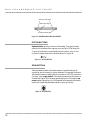
Setting for Limit Switches....................................................................25
Using the Tol-O-Matic MSS Software for Programming Motion...........26
Overview...............................................................................................26
Entering the Program................................................................................28
Instructions & Tools .............................................................................29
Download, Upload & Execute .............................................................32
Copying Instructions ...........................................................................34
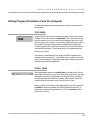
Setting Program Parameters from the Computer...................................35
Text Boxes .............................................................................................35
Scroll Bars ............................................................................................35
Option Buttons.....................................................................................36
Spin Buttons.........................................................................................36
PIT Interface
Overview ....................................................................................................37
Using the Optional PIT .............................................................................37
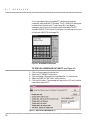
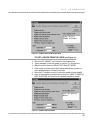
To Display a Message on the PIT .........................................................38
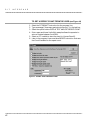
To Pause Until User Presses Enter .......................................................39
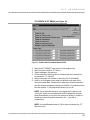
To Let User Make a Decision (PIT Branching)....................................40
To Ask the User for a Move Distance ...................................................40
To Get a Speed from the User...............................................................41
To Get a Repeat Count from the User..................................................42
To Create a PIT Menu...........................................................................43
Programming Tools
Overview ....................................................................................................44
Programming Tools ...................................................................................44
Insert New Step ....................................................................................44
Delete Step ............................................................................................44
None .....................................................................................................44
Cancel ..................................................................................................45
Comment..............................................................................................45
Clear ..................................................................................................45
Copying Instructions ...........................................................................46
Programming Instructions
Overview ....................................................................................................47
Programming Instructions .......................................................................47
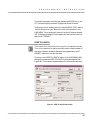
PIT Prompt ...........................................................................................47
Feed to Length ......................................................................................49
Feed & Return.......................................................................................51
Feed to Sensor.......................................................................................52
Feed to Sensor & Return.......................................................................53
ii



































![[SPT-3000] e](http://vs1.manualzilla.com/store/data/005667089_1-a5f3766b3193f6552f250995926a69c5-150x150.png)
![téléchargez le dans son intégralité [ PDF - 28p - 3.62 Mo ] - Athis-Mons](http://vs1.manualzilla.com/store/data/006467605_1-ad483cc3c5528cc7d7f5459746157e0f-150x150.png)