1
186
ClickTracks Professional Viewer
to the selected behaviors.
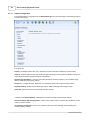
Return on advertising spend (ROAS): Is the total revenue from visitors corresponded to the selected
behaviors divided by the total cost of those visitors. In other words, it is the amount of revenue
generated for each dollar of expenditure on pay-per-click campaigns. This is perhaps the most
important measure of whether an advertising campaign is successful or not, because it balances how
much the campaign cost against how much revenue it generated.
If the ROAS for a certain search term is below $1.00, that means that those visitors failed to generate in
revenue as much as they cost to bring to your site. But for a full cost/benefit analysis, you need to
consider not only the revenue which a group of visitors brings in, but also the profit which you make
from that revenue. For example, if only 20% of the price of an item is profit, you need an ROAS of $5.00
to break even.
Cost per order (CPO): Is the total cost divided by the number of purchases. In other words, it
measures the average cost to generate one sale, but it does not take any account of the value of that
sale.
Average time on site: Shows how long visitors corresponded to the selected behaviors spent on your
site, on average. This is a measurement of how good you are at holding on to visitors once they have
reached your site. Where this number is low, you should consider what those visitors were looking for,
and why they failed to find it on your site.
Proportion of short visits: Shows the percentage of visitors matching the specified visitor behavior
who spent less than five seconds on your site. This generally indicates that they reached the landing
page but then left immediately. If this number is high, it indicates that something is wrong with your ad
or with the landing page. Does the landing page deliver what the ad promised? Is it easy to navigate to
the rest of site from there? If these are pay-per-click visitors, you are paying for them, but they are not
getting past the first page. Deliver what they are looking for, or else change your ad text or keywords to
promise only what you can deliver.
Page views per visitor: Shows the number of page views per visitor who match the specified
segment.
Reports that include cost of visitors (
) are only available after configuring campaigns.
Reports that include revenue ( ) are only available in ClickTracks Pro and when revenue tracking is configured
.
Totals
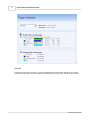
Each search engine column contains a total. This total is for all the searches from the engine and probably
includes rows that are not displayed in the report. If you want to manually add the rows to confirm ClickTracks is
capable of basic arithmetic, click More Rows to expand the number. You might need to make it very large.
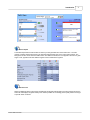
Definition of Visitors
A visitor count ( ) is the number of visitors, not the unique visitors. Unique visitors information is not useful in
search analysis because it does not count the same visitor coming to the site, leaving, searching again, and
coming back within a short time. Because this happens in the real world, visitors is the correct fundamental unit
to be counted.
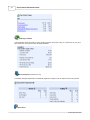
Definition of Cost
A report that shows cost (
) counts the cost from the corresponding campaign in the Campaign Manager. The
cost of a visitor is extracted from this data based on the landing page + tracking parameters and is then mapped
against the original search term automatically.
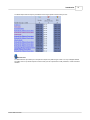
Definition of Revenue
Reports that include revenue ( ) work by extracting a transaction amount from the sale and mapping that
backwards to the original search term used. See Configuring Revenue Options. A persistent cookie can be used
to track conversions that happen long after original PPC clickthrough. See Using Persistent Cookies To Improve
© 2001-2008 ClickTracks