1
Troubleshooting
8
281
Troubleshooting
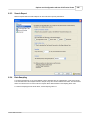
Sometimes ClickTracks does not display any data when you navigate to a page. There are two different types of
problems:
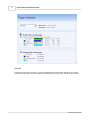
1. The Page Analysis View and Path View indicate "No data available for this page," and there are no
percentage bars in the browser area See Page Not Found
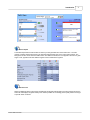
2. The Page Analysis View and Path View contain data, but no links appear in the browser. See No Links
Inside Page
8.1
Page Not Found
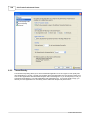
Reasons why "No data available for this page" is displayed:
1. Default page is not set correctly for your site. If you just navigated to your home page
(www.bobsfruitsite.com/) and you see no data, the most likely cause is default page handling.
2. The domain is not within the one being analyzed. If you click a link that takes you out of the data contained
in your server and logfile, ClickTracks cannot display any data.
3. The page has recently been added to the site and does not yet appear in the logfiles.
4. On very complex URLs with multiple parameters, confirm the Dynamic Page Parameters settings.
5. The page matches one of the exclusions. See Ignore Filenames That Contain...
8.2
The Numbers Don't Match Other Stats Programs
The ClickTracks user has often used other web stats programs. Even a superficial glance through the reports
can reveal differences in the numbers between ClickTracks and other stats software, occasionally big
differences. Use the information below as a guide to how ClickTracks works. Depending on what you see, use
the tips to adjust settings in ClickTracks or your other stats software:
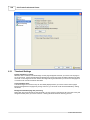
Number of visitors is too high in ClickTracks.
ClickTracks counts the figure "visitor" as a single session, not as a unique visitor. (Unique visitor count is
available in ClickTracks Pro when persistent cookies are configured.) The unique visitor figure is usually 10-30%
lower than the visitor figure commonly used in ClickTracks.
Sometimes robots pinging the site are not successfully filtered by ClickTracks (see How ClickTracks Determines
a Visitor Session). If your site is using a monitoring service or crawler that uses GET requests instead of HEAD,
add its IP address to Options | Exclusions.
Number of visitors is drastically too high.
The aliases/alternate names for the site were not set correctly during the New Dataset Wizard. A referrer in the
logfile is being detected as external when in fact it's within the site, resulting in a new visitor session on every
page. Make the dataset again, being careful to include all aliases of the domain.
Number of visitors is drastically too low.
ClickTracks doesn't recognize graphics as being part of the session. If another site is loading graphics directly
from your server, then other programs might erroneously count that as a new session. ClickTracks won't. You'll
need to find from your raw logs which website is leeching your graphics.
Number of visitors is different.
Consider changing the session parameters in Options | Advanced. There is no right value, though the defaults
are typical for most sites. See Session Timeout Parameters.
ClickTracks does a very good job of eliminating robots from the data. It's possible the other stats software
doesn't do such a thorough job, and therefore its number of visitors is inflated.
© 2001-2008 ClickTracks