1
Cloud Sensor II User’s Manual
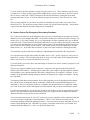
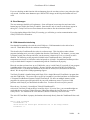
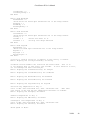
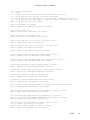
TABLE OF CONTENTS
1. Warnings ................................................................................................................................................... 3
2. Parts List ................................................................................................................................................... 4
3. Introduction............................................................................................................................................... 4
4. Operating Principles.................................................................................................................................. 5
4.1 Celsius vs Fahrenheit Temperatures ................................................................................................... 5
4.2 Sky Temperature ................................................................................................................................. 5
4.3 Ambient Temperature and Humidity .................................................................................................. 5
4.4 Wetness Or Rain Sensor ..................................................................................................................... 6
4.5 Anemometer........................................................................................................................................ 7
5. Installation of Software............................................................................................................................. 8
6. Installation of Power Supply, Adaptor box, and Drivers .......................................................................... 8
6.1 Windows XP ..................................................................................................................................... 11
6.2 Windows 2000 .................................................................................................................................. 17
7. Simulation Mode..................................................................................................................................... 24
8. Cloud Sensor II Familiarization.............................................................................................................. 24
9. Sensor Head Installation ......................................................................................................................... 28
9.1 Location ............................................................................................................................................ 28
9.2 Mounting........................................................................................................................................... 29
9.3 Roof Cable ........................................................................................................................................ 30
10. Maintenance.......................................................................................................................................... 32
11. Equipment Protection............................................................................................................................ 33
12. Birds, Bugs, and Leaves........................................................................................................................ 33
12.1 Birds................................................................................................................................................ 33
12.2 Bugs (Insects).................................................................................................................................. 33
12.3 Leaves And Debris.......................................................................................................................... 33
13. Lightning and Electrostatic Discharge (ESD)....................................................................................... 33
14. 12V Operation....................................................................................................................................... 34
15. Clarity II Software ................................................................................................................................ 34
15.1 Clarity II Window ........................................................................................................................... 35
15.2 Setup Window................................................................................................................................. 39
15.2.1 Setup Section ........................................................................................................................... 40
15.2.2 Firmware Downloading Section .............................................................................................. 41
15.3 Log Files ......................................................................................................................................... 42
15.4 Registry ........................................................................................................................................... 43
16. Software and Firmware Updates........................................................................................................... 43
16.1 Updating Clarity II Software........................................................................................................... 43
16.2 Updating Firmware (obsolete for most cases) ................................................................................ 43
17. Remote Operation ................................................................................................................................. 44
17.1 Single Line Data File Facility ......................................................................................................... 44
17.1.1 New Format ............................................................................................................................. 45
17.1.2 Old Format ............................................................................................................................... 46
17.2 Potential Remoting Problems.......................................................................................................... 46
18. Contact Closure For Emergency Observatory Shutdown ..................................................................... 47
19. Error Messages...................................................................................................................................... 48
20. COM Automation Interfacing............................................................................................................... 48
21. Troubleshooting .................................................................................................................................... 52
21.1 Introduction..................................................................................................................................... 52
21.2 Clarity II Problems.......................................................................................................................... 52
21.3 Simple Hardware Checks................................................................................................................ 53
V0029
2