1
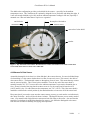
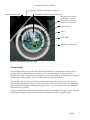
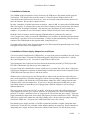
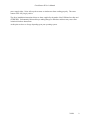
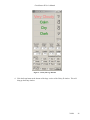
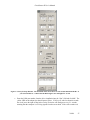
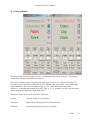
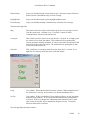
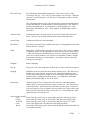
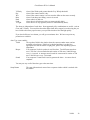
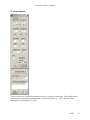
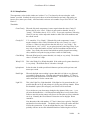
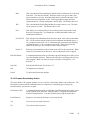
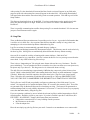
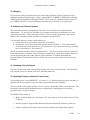
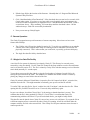
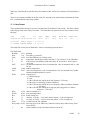
Cloud Sensor II User’s Manual 15.2.1 Setup Section The temperature values in this window are in either C or F as chosen by the user using the “radio buttons” provided. Similarly the wind speed values are in km/h (kilometers per hour), mph (miles per hour) or m/s (meters per second). All items in this section are user settable except “Ser # WC SC” and Firmw.V. Thresholds: Clear/Cloudy When the Sky-Amb. temperature is more negative than this value, Clarity II declares the sky to be "clear". When it is more positive than this, the sky is "cloudy". The default value is -25C (-45F). As you gain experience with using Clarity II you may wish to adjust this number to better suit local conditions and the current season. Cloudy/V.C. V.C. stands for “Very Cloudy”. When the Sky-Amb. temperature is more negative than this value, Clarity II declares the sky to be "cloudy" (or “clear” – see above). When it is more positive than this, the sky is "very cloudy". The default value is -10C (-18F). As you gain experience with using Clarity II you may wish to adjust this number to better suit local conditions and the current season. Very cloudy skies are the kind which can quickly degrade into raining skies, and there is no point in trying to observe when it is that cloudy. Calm/Windy When the Wind speed is greater than this, it is windy or very windy. The default value is 15 km/h or 9.3 mph. Windy/V.W. This is the Windy/Very Windy threshold. If the wind speed is greater than this, it is very windy. The default value is 30 km/h or 18.6 mph. kph mph m/s Select the units for wind speeds from kilometers per hour, miles per hour, and meters per second. Dark/Light When the daylight sensor reading is greater than this it is light to very light and you probably cannot observe. Note that units with serial numbers <577 had 11 times lower gain and therefore lower thresholds. The default value is 12 for the earlier units and 121 for the current units. Light/V.L. This is the Light/Very Light threshold. If the light level is greater than this, it is possible that the sun is up, and perhaps it is frying your telescope innards. When this threshold is passed, the emergency roof closure will be activated. If you wish to use your observatory during the day (planets, birds, tests, ...) you can raise this threshold to >= 1024 thus deactivating this as a roof closure cause. Failure to note this section causes calls for service when the roof closes when the sun is up. Normally the Cloud Sensor II closes the roof in daylight. Please remember. Note that units with serial numbers <577 had 11 times lower gain for “Daylight” and therefore lower thresholds. The default value is 20 for the earlier units and 220 for the current units. If you do twilight flats for your CCD camera, you probably will have to raise the default threshold to avoid having the roof close. V0029 40