1
DOCUMENT 301929, REVISION B
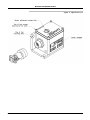
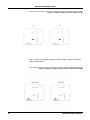
1. Remove the zero balance access screw on the top of the
EpiSensor case.
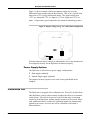
2. Gently insert the adjustment tool, perpendicular to the case, as far as it
will go into the adjustment hole.
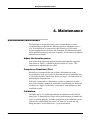
3. The adjustment tool comprises a central 1.5mm hex ball driver that
engages in the adjustment screw and the outer tube with two “tangs”
that engage in the locking nut. The first step is to gentle twist each until
you can feel the “seat” into the screw and the nut.
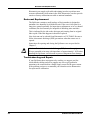
4. Now holding the ball driver fixed unlock the locking nut by turning the
tube a ½ turn anti-clockwise.
5. Now you should be able to turn the adjustment screw using the ball
drive and see the offset voltage change.
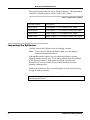
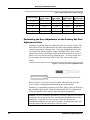
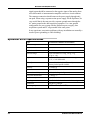
6. Using Table 3, adjust the output for a reasonable zero offset using very
minimal adjustments – counterclockwise for negative adjustments and
clockwise for positive.
7. Now lock the unit by holding the ball driver fixed and tightening the
locking nut till it is “finger” tight. Remove the adjustment tool.
Important: Now give the unit several moderate taps with a
screwdriver handle. The adjustment mechanism will have
some residual stress due to the locking. You should see
the offset change and then remain constant even with
repeated taps on the unit. If this value of offset is within
the acceptable range you are finished if not take note of
where the offset now lies and compensate for it when you
reset the zero starting at Step2.
8. Replace the access hole screw, and check the zero is correct.
Note:
One turn changes the output by about 1g.
Note: Why a Mechanical Zero Adjust
Customers have asked us why we use a mechanical zero mechanism for our
EpiSensor rather than a potentiometer or some other mechanism that is a
little easier to adjust. The reason is that any electrical zeroing element
introduces some noise into the system, as we have to be able to change the
output by more than 1g, to allow use as both vertical and horizontal
devices, this noise would destroy the low noise performance of the device
and would also result in increased quiescent current. Our mechanical
adjustment introduces no noise and insures the units have the lowest
possible power consumption under static conditions.
EPISENSOR ES-U2 USER GUIDE
17