1
TABLE OF CONTENTS
1
Product Overview .............................................................................................................. 3
1.1
Linux Embedded ...................................................................................................... 3
1.2
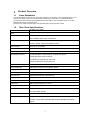
Thin Client Specifications ......................................................................................... 3
1.3
Thin Client Features ................................................................................................. 4
1.4
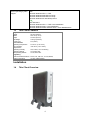
Thin Client Overview ................................................................................................ 4
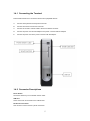
1.4.1 Connecting the Terminal ...................................................................................... 5
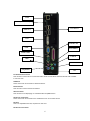
1.4.2 Connector Descriptions........................................................................................ 5
2
Initial Thin Client Setup ..................................................................................................... 7
2.1
Hot-keys Functions ................................................................................................... 7
2.2
Setup Wizard ............................................................................................................ 7
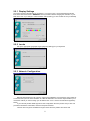
2.2.1 Display Settings ................................................................................................... 8
2.2.2 Locale .................................................................................................................. 8
2.2.3 Network Configuration ......................................................................................... 8
2.2.3.1
Specify an IP address ................................................................................. 9
2.2.3.2
Name Servers ............................................................................................. 9
2.2.4 Finishing the Setup Wizard ................................................................................ 10
3
Connections Management .............................................................................................. 11
3.1
Using the Connections Properties Sheet ............................................................... 11
3.2
Using the Configure Properties Sheet .................................................................... 12
3.3
Creating New Connections..................................................................................... 12
3.3.1 Choosing a Connection Protocol ....................................................................... 13
3.4
RDP Connections ................................................................................................... 14
3.4.1 General .............................................................................................................. 14
3.4.2 Display ............................................................................................................... 14
3.4.3 Local Resources ................................................................................................ 15
3.4.4 Programs ........................................................................................................... 15
3.4.5 Performance ...................................................................................................... 16
3.5
ICA Connections .................................................................................................... 16
3.5.1 Creating a New ICA Connection Entry .............................................................. 16
3.5.1.1
Creating a new connection entry............................................................... 17
3.5.1.2
Server or Published Application ................................................................ 17
3.5.2 Connecting to a Citrix Server ............................................................................. 17
3.5.2.1
To start a previously defined connection .................................................. 17
3.5.3 Changing a Connection Entry ............................................................................ 18
3.5.3.1
Changing the properties of a connection entry ......................................... 18
3.5.3.2
Specifying an Application to Run after Connecting to a Citrix Server ....... 19
3.5.3.3
Specifying Logon Information .................................................................... 20
3.5.3.4
Changing Window Properties .................................................................... 20
3.5.3.5
Setting Connection Entry Options ............................................................. 21
3.5.3.6
Configuring Firewall Settings .................................................................... 22
3.6
Web Browser Connection....................................................................................... 23
3.6.1 To Make a New Web Browser Connection ........................................................ 23
3.6.2 Starting a Web Browser Connection .................................................................. 24
3.7
X11 Client ............................................................................................................... 24
3.8
Shell Script Editor ................................................................................................... 25
3.8.1 Make a Shell Script ............................................................................................ 25
3.9
Termtek Emulation ................................................................................................. 26
3.10
SSH Client .............................................................................................................. 26
3.11
NX Client ................................................................................................................ 28
3.12
Tarantella ............................................................................................................... 31
3.13
Telnet Client ........................................................................................................... 33
3.14
RSH (Remote Shell) ............................................................................................... 34
3.15
GO-Global WinServer Client .................................................................................. 35
4
Thin Client Properties ..................................................................................................... 38
4.1
General Tab ........................................................................................................... 38
4.1.1 Reset the Thin Client to factory-default property settings.................................. 38
4.2
Display Configuration ............................................................................................. 38
4.2.1 Enable Screen Saver ......................................................................................... 39
1