1
1.1
Why not Dropbox or Google Drive?
The simplest services for hosting project files are Dropbox and Google Drive. It
is very easy to get started with these systems, and they allow you to share files
among laptops and mobile units with as many users as you want. The systems
offer a kind of version control in that the files are stored frequently (several
times per minute), and you can go back to previous versions for the last 30
days. However, it is challenging to find the right version from the past when
there are so many of them and when the different versions are not annotated
with sensible comments. Another deficiency of Dropbox and Google Drive is
that they sync all your files in a folder, a feature you clearly do not want if
there are many large files (simulation data, visualizations, movies, binaries from
compilations, temporary scratch files, automatically generated copies) that can
easily be regenerated.
However, the most serious problem with Dropbox and Google Drive arises
when several people edit files simultaneously: it can be difficult detect who did
what when, roll back to previous versions, and to manually merge the edits when
these are incompatible. Then one needs more sophisticated tools, which means
a true version control system. The following text aims at providing you with the
minimum information to started with Git, the leading version control system,
combined with project hosting services for file storage.
1.2
Repositories and local copies
The mentioned services host all your files in a specific project in what is known
as a repository, or repo for short. When a copy of the files are wanted on a
certain computer, one clones the repository on that computer. This creates a
local copy of the files. Now files can be edited, new ones can be added, and files
can be deleted. These changes are then brought back to the repository. If users
at different computers synchronize their files frequently with the repository, most
modern version control systems will be able to merge changes in files that have
been edited simultaneously on different computers. This is perhaps one of the
most useful features of project hosting services. However, the merge functionality
clearly works best for pure text files and less well for binary files, such as PDF
files, MS Word or Excel documents, and OpenOffice documents.
1.3
Installing Git
The installation of Git on various systems is described on the Git website under
the Download section. Git involves compiled code so it is most convenient to
download a precompiled binary version of the software on Windows, Mac and
other Linux computers. On Ubuntu or any Debian-based system the relevant
installation command is
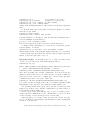
Terminal> sudo apt-get install git gitk git-doc
c 2015, Hans Petter Langtangen. Released under CC Attribution 4.0 license
2