1
Encrypted Disk, User Manual_______________________________________________10
Wizard.
Remove the image from the data base (with the ability
of deletion image files from a disk)
Change a label of the encrypted disk image, which
represents the image in the data base.
Change a pictogram that represents disk images in the
data base.
Display and edit properties of the selected disk image
Exit the Encrypted Disk Manager.
Delete
Rename
Change Icon
Image properties
Exit
Actions
Mount
Mount the image of the encrypted disk selected in the
Encrypted Disk List
Unmount the image of the encrypted disk selected in
the Encrypted Disk List
Unmount all encrypted disk images
Unmount
Unmount all
View
Utilities Bar
Show the Utilities Bar at the left of the Encrypted Disk
Manager's window
Show the Toolbar at the upper of the Encrypted Disk
Manager's window
Show the Toolbar at the bottom of the Encrypted Disk
Manager's window
Use big pictograms for folders and images in the data
base
Use small pictograms for folders and images in the data
base
List contents of data base folders (one item per line)
Re-scan and display the contents the data base of
images
Toolbar
Status bar
Big Icons
Small Icons
List
Refresh
Tools
Search for images
New Encrypted Disk
Images
Re-encrypt Encrypted
Disk Image
Help
Index
About…
5.3.6
Run the Find Wizard that allows searching encrypted
disk images not listed in the data base.
Create new encrypted disk image
Re-encrypt an existing encrypted disk image
Display Help contents
Display the About the Program dialog
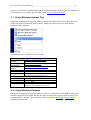
Utilities bar
The Utilities toolbar is located on the left of the main window. It is intended for fast running
program’s Wizards:
Button
Functionality
Search for encrypted disk images
Create new encrypted disk
Re-encrypt an existing encrypted disk