1
Encrypted Disk, User Manual_______________________________________________21
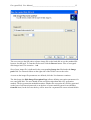
Select the necessary image file to make it available for the program.
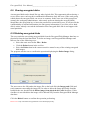
6.5 Mounting encrypted disks
An encrypted disk should be mounted in order to be accessible in the system as a drive letter.
The program allows mounting up to 23 encrypted disks at the same time.
There are three ways to mount encrypted disks.
6.5.1
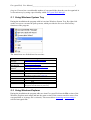
Mounting via Windows System Tray
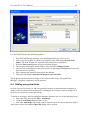
The user should perform the following actions:
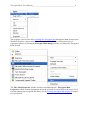
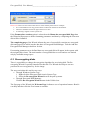
1. Right-click the Encrypted Disk icon in System Tray.
2. Select the Mount item in the pull-up menu.
3. Select the image file of the encrypted disk which will be mounted.
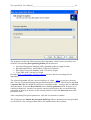
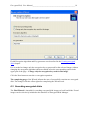
4. Select a drive letter which will be assigned to the disk. (The Choose drive letter
pull down menu is used for this. It contains the full list of drive letters that are
available in the system.)
5. Tick the Mount as a read-only-drive checkbox if the disk must have this feature.
6. Click the OK button.
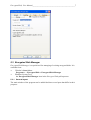
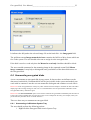
The last two steps perform in the special dialog Mount Image.