1
Encrypted Disk, User Manual_______________________________________________14
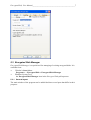
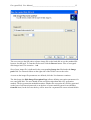
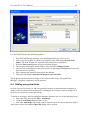
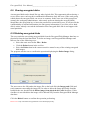
The program provides the following encryption algorithms, which can be selected by user
from the corresponding Encryption algorithm pull-down menu:
• Advanced Encryption Standard (AES) algorithm with key length 256-bits;
• Blowfish 448-Bit Key, 64-Bit Block Cipher by B.Schneier;
• DES (Date Encryption Standart) with a 56-bit key length;
• Triple DES with a 168-bit key length.
Read the Basic Cryptographic Concepts chapter for more details concerning offered
algorithms.
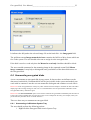
The selected algorithm will use a special sequence of values – a key to encrypt or decrypt
data. The key is generated during encrypted disk image file creation. Then it can be stored in
a separate file (this file should be placed on a removable media – a floppy disk, a USB flash
disk and others). Select the Key from file item in the Key generator menu for this way of
working with the key. Another way implies entering a password by the user and following
generation of the key on the base of the entered password. Select the Password item in the
pull-down menu.
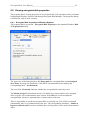
After completing Encryption parameters, click the Next button to continue.
The fourth page (the Mount the encrypted disk Page) allows mounting new encrypted disk
as a local drive. New encrypted disk can be also mounted later after creation.