1
OPERATION
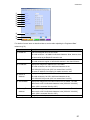
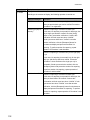
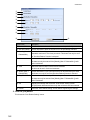
Screen Item
Description
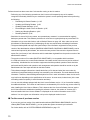
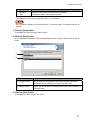
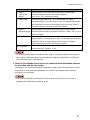
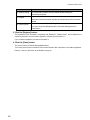
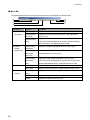
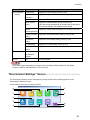
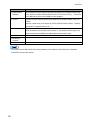
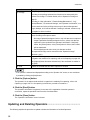
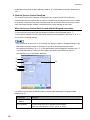
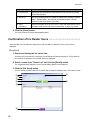
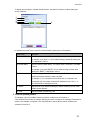
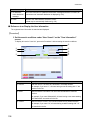
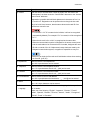
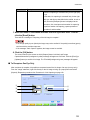
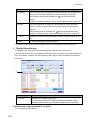
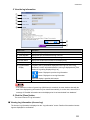
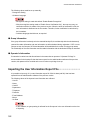
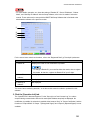
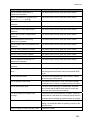
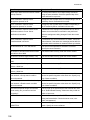
③ Iris Image
Displays the captured iris image.
The colour of the image frame represents the quality of the captured results.
If you right click an iris image a popup menu will appear. Selecting [Capture]
will enable you to recapture the iris image for the selected eye. When [Clear]
is selected, the iris data is deleted. When [Delete Iris Image] is selected, the
iris image is deleted.
④ Time and Date
Displays when the iris image capture was taken.
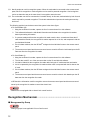
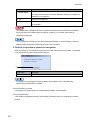
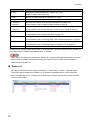
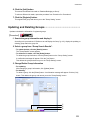
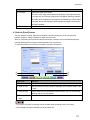
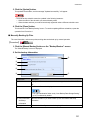
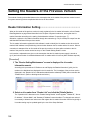
4. Click the [Enroll] button.
The user data are enrolled. When this information is enrolled, writing into the IC card becomes
possible. However, editing is disabled for each item of the user.
When IC card writing is not performed and the enrollment of another user is intended subsequently,
click the [New] button and repeat the same operation from Procedure 2.
To close the enrollment of new user information, proceed to Procedure 7.
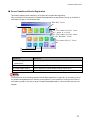
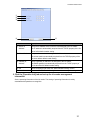
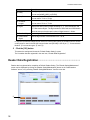
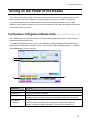
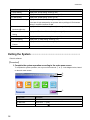
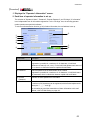
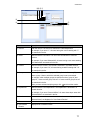
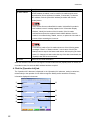
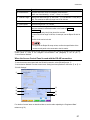
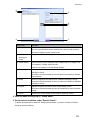
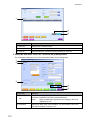
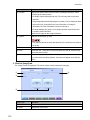
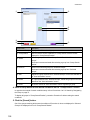
②
①
③
④
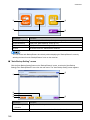
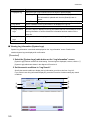
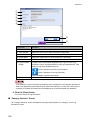
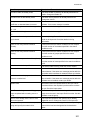
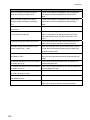
Screen Item
Description
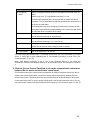
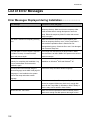
① New
Clicked when another user is enrolled subsequently.
② Write IC Card
User information of card ID, guidance language, and iris data is written in the
IC card.
③ Verify IC Card
Verifies whether correct information has been written in the IC card through
matching with the user information.
④ Clear IC Card
All data written in the IC card are deleted.
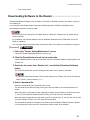
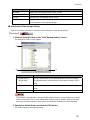
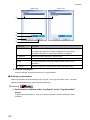
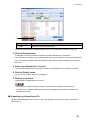
Data
・The maximum number of users that can be enrolled varies according to the User Licence.
・Valid iris data of the same individual can be enrolled once.
117