1
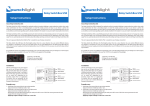
5. Clock Settings (Clock Set button).
To set the clock time, use the remote control to power off the unit first, then press the Clock Display
button to show the clock. Press the Clock Set button once to set hours (a small “-“ indicator appears
on the left), press again to set the minutes (now the “-“ appears on the right). Use the brightness buttons to change the time, forwards or backwards. Press Set to finish.
Universal Studio Display
User Manual
6. Remote Control buttons:
Power On/Off
PunchLight mode
Pro Tools/Generic/Off
Works only with HUI. If the PunchLight mode is on, the last segment
on the right hand side of the Display indicates record-ready/pre-roll
and record. 3 settings: „Pro Tools“,
„Generic“ (for other DAW applications) and „Off“ mode.
Last Segment Flicker on/off
This function allows you to turn off
the last two segments that can be
distracting during playback.
Brightness Up/Down
This function allows you to set the
brightness of LED segments in
five steps. The brightness of clock
display in standby can be set independently from the main brightness.
Clock
Press the Clock Display button to
show the clock. When the display
itself is on, the clock will appear for
about 2 secs. When in standby, it will
show continuously.
Version 2.x
Sleep Mode On/Clock/Off
Sleep mode allows the Display to switch
off after 30 minutes of MIDI inactivity. The
power button or any incoming MIDI data
will wake it up. 1) On: the Display will go
into standby after 30 minutes. All segments will be off. 2) CLK: same as 1), but
the clock will be shown in standby automatically. 3) Off: Sleep mode is off.
MTC Reader On/Off
The Display will not display correctly if
HUI and MTC are present at the same
time. This button allows you to turn off
the MTC reader.
Display R and MSG
R - This button manually activates the
last “R“ red segment, independently of
any other functions. This can be used as
a manual cue indicator.
MSG - This button manually activates the
message function. In future it will be possible to put your own custom message.
See our website for an announcement.
At present it shows „--------“.
Delimiters Dots/Colons
You can choose the style of division
marks here, either a single dot “ . “ or
a colon “ : “.
Mediaport Pro | Hradesinska 67 | 101 00 Praha 10 | Czech Republic | Tel. + 420 271 735 610
Fax. + 420 272 734 897 | [email protected] | www.punchlight.com