1
Section 6.10
Sequence Mode VSM "Moment vs. Temp." Command
Chapter 6
VSM Software
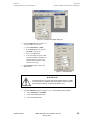
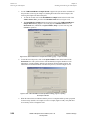
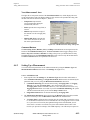
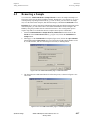
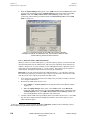
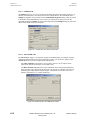
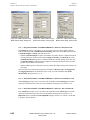
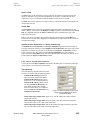
Require Sweep Mode For Continuous Acquisition
The system will automatically activate the Require Sweep Mode For Continuous Acquisition
option when Continuous Measurement data acquisition has been selected.
Note: You can uncheck the box and use the Stabilize at each Temperature mode while you
perform continuous measurements. However, be aware that if you measure continuously while
the controller is stabilizing the temperature, the amount of noise in the VSM data might increase.
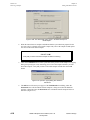
Wait Time At Each Step
The Wait Time At Each Step value sets the additional time (in seconds) that the system waits at
each of the temperature set points. This wait time is in addition to the amount of time it takes to
do the required VSM measurements; it is added before the VSM performs the measurements.
This setting has no effect if you have selected Sweep or Continuous Measuring modes.
Approach Mode
The Approach Mode dropdown menu bar lets you choose between Fast and No O’Shoot
temperature-approach modes for each of the temperature set points in your measurement. For
more information on the Approach Mode, see the PPMS MultiVu Application User’s Manual.
Restore Defaults
The Restore Defaults button resets everything in the dialog to the default settings.
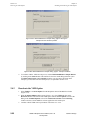
6.10.3.5 EXCITATION PARAMETERS
Use the options in the Excitation Parameters subsection to set the drive variables for the VSM
linear motor transport. For more information on Excitation Parameters, see Section 6.5.3.5.
6-32
PPMS VSM Option User’s Manual, Rev. A3
January 2008
Quantum Design