1
Section 6.6
Overview of Sequence-Mode Commands
Chapter 6
VSM Software
○
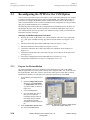
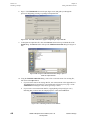
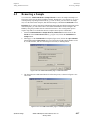
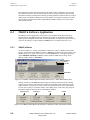
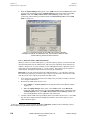
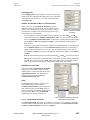
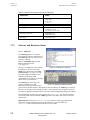
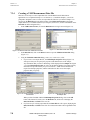
When you have selected and opened a file, it will open in the Sequence Editor, which is
shown in Figure 6-24 as Sequence1.
○
The Sequence Commands bar (shown at the right side of Figure 6-24) should open at the
same time as the sequence file. If it does not, select View >> Sequence Command Bar2
from the MultiVu dropdown menus.
To create a new file containing sequence-mode commands, select File >> New Sequence on the
MultiVu dropdown menu bar.3 The Sequence Editor dialog and the Sequence Commands bar
will open concurrently, as is shown in Figure 6-24.
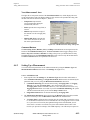
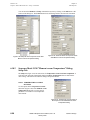
Figure 6-24. The MultiVu window, the Sequence Editor, and the Sequence Commands bar
6.6.2
Using the Sequence Editor and Sequence Commands Bar
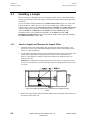
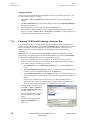
Sequence files are constructed by inserting commands from the Sequence Commands bar into
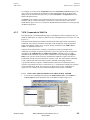
the file in the Sequence Editor "window." The Sequence Commands bar and Sequence Editor
are shown in Figure 6-24.
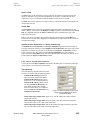
The Sequence Commands bar contains three major command groups: System, Advanced, and
Measurement. The VSM-specific measurement commands (Adv. Measure, Center Sample,
Datafile Comment, Moment vs. Field, Moment vs. Temp., and New Datafile) are in the VSM
subgroup within the main Measurement Commands group. To see the commands in any group,
expand it by clicking on the plus sign (+) next to the group heading. To close a command group,
click on the minus (–) sign next to the group heading.
Important: The VSM option must be activated before the VSM sequence commands will appear
in the Sequence Commands bar.
2
3
This command does not appear in the dropdown View menu until you have activated the Sequence Editor.
You can also click on the New Sequence File button on the MultiVu toolbar.
6-18
PPMS VSM Option User’s Manual, Rev. A3
January 2008
Quantum Design