1
Excel 97 with JAWS For Windows 3.2
Lesson Seven: Preparing a Workbook for Printing
Topic: Creating Headers and Footers
Introduction: Headers and footers allow you to include the same information
on every printed page such as the workbook title or your name. Excel
automatically makes the necessary adjustments to ensure that header and
footer information appears on each printed page. Your header and footer can
include as much information as necessary for your workbook.
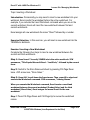
Remember, inserting header and footer information affects the amount of
worksheet data that will fit on a single printed page.
Exercise Objectives: In the following three exercises, you will review the
Header/Footer tabbed page on the Page Setup dialog box and define header
and footer information for REPORT.XLS.
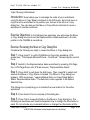
Exercise: Reviewing the Header/Footer Tabbed Page - Page Setup Dialog
Box
Complete the following eight steps to review the Header/Footer tabbed page on
the Page Setup dialog box.
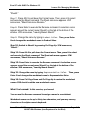
Step 1: Press Insert-T to verify REPORT.XLS is the active workbook. JFW
announces, "Title Equals Microsoft Excel - Report.xls," followed by the current
focus.
Step 2: Press Alt-V to pull down the View menu. JFW announces, "Menu
Active Normal Checked."
Step 3: Press H to select and execute the Header and Footer command. The
Page Setup dialog box appears. JFW announces, "Leaving Menus Page Setup
Dialog Header/Footer Tab."
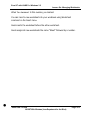
The Page .Setup dialog box is divided into four tabbed pages: Page, Margins,
Header/Footer, and Sheet. When you use the Header and Footer command on
the View menu, the Page Setup dialog box always opens to the Header/Footer
tabbed page.
Issue Date: 10/9/98
ASSIST With Windows (Iowa Department for the Blind)
Page: 7-8