1
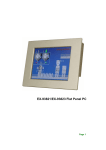
PPC-2710/PPC-2712 Flat Panel PC
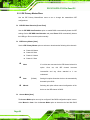
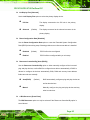
IDE HDD Block Mode [Enabled]
If the drive connected to the system supports block mode, use the IDE HDD Block Mode
option to enable the system to detect the optimal number of block read/writes per sector
the system IDE drive can support. Block mode is also called block transfer, multiple
commands, or multiple sector read/write.
Block mode is not supported.
Disabled
Enabled
(Default)
Block mode is supported.
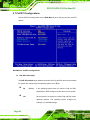
Onboard Serial Port 1 [3F8/IRQ4]
Use the Onboard Serial Port 1 option to select the I/O address and IRQ for the onboard
serial port 1. The serial port can be disabled or the I/O address and the IRQ can be
automatically selected by the BIOS. The Onboard Serial Port 1 options are:
Disabled
3F8/IRQ4 (Default)
2F8/IRQ3
3E8/IRQ4
2E8/IRQ3
Auto
Onboard Serial Port 2 [2F8/IRQ3]
Use the Onboard Serial Port 2 option to select the I/O address and IRQ for the onboard
serial port 2. The serial port can be disabled or the I/O address and the IRQ can be
automatically selected by the BIOS. The Onboard Serial Port 2 options are:
Disabled
3F8/IRQ4
2F8/IRQ3 (Default)
3E8/IRQ4
2E8/IRQ3
Auto
Page 84