1
Description
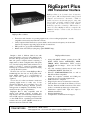
RigExpert Plus is a device for operating phone, CW and digital modes using personal computer with USB port. It
provides:
•
Transceiver audio interface
Analog audio interface is a connection to transceiver audio output (external speaker connector or line
output) and transceiver audio input (microphone connector or line input). Audio interface enables
operating digital modes, recording and playing voice, as well as other useful functions (such as measuring
levels of a signal from the air) by using a computer. Input (two channels) and output volume levels are
adjusted by potentiometers on the front panel of the device.
•
Optical S/PDIF in/out
In addition to the analog audio interface, RigExpert Plus provides optical S/PDIF input and output for
modern transceivers such as IC-7800. The optical cables are widely available in HI-FI stores.
•
CAT interface for various transceiver models
CAT (Computer Aided Transceiver) system provides control of transceiver frequency, operating mode and
other functions by computer software. Normally, modern transceivers have serial (with various signal
levels) link providing CAT interface. In RigExpert Plus, CAT interface port is seen as a COM port by
computer software.
•
FSK output
FSK (Frequency Shift Keying) is a popular method of transmitting digital messages over radio primarily
used in radioteletype (RTTY) mode. Most transceivers provide FSK modulator feature to make the RTTY
signal stable and clear.
A separate COM port is assigned for the FSK output when using RigExpert Plus. The FSK baudrate and
polarity are fixed and may be reconfigured by jumpers (see the Appendix A).
•
PTT and CW output functions
Transceivers provide PTT (Push To Talk) and CW (Continuous Wave) keyer inputs to allow setting the
transmitter on or off and operating CW using external device (PTT pedal, CW bug or paddle, terminal
node controller, or personal computer).
In RigExpert Plus, PTT and CW outputs are assigned to the RTS and DTR lines of a separate COM port.
•
Squelch input
Some software, such as EchoLink, requires the interface to provide a squelch input to detect if the radio
channel is busy.
In RigExpert Plus, the squelch input is assigned to the DCD line of the COM port used for PTT and CW
outputs.
•
Built-in electronic CW keyer for single or double paddle
The keyer produces dots or dashes depending on the direction a paddle is pushed to. If using double
paddle, squeezing both paddles gives alternating dots and dashes. The speed a CW message comes out
with is set by computer software or a built-in potentiometer. A famous WINKEY micro controller was
chosen as a CW keyer in RigExpert Plus.
In RigExpert Plus, a separate COM port is assigned to the WINKEY controller.
4