1
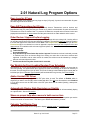
2.01 Natural Log Program Options
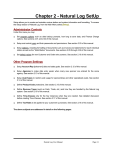
Natural Log's main program options are accessed from the main NL menu, click [Setup] [Administrator
Controls] [Program Options / User Permissions]. Then click the Program Options tab.
Prompt for EXTERNAL Data Backup After ## days Without a backup
It is highly recommended you do DAILY external data backups, but this allows you to decide how long
before NL starts prompting you if you forget to do data backups for a period of time. External data
backups should be done to some EXTERNAL media (not saved on the NL computer or in the same
location as the NL computer).
Natural Software is NOT responsible for any data loss resulting of your failure to do daily
data backups or for any failure of the backup media. You must do daily data backups to
different locations/discs/tapes. In case you have any problem with a backup, you always
have another.
Do Automatic INTERNAL Data Backup
NL will do an automatic INTERNAL data backup (during NL startup) as often as is specified. This internal
backup is done to a folder on the NL computer. It is highly recommended you leave this set to DAILY
(beta test versions of NL will not allow this to be changed).
Keep Broadcast Orders for # Years
This option allows you to specify how long orders are kept [2-5 years]. 5 years is recommended. 99 years
will cause orders to never be deleted.
Page 2-2
Natural Log User Manual