1
2.18 Tax Rate Setup
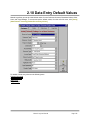
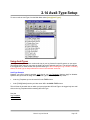
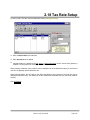
To enter or edit a Tax Item, from the Main Menu select [Setup][Tax Rates].
q
Enter a unique name for this tax item
q
Enter percent tax to be applied
q
Indicate whether it is applied to the net, gross, or discounted-gross invoice amount. See glossary in
Chapter 10 of this manual for a description of these terms.
When entering Customers, each customer can be assigned one of the defined tax rates (or no tax rate if
none is to be applied) as their default tax rate.
When entering Orders, the Tax Rate on the Order will default to the Customer's Tax Rate but may be
changed during Order entry. This allows you to have taxable and untaxable orders on the same customer
account.
See Tax Reports
Natural Log User Manual
Page 2-29