1
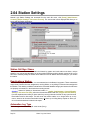
2.01 Natural Log Program Options
Keep Logs for # Years
This option allows you to specify how long Logs are kept [2-5 years]. 2 years is recommended. 99 years
will cause logs to never be deleted.
Keep A/R Transactions for # Years
This option allows you to specify how long individual Account Transactions such as invoices and
payments are kept [2-5 years] after they are zeroed out. 5 years is recommended. 99 years will cause AR
Transactions to never be deleted. Note: To preserve AR balances, non-paid and non-zeroed invoice and
prepayment transactions are never deleted until they are zeroed out no matter what this value is set to.
Order Review / Approval before Logging
This option allows you to permit Account Reps [salesmen] to enter their own orders in NL, but they will not
run until the required level of Review and Approval is obtained. The specified UserType must be logged in
to review and approve the order before it runs. Note: If the Require User LogIn checkbox (on the User
Permissions tab) is not checked, no review or approval is required even if you set a required review and
approval here! The available order review and approval options are:
q Sales Manager
q Traffic Director
q Accounting Manager
q Only Reviewer may revise Order after review / approval If at least one review is selected, prevents
a restricted user [such as Account Rep] from revising an order after it has been reviewed and
approved. If checked, and an order revision is needed, the revision must be entered by a usertype
that can review and approve orders.
q Prohibit new Order entry after Credit Limit is exceeded
Day Weights for Front-Loading Random-Type Schedules
Most stations do not use Front-Loading so these should be set to NORMAL. However for those that do
use Front-Loading , this option allows you to specify how much front-loading can be done for each day of
the week. This can range from -90% to +90%. This is the % change in the likelihood (from normal) that an
individual spot (from a Random-Type Schedule) will be scheduled on a given day. See Front-Loading.
Adobe Acrobat PDF Driver
This option allows you to specify if NL8's PDF print driver is used. The default is Enabled which is
required if you want to use the PDF writer included with NL8. The only time this would be set to Disabled
is if you don't want to use the PDF writer or the PDF print driver can't be loaded [causing startup error
messages].
Automatically Display Daily Reminders on StartUp
NL allows you to set reminders for the NL system or individual customers that NL will automatically display
on a specific date. Also see Reminders
Show on-screen help when mouse is held over an item
Windows has "Tool Tips" which can pop up on screen to give you context-sensitive help when you rest the
mouse over certain on-screen items. This allows you to disable this feature if you want.
Calendar Tool Display Type
NL8 has a calendar tool that can be configured to display calendar month or broadcast month.
Natural Log User Manual
Page 2-3