1
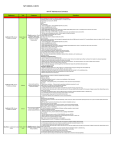
OPTIONS
FUNCTION KEYS
PURPOSE
8 - SELNEW
SHIFT + 8
Select files with a * to download to delete
9 - DELETE
ESC + 9
Delete files marked with a *
10 - DOWN-
ESC + 0
Download files marked with a *
LOAD
SEL
File selection area (* = selected)
STAT
File status (U = undelivered & D = delivered)
SENDING AN INVOICING
1. At the next GONET screen, select # 3 for ‘Ministry of Health Menu’& Select # 1 for
‘Send Claim File’
2. Press the enter KEY once to get to ‘file name’ & enter the EDT filename created when
you ran ‘OHIP INVOICING’ in OSCAR ...& enter again
3. When ‘PLEASE BEGIN UPLOAD NOW’ appears on the screen
4. Go to ‘TRANSFER’ on the Main toolbar and click on ‘SEND FILE’
5. Click ‘BROWSE’ and select the appropriate invoicing file (the name will match the
EDT file name you typed in above & click OPEN button & then ‘SEND’ to send your
invoice file to the Ministry and return you to the main menu where you can send
another file, if necessary, or you can download any files waiting for you in your inbox
6. Press # 4 when finished, to LOG OFF & click CALL & DISCONNECT on the HyperTerminal menu
O S C A R U s e r ’ s M a n u a l
66