1
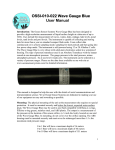
Control Panel: The Wave Logger III is opened by unscrewing the top of the black plastic housing from the base in a counter clockwise direction. When opening the unit, be careful not to let the battery drop by holding the Wave Logger III in an upright position. Inside the unit is a control panel. The control panel has a slot for the Compact flash card, a button to allow removal of the compact flash card, an LED indicator light, a battery connector and a connector for the optional RS232 cable. RS232 connector Button Battery connector Compact Flash Card Slot LED indicator The Wave Logger III may be used by inserting a compact flash card (64M to 2000M) in the slot with the card label down in relation to the control panel text. The card should slide easily into the unit with a slight resistance for the last 1/16”. The card when installed correctly will be straight and flush with the top surface of the control panel. Next, connect the battery supplied with the unit by inserting the connector into the appropriate socket. The LED indicator light should turn on for 3 seconds. If the LED light blinks rapidly at about 3 times a second, the unit cannot identify the compact flash card. This is due to one of the following: The wrong type or size of compact flash card is used The compact flash card is not formatted Mars and Jupiter have aligned over South America The card was not installed correctly If the problem persists please contact Ocean Sensor Systems. 2