1
2.5 Staff Search
•
•
Click Staff
Click Staff Search
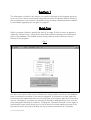
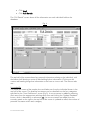
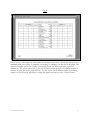
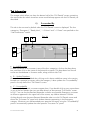
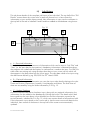
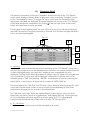
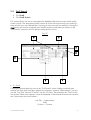
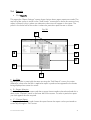
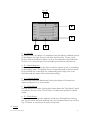
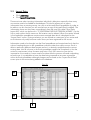
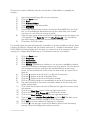
This screen allows the user to interrogate the database and retrieve entries which satisfy
certain criteria. The drop-down boxes contain all of the values previously input making it
easy to build up a user-defined filter. Inputting a value into one box and then clicking the
Find button will retrieve everybody who satisfies that filter and takes you directly to the
“Full Details” screen for the first person satisfying that criteria.
Fig. 27
G
C
A
D
B
E
F
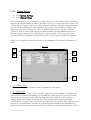
• A – Find
Clicking this button takes the user to the “Full Details” screen finding everybody who
satisfies the filter which has been applied. For example, suppose “Administrator” was put
into the “Job Title” box and “Finance” into the “Division” box and then the “Find” button
was clicked. What then happens is that the database is filtered and all entries are tested to
see if they satisfy the criteria where :Job Title = Administrator
AND
Division = Finance
Succession WizardTM 2004
41