1
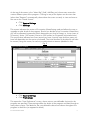
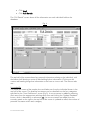
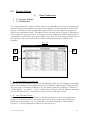
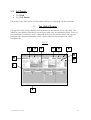
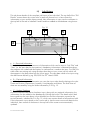
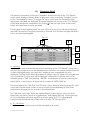
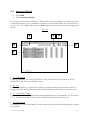
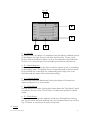
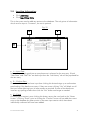
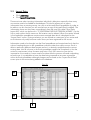
• C – Snapshot Slider
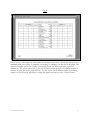
Use this to move up and down the list of entries.
• D – Photographs
To view an image (or create the link to one) click this icon to the right of the individual
concerned.
• E – Snapshot Details
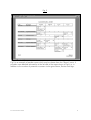
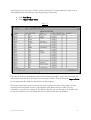
Details of entries are displayed here. Double-clicking on any of the values in the “Name”,
“Job Tile” or “Division” boxes will filter the entries being shown on the “Full Details” screen
eg. assume you double-click on “Finance” within the division column then the information
behind the Snapshot panel is filtered accordingly so that if you were now to close the
Snapshot panel you would be looking at the “Full Details” screen of somebody in the
Finance Division. The Entry Indicator in the bottom left corner of the screen indicates how
many entries satisfy the filter ie. how many people are in the Finance Division. The
resultant list is displayed in Surname order.
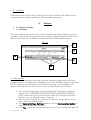
• F – Close Snapshot
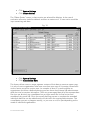
To close the snapshot panel and access other areas of the program click x in the top right
corner of the panel.
Succession WizardTM 2004
37