1
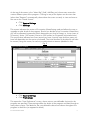
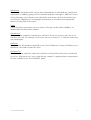
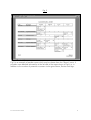
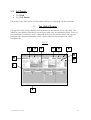
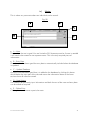
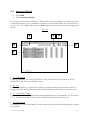
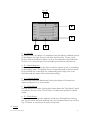
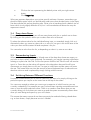
Fig. 30
A
B
C
E
D
• A – Sort By
By using the four sort boxes it is possible to sort the report by different pieces
of information eg. Age, Division, Job Start and Surname. To sort just by
Division all that needs to be done is click on the drop-down box and select
Division. For a two level sort insert something into the first two boxes etc.
• B – Descending Sort
Having inserted what to sort by, there is also the option to sort in ascending
or descending order. The default choice is ascending and so the box shown
by B would be left unchecked. For a descending sort simply click in the
small box and the report will be sorted accordingly.
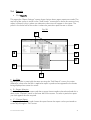
• C – Preview Report
Once the sort has been determined clicking this button will reorder the
report and preview it in its new order.
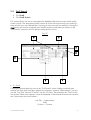
• D – Close Button
Having resorted the report clicking here closes down the “Sort Report” panel
and returns the user to the “Print Preview” window to be printed or refined
further.
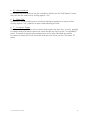
• E – Clear Button
If the sort order, having been applied, needs to be changed then clicking
the “Clear” button removes anything input into the boxes shown by A or B in
Fig. 30 above. It can then be re-input as required.
iv) Export
Succession WizardTM 2004
47