1
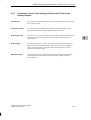
Addressing, Assigning Parameters, and How the C7 I/O Works
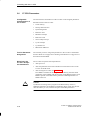
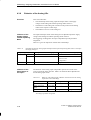
C7 Configuration
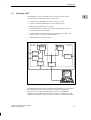
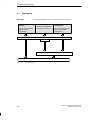
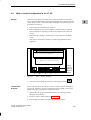
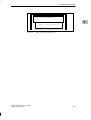
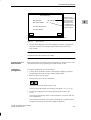
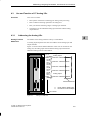
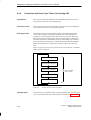
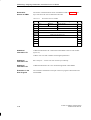
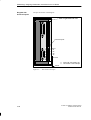
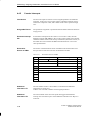
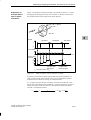
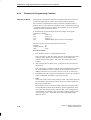
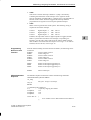
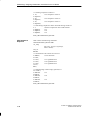
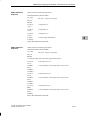
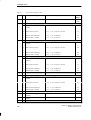
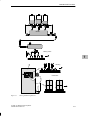
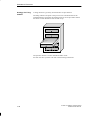
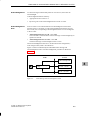
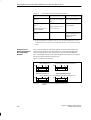
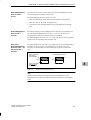
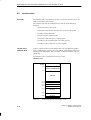
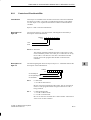
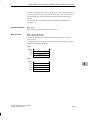
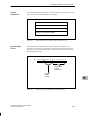
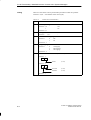
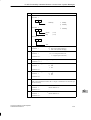
Figure 4-1 shows an example of a C7 configuration with a customer-specific
module and the connection of additional S7-300 modules.
Module 3
Slot number
IM 361
3
4
5
6
7
8
9
10
11
Connecting cable 368
4
Module 2
IM 361
Slot number
3 4
5
6
7
Connecting cable 368
8
9
10
11
Module 1
Slot number
IM 361
3
4
5
6
7
8
9
10
11
Connecting cable 368
Customer-specific module
Slot number
Digital address
Analog address
Figure 4-1
2
3
4 5
0...3
(assigned (0,1)
272...287 (default values)
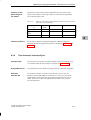
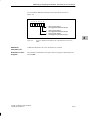
Example of Slots in C7
Additional S7-300
Racks
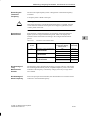
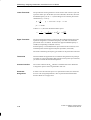
You can connect up to three S7-300 racks to a C7. The manual /70/ describes
how these are connected.
C7-626 / C7-626 DP Control Systems
C79000-G7076-C627-01
4-3