1
Agresso User Manual – Web Requisitioning
5.
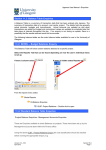
If required the user can narrow down the list by typing details along the filter fields and
select Filter to minimise their results.
6. Description
The description must only be changed when a Generic Product Code is used.
The description can be changed to something more appropriate to match the goods
required. This field only holds a certain amount of characters. See adding further in the Step
17.
5. Supplier ID
This will automatically be populated when the Supplier was selected in the
Requisition Entry Tab. Do not amend.
7. Number
Enter the number of goods required
8. Currency
If not already specified enter the Currency Code (defaults to GBP) for the
goods.
9. Price
If not already specified enter the unit price (cost per unit) for the goods
Curr. Amount
This is the amount in the selected currency
Amount
This is the amount in GBP
10. Account
The Account will automatically be selected from the Product Code to which the
goods are to be charged. Do not amend.
11. Costc
The Cost Centre will be back filled when the Project is entered.
12. Project
If not already specified enter the Project to which the goods are to be
charged.
13. Tax Code
If not already specified enter the Tax Code to be used for the goods.
A0
AE
AS
AZ
EF
Version 4.0 – 553
November 2010
VAT does not apply (Outside the scope - where the transaction involves a
country outside the EU)
Exempt on Purchases (e.g. education courses or conferences)
Standard rated - 17.5% on purchases
Zero-rated goods (e.g. books)
Where a VAT ‘exemption’ certificate has been completed for
goods/services purchased for use in medical research. If using this code
Section 2C
Page 5