1
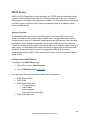
IEEE 802.1X
EtherWAN switches support the IEEE 802.1X protocol to provide port based security on a
switch port against unauthorized access. In order for this protocol to work, two additional
components are required; an EAP (Extensible Authentication Protocol) compatible RADIUS
server to authenticate a client station that is trying to gain access to the network through a
port on the switch, and an 802.1X client software (known as the “Supplicant” software) used
on the end device to communicate with the RADIUS server for the purposes of
authenticating the end device that is trying to gain access to the network through the switch
port.
When an end device is initially connected to a port on the EtherWAN switch where the
802.1X protocol is enabled on the port, the switch will only pass 802.1X authentication traffic
(known as EAPOL traffic) on that port between the Supplicant on the end device and the
RADIUS server, and will not allow any other traffic to pass. After the initial connection, the
EtherWAN switch will request authentication credentials from the Supplicant in the end
device that has just connected to the port. After the switch receives the proper authentication
credentials from the Supplicant in the end device, the switch will sent the credentials to the
EAP compatible RADIUS server that’s configured in the switch for the purpose of
authenticating the end device. If the end device is successfully authenticated by the RADIUS
server, the RADIUS server will sent an “Access-Accept” message to the switch; at this point
the EtherWAN switch will inform the Supplicant in the end device of the successful
authentication and open up the port for all network traffic to pass.
Configuring 802.1X from the GUI system
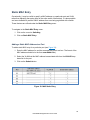
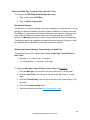
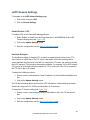
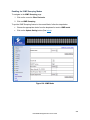
To navigate to the 802.1X / Radius Configuration page:
1. Click on the + next to 802.1X
2. Click on Radius Configuration
Enabling Radius
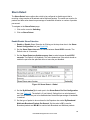
By default, the 802.1X function is globally disabled on the EtherWAN switch. If you want to
use the 802.1X port based security on a port, you must enable it globally on the switch first,
and then enable it on a per port basis.
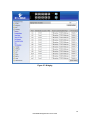
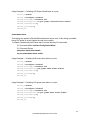
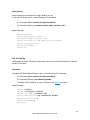
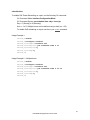
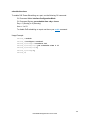
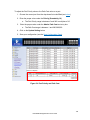
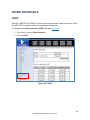
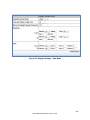
To enable the 802.1X function globally on the switch:
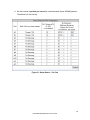
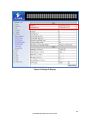
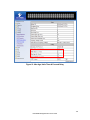
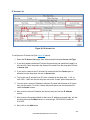
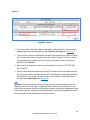
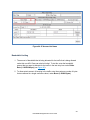
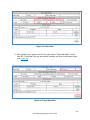
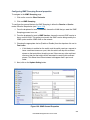
1. Choose enable from the drop down list next to Radius Status
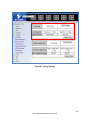
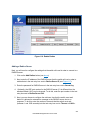
2. Click on the Update Setting button. (See Figure 116)
241
EtherWAN Managed Switch Users Guide