1
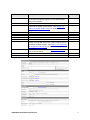
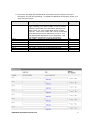
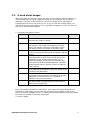
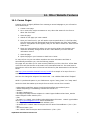
Field
Description
Mandatory
?
New Window?
When the user clicks on this link, do you want the
result to display in the same window, or open up a new
window? It is standard practice to open up in the same
window if the user is staying in your own website, but
open up a new window if they are going to a different
website or opening a Word, PDF or Excel file.
Usually you would just select All, so that members of
the public can view the page, but if you want it to be
restricted you can choose for only members or
administrators to be able to view it.
Do you want this link to be displayed to the public?
Click on NO until you have the whole area set up with
text and graphics, and then go back and click on YES
when you are satisfied with the results. When you are
logged on an “*” in front of the name indicates that this
menu item is not viewable to the public. Hidden items
are only available off sub menus and not off the main
menu due to the way that the main menu is placed on
the screen.
This description appears next to the name when the
mouse is moved over this main menu name. It
providers the user with a fuller description of what is
behind the link.
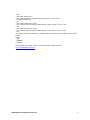
Yes
Access Level Required
Release to Public
Description of Link
myWebsite User Manual Version 6.0
Yes
Yes
No
46