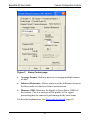
1
BeamStar FX User Guide
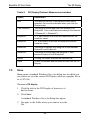
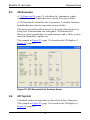
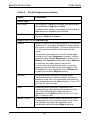
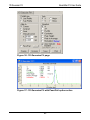
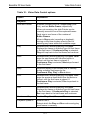
1D Top Hat Fit
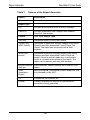
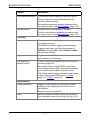
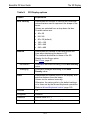
Option
Explanation
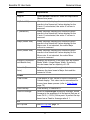
Inclination
Slope of the best fit inclined line between the blue
lines. This slope is normalized such that a slope
value of 1 indicates that the left edge is at 0 and
right edge is at twice the average.
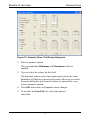
Pass/Fail
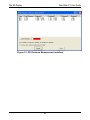
See Step 655H7, page 99
Check box
Select to have criteria active. Criteria that pass are
displayed in green font; those that fail are in red
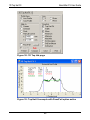
font. See Figure 39, page 98.
Browse button
Click to open the dialog box to set Pass/Fail criteria.
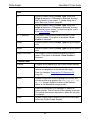
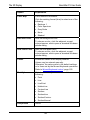
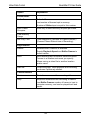
Page buttons
11.1
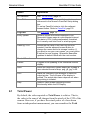
Freeze/UnFreeze
Toggles on/off updating of the Top Hat display and
the updating of information and calculations.
UnZoom
If the 1D Top Hat display has been zoomed, returns
the display to its full horizontal range.
See Zooming a 1D Top Hat Fit
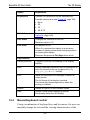
Save
Opens a standard Window Save As dialog in which
the options are graphic files, CSV file, or fixedcolumn text file.
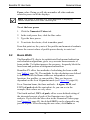
Print
Starts the Windows Print Manager to select an
output printer. The full frame of the display is
printed. The actual data frame depends on when the
printing is initiated.
Help
Opens a Help screen describing mouse functionality
within the 1D Top Hat Display.
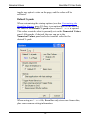
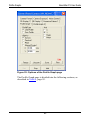
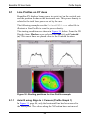
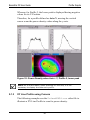
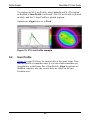
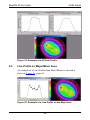
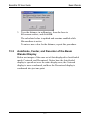
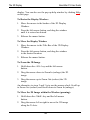
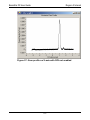
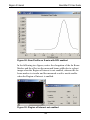
Zooming a 1D Top Hat Fit Graph
To zoom a 1D Top Hat Fit Graph:
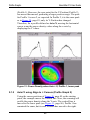
1. Place the mouse at the edge of the zoom area.
2. Click the right mouse button.
A black line is drawn to mark that edge of the zoom area.
3. Drag the mouse to the other edge of the zoom area.
101