1
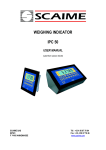
WEIGHING INDICATOR
IPE 50
USER MANUAL
(valid from version 4.00)
SCAIME SAS
BP501
F 74105 ANNEMASSE
Tél : +33 4 50 87 78 64
Fax : +33 4 50 87 78 46
www.scaime.com
IPE50
INDEX
1 INTRODUCTION.............................................................................................................. page 2
2 MAIN TECHNICAL SPECIFICATIONS ........................................................................... page 3
3 DIMENSIONS .................................................................................................................. page 4
4 POWER SUPPLY & START-UP...................................................................................... page 5
5 FRONT PANEL KEYS AND INDICATORS ..................................................................... page 5
6 BASIC FUNCTIONS ........................................................................................................ page 7
7 SELECTABLE OPERATING MODES .............................................................................page 11
8 INSTRUMENT MESSAGES WHILE IN USE ...................................................................page 19
9 PRINTING EXAMPLES ...................................................................................................page 20
10 INSTALLATION.............................................................................................................page 21
11 BLOCK DIAGRAM ........................................................................................................page 22
12 SET UP ..........................................................................................................................page 25
13 ADJUSTMENT...............................................................................................................page 35
14 SERIAL OUTPUTS........................................................................................................page 40
15 PROGRAMMING THE PRINTOUTS .............................................................................page 48
16 ERROR MESSAGES .....................................................................................................page 52
17 CONNECTION SCHEMES ............................................................................................page 52
1
IPE50
1 INTRODUCTION
The purpose of this manual is to help the user get to know the weight indicator’s various functioning modes,
the keys’ functions and the display indications
We advise to carefully follow the instructions for programming the weight indicator; by taking actions
not indicated this manual, one could cause the scale to not work properly.
In addition to having all the characteristics of a high precision scale, the indicator has the kg/lb conversion
function, the gross weight / net weight conversion, set point on gross weight or net weight, in/out weigh,
repeater in r.f. transmission, alibi memory, hold function, peak detector, weighs totaliser and piece counter.
The indicator adapts to normal weighing applications in either industrial settings, such as during factory
production processes, or that of commerce, such as legal for trade applications, also satisfying the frequently
needed ability to transmit and print the data through its two bidirectional serial ports.
This manual has been made as carefully and exactly as possible; in any case, your suggestions are
always welcome.
WARNING
Any attempt to repair or alter the unit can expose the user to the danger of electric shock and it will void our
warranty. This instrument is covered under warranty provided that IT HAS NOT BEEN OPENED BY THE
USER for any reason. If any problem with the unit or system has been experienced please notify the
manufacturer or the dealer from which the instrument was acquired.
Do not pour liquids on the indicator!
Do not use solvents to clean the indicator!
Do not expose instrument to either direct sun light or any heat sources!
Always mount the indicator and platform in a vibration free setting!
Read carefully & apply what described in the POWER SUPPLY & START-UP section!
Do not install in an environment with any risk of explosion!
2
IPE50
2 MAIN TECHNICAL SPECIFICATIONS
POWER SUPPLY
12 to 24Vdc / 3.6 W max
OPERATING TEMPERATURE
From -10 to +40 °C (14 to 104 °F).
DISPLAYED DIVISIONS
10000e, 2X3000e for legal for trade use expandable to 800.000 for internal use (with minimum
signal coming from the 1,6mV/V cell).
RESOLUTION IN CALCULATION
150'000 points (with signal in input equal to 3mV/V).
MAX INPUT
+ 30mV (+ 6mV/V)
DISPLAY
6 digits, 13 millimetres high
STATUS INDICATIONS
6 LEDS
KEYBOARD
water resistant polycarbonate membrane keys with tactile and acoustic feedback.
TARE FUNCTION
Available on entire range, from keyboard or from optional remote control. Subtraction function
on all models.
LOAD CELL POWER SUPPLY
5Vdc ± 5%, 120mA (max 8 cells of 350 Ohm)
LOAD CELL CONNECTIONS
4 or 6 wires with Remote Sense (4 or 6 wires on channel 1 and 4 wires on channel 2 to 4)
PROTECTIVE CASE
IP 54 , PVC case
SERIAL OUTPUTS
1 RS232 uni directionnal configurable for connection to a printer or repeater.
1 RS485 bi directionnal for connection to PC/PLC or repeater.
THE PARTS OF THE INSTRUMENT CONTAINING DANGEROUS ELECTRICAL TENSION ARE ISOLATED
AND INACCESSIBLE TO THE USER UNLESS IT HAS BEEN DAMAGED, OPENED, OR ALTERED.
3
IPE50
3 DIMENSIONS
1 and 2 Connection of power supply (12 to 24Vdc)
3
connection of the 2 inputs, the contact of setpoints and RS232 and 485
4
connection of 1 to 4 sensors
4
IPE50
4 POWER SUPPLY & START UP
Do not connect other equipment to the same socket as the one that the adapter is in.
Do not step on or crush the power supply cable
The display shows in sequence:
L.X.YY
09.01
09 indicate the type of unit, 01 indicate the version of metrologic software
XX.YY.ZZ
version of the installed software.
DGT
name of software
CloCK
if the option timer is installed.
After this, the programmed capacity and minimum division are displayed; then the instrument executes a
countdown (self-check) and finally “hi rES” is displayed (in case of non approved instrument) or “LEGAL” and
the calibration area (in case of approved instrument).
The indicator has an “auto zero at start-up” function: in other words it means that, with a non approved
instrument the display shows the present weight after a few instants, while with an approved instrument “ZerO”
is shown continuously on the display, until the weight does not re-enter within this tolerance; the auto zero
function at start-up may be disabled in the set-up environment (only with non approved instrument); see SEtuP
>> ConFiG >> Param. >> Auto-0 (TECH.MAN.REF.)
TO stand by the IPE50, keep the C key pressed until the - OFF – message appears on the display; then
release the key (the power supply of the sensors 5V is always present).
Press the C key to restart the unit.
To TURN OFF the IPE50, switch off the power supply
5 IPE50 FRONT PANEL KEYS AND INDICATORS
The front panel of the indicator is designed for quick but simple weighing applications. It consists of an LCD
display with 6 digits 13 mm in height, 6 LED indicators and a keyboard 5 function keys.
VOYANTS
->0<~
FONCTIONS
Indicates that the weight detected on the weighing system is near zero,
within the interval of –1/4 to +1/4 of the division.
Indicates that the weight is unstable.
NET
Indicates that the displayed weight is a net weight.
SPE
Indique que l'IPE50 est dans un mode de fonctionnement particulier
W1/ SP1 ou
W2 / SP2
W1 or W2 show the functionning with 2 weighing ranges
SP1 or SP2 Indicates that the relay 1 or 2 has been enabled.
5
IPE50
SCALE KEY
FUNCTION
- Zeros the displayed gross weight, if is within +/- 2% of the total capacity.
- Cancels the negative tare value.
- If pressed for an instant it carries out the semiautomatic tare.
- If pressed at length it allows entering the manual tare from keyboard.
- Cancels the negative tare value.
- In the numeric input phase it increases the digit to be modified.
- It carries out a specific function of the operating mode set in the set-up
environment.
- In the numeric input phase it selects the digit to be modified, from left to
right.
- It carries out a specific function of the operating mode set in the set-up
environment.
- In the numeric input phase, it confirms the entry made.
- In the SET-UP, it allows to enter a step or to confirm a parameter within a
step.
- It transmits the data from the serial port dedicated to the printer.
- It turns the instrument in the mode stand by.
- In the numeric input phase, it quickly zeros the present value.
- In the set-up environment, it allows to exit a step without confirming the
change made.
- cancel a tare
6
IPE50
6 BASIC FUNCTIONS
Nota : if the IPE50 has never calibrated, the message “Err 39” will be displayed (see page 51)
3 modes of functioning are available:
Ind.Ch. Standard using for 1 to 4 independant channels (selection of the channel displayed by the key
"MODE" and key "->T<-" and validation with key "ENTER")
DEP.Ch. Using for the connection of 2 to 4 identical sensors on a same system
TrAnSM. same as for ind.Ch, except that the keys, the zero tracking and the autozero at the startup are
disabled and it is possible with one serial command, to receive the values of all the activated channels .
6.1 ZERO SCALE
By pressing the ->0<- key, it is possible to zero a gross weight value which is within +/- 2% of the capacity;
after the zeroing, the display shows 0 weight and the relative pilot lights are turned on.
6.2 TARE OPERATIONS
SEMI-AUTOMATIC TARE
By pressing the ->T<- key any weight value present on the display is tared: the display shows “tArE” for an
instant and then 0 (net weight); the relative keys turn on.
In any case a new tare operation cancels and substitutes the previous one.
NOTE: The semiautomatic tare will be acquire only if the weight is AT LEAST A DIVISION, STABLE
(instability ~ led off) and VALID (in other words, the OVERLOAD condition should not be created).
ENTERING THE MANUAL TARE FROM KEYBOARD
Press ->T<- for a few seconds: the display shows “– tM –“ and then "000000". Enter the desired value
using the following keys:
->0<decreases the blinking digit.
->T<increases the blinking digit.
MODE
selects the digit to be modified (blinking); the scrolling of the digits takes place from left to
right.
C
if pressed for an instant it quickly zeros the present value; if pressed at length it allows to
return to weighing without saving the changes made.
NOTE: With the IPE50 one enters the value directly with the numeric keyboard
Confirm with the ENTER key; the value will be subtracted from the weight present on the plate and the
relative pilot lights will turn on.
If the entered value is not a multiple of the scale’s minimum division, it will be rounded up if it is
equal or greater than half of the division, or rounded down if lower.
In any case a new tare operation cancels and substitutes the preceding one.
CANCELLING A TARE
One can manually cancel the tare value in different ways:
- unload the scale and press the ->0<- ou ->T<- key.
- carry out the tares in deduction, partially unloading the scale and pressing ->T<- to zero the display.
- press C without unloading the scale.
- enter a manual tare equal to 0.
NOTE: it is possible to automatically cancel the tare value; see the section
“LOCKED/UNLOCKED/DISABLED TARE SELECTION”.
SELECTION OF LOCKED / UNLOCKED / DISABLED TARE
Normally, when a tare value is entered (automatic, manual, or from storage) by unloading the scale plate,
7
IPE50
the display shows the tare value with a negative sign (LOCKED TARE). For one’s convenience it is also
possible to choose that the tare value cancels itself automatically each time that the scale is unloaded
(UNLOCKED TARE); or disable the tare functions.
With the UNLOCKED tare:
In case of SEMIAUTOMATIC TARE the net weight, before unloading the scale, may also be 0.
In case of MANUAL TARE or FROM DATABASE the net weight before unloading the scale must be
of at least 2 stable divisions.
To set the type of tare:
- Turn on the indicator, press the ->0<- or ->T<- key during the countdown (the display shows the
“FmodE” menu).
- Press ENTER to enter the menu.
- Press ->0<- many times (to scroll ahead through the parameters) or ->T<- (to scroll backwards) until
one finds the “tArE t” parameter.
- Press ENTER to enter the parameter.
- With the ->0<- or ->T<- keys select the possible options: “LoCK” (locked tare), “unLoCK” (unlocked
tare), diSAb (disabled tare).
- Confirm with ENTER
- Press the C key many times until the display shows the message “SAVE?”.
Press ENTER to confirm the changes made or another key for not saving.
The indicator stores the last selection made, also after it is turned off.
6.3 AUTO POWER OFF FUNCTION (OPTION)
It is possible to automatically turn off the indicator (from 1 to 255 minutes), or disable it; the auto power off
takes place when, with unloaded scale, or a key has not been pressed for the time set: the display shows the
“- oFF – “ blinking message and the indicator turns off.
For the setting, follow the procedures below:
- Turn on the scale, press the ->0<- or ->T<- key during the countdown (the display shows the “FmodE”
menu).
- Press ENTER to enter the menu.
- Press ->0<- many times (to scroll ahead through the parameters) or ->T<- (to scroll backwards) until one
finds the “AutoFF” parameter.
- Press ENTER to enter the parameter.
- With the ->0<- or ->T<- keys select the possible options: “diSAb” (auto switch-off disabled), “EnAb” (auto
switch-off enabled).
- Confirm with ENTER if “EnAb” has been selected, one will be asked to enter the number of minutes after
which the indicator should turn off: enter a number between 1 and 255 (using the MODE key to select the
digit to be modified and ZERO/TARE to decrease/increase it) and confirm with ENTER
- Press many times the C key until the display shows “SAVE?”.
Press ENTER to confirm the changes made or another key for not saving.
6.4 MULTI RANGE FUNCTIONING (for legal for trade approved instruments)
The multi range functioning allows to subdivide the scale capacity in two ranges, each which is up to 3000
divisions, improving in this way the first range division in the dual range and the first two ranges in the triple
range.
For example, with a 10 kg cell platform it is possible to approve the weighing system with:
- A single range: 6 kg capacity and 2 g division (3000 div.).
- Dual range: 6 / 3 kg capacity and 2/1 g division (3000 + 3000 div.).
NOTE: The selection of the range number with multirange functioning is made during the indicator’s calibration
8
IPE50
6.5 DATE/TIME ADJUSTMENT (OPTIONAL)
The indicator can be fitted with the date/time option; in this case, the “CLoCK” message is shown when
instrument is turned on.
To set the date/time follow the procedure below:
- Turn on the scale, press the ->0<- or ->T<- key during the countdown (the display shows the “FmodE”
menu).
- Press ENTER to enter the menu.
- Press ->0<- many times (to scroll forwards through the parameters) or ->T<- (to scroll backwards) to find
the “CLoCK” parameter.
- Confirm with ENTER/PRINT: in this order one will be asked to enter the day, month, year, hour, and
minutes. The entry of each parameter must be confirmed with ENTER
- Press the C key many times until the message “SAVE?” appears on the display.
- Press ENTER to confirm the changes made or another key to not save.
- It is possible to programme the date and time during the weighing, pressing in sequence the F and 8 keys.
- The “CLoCK” parameter is not displayed if there is no date/time option.
6.6 “SCREEN SAVER” FUNCTION (OPTIONAL)
If the indicator is fitted with the date/time function, it is possible to enable the “Screen Saver”: after a
programmable time (from 1 to 255 minutes) with the scale unloaded, the time is shown on the display, in the
“HH-MM.SS” format. As soon as a weight variation is detected, or a key is pressed, the indicator returns to
viewing the current weight.
To set the function:
- Turn on the scale, press the ->0<- or ->T<- key during the countdown (the display shows the “FmodE”
menu).
- Press ENTER to enter the menu.
- Press ->0<- many times (to scroll forwards through the parameters) or ->T<- (to scroll backwards) to find
the “SCr.SAV” parameter.
- Press ENTER to enter the parameter.
- With the ->0<- or ->T<- key select the possible options: “no” (disabled), “YES” (enabled).
- Confirm with ENTER if one has selected “YES”, one is asked to enter the number of minutes after which
the indicator should show the time: enter a number between 1 and 255 (using the MODE key to select the
digit to be modified and the ZERO/TARE keys to decrease/increase it) and confirm with ENTER
- Press the C key many times until the display shows the message “SAVE?”.
- Press ENTER to confirm the changes made or another key to not save.
NOTE: the “SCr.SAV” parameter is not shown if there is no date/time option.
6.7 PRINTING
If a printer is connected, it is possible to print the programmed weight data, for example:
- GROSS weight
- TARE weight
- NET weight
- ticket number
- date and time (optional)
- a CODE 39 bar code (both with the LP542PLUS labeller as well as the TP200 thermal printer).
Besides the generic printing described above, each single functioning mode will have some specific printouts,
which are described in the operating mode.
Executing printouts with NON approved scales.
In order to print with non approved scales the following conditions must exist:
- the weight must be stable;
- the gross weight must be >= of a division;
To configure the printouts, go to the “PROGRAMMING THE PRINTOUTS”
9
IPE50
6.8 REENABLING THE PRINTOUTS AND THE INDICATOR FUNCTIONS
While using the indicator, it is possible to incur into the “no.0.unS” error shown on the display along with an
acoustic signal; this means that the printing or the function which one wants to carry out must be reenabled (in
order to avoid unwanted executions).
It is possible to set the reenabling in different ways: “passage by zero of the net weight”, “weigh instability” or
“always”. Follow the procedure below:
- Turn on the scale, press the ->0<- or ->T<- key during the countdown (the display shows the “FmodE”
menu).
- Press ENTER to enter the menu.
- Press ->0<- many times (to scroll forwards through the parameters) or ->T<- (to scroll backwards) until
one finds the “rEACt” parameter.
- Press ENTER to enter the parameter.
- With the ->0<- or ->T<- keys select the possible options: “ZEro” (passage by zero of the net weight), “inSt”
(instability), ALWAyS.
- Confirm with ENTER
- Press the C key many times until the message “SAVE?” is shown on the display.
- Press ENTER to confirm the changes made or another key to not save.
7 SELECTABLE OPERATING MODES
In addition to the STANDARD weighing mode with TARE deduction and transmission of data, the indicator can
carry out one of the following functions:
kg/lb CONVERSION, NET/GROSS SWITCH, SET POINT ON THE GROSS WEIGHT, SET POINT ON THE
NET WEIGHT, IN/OUT, ALIBI, DISPLAY WITH SENSITIVITY X 10, HOLD, PEAK, HORIZONTAL
TOTALIZER, VERTICAL TOTALIZER, and PIECE COUNTING.
Std
ntGS
inout
G. t., 1St.2nd, in.out
MAStr,
nuMSL (01...04)
Alibi
F.Mode
FunCt.
UiSS
hLd
PEAk
tot.Mod
tot o
norM.t, FASt.t, Auto
MAx.tot
tot.Mod
tot S
norM.t, FASt.t, Auto
Max.tot
uM.APW
Coun
g, kg, t, lb
Wait.t
To set the operating mode, carry out the following procedures:
- Turn on the scale, press the ->0<- or ->T<- key during the countdown (the display shows the “FmodE”
menu).
- Press ENTER to enter the menu (the display shows the “FunCt” menu).
- Press ENTER to enter the parameter.
- With the ->0<- or ->T<- keys select the possible options:
Std
kg / lb conversion
ntGS
net weight / gross weight conversion
inout
Input / output weighing
10
IPE50
MAStr
ALibi
UiSS
hLd
PEAK
tot o
tot S
Coun
-
Master for using with 1 to 4 another IPE50 in slave
Non available
Sensitivity (x10)
Hold
Peak detector
Horizontal totalizer
Vertical totalizer
Counting
Confirm with ENTER if one has selected the inout, tot or, tot S or Coun mode, one will be asked to select
another operating parameter; refer to the specific functioning mode section for the relative description.
Once the functioning mode is selected, one is asked to enable the standard printouts: the “dEF.Pr?”
message appears on the display: press ENTER to enable the printouts and C to exit without making any
modifications.
The instrument automatically goes to the following step.
Press many times the C key until the display shows the message “SAVE?”.
Press ENTER to confirm the changes made or another key to not save.
7.1 kg/lb CONVERSION (Std)
By pressing "MODE" key the value is converted from kg to lb and vice versa.
NOTES:
- with APPROVED instrument in single range the weight in pounds is displayed for 5 seconds, after which the
display goes to kilograms. During the viewing in pounds it is not possible to print the weight (when pressing
ENTERthe message “ConV” is shown and an acoustic signal is emitted.
7.2 NET/GROSS SWITCH (ntgS)
If a tare is set by pressing the MODE key, for about 3 second interval, the gross weight is displayed.
NOTE: While the gross weight is being viewed it is not possible to print.
7.3 INPUT/OUTPUT (in out) –
Simple display functioning mode with in / out weighing function: the indicator acquires two weight values
through the confirmation of the operator and calculates the difference, automatically printing the data (if the
presence of a printer has been configured).
Once the in/out mode has been selected, the message “tyPE” is shown and one is asked to select with
ENTERthe printing mode of the acquired data:
- G.t. gross/tare:
GROSS
Greater weight with unit of measure
TARE
Lesser weight with unit of measure.
NET
Difference between GROSS and TARE with unit of measure
st
nd
- 1 .2 first weigh/second weigh:
WEIGH 2
Second weight with unit of measure.
NET
Difference without sign between WEIGH 1 and WEIGH 2 with unit of measure.
- in.out input/output:
INPUT
First weight with unit of measure.
OUTPUT
Second weight with unit of measure.
NET
Zero weight with unit of measure
>> if WEIGH 1 = WEIGH 2
INPUT NET
>> if WEIGH 1 > WEIGH 2
Difference without sign between INPUT and OUTPUT with unit of measure.
OUTPUT NET
>> if WEIGH 1 < WEIGH 2
Difference without sign between INPUT and OUTPUT with unit of measure.
11
IPE50
PROCEDURE:
- By pressing MODE key the unit acquires the first weight, on the display is shown “ - - 1 - - -";
- By pressing again MODE key, the unit acquires the second weight, and on the display is shown “- - 2 - - -“.
- NOTE: The acquisition of the second weight is made only if the setting of the rEACt parameter in the setup environment has been respected (passage by zero of the weight instability, or always); see section 9.11
“REENABLING OF THE PRINTOUTS AND THE INDICATOR FUNCTIONS”.
- When the second weight is acquired, the data printout is commanded:
It is possible to interrupt the weighing cycle by pressing the C after the acquisition of the first weight: On the
display the message “ CLEAr ” is shown accompanied by a prolonged beep. Press ENTER to confirm the
cancelling of the first acquired weight or another key to not confirm.
NOTES:
The first weight is acquired if:
- With a NON APPROVED scale one has a STABLE weight and GREATER than 0.
- With an APPROVED scale one has a STABLE weight and GREATER than 20 divisions.
The second weight is acquired if:
- With a NON APPROVED scale one has a STABLE weight and GREATER than 0.
- With an APPROVED scale one has a STABLE weight and GREATER than 20 divisions.
- if the setting of the rEACt parameter in the set-up environment has been respected (passage by zero of
the weight, instability, or always); see section “REENABLING OF THE PRINTOUTS AND THE
INDICATOR FUNCTIONS”.
- the tare operations are DISABLED.
-
7.4 DISPLAY WITH SENSITIVITY X 10 (VISS) (TO BE USED IN TESTING DURING THE
CALIBRATION)
By pressing the MODE key one switches from the weight display with normal sensitivity to a sensitivity ten
times greater; in fact, one will note that the last digit on the right of the display will have a sensitivity equal to
the scale’s division divided by 10.
If a printout is carried out, the weight values are printed with the normal sensitivity.
7.5 HOLD: FREEZING THE WEIGHT ON THE DISPLAY (HLd)
By pressing MODE, the value of the weight is held on the display, and the display shows HoLd alternately with
the weight held value (every 5 sec). To release the weight value on the display, press MODE key again.
7.6 PEAK WEIGHT PEAKS DETECTION (PEaK)
It is possible to use the instrument to store the maximum weight value measured during the weigh (PEAK),
useful to measure, for example, the breaking load of the materials.
By pressing MODE the peak mode is enabled, and the display shows “PEAK” alternating with the held weight
value (every 5 sec).
To stop the test and return to standard operation press MODE key again, (for an instant “PEAkoF” is
displayed).
The detected weight value will be:
• The maximum before a rapid decrease of the weight (measurement of the ultimate load).
• The maximum and persistent weight detected on the scale.
SETTING SAMPLING TIME
It is possible to set the minimum time period of the peak impulse beyond which the measuring is accepted.
This time is set by keeping “ENTER/PRINT” pressed for a few seconds when the indicator is not in the peak
mode: the message tPI C then -tP- appears on the display followed by a number which corresponds to the
minimum time length of the impulse expressed in hundredths of seconds.
12
IPE50
By pressing “->0<- or ->T<-” the following settable values are proposed: 1, 2, 3, 4, 5, 10, 20, 50, 100, and 127;
press “ENTER/PRINT” to confirm the desired value (value in 1/100 of second), the indicator will return to
weighing.
The default value is 1.
7.7 HORIZONTAL TOTALIZER (Sum of lots -> tot 0)
If the unit is switched OFF, the totalizer will be resetted
Tot.Mod : TYPE OF TOTALISATION (NORMAL, FAST, AUTOMATIC)
Once the totalizer operating mode is selected, both horizontal and vertical, one is asked to set the type of
totalization: normal (t.norM), fast (t.FASt) or automatic (Auto); with ->0<- or ->T<- one changes the parameter;
with ENTER one confirms.
- t.norM : In the normal totalisation, for each accumulation operation there is the display of the weigh
number and the net weight total, before the printing of the data.
- t.FASt : In the fast one, just the display of the "-tot-" message appears on the display, before the printing
of the data.
- Auto : In the automatic one, there is the automatic acquisition of the stable weight; therefore the display of
the "-tot-" message on the display and then the printing of the data.
MAx.tot: NUMBER OF CONSECUTIVE TOTALISATIONS AFTER WHICH THE TOTAL IS AUTOMATICALLY
PRINTED AND RESET
After having carried out the set weighs, the accumulated general total is printed and reset; set a value between
00 and 63.
NOTE: the value 00 disables the function
TOTALISATION OPERATIONS
In order to carry out the totalisation it is necessary to press the MODE key (if the automatic totalisation has not
been set): the weight is accumulated in two total levels (a partial total and a general total).
To totalize, the net weight must be at least one division with non approved instrument and of at least
20 divisions with approved instrument.
To avoid undesired accumulations, the "MODE" key is active just once; it reactivates depending on the setting
of the “ rEACT ” parameter in the SET-UP environment, in other words, either after passing by the net zero of
the scale, by instability or always (see section “REENABLING OF THE PRINTOUTS AND THE INDICATOR
FUNCTIONS”).
If the presence of a printer has been configured, the "MODE" key or automaticly causes also the printing of
the weight values.
After a totalisation, press the MODE key again:
- with the normal totalizer, one can temporarily view on the display the number of weighs carried out and the
PARTIAL NET TOTAL accumulated until that moment (Subtotal): if the accumulated digit is more than 6 digits
the visualisation takes place in two stages.
- with the fast totalizer the " no.0.UnS " error message is displayed.
NOTE:
- If the gross or net weight is equal to zero, with the normal totalizer the indicator displays the accumulated
total, while with the fast totalisation the “GroS.Er or nEt.Err” error message is displayed.
TOTALISATION WITH PRINTING
If the presence of a printer has been configured, upon each pressing of MODE, one prints the data
programmed in step SEtuP >> SEriAL >> CoM.Prn >> Pr.ConF of the set-up environment (TECH.MAN.REF.),
for example:
- Weigh number
- GROSS weight
- TARE weight
- NET weight
13
IPE50
PRINTING AND ZEROING OF THE TOTALS
The instrument has two different total levels, a partial total and a general total, which increase upon each
totalisation; these may be printed and zeroed independently from each other.
To print and zero the PARTIAL TOTAL one should press for ashort time the ENTER key; depending on the
type of totalisation, various messages will be displayed:
- With normal totalisation the number of weighs and the accumulated total will be displayed.
- With fast or automatic totalisation the message “totAL” will be displayed.
The number of weighs made and the NET WEIGHT TOTAL is printed.
To print and zero the GENERAL TOTAL one should press for a few seconds the ENTER key; depending on
the type of totalisation; various messages will be displayed:
- With normal totalisation the number of weighs and the accumulated total will be displayed.
- With fast or automatic totalisation the message “G.totAL” will be displayed.
The number of weighs made and the NET WEIGHT TOTAL is printed.
NOTE:
All the values accumulated are automatically zeroed each time the instrument is turned off.
7.8 VERTICAL TOTALIZER (Sum by recipe -> tot S)
Like the horizontal totaliser but with each pressing of MODE (or automatcly depend of parameter rEACT) the
indicated weight is totalised and automatically tared; in this way it is possible for example to fill a container with
various products and to know the total weight of the container (on the display or/and on a printer) and the total
weight of all the containers weighted (on the display or/and on a printer) .
7.9 PIECE COUNTING (COUn)
In this functioning mode it is possible to carry out the reference operations in order to use the scale for
counting pieces.
When the functioning mode is selected (F Mode -> FunCt -> Coun) , one is asked to set some parameters:
-
"uM.APW" : unit of measure of the average unit weight (APW).
• Press ENTER to enter the step.
• With the ->0<- or ->T<- keys select the unit of measure (g / kg / t / Lb).
• Confirm with ENTER
- "WAit.t" : sampling interval.
Setting of the sampling time (in seconds, with a decimal); greater is the time set and more precise will the
calculated APW be.
• Press ENTER to enter the step.
• Set the desired time.
• Confirm with ENTER
• Press many times the C key until the display shows the message “SAVE?”.
Press ENTER to confirm the changes made or another key to not save.
COUNTING PROCEDURE
The operations to be carried out are the following:
1) Place the empty container on the scale and press ->T<- to tare it.
2) Check that the zero is on the display and press the MODE button: the counting function activates
3) The display suggests a REFERENCE QUANTITY. The possible options are: 5, 10, 20, 30, 40, 50, 60, 75,
100, 200.
4) Press “->0<- or ->T<-” the number of times needed to reach the desired sample size.
5) Put the quantity of pieces chosen for the SAMPLE on the scale and press ENTER to confirm or C to
cancel the operation and return to weighing.
14
IPE50
6) Press ENTER the display will indicate SAMPL and the indicator will calculate the Average Piece Weight
(APW). After a few instants (time set in parameter Wait.t) the display will indicate the quantity selected put
on the platform.
7) Add the rest of the items to count in the container and whose value will appear on the display.
8) Unload the scale, the APW will remain stored in memory for the next counting of similar pieces, without
having to repeat the REFERENCE operation.
9) By pressing the MODE key one switches from the display of the number of pieces piece (LED "SPE" on)
to the display of the net weight piece (LED "SPE" off) and vice versa.
10) To carry out a new reference operation, press the MODE key and repeat the operations as describe in
point 3).
NOTE: If the number of calculated pieces is greater than 999999, the display shows just the first 6 digits on
the right.
PIECE COUNTING IN EXTRACTION
1) Load a FULL container on the scale and press "->T<-" to tare it.
2) Press "MODE": The display suggests various REFERENCE QUANTITIES: 5,10,20,30,40,50,60,75,100,200
3) Press "->0<- or ->T<- " various times until the chosen quantity is displayed.
4) From the container take off the same number of pieces and press "ENTER/PRINT” to confirm. The display
shows "SAMPL" while the indicator calculates the Average Piece Weight. The display shows in negative
the quantity extracted.
5) Continue the counting in extraction.
“Er.Mot” ERROR DUE TO WEIGHT INSTABILITY DURING THE SAMPLING
It may happen that during the sampling phase the weight is unstable and therefore it is not possible to
correctly calculate the APW. The “Er.Mot” is shown remaining for about three seconds. One should therefore
repeat the sampling operation.
MINIMUM WEIGHT OF THE SAMPLE
It is advisable to use a reference quantity equal or greater than 0,1% of the scale capacity.
In any case, the weight of the reference quantity should not create an APW lower than the two internal points
of the converter (intrinsic limit of the instrument); if this condition takes place, during the sampling, the display
will indicate for an instant: "Error " and the quantity put on the plate will not be accepted. One should therefore
use a higher reference quantity.
PRINTING UNDER COUNTING MODE
If the presence of a printer has been configured, each time ENTER is pressed, while either weight or pieces
are displayed, one prints the data programmed in the SEtuP >> SEriAL >> CoM.Prn >> Pr.ConF of the set-up
environment; for example:
- GROSS weight
- TARE weight
- NET weight
- Quantity of PIECES (PCS) on the scale in that moment.
- calculated APW, expressed in the set unit of measure, with three decimal digits
Nota:
Setpoint in counting mode
Select in Setup : Conf -> output for the relays : 3 PCS and these others parameters
To change the setpoint value:
Press the key ENTER at least 3 seconds, the display shows : inP.Pmu, press the key : ->T<- to obtain inP.StP,
press the key ENTER, the display shows : S.1 on and press ENTER to see the value and to change it if
necessary with keys MODE,->0<- , ->T<- and ENTER (at this end use key C to return in counting mode).
Diplay and modification of average piece weight (APW)
15
IPE50
It is possible to see and modify this value.
Press ENTER at least 3 seconds, the display shows : inP.Pmu, press ENTER again, and the bAPW is shown.
You could modify it, if necessary with keys MODE,->0<- and ->T<-.
Attention : the value can't be displayed completely in first place, to see the whole value, use the key MODE.
7.10 SETPOINTS (2 static relays)
The IPE50 unit is available with 2 setpoints.
In the menu output, you must select for each relay the mode of functioning, the status of the contact, with or
whithout hysteresis and the value of the setpoint.
0 nonE
1 GroS
2 nEt
3 PCS
4 Gro.0
SEtuP
outPut
rEL.1
5 nEt.0
FunC
6 Moti.
rEL.2
23 k.Pr
no
no / nC
onStAt
nC
25 k.Mo
drCt
26 k.C
StbL
27 k.ZE
iSt.oFF
28 k.tA
iSt.on
29 Err
rL.iSt
EnAb. tM
dELAY
SiGn
24 k.ok
0.0….100.0
0.0 …100.0
PoSit, nEGAt
FunC : Functionning mode of the 2 setpoints (available for setpoint 1 and 2)
0 nonE : the setpoint is disable
1 GroS : setpoint on the gross display
2 nEt : setpoint on the net display
3 PCS : setpoint on the counting mode
4 Gro.O : the setpoint will be actionned when the display will be at 0 in gross value
5 nEt.O : the setpoint will be actionned when the display will be at 0 in net value
6 Moti. : the setpoint will be actionned if the display is not stable (LED ~ on)
23 K.Pr or 24 K.oK: When you press the key "ENTER/PRINT" the contact will be closed during
approximatively 2 seconds
25 .K.Mod : When you press the key "MODE" the contact will be closed during approximatively 2 seconds
26 K.C : When you press the key "C" the contact will be closed during approximatively 2 seconds
16
IPE50
27.K.Zer : When you press the key "->0<-" the contact will be closed during approximatively 2 seconds
28.K.tAr : When you press the key "->T<-" the contact will be closed during approximatively 2 seconds
29 .Err : the setpoint will be on if the display shows the message _ _ _ _ _ (overload) or ¯ ¯ ¯ ¯ ¯ (underload)
rEL.1 or rEL.2 : selection of setpoint 1 or 2 for programmation of the parameters
no/nC : no normaly openned or nC normaly closed
onStAt : drCt the relay could change if the display is unstable / StbL the relay could not change if the display
is stable (LED ~ off)
rL.iSt: selection without iSt.oFF or with iSt.on hysteresis
EnAb.tM : Select a time (from 0.0 to 100.0 seconds) that the relays will be on (if the display is upper than the
setpoint value), after this time, the relay will switch off (even the display is upper than the setpoint value).
The value 0.0 disable this function.
DELAY : Select a time (from 0.0 to 100.0 seconds) of delay that the relays could not be on (even the display is
upper than the setpoint value) after this delay, le relay could be on (if the display is upper than the setpoint
value).
The value 0.0 disable this function
MODE WITH HYSTERESIS
One enters two SET POINTS for each relay: a DISABLING one, which, when the gross weight is lower than it,
it disables the concerned relay; and an ENABLING one, which, when the gross weight is equal or greater than
it, it enables the concerned relay.
By keeping the ENTER/PRINT key pressed for about 3 seconds one enters the DISABLING and ENABLING
SET POINT values, only for the configured relays:
– The display shows " S1 on " (enable relay 1 SET POINT): press ENTER to enter the Step.
– Use the MODE key to choose the digit to be increased (BLINKING DIGIT), the scrolling of the digits goes
from left to right.
– Decrease or increase the value using the ->0<- or ->T<- keys.
– When finished entering the values, confirm with ENTER
– The display shows " S1 oFF " (desable relay 1 SET POINT): enter the weight value like in the preceding
SET POINT and confirm with ENTER
– With the C key, one quickly zeros the set point value.
– In the same way go ahead with the "Sb2.on", “Sb2.oFF”,.
– Once finished the programming of the set points, one should exit with the C key to return to weighing.
NOTES
The 0 value is valid for the enabling and the disabling set points and just the setpoints greater or
equal to zero are accepted.
- If the relay functioning mode has not been configured, the prolonged pressure of the ENTER key has no
effect.
- The DISABLING SET POINT must be equal or less than the ENABLING one;
if in the DISABLING SET POINT one enters and confirms a value greater than the ENABLING one, the
instrument will automatically set 0 value and wait for a correct value.
If in the ENABLING SET POINT one enters and confirms a value greather than the max capacity, the
instrument will automatically set 0 value and wait for a correct value.
- The check of the weight remains active on the present value even during the modification of the SET
17
IPE50
-
POINT, until the new value is confirmed.
At start-up, the relays are managed from when the software version is displayed and these take on the
configuration set in the set-up environment. These are not managed inside the set-up menu.
The tare operations are active.
RELAY STATUS
ENABLED
DISABLED
Sb1.OF
Sb1.On
GROSS WEIGHT
MODE WITHOUT HYSTERESIS
It is the same as the functioning mode with hysteresis, except that one enters just one SETPOINT value S.1
on and S.2 on (therefore the enabling threshold coincides with the disabling threshold).
7.11 INPUT CONFIGURATION (for the 2 inputs remote control)
In this step one sets the function to link to each input on the screw terminal
nonE
ZEro
tArE
ModE
EntEr
diS.kEy
(!) nonE
Disabled
->0<- Key
->T<- Key
MODE Key
ENTER Key
DISABLING OF KEYBOARD
18
IPE50
8 INSTRUMENT MESSAGES WHILE IN USE
MESSAGE
¯¯¯¯¯
-----BuSy
UnStAB
un.oVEr
GroS.Er
Net.Err
LoW
no.0.unS
ConV.
no in
no out
no 1
no 2
Er.Mot
Error
DESCRIPTION
Message displayed when the display is higher than the max capacity programmed in
calibration mode
Message displayed when the display is lower than the zero memorized in calibration mode
Print under way (PRN serial port is occupied) or indicator waiting to transmit a printing to a
PC.
One is trying to print with an unstable weight.
One is trying to print with the weight in underload or in overload, in other words, with a weight
of 9 divisions greater than the capacity or of 20 divisions below the gross zero.
One is trying to print with a not positive gross weight (equal or less than zero).
One is trying to print with a not positive net weight (equal or less than zero).
Net weight less than the minimum weight provided for the printing or the totalisation.
Weight not passed by net 0 or by instability.
In standard mode, with approved instrument, one is trying to print while the instrument is
converting the unit of measure.
In the input/output mode (set as “in.out”), one is trying to acquire a second time the input
weight.
In the input/output mode (set as “in.out”), one is trying to acquire a second time the output
weight.
In the input/output mode (set as “G.t.” or “1st.2nd”), one is trying to acquire a second time the
input weight.
In the input/output mode (set as “G.t.” or “1st.2nd”), one is trying to acquire a second time the
output weight.
In the counting mode, the sampling has not been made because the weight is unstable.
In the counting mode, the sampling has not been made because one should use a higher
reference quantity.
19
IPE50
9 PRINTING EXAMPLES
GROSS
PT
NET
TICKET NR.
12:41 08-01-02
8,000 kg
3,000 kg
5,000 kg
11
GROSS
TARE
NET
PCS
APW
TICKET NR.
12:11 08-01-02
Indicator in Standard Mode
(UISS, Std, ntgS)
1,228 kg
0,456 kg
0,772 kg
150
0,00514 kg
13
Piece Counting Mode
WEIGHING NR.
GROSS
TARE
NET
00000001
0,572 kg
0,500 kg
1,500 kg
WEIGHING NR.
GROSS
PT
NET
00000002
3,000.kg
1,000 kg
2,000 kg
WEIGHING NR.
TOTAL NET
TICKET NR.
12:03 08-01-02
00000002
3,500 kg
2
GROSS (HOLD)
TARE (HOLD)
NET
(HOLD)
TICKET NR.
12:06 08-01-02
4,664 kg
3,044 kg
1,620 kg
10
Hold Mode
GROSS (PEAK)
TARE (PEAK)
NET
(PEAK)
4,664 kg
0,000 kg
1,620 kg
12:06 08-01-02
Peak Mode
Totalizer Mode With Register
GROSS (PEAK)
TARE (PEAK)
NET
(PEAK)
12:09 08-01-02
(tot o, tot s)
Peak Mode
20
0,726 kg
0,000 kg
1,606 kg
IPE50
10 INSTALLATION
To obtain the best results it is recommended to install the indicator and the platform (or transducer) in a place
with the following conditions:
A flat, level surface on which to rest
Stable and vibration free
Moderate temperature and humidity (15-30°C and 40-70%).
No dust or strong vapours
No draughts
Mains power supply is restricted to 12…. 25Vdc
Make sure the platform is level or that the loading cells are resting evenly
Avoid welding with load cells installed.
When the load cells are used with assembling kits under storage bins or the like, connect the upper
and lower supporting plate with a copper wire cable and then earth all the upper plates.
Use waterproof sheaths and couplings in order to protect the load cell cables.
Use a waterproof junction box to connect the cells.
The extension leads of the load cells or signal amplifiers must be screened. In addition they must be
laid on their own in a raceway or metal pipe as far away as possible from the power supply cables.
Connection of the cell or amplifier cables on the electrical panel shall be independent and, if possible,
connected directly to the indicator’s terminal board without laying other cables in the raceway.
Install “RC” filters on the contactor coils, on the solenoid valves and on all devices producing electric
disturbances.
If it is possible that condensation could form inside the weight transmitter it is advisable to leave the
instrument powered at all times.
Electric protections (fuses etc.) are provided by the technician installing the instrument.
Do not install anywhere where there is the risk of explosion.
All cables must be wound at least once around the ferrite ring before being connected to the terminal
board; the cable screen must be left outside of the ferrite and should be connected to the relevant
ground pin.
21
IPE50
11 BLOCK DIAGRAM
Std
ntGS
tyPE
tYPE
SCALE,, dEP.Ch.
Pal.trK, ,
Ind.Ch.
MuL.SCA
trAnSN.
inout
G. t., 1St.2nd, in.out
MAStr
nuMSL (01...04)
Alibi
F.Mode
FunCt.
UiSS
hLd
P 26
PEAk
tot o
tot.Mod
norM.t, FASt.t, Auto
MAx.tot
tot S
tot.Mod
norM.t, FASt.t, Auto
Max.tot
SCr.SAV
rEACt
Coun
uM.APW
YES, no
Wait.t
g, kg, t, lb
ZEro, inSt, ALWAyS
CLoCK
tArE
LoCK, unLoCK, diSAb
AutoFF
SETUP
ENVIRONMENT
SEtuP
ConFiG
P27
(*)
Ini.AL
DSp..rF
EnAb, diSAb
SEriAL
norM. , 20 h2 , 10 h2 , 5 h2 , 2.5 h2 , 1 h2 ,
(*) d.SALE
no, YES
inPutS
inP.1
none, ZEro, tArE, ModE, EntEr, diS.KEY
inP.2
0 nonE
1 GroS
2 nEt
3 PCS
4 Gro.0
outPut
rEL.1
rEL.2
5 nEt.0
FunC
no / nC
no
6 Moti.
nC
23 k.Pr
drCt
24 k.ok
StbL
25 k.Mo
iSt.oFF
26 k.C
iSt.on
27 k.ZE
deFAu
DiAG.
P33
PrG.Ver.
onStAt
diV.int
AdC.uV
rL.iSt
AdC.Pnt
diSPLA
kEyb.
28 k.tA
SEr
29 Err
CtS.St
outPut
inPutS
Anout
22
IPE50
nChAn
ConFiG
Param.
Ch 1 à 4
FF.200. 1..3
Stabil.
FLt 0..3
doS.0..3
FF.100.
1..4
P27
h.r.0..7
dyn.0..3
SLW.0..5
FF.50.
1..3
(*) Auto-0
(*) 0trACk
diV.Stb.
(*) GrAV
Calib
Adjustment
P35
Auto, FrEE
¼, ½, 1, 2, no
0...19
ZonE A, ZonE b, ZonE C, SiCi 2, AoStA, inSErt
(*) rAnGE 1
(*) rAnGE 2
(*) rAnGE 3
(*) diV
1, 2, 5, 10, 20, 50, 100, 200
(*) dECi
1, 2, 3, no
(*) u.M.
g, lb, t, kg
CALib.P
(*) EquAL
(*) n tP
(*) 0.CALib.
(*) tP 0
(*) ddt 1
(*) tp 1
(*) ddt 2
(*) tp 2
(*) ddt 3
(*) tp 3
An.out
ModE
Ao no
Ao G
Ao n
AoMA
xxxxxx
AoZE
xxxxxx
AoMi
xxxxxx
nChAn
Ch 1 à 4
23
IPE50
CoM.Prn
P 32
Pr ModE
tPr, LP542P, ALL.Std, ALL.Ext, PrPC.St, PrPC.EX, rEPE.6, Pr-no
bAud.Pr
1200, 2400, 4800, 9600, 19200, 38400, 57600, 115200
Bit.Pr
n - 8 - 1, n - 8 - 2, n - 7 - 2, E - 7 - 1, E - 7 - 2
PWr.Prn
PWr.Ext, Ext.oFF
Prn.CtS
noCtS, CtSL, CtSh, EMuCtS
PrConF
LAnG
FrAn,
EnGLdEut
,ESPA, dEut, ItAL
itAL,
EnGL,
bLinE
YES, no
IntES
Int no, Int Si, Int Fi, Int.SuM
nuMWEi
both, no, tot, SuM
doM
dt. no, dt.in.1, dt.in,2, dt.EX.1, dt.EX.2
ntik
no, YES.tot, SuM, both, rESEt
EndPAG
tErM
YES.tot, SuM, both, no
Cr, CrLF, no tErM
tPr
LP542P
dEFAuL
dEFAuL
FiLdS
FiLdS
hEiGt
ChAr.t
bArC
LAbELW
VdbAr
LAbELh
LMbAr
ChAr 1
WbAr
ChAr 2
hbAr
tMArG
bArWS
LMArG
bArFs
bArC
PntVb
UdbArC
PtESt
LMbArC
PForM
SeriAL
P29
PC SEL
232 , 485
P29
hbArC
bArFs
PntUb
PEEL
GAP
dirECn
dWn.EXt
CoM.PC
PCModE
(*)PuPd.FW
30
bAud
bit
ondE, rEPE.4, rEPE.6, Prin.St,
Prin.EX, 485, ModbuS, Profib,
ALL.Std, ALL.Ext, StAb.St, StAb.EX
1200, 2400, 4800, 9600,
19200, 38400, 57600
n - 8 - 1, n - 8 - 2, n - 7 - 2,
E - 7 - 1, E - 7 - 2
24
doWnLd
LALinG
PtESt
IPE50
Technical Personnel Only
12 SETUP ENVIRONMENT
If the IPE50 has never been calibrated, the message Err 39 will be displayed (see page 52)
With "SETUP ENVIRONMENT" we intend a specific menu, inside which it’s possible to set all the functioning
parameters of the indicator.
To enter it, turn on the instrument and, during the countdown, press the ->T<- key or the ->0<- key for
an instant.
The indicator shows the first parameter “F.modE”.
NOTE: THE METROLOGICAL PARAMETERS of the SETUP ARE normally NOT ENABLED and therefore are
just displayed. To enable them, open the instrument and activate the special microswitch (see
“CONNECTIONS SCHEMES” section) and then turn it on.
If the instrument is LEGAL FOR TRADE one must first remove the legal seal on the front panel.
In the Set-Up condition, the instrument keys allow the user to perform the following functions:
->0<-
Scrolls the programming steps forward in sequence.
->T<-
Allows to scroll backwards through the programming steps.
MODE
Allows to quickly position on the first step of a menu.
ENTER/PRINT
Allows to enter a step or confirm a parameter inside a step.
C
Allows to exit a step without confirming the possibly modified parameter and go to
the preceding level.
When entering a numeric value it quickly zeros the displayed value.
The display indicates the abbreviation of the step whose meaning is described below. The values
indicated with the (!) symbol at the end of the step, are values set by DEFAULT.
TO EXIT THE SET-UP ENVIRONMENT, PRESS THE C KEY MANY TIMES UNTIL THE INDICATOR
SHOWS “SAVE?" IN THE DISPLAY: CONFIRM WITH ENTERTO SAVE ANY CHANGES MADE OR
PRESS ANOTHER KEY TO NOT SAVE.
25
IPE50
12.1 DESCRIPTION OF THE STEPS
TYPE
Ind.Ch. Standard using for 1 to 4 independant channels (selection of the channel displayed by the key
"MODE" and key "->T<-" and validation with key "ENTER")
DEP.Ch. Using for the connection of 2 to 4 identical sensors on a same system
TrAnSM. same as for ind.Ch, except that the keys, the zero tracking and the autozero at the startup are
disabled and it is possible with one serial command, to receive the values of all the activated channels .
F.ModE
FunCt FUNCTIONING MODE
Std
ntGS
inout
MAStr
ALibi
UiSS
hLd
PEAK
tot o
tot S
Coun
Kg / lb conversion.
Net weight / gross weight conversion.
Input / output weigh.
Master to use with 1 to 4 slaves IPE50
Not available
Sensitivity times ten.
Hold.
Peak detector.
Horizontal totalizer.
Vertical totalizer.
Counting.
NOTE: If one has selected the “inout”, “tot o”, “tot S” or “Coun” mode one will be asked to also select a
functioning parameter: see the functioning mode section for the relative description.
Once the functioning mode has been selected, one is asked to enable the standard printouts of that mode;
the display shows the message "dEF.Pr?": press ENTER to enable the printouts, or C to enable just the
functioning mode and not the relative printouts.
(!) Std
Scr.SAv: SCREEN SAVER
If the indicator has the date/time option, it is possible to enable the “Screen Saver” function: after a
programmable time (from 1 to 255 minutes) that the scale is unloaded, the time is shown on the display, in
the “HH-MM.SS” format. As soon as a weight variation is detected, or a key is pressed, the indicator
displays the current weight once again.
no
Disabled.
yES Enabled: one is asked to enter the time which the indicator waits to activate the screen saver, after
the weight has become stable and keys are not pressed.
(!) no
rEACt REENABLING OF THE PRINTOUTS AND THE INDICATOR FUNCTIONS
While using the indicator, it is possible to incur in the “no.0.unS” error shown on the display accompanied
by an acoustic signal; this means that the printout or the function which one wants to carry out must be
renabled (in order to avoid accidental executions).
It is possible to set the reenabling in the following modes: “passage of the net weight by zero”, “weigh
instability” or “always”.
ZEro
passage of the net weight by zero
inSt
instability
ALWAyS
always
(!) ZEro
26
IPE50
CLoCK DATE/TIME ADJUSTMENT (OPTIONAL)
In this step one sets the date and time of the indicator; by pressing ENTER one is asked to enter, in this
order, the day, month, year, hour and minute.
The entry of each parameter must be confirmed with ENTER
NOTE: the parameter is not displayed if there is no date/time option.
tArE t LOCKED / UNLOCKED / DISABLED TARE SELECTION
LoCK
locked tare
unLoCK
unlocked tare
diSAb
disabled tare
See the “TARE OPERATIONS” section for further functioning details
(!) LoCK
AutoFF AUTO SWITCH-OFF
It is possible to enable the automatic switch off of the indicator (from 1 to 255 minutes), or disable it; the
auto switch-off starts working when, with unloaded scale, the weight has not been moved or a key has not
been pressed during the set time: the display shows the blinking “- oFF – “ message and an acoustic signal
es emitted; then the indicator turns off.
Di SAb
auto switch-off disabled.
EnAb
auto switch-off enabled (one will be asked to enter the number of minutes after which the
indicator must turn off: enter a number from 1 to 255).
(!) di SAb
SEtuP SCALE CONFIGURATION
ConFiG (configuration)
Param. METRIC PARAMETERS
StAbiL FILTERING INTEGRATION
By pressing the ENTER key one accesses the selection of the type and degree of filter intervention for the
stability of the weight indication:
FLt
0 to 3
filter for simple weighing
FF.50.
1 to 3
filter for dosage 50 measurements/seconde
FF.100.
1 to 4
filter for dosage 100 measurements/seconde
FF.200.
1 to 3
filter for dosage 200 measurements/seconde
h.r.
0 to 7
filter very slow for high resolution
dYn.
0 to 3
filter for crane scale
The higher the filter value is, and greater is it intervention relative to the type of filter used.
(!) FLt 3
Nota: the filter FF.200 is not suitabable in the mode DEP.Ch. for 3 or 4 channels
(*) Auto-0 AUTOZERO AT THE START UP
By pressing ENTER one chooses whether to enable (EnAb) or disable (diSAb) the automatic acquisition of
the gross zero upon start-up. By choosing EnAb, if upon start-up a detected weight is within +/- 10% of the
capacity, it is zeroed; if the weight is not within this tolerance, the non approved instrument’s display will
show the present weight after a few instants, while an approved instrument will continuously show “ZErO”
on the display, until a weight within tolerance is placed.
(!) Auto
27
IPE50
(*) 0trACk ZERO TRACKING
This menu allows setting the zero tracking, in other words, the compensation parameter of the scale’s
thermal drift; the set value corresponds to the number of divisions that is reset in the fixed time of 1 second.
tr. ½
+/- half division.
tr. ¼
+/- one fourth of a division
tr. 1
+/- one division.
tr. 2
+/- two divisions.
tr. no
tracking disabled.
NOTE: If the indicator is approved, the step may not be modified.
(!) tr. ½
diU.Stb DIVISIONS BY STABILITY
In this step one enters the number of divisions by which the instrument detects the weight stability; the
higher the number of divisions, less is the sensitivity, and consequently the stability is more easily detected.
The possible values are 1…19.
NOTE: with approved instrument, it is possible to enter just the values 1 or 2; if one enters a higher value, it
will be confirmed, but when returning to the step, the last stored value (acceptable) is reproposed.
(!) 5
(*) GrAV GRAVITY ZONE AND ZONE OF USE
Through this step one selects the gravity zone of calibration and of use of the instrument.
One may manually enter the gravitational acceleration value; one must modify just the 5 decimal digits of
the gravitational acceleration.
In case one enters a wrong g value, the minimum decimal value is suggested (9,75001); a wrong value is
any decimal number that is not between 9,75001 and 9,84999 (inclusive).
NOTE: If the indicator is approved, the step can not be modified.
(!) 9.80655
CALib. SCALE CALIBRATION / ADJUSTMENT
See paragraph “ADJUSTMENT” section.
(*) 0CALib. QUICK ZERO CALIBRATION / ADJUSTMENT
See paragraph “CALIBRATION” section.
NOTE: If the indicator is approved, the step is not displayed.
An.out ANALOG OUTPUT
MODE
Ao no the analog outpout is disable
Ao nEt the analog outpout is enable and on the net value of the display
Ao Gro the analog outpout is enable and on the gross value of the display
Ao MAH
Ao Zer
Ao Min
SiGn
Adjustment of the maximum signal (ex: 10V , 20mA..)
Adjustement of the signal for the display is equal at 0
Adjustement of the minimum signal (ex: 0V, 4mA…)
PoSit the output will function only on the positif display
nEGAt the output will function only on the negatif display
Nota: adjustement of the analog outpout P38
28
IPE50
SeriAL (SERIALS, PRINTOUTS, ETC…)
PC SEL SELECTION OF THE COMMUNICATION PORT
485 The serial output 485 is the output for the bidirectional communication with PC …
232 The serial output 232 is the output for the bidirectional communication with PC …
CoM.Prn
PrModE TRANSMISSION unidirectional (RS232 or 485 depend of the PC SEL choice)
Pr- no transmission disabled.
tPr
enables the printing with ASCII printer (for example DP190 or TP200).
LP542P enables to print with labelling machine LP542PLUS
ALL.Std continuous transmission with standard string.
ALL.Eht continuous transmission with extended string.
PrPC.St transmission of the standard string upon the pressing of the ENTER key.
PrPC.EH transmission of the extended string upon the pressing of the ENTER key.
NOTE: if the “TOTALIZER” mode (horizontal or vertical) is active, the transmission through the key is
carried out by pressing the MODE key.
rEPE.6 transmission to 6-digit remote display RPA60.
(!) Pr-no
bAud.Pr SET BAUD RATE
By pressing the ENTER key one accesses the selection of the data transmission speed (measured
in Baud = bit/second). The possible values are: 1200, 2400, 4800, 9600, 19200, 38400,
57600,115200.
(!) 9600
bit.Pr SET PARITY, WORD, STOP BIT
By pressing the ENTER key one accesses the selection of the available values: n-8-1, n-8-2, n-7-2,
E-7-1, E-7-2.
(!) n-8-1
Prn.CtS RTS/CTS STATUS CONFIGURATION
On the printer serial line the indicator has a CTS input (Clear To Send). A device (like a printer) that
is slow in processing the data received, can interrupt the transmission temporarily using this signal.
noCtS
no signal
CtSL
CTS active low (for LP542, TP200, DP24 printers)
CtSh
CTS active high (for DP190 printers)
EmuCtS
emulation of the CTS signal: one is asked to enter the number of
characters (nChrS), in 3 digits, which will be transmitted to the printer upon each
transmission; then one needs to enter the waiting time in milliseconds (tiME), in 4
digits, between a transmission and another.
The TIME OUT of a printout is a minute, in other words, after a minute that the printout is blocked, it
is cancelled.
NOTE: the parameter is not displayed if “Pr- no” has been selected in the “PrModE” step.
(!) noCtS
PrConF CONFIGURATION OF THE PRINTOUTS
See the “Print Programming” section for the description of all the menu’s parameters.
NOTE: the parameter and all its submenus are not displayed if “Prno” has been selected in
the “PWr.Prn” step or “Pr- no” in the “PrModE” step.
29
IPE50
CoM.PC TRANSMISSION bidirectional (RS232 or 485 depend of the PC SEL choice)
PCModE TRANSMISSION SERIAL OUTPUT
ondE
transmission on external command PC (given from PC or PLC, for example)
rEPE.4
transmission to 4 digit remote display.
rEPE.6
transmission to 6 digit remote display RPA60.
Prin.St.
transmission of standard string when the ENTERkey is pressed.
Prin.EH
transmission of extended string when the ENTERkey is pressed.
NOTE: if the “TOTALIZER” mode (horizontal or vertical) is active, the transmission
through the key is carried out by pressing the MODE key.
485
transmission with 485 protocol, by confirming with ENTER/PRINT, one is required to
enter the machine code (the message “Ad485” appears for an instant): enter a value
between 0 and 98.
Modbus
protocol MODBUS
Profi b
protocol PROFIBUS
ALL.Std
continuous transmission with standard string.
ALL.EHt continuous transmission with extended string.
StAb.St
transmission with each weigh with standard string.
StAb.EH transmission with each weigh with extended string.
For the transmission modes and protocol specifications, see the “SERIAL PORTS TRANSMISSION
MODES” and “TRANSMISSION PROTOCOLS” sections.
(!) OndE
bAud SET BAUD RATE
By pressing the ENTER key one accesses the selection of the data transmission speed (measured
in Baud = bit/second). The possible values are: 1200, 2400, 4800, 9600, 19200, 38400,
57600,115200.
(!) 9600
bit SET PARITY, WORD, STOP BIT
By pressing the ENTER key one accesses the selection of the available values: n-8-1, n-8-2, n-7-2,
E-7-1, E-7-2.
(!) n-8-1
dSP.rF
norm (keep this parameter)
1 h2, 2.5 h2, 5 h2, 10 h2, 20 h2
(!) norm
dSALE Do not enter in this step
(!) no
inPutS INPUT CONFIGURATION
In this step one sets the function to link to each input
inP.b1 INPUT 1
nonE
Disabled
ZEro
->0<- Key
tArE
->T<- Key
ModE
MODE Key
EntEr
ENTER Key
diS.kEy
DISABLING OF KEYBOARD
30
IPE50
(!) nonE
inP.b2: INPUT 2
The programming of the inputs 2 is done as described for input 1.
NOTE: In case 2 inputs are simultaneously enabled with the same function, just the input 1 is taken
into consideration.
outPut RELAY CONFIGURATION (option)
In this step one sets the function to be linked to each relay (optional, 2 relays).
NOTE: the parameter is displayed only if the setpoint parameters has been selected
rEL. 1 Relay 1
FunC : Functionning mode of the 2 setpoints (available for setpoint 1 and 2)
0 nonE : the setpoint is disable
1 GroS : setpoint on the gross display
2 nEt : setpoint on the net display
3 PCS : setpoint on the counting mode
4 Gro.O : the setpoint will be actionned when the display will be at 0 in gross value
5 nEt.O : the setpoint will be actionned when the display will be at 0 in net value
6 Moti. : the setpoint will be actionned if the display is not stable (LED ~ on)
23 K.Pr or 24 K.oK: When you press the key "ENTER/PRINT" the contact will be closed during
approximatively 2 seconds
25 .K.Mod : When you press the key "MODE" the contact will be closed during approximatively 2 seconds
26 K.C : When you press the key "C" the contact will be closed during approximatively 2 seconds
27.K.Zer : When you press the key "->0<-" the contact will be closed during approximatively 2 seconds
28.K.tAr : When you press the key "->T<-" the contact will be closed during approximatively 2 seconds
29 .Err : the setpoint will be on if the display shows the message _ _ _ _ _ (overload) or ¯ ¯ ¯ ¯ ¯ (underload)
rEL.1 or rEL.2 : selection of setpoint 1 or 2 for programmation of the parameters
no/nC : no normaly openned or nC normaly closed
onStAt : drCt the relay could change if the display is unstable or StbL the relay could not change if the
display is unstable (LED ~ off)
rL.iSt: selection without iSt.oFF or with iSt.on hysteresis
EnAb.tM : Select a time (from 0.0 to 100.0 seconds) that the relays will be on (if the display is upper than the
setpoint value), after this time, the relay will switch off (even the display is upper than the setpoint value).
The value 0.0 disable this function.
(!) 0.0
DELAY : Select a time (from 0.0 to 100.0 seconds) of delay that the relays could not be on (even the display is
upper than the setpoint value) after this delay, le relay could be on (if the display is upper than the setpoint
value).
The value 0.0 disable this function
(!) 0.0
The same configurations are valid for:
rEL.b.2 RELE’ 2
31
IPE50
dEFAu INITIALIZATION OF THE INSTRUMENT
Through this step one can initialize the instrument with the subsequent activation of the default parameters.
By pressing ENTER/PRINT, a confirmation message (“dFLt?) will appear: confirm again with ENTER or exit
with any other key.
NOTE: The initialization of the instrument causes a cancellation of the present calibration and the
activation of the default parameters. In any case if one exits the setup environment WITHOUT
CONFIRMING the modification made, all the parameters of the last saving made will remain
(including the calibration).
diAG (DIAGNOSTICS MENU)
It is a submenu inside which it is possible to check the software components and the scale hardware.
PrG.Uer CHECKING THE SOFTWARE VERSION
By pressing ENTER the instrument shows the software version in the XX.YY.ZZ. format.
diV.int CALIBRATION INTERNAL DIVISIONS OF CALIBRATION
By pressing ENTER the instrument shows the calibration internal divisions when the unit has been
ajusted. Press “C” to exit this step.
AdC.uV MICROVOLTS
By pressing ENTER the instrument shows the output signal of the loadcell (in microvolts) relative to the
weight on the sensor.
If more than 1 channel are actived, if you press the key ->T<- ot ->0<-, you could select one of the
channel (Ch1 to 4) ,in the mode dEP.Ch it is also possible to see the SuM of the channels
Note: The maximum voltage that the instrument accepts in input is 30 mV (30000 V); the weighing
system is powered by the indicator at 5 Vdc.
A correct operation will have a value less than 30000 with a weight of full scale capacity on the weighing
system.
Press C key to exit this step.
AdC.Pnt CONVERTER POINTS
By pressing ENTER the instrument shows the A/D converter points relative to the weight on the scale.
If more than 1 channel are actived, if you press the key ->T<- ot ->0<-, you could select one of the
channel (Ch1 to 4), in the mode dEP.Ch it is also possible to see the SuM of the channels
If this number is higher than the display can show, the message h=1 to 5 is shown and after the value of
converter points.
Press “C” to exit this step.
diSPLA DISPLAY TEST
By pressing ENTER the instrument turns on all the display segments one at a time, after which it exits
automatically from the step.
KEYb. KEYBOARD TEST
By pressing ENTER the instrument displays 0000; by pressing the keys one at a time, the relative codes
are rebrought to the display. One exits pressing the same key three times.
SEr SERIALS TEST
By pressing ENTER the instrument displays “
S xy” in which x indicates the status of the printer
serial port while y indicates the status of the PC serial port. Both can take on two values:
0 Serial port does not work
32
IPE50
1 Serial port works
During the test one should shortcircuit T/+ with R/- (in the PC terminal board) and TXD with RXD (in the
PRN).
Furthermore the ASCII “TEST”<CRLF> string is continuously transmitted on both the serial lines.
CtS.St TEST OF THE CTS STATUS
By pressing ENTER one views the status/level of the CTS signal of the printer (on) connected to the PRT
serial port.
outPut TEST OF THE I/O EXPANSION BOARD RELAYS
By pressing ENTER the instrument displays “rEL.1” and enables relay 1 of the expansion board; press
the ->0<- or ->T<- key to enable this other relay of the connected expansion boards.
Press “C” to exit this step
InPutS TEST OF THE I/O EXPANSION BOARD INPUTS
By pressing ENTER the instrument displays “ i.bx-y” in which x, y indicate:
x – the input which is controlling 1, 2; to change the input which one wants to control press the ZERO or
TARE keys.
y - the input status:
0 Disabled input
1 Enabled input
- communication error with I/O expansion board or board not present.
Press “C” to exit this step
Anout ANALOG OUTPUT TEST
You could simulate a value of the analog output by modification of the value.
This value can be modify between 0 to 65535, valid by ENTER/PRINT to simulate the output.
Press “C” to exit this step
33
IPE50
13 ADJUSTMENT
Nota : if the IPE50 has never been calibrated, the message “Err 39” will be displayed, press
the key ->T<- to enter into the menus.
Depending on the application, one can carry out two types of calibration: the one for the simple scale or the
one for the pallet truck / hercules.
SEtuP
ConFiG
nChan
1, 2, 3, 4
Chan
Ch1, Ch2, Ch3, Ch4
(*) GrAV
Calib
(*) rAnGE 1
(*) rAnGE 2
-----
(*) rAnGE 3
(*) diV
1, 2, 5, 10, 20, 50, 100, 200
(*) dECi
1, 2, 3, no
(*) u.M.
g, lb, t, kg
CALib.P
(*) EquAL
(*) n tP
(*) 0.CALib.
(*) tP 0
(*) ddt 1
(*) tp 1
(*) ddt 2
(*) tp 2
(*) ddt 3
(*) tp 3
->0<Decreases the selected digit (blinking).
->T<Increases the selected digit (blinking).
MODE
Selects the digit to be modified (blinking), from left to right.
C
Quickly zeros the displayed value.
Valid the new value by pressing the key ENTER/PRINT.
1) Enter the SET-UP environment of the scale (when turned on, press the ZERO or TARE key for an
instant during the countdown .
2) TypE is displayed.
Press ENTER/PRINT, ind.Ch. or DEP.Ch. or trAnSm. is displayed. With the key ->0<-, choose the
functioning mode and press ENTER :
Ind.Ch. Standard using for 1 to 4 indepand channels
34
IPE50
DEP.Ch. Using for the connection of 2 to 4 identical sensors on a same system
TrAnSM. . idem that ind.Ch, exept that the keys, the zero tracking and the autozero at the startup are
disable and it is possible with one serial command, to receive the values of all the channels operating.
Type : TranSm
idem that ind.Ch, exept that the keys, the zero tracking and the autozero at the startup are disable and
it is possible with one serial command, to receive the values of all the channels operating.
Type : ind.Ch. (for DEP.Ch. see paragraph after)
3) Select the SEtuP (with key ->T<- then ENTER) → ConFiG (with key ENTER) → CALib (with key >T<-) and press ENTER.
4) NChAn is displayed, press ENTER -> Ch x where x is the channel number which must be adjusted.
(for 1 channel or 1 sensor, choose Ch 1 because the sensor must be connected in channel 1 (CELL1))
5) ParAM is shown, choose CALib with key ->0<- and press ENTER.
6) Select the “rAnGE1” step and press ENTER;
Set the total capacity of the scale or the first range in case of multirange functioning (ex: 002.000 it
means maximal display of 2.000)
Confirm with the ENTER key.
Nota: the position of the decimal point will be set later , step dECI.
7) Select the “rAnGE2” (if the system is a simple range, SET this value to 0) and press ENTER
Set the capacity of the second range and press ENTER
8) Select the “diU” step and press ENTER
Set the minimum division and press ENTER (selectable values: 1, 2, 5, 10, 20, 50).
(!) 1
9) Select the “dECI” step (decimal point) and press ENTER
The selectable values are 1.0 (a decimal), 1.00 (two decimals), 1.000 (three decimals), 100000 (no
decimal); confirm with ENTER
(!) 1.0
10) Select the “u.M.” step and press ENTER
Set the unit of measure (g, Lb, t, kg) and press ENTER
(!) kg
11) Select the “CALib.P” ,calibration steps, and press ENTER
12) Select the “ntP” step and press ENTER
With the ->0<- or ->T<- keys set the number of points with which one wants to calibrate (from 1 to 3,
with 1 it does the zero point and one weight point) and press ENTER
13) Select the “tP0” (scale zero point) step and recording of the signal of the loadcell: unload the scale
(position "0") and wait a few seconds, then press ENTER, the unit will go automaticly to the next step
after recording the sensor signal.
14) Select the “ddt1” (setting first reference weight) step ; press ENTER/PRINT, enter the weight value
that you are applying on the loadcell and confirm with ENTER
35
IPE50
15) Select the “tP1” (acquisition of first reference weight) step: put the weight (equal at the value on ddt1)
on the loadcells, wait a few seconds and press ENTER, the unit will go automaticly to the next step
after recording the sensor signal.
16) If a calibration point has been set, once the weight acquistion has been made, the display shows for
an instant the value of the internal divisions and then the “ntP” step.
If there are various calibration points, repeat the operations for the “ddt2”, “tP2”, “ddt3”, “tP3”
points.1
17) Once the calibration has been made of all the necessary points, press the C key various times until
the indicator shows “SAVE? in the display: confirm with ENTER to memorize and return to weighing.
N.B.: the calibration points must be increasing (point 1 < point 2 < point 3).
Type : dEP.Ch
3) Select the SEtuP (with key ->T<- then ENTER) → ConFiG (with key ENTER) → CALib (with key >T<-) and press ENTER.
4) NChAn is displayed, press ENTER -> Ch x where x is the channel number which must be adjusted.
(for 1 channel or 1 sensor, choose Ch 1 because the sensor must be connected in channel 1 (CELL1))
5) ParAM is shown, choose CALib with key ->0<- and press ENTER.
6) Select the “rAnGE1” step and press ENTER;
Set the total capacity of the scale or the first range in case of multirange functioning (ex: 002.000 it
means maximal display of 2.000)
Confirm with the ENTER key.
Nota: the position of the decimal point will be set later , step dECI.
7) Select the “rAnGE2” (if the system is a simple range, SET this value to 0) and press ENTER
Set the capacity of the second range and press ENTER
8) Select the “diU” step and press ENTER
Set the minimum division and press ENTER (selectable values: 1, 2, 5, 10, 20, 50).
(!) 1
9) Select the “dECI” step (decimal point) and press ENTER
The selectable values are 1.0 (a decimal), 1.00 (two decimals), 1.000 (three decimals), 100000 (no
decimal); confirm with ENTER
(!) 1.0
10) Select the “u.M.” step and press ENTER
Set the unit of measure (g, Lb, t, kg) and press ENTER
(!) kg
11) Select the “CALib.P” ,calibration steps, and press ENTER
12) EquAL is displayed, it is used to "off-center adjustments" (corners adjustment of the load receipter)
Go to the step 16 by pressing the key ->0<- many times if you don't want to do this adjustment.
13) Eq0 is displayed, the load receipter must be at zero (without load), the unit will memorize the signal of
the load cells, press ENTER. Eq0 blinks and after the unit will pass at the next step automaticly.
14) Eq1 is displayed to indicate the adjustment of the loadcell which is connected to the channel 1.
36
IPE50
Apply the load on loading point 1 (over loadcell 1) and press ENTER.
Eq1 blinks and after the unit will pass at the next step automaticly.
15) Eq2 is displayed to indicate the adjustment of the loadcell which is connected to the channel 2.
Apply the load on loading point 2 (over loadcell 2) and press ENTER.
Eq2 blinks and after the unit will pass at the next step automaticly.
Do the same for loadcell 3 or 4 if the channel 3 or 4 are connected to the loadcells.
When all the adjustments will be finished, the message Eq OK will display to indicate that the
adjustment are finished and OK.
16) Select the “ntP” step and press ENTER
With the ->0<- or ->T<- keys set the number of points with which one wants to calibrate (from 1 to 3,
with 1 it does the zero point and one weight point) and press ENTER
17) Select the “tP0” (scale zero point) step and recording of the signal of the loadcell: unload the scale
(position "0") and wait a few seconds, then press ENTER, the unit will go automaticly to the next step
after recording the sensor signal.
18) Select the “ddt1” (setting first reference weight) step ; press ENTER/PRINT, enter the weight value
that you are applying on the loadcell and confirm with ENTER
19) Select the “tP1” (acquisition of first reference weight) step: put the weight (equal at the value on ddt1)
on the loadcells, wait a few seconds and press ENTER, the unit will go automaticly to the next step
after recording the sensor signal.
20) If a calibration point has been set, once the weight acquistion has been made, the display shows for
an instant the value of the internal divisions and then the “ntP” step.
If there are various calibration points, repeat the operations for the “ddt2”, “tP2”, “ddt3”, “tP3”
points.1
21) Once the calibration has been made of all the necessary points, press the C key various times until
the indicator shows “SAVE? in the display: confirm with ENTER to memorize and return to weighing.
N.B.: the calibration points must be increasing (point 1 < point 2 < point 3).
13.1 ANALOG OUTPUT
This IPE50 has an analog output (0/10V or/and 4/20mA) which is automatically calibrated for the higher
value (10V or 20mA) of the max capacity selected in rAnGE 1.These outputs correspond to the displayed
value.
You must adjust this output through the step AoMAX and AoZEr (see step after)
It works only on a positive display if the step SiGn = PoSit (if the display is negative, the output will be the
minimum value set at Ao ZEr step), It works only on a negative display if the step SiGn = nEGAt (if the
display is positive, the output will be the minimum value set Ao ZEr step).
It is possible to modify these adjustments in the step : An.out
SEtuP
ConFIG
An.out
ModE
Ao no
Ao Gro
Ao nEt
AoMAX
xxxxxx
AoZEr
xxxxxx
AoMin
xxxxxx
SiGn
37
PoSit, nEGAt
IPE50
MODE
Ao no the analog outpout is disable
Ao nEt the analog outpout is enable on the net value of the display
Ao Gro the analog outpout is enable on the gross value of the display
Ao MAH
Adjustment of the maximum signal press key ENTER
You could adjust the maximum value of the signal for the maximum display. The value must be set between
0 and 65535 (see chart below).
You could modify the value with the arrow keys and confirm with ENTER key.
Ao ZEr
Adjustement of the signal for the display is equal at 0
You could adjust the minimum value of the signal for the 0 display. The value must be set between 0 and
65535 (see chart below).
You could modify the value with the arrow keys and confirm with ENTER key.
Ao Min
Adjustement of the minimum signal (ex: 0V, 4mA…)
You could adjust the minimum value of the signal. The value must be set between 0 and 65535 (see chart
below).
You could modify the value with the arrow keys and confirm with ENTER key.
SiGn
PoSit the output will function only on the positif display
nEGAt the output will function only on the negatif display
APPROXIMATE VALUES BETWEEN THE D/A CONVERTER AND ANALOG OUTPUT
D/A CONVERTER VALUES
1200
12700
58600
62650
VOLTAGE VALUE (V)
0
CURRENT VALUE (mA)
0
4
20
10
13.2 IN CASE THE ZONE OF USE IS DIFFERENT FROM THE CALIBRATION ZONE ONE
SHOULD:
1) Enter in the SET-UP environment of the scale (when turned on, press for an instant the TARE or the
ZERO key during the countdown).
2) Enter in the SEtuP → ConFiG → GrAV step and select the CALIBRATION ZONE.
3) Carry out the calibration as previously described.
4) Save and exit from the SET-UP environment (press many times the C key until the indicator shows
“SAVE? in the display and confirm with ENTER
5) Enter the SET-UP environment of the scale and enter the SEtuP → ConFiG → GrAV step and select
the ZONE OF USE.
6) Save and exit the SET-UP environment.
7) The weight error caused by the error of a different gravitational attraction value between the calibration
zone and the zone of use is corrected automatically.
With APPROVED instrument, when turned on, the value of the zone of use or the gravitational acceleration
value is displayed.
38
IPE50
13.3 QUICK CALIBRATION OF ZERO
It is useful to calibrate just the point of ZERO when a permanent tare weight is put onto the platform (for
example a roller unit).
1) Enter in the SET-UP environment of the scale (when turned on, press for an instant the TARE or the
ZERO key during the countdown).
2) Enter in the SEtuP → ConFiG → 0.CALib step and press ENTERkey (the display shows “CAL.0?”).
3) Put the tare on the scale and press ENTERkey to confirm the operation.
4) Once the zero calibration is made, press many times the C key until the indicator shows “SAVE? in the
display: confirm with ENTER to store and return to weighing.
14 SERIAL OUTPUTS
The instrument has two bidirectional serial outputs, which have the output in ASCII code compatible with the
majority of printers, remote displays, PCs and other devices.
14.1 SERIAL PORT RS232 and 485 (bidirectional)
It is bi-directional (halfduplex) and uses an RS232 or RS485 for transmitting data. It is mainly used to connect
computers, PLCs, additional remote displays. The transmission speed may be selected in the SET UP among
these: 1200, 2400, 4800, 9600, 19200, 38400, 57600, 115200 Baud (bit/sec.).
The choice of RS232 or 485, is made by the parameter SEL PC, this other port will be unidirectional.
Connexion RS485
UX+ (13)
UX- (14)
or RS232
GND (17)
RX (16)
TX (15)
The transmission of data through the PC serial port can be configured in different ways, according to the
setting of the “PCMode” step in the SET-UP environment: on request, continuous, on stability .
Refer to the “TRANSMISSION MODES OF THE SERIAL PORTS” section for the functioning specifics p28.
-
TRANSMISSION REQUESTED FROM AN EXTERNAL DEVICE “ondE” parameter)
In this case the indicator waits for a command before transmitting (see the section “SERIAL COMMANDS
FORMAT”).
With Baud rate at 9600, through the READ command, it is possible to make up to 10-11 requests per
second, while with Baud rate at 57600 one can arrive at 16.
The transmission works with weight <, =, > 0 with approved or unapproved instrument.
NOTE: This protocol is active also in the other functioning modes, only on the PC serial output.
-
4 – 6 DIGIT REMOTE DISPLAY TRANSMISSION (“rEPE.4” and “rEPE.6” (for RPA60) parameter)
The weight displaying takes place both in the indicator as well as in a weight repeater of 4 or 6 digits,
(normally the capacity will be properly set up for a correct displaying).
N.B. When either transmission mode is selected, the relative serial output is automatically set to 4800, N – 8
– 1.
-
TRANSMISSION WHEN THE PRINT KEY IS PRESSED (“Prin.Std”, “PrinEX” parameter)
The instrument communicates the weight data through the serial port when the ENTERkey is pressed
(except for in the TOTALIZER mode where one should press the MODE key).
For non approved instruments:
The transmission takes place if the weight is stable and the net weight is > 0.
Reenabling the transmission depends on how the “rEACt” step has been set in the SET-UP
environment (passing by zero of the NET weight, weight instability or always).
39
IPE50
For approved instruments:
The transmission takes place if the weight is stable and the net weight is > 20 divisions.
Reenabling the transmission depends on how the “rEACt” step has been set in the SET-UP
environment (passing by zero of the NET weight, weight instability or always).
The data is transmitted using the standard string (Prin.Std) or the extended string (PrinEX); see the
“TRANSMISSION PROTOCOL” section for the description of the two strings.
-
TRANSMISSION IN RS 485 SERIAL MODE (“485” parameter)
The protocol is the same as the transmission upon request (ondE parameter), except that the instrument
responds only if its machine code is the one requested (before the request the machine code must be put,
I.E. 00READ<CRLF>).
If a broadcast address command (99) is received no answer is given. If the command is correct it is
executed anyways.
-
TRANSMISSION IN RS 485 MODBUS (See special manual)
- TRANSMISSION IN RS 485 PROFIBUS (See special manual)
-
CONTINUOUS TRANSMISSION (“ALL.Std” and “ALL.EXt” parameter)
This mode is used for interfacing to the PC, remote displays and other devices which request a constant
updating of the data independently from the weight stability.
The instrument transmits data with each converter read operation:
- With Baud rate at 9600 one can obtain up to 10 transmissions per second.
- With Baud rate at 4800 one can obtain up to 8 transmissions per second.
The transmission works with weight <, =, > 0 with approved or unapproved instrument.
The data is transmitted using the standard string (ALL.Std) or the extended string (ALL.EXt); see the
“18.5 TRANSMISSION PROTOCOL” section for the description of the two strings.
-
TRANSMISSION ON STABILITY (“StAb.St” and “StAb.EX” parameter)
Each time a weight on the scale becomes stable, a communication string is transmitted on the PC serial
port.
For non approved instruments:
- The transmission takes place if the weight is stable and the net weight is > 10 divisions.
- Reenabling the transmission depends on how the “rEACt” step has been set in the SET-UP
environment (passage by zero of the NET weight or instability of the NET weight of 10 divisions;
by choosing “always” it works upon instability).
For approved instruments:
- The transmission takes place if the weight is stable and the net weight is > 20 divisions.
- Reenabling the transmission depends on how the “rEACt” step has been set in the SET-UP
environment (passage by zero of the NET weight or instability of the NET weight of 20 divisions;
by choosing “always” it works upon instability).
The data is transmitted using the standard string (StAb.St) or the extended string (StAb.EX); see the
“TRANSMISSION PROTOCOL” section for the description of the two strings.
14.2 SERIAL PORT RS232 and 485 (unidirectional)
It is unidirectional (halfduplex) , it is mainly used to connect to printers, repeater ……
The choice of RS232 or 485, is made by the parameter SEL PC, this other port will be bidirectional.
Please find below the various selectable serial weight transmission modes of the PC serial port through the
corresponding “PCModE” StEP of the SET-UP environment.
40
IPE50
-
TRANSMISSION TO PRINTER (“tPr” (for TP200) and “LP542” parameter): requests the use of the print
key on the indicator (prints upon request of the operator). The print command is inhibited if the weight is in
motion and in all other circumstances in which the data is not valid (see “EXECUTION OF THE
PRINTOUTS” section).
-
CONTINUOUS TRANSMISSION (“ALL.Std” and “ALL.EXt” parameter): see the “ALL.Std” and “ALL.EXt”
modes of the PC port.
-
TRANSMISSION OF THE PC STRING UPON PRESSURE OF THE PRINT KEY (“PrPC.St” and
“PrPC.EX” parameter): see the “Prin.St” or “Prin.EX” mode of the PC port
-
TRANSMISSION TO 6-DIGIT REMOTE DISPLAY (“rEPE.6” (for RPA60) parameter): see the “rEPE.6”
mode of the PC port.
THE CONNECTION AND THE SOFTWARE CONFIGURATION OF THE SERIAL OUTPUTS MUST BE
CARRIED OUT BY TECHNICAL PERSONNEL WHO KNOW THE PROCEDURES ON THE BASIS OF THE
NEEDS OF THE USER.
14.4 SERIAL COMMANDS FORMAT
Version reading command
[CC]VER<CR LF>
Instrument response:[CC]VER,vvv,DGT<CR LF>
In which:vvv is the firmware version
Weight read command
[CC]READ<CR LF>
Instrument response: STANDARD STRING (see “TRANSMISSION PROTOCOLS” section).
Extended weight read command
[CC]REXT<CR LF>
Instrument response: EXTENDED STRING (see “TRANSMISSION PROTOCOLS” section).
Nota: in mode Transm , the instrument response is the value of each enable channel.
Ex for 2 channels : [CC]hh,pppppppp,uu,hh,pppppppp,uu + CR + LF (ex: ST, 6.000, g,ST, 20.1,kg)
counting read command
[CC]REXTA<CR LF>
Instrument response: EXTENDED STRING for coun ting mode (see “TRANSMISSION PROTOCOLS”
section).
Weight reading command with sensitivity times 10
[CC]GR10<CR LF>
Instrument response: STANDARD STRING : ex : ST,GX, 5.0001,kg
Reading command of microvolts relative to the weight
[CC]MVOL<CR LF>
Instrument response: STANDARD STRING : ex : ST,VT, 5.001,mV
Nota: If the IPE is configurated in mode IND.Ch, and at least 2 channels are connected (on channel 1 and 2) le
sensor signal transmitted will be the selected channel ( see command CGCH).
If the IPE is configurated in mode DEP.Ch , the value transmitted of the connected sensors are the values of
each connected channel.(ex: VL, 5001 , 5520 uV * 5001 for channel 1 and 5520 for channel 2 *)
41
IPE50
Reading command of converter points relative to the weight
[CC]RAZF<CR LF>
Instrument response: STANDARD STRING . ST,RZ, 2018206,vv
Nota: If the IPE is configurated in mode IND.Ch, and at least 2 channels are connected (on channel 1 and 2) le
sensor signal transmitted will be the selected channel ( see command CGCH).
If the IPE is configurated in mode DEP.Ch , the value will be the sum of the connected sensors
If the IPE is configurated in mode DEP.Ch , the value transmitted of the connected sensors are the values of
each connected channel.(ex: RZ, 255001 , 255920 uV * 255001 for channel 1 and 255920 for channel 2 *)
Tare command
[CC]TARE<CR LF> or [CC]T<CR LF> (short command).
Instrument response: [CC]OK<CR LF> if the command has been RECEIVED; the instrument’s response does
not mean necessarily that the instrument executes the tare.
Manual tare command
[CC]TMANVVVVVV<CR LF> or [CC]WVVVVVV<CR LF> (short command).
VVVVVV : value of the tare with comma from 1 to 6 digits
Instrument response: [CC]OK<CR LF> if the command has been RECEIVED; the instrument’s response does
not mean necessarily that the instrument executes the tare.
Zero command
[CC]ZERO<CR LF> or [CC]Z<CR LF> (short command)
Instrument response: [CC]OK<CR LF> if the command has been RECEIVED; the instrument’s response does
not mean necessarily that the instrument executes the zero.
ESC or C command
[CC]C<CR LF>
Instrument response: [CC]OK<CR LF> if the command has been RECEIVED; the instrument’s response does
not mean necessarily that the instrument executes the command.
The command works also within the SET-UP environment.
Channel selection (in IND.CH mode)
[CC]CGCHN<CR LF>
Instrument response: [CC]OK<CR LF>
N: the number of the channel selected (channel that will be displayed on the IPE)
Test Command
[CC]ECHO<CR LF>
Instrument response: [CC]ECHO<CR LF>.
Setpoint command (if the option is installed)
[CC]STPTntxxxxxxtyyyyyy<CR LF>
in which:
n indicates the SETPOINT number (1, 2,)
t F if the following weight value indicates the DISABLING of the relays (OFF).
t O if the following weight value indicates the ENABLING of the relays (ON). xxxxxx and yyyyyy take on the
setpoint value of disabling or enabling: the digits must be entered WITHOUT the decimal point, omitting the
NON significant zeros.
Instrument responses:[CC]OK<CR LF> in case of syntax and correct values.
[CC]NO<CR LF> in case of correct syntax but wrong values.
Note: if the setpoint is programmed without hysteresis, the value xxxxxx must be equal to yyyyyy.
Example of instrument with capacity 10,000 kg and division 1 g:
Command: STPT1F5000O6500 (Disabling relay 1 at 5 kg and enabling at 6,5 kg)
Response: OK
42
IPE50
NOTE: An error response of the instrument happens in the following cases:
- one of the two entered values is greater than the capacity.
- one of the two entered values has a minimum division that is inconsistent in comparison to the one set in
the instrument.
- the disabling value is greater than that of enabling.
- The command is wrong
Print Command
[CC]PRNT<CR LF> or [CC]P <CR LF> (short command).
Instrument response: [CC]OK<CR LF> if the command has been RECEIVED; the instrument’s response does
not mean necessarily that the instrument executes the printout.
Command for viewing temporary message on the display
[CC]DISPNNVVVVVV <CR LF>
in which: NN: is the indicator display number, standard 00 (ascii hex)
VVVVVV is the message.
To cancel the message, send DISPNN or see DINT command
NOTES
In the case in which the display shown in the command is of the numeric type (for example the standard
display 00), if in the transmitted message there are two consecutive points the message is stopped after the
first of the two points. When the display is showing a message transmitted serially through the DISP
command, the indicator does not display those messages usually shown in the scale status (ZERO, TARE,
HOLD, ...).
Instrument response: [CC]OK<CR LF>
The message remains for the time set through the DINT command:
The ASCII characters having the decimal code greater than 31 are accepted.
With approved instrument:
One needs to wait the end of the current visualisation before being able to view the next one.
Command for setting display visualisation interval
[CC]DINTNNNN<CR LF>
in which: NNNN is the visualisation interval (in milliseconds), expressed in ascii hex character; for example, in
order to set a visualisation time of 2 seconds (2000 milliseconds, which converted into hex it becomes 07D0),
the command becomes DINT07D0<CR><LF>.
By setting a time equal to zero, the message transmitted with the DISP command remains permanently shown
on the display.
Instrument response: [CC]OK<CR LF>
With approved instrument:
The minimum settable time is 1 millisecond (0001HEX), and maximum settable time is 5 seconds (5000
milliseconds, 1388 HEX).
PC confirmation command
[CC]PCOK<CR LF>
The indicator shows on the display the "-PCOK-" message for about 2 seconds.
Instrument response: [CC]OK<CR LF>.
Serial command for setting the apw (only for the conuting operating mode)
[CC]SPMUvvvvvvvv <CR LF> or [CC]Xvvvvvvvv<CR LF> (short command).
in which: vvvvvvvv is the apw (up to 8 characters with decimal point); maximum value: 9999.999
System response: [CC]OK<CR LF>.
For example, to set a APW of 1.55 g, the command is the SPMU1.55<CR LF> or SPMU0001.550 <CR LF>
and all the various combinations adding zeros to the right or to the left but taking into consideration that the
43
IPE50
maximum length of the APW field is 8 characters.
NOTES:
- The APW are not accepted in the SPMU.12<CRLF> format; these must be in the SPMU0.12<CRLF>
format.
- the APW are not accepted equal to zero.
Serial command which supplies the indicator status
[CC]STAT<CR LF>
Instrument response:
[CC]STATXX<CR LF>
in which XX is a decimal value which supplies the status of the indicator; the possible values are:
XX
indicator status
00 normal scale status
01 normal scale status in input
02 instrument
in technical set-up
04
in boot phase
05
in rx/tx set-up phase
06
in test phase of the serial ports
07
in print test
08
in firmware update phase
09
in stand-by
10
in automatic zero phase
12
in optoisolated inputs test phase
Key pressure simulation command
[CC]KEYPXX<CR LF>
in which XX is the code of the pressed key:
00: ->0<- key; 01: ->T<- key; 02: MODE key; 03: ENTER/PRINT key; 04: C key;
Instrument response: OK<CR LF>: accepted command.
In case the simulated key has two linked functions (key briefly pressed or at length, like the TARE key), if the
KEYP command is followed by the release command of the (KEYR) key within a maximum time of 1,5
seconds, the simple function will be executed (key briefly pressed); otherwise the second function will be made
(key pressed at length).
NOTA: The instrument does not transmit the OK answer to the following short commands: P, Q, T, W, X, Z.
LEGEND
[CC]= instrument code, e.g.. 00 (only with RS485 protocol).
<CR LF>= Carriage Return + Line Feed (ASCII characters 13 and 10).
SERIAL ERRORS
Upon each serial command received the instrument transmits a response which may be a response to a
command (see the command description) or the indication of the command error:
ERR01<CR LF> it is shown when a correct command is transmitted from the PC to the indicator however it is
followed by letters inserted involontarily (I.E.: READF TARES…).
ERR02<CR LF> it is shown when a correct command is transmitted from the PC to the indicator, but
containing wrong data.
ERR03<CR LF> it is shown when an unallowed command is transmitted. It may be a command not used in the
selected functioning mode or the command reaches the indicator in the instant in which the keyboard buffer is
already occupied by another command.
ERR04<CR LF> it is shown when an inexistent command is transmitted.
44
IPE50
14.5 TRANSMISSION PROTOCOLS
The weight data transmission on the PC and PRT serial ports may take place in two formats:
14.5.1 STANDARD STRING
[CC]hh,kk,pppppppp,uu + CR + LF
in which: [CC] INSTRUMENT CODE IN THE FORMAT OF TWO ASCII DECIMAL DIGITS
ONLY IN THE CASE THAT THE 485 PROTOCOL IS SELECTED (FOR EXAMPLE 00).
hh
kk
UL
NT
Underload
OL
ST
US
TL
Overload
Stability of the display
Unstability of the display
Active inclination input
Net Weight
GS
GX
VL
RZ
Gross Weight
Gross weight with sensitivity times 10
Value in microvolts relative to the weight
Value in converter points relative to the weight
pppppppp 8 digits (including any sign and decimal point) which identify the weight. The
insignificant digits are filled with spaces. Through the MVOL and RAZF command the
indicator transmits the relative value on 10 digits instead of 8.
uu
Unit of measurement "kg" "bg" "bt" "lb" "mv" (microvolts) "vv" (converter
points)
Carriage Return (13 ascii decimal character).
Line Feed (10 ascii decimal character).
CR
LF
The transmitted weight is the GROSS weight (GS) if no TARE WEIGHT has been entered; otherwise, the NET
WEIGHT (NT) will be transmitted.
14.5.2 EXTENDED STRING
[CC]B,hh,NNNNNNNN,YYTTTTTTTT,PPPPPPPP,AAAAA.AAAAA,uu + CR + LF
in which:
[CC] INSTRUMENT CODE IN THE FORMAT OF TWO ASCII DECIMAL DIGITS
JUST IN CASE THE 485 PROTOCOL IS SELECTED (FOR EXAMPLE 00)
B scale number (1 in scale mode, 0 in pallet truck scale mode).
hh
NNNNNNNN
YY
TTTTTTTT
UL
Underload
OL
Overload
ST
Stability of display
US
Instability of display
TL
Active inclination input
net weight on 8 characters including possible sign and decimal point
"PT" if the tare is manual, otherwise YY = " " (two empty spaces) if the tare is
semiautomatic.
tare weight on 8 characters including possible sign and decimal point.
45
IPE50
PPPPPPPP
number of pieces on 8 characters, equal to 0 if the indicator is in a functioning
mode other than the counting mode.
AAAAA.AAAAA In the counting mode, 10 digits with 5 decimals
If you the unit is not in this mode , the value is equal at 0.00000
uu
CR
LF
Unit of measure "Kg" "g" "t" "lb
Carriage Return (13 ascii decimal character)
Line Feed (10 ascii decimal character)
The insignificant digits of the net, tare, gross tare weights and the pieces of the various channels will be filled
with spaces (space character, 32 decimal ascii code character)
LEGEND:
b
space character, 32 decimal ascii character.
46
IPE50
15 PROGRAMMING THE PRINTOUTS
If in the set-up environment the presence of the printer has been configured correctly, the indicator carries out
the print functions; each functioning mode has specific printouts, shown in the “Print examples” . In any case, it
is possible to define some printing fields, the size of the characters, a heading and other options depending on
the printer and the predefined functioning mode.
In the “Pr.Mode” step of the set-up environment it is possible to select whether to print on the TP200 printer or
the LP542PLUS labeller; see the following steps for all the printing options.
SEtuP
SeriAL
CoM.Prn
Pr ModE
tPr, LP542P, ALL.Std, ALL.Ext, Prin.St, Prin.EX, rEPE.6, Pr-no
bAud.Pr
1200, 2400, 4800, 9600, 19200, 38400, 57600
Bit.Pr
n - 8 - 1, n - 8 - 2, n - 7 - 2, E - 7 - 1, E - 7 - 2
PWr.Prn
Prno, PWr.Ext, PWr.int, Ext.oFF
onPrin
Prn.CtS
noCtS, CtSL, CtSh, EMuCtS
PrConF
LAnG
itAL,
EnGL,
dEut
FrAn,
EnGL
,ESPA, dEut, ItAL
bLinE
YES, no
IntES
Int no, Int Si, Int Fi, Int.SuM
nuMWEi
doM
ntik
EndPAG
tErM
PForM
both, no, tot, SuM
dt. no, dt.in.1, dt.in,2, dt.EX.1, dt.EX.2
no, YES.tot, SuM, both, rESEt
YES.tot, SuM, both, no
Cr, CrLF, no tErM
tPr
LP542P
dEFAuL
dEFAuL
FiLdS
FiLdS
hEiGt
ChAr.t
bArC
LAbELW
VdbAr
LAbELh
LMbAr
ChAr 1
WbAr
ChAr 2
hbAr
tMArG
bArWS
LMArG
bArFs
bArC
PntVb
UdbArC
PtESt
LMbArC
hbArC
bArFs
PntUb
PEEL
GAP
dirECn
dWn.EXt
doWnLd
LALinG
PtESt
47
IPE50
1) Enter the SET-UP environment of the scale (when turned on, press for an instant the ZERO or TARE
key during the countdown).
2) Select the SEtuP → Com.Prn → PrMode step and press ENTER
3) Select the desired printer (“tPR” or “LP542P) and press ENTER
4) In the “SET-UP ENVIRONMENT” section see the descriptions of the “baud.Pr”, “Bit.Pr”, “PWr.Prn”,
“on.Prin” and “Prn.CtS” steps for configuring the baud rate, the number of transmission bits, the
printer’s power supply and the CTS signal.
5) Select the “Pr Conf” step and press ENTER/PRINT: one enters the PROGRAMMING MENU OF THE
PRINTOUTS. Below is the description of the steps.
6) Once the setting have been made, press the C key various times until the indicator shows “SAVE? In
the display: confirm with ENTERto memorize and return to weighing.
PrConF CONFIGURATION OF THE PRINTOUTS
In this step one enters the print programming submenu.
NOTE: the parameter and all its submenus are not displayed unless the “Prno” parameter has
been selected in the “PWr.Prn” step or “Pr- no” in the “PrModE” step.
LanG PRINTING LANGUAGE
One selects the language in which the printouts are carried out:
ItAL italian.
EnGL english.
dEut german.
FrAn french.
ESPA spanish.
bLinE EMPTY LINE AT THE BEGINNING OF THE PRINTOUT
YES at the beginning of each printout an empty line is inserted.
no no empty line.
(!) YES
IntES PRINTING OF HEADING
Not available
(!) Int no
nuMWEi PRINTING OF NUMBER OF WEIGHS (ONLY FOR TOTALIZER MODE)
no does not print the number of weighs.
tot prints the number of weighs only in the single totalisation.
Sum prints the number of weighs only in the partial total.
both prints the number of weighs in the totalisations as well as in the partial total.
NOTE: the parameter is displayed only if the “totalizer” functioning mode has been
selected.
(!) both
dOM PRINTS DATE AND TIME
dt. no
the date and time are not printed.
dt.in.1
the date and time are printed using the clock inside the printer; in the totalizer
functioning mode the date and time are printed just in the total and not in the single
totalizations
dt.in.2
as above, but in the totalizer functioning mode the date and time are printed also in
the single totalizations.
dt.EX.1
like “dt.in.1” but the indicator’s date and time board (optional) is used.
dt.EX.2
like “dt.in.2” but the indicator’s date and time board (optional) is used.
48
IPE50
NOTE: The date and time is printed, if programmed, before the possible barcode, which is always
at the end of the printout
(!) dt. No
ntik PRINTS TICKET NUMBER
The ticket number is a sequence number which increases upon each printing made, this number,
between 1 and 65535, is kept in memory also when the instrument is turned off.
no
does not print the ticket number.
yes.tot prints the ticket number; in the totalizer functioning mode it is printed only in the single
totalisations.
SuM
prints the ticket number; in the totalizer functioning mode it is printed just in the partial
total.
both
prints the ticket number; in the totalizer functioning mode it is printed in the totalisations
as well as in the partial total.
rESEt by pressing ENTERthe sequence number in the ticket is zeroed.
NOTE: The ticket number, if programmed, is printed after the weight data.
(!) no
EndPAG SELECTION OF PAGE END PRINTING
This step allows to print 2 emptly lines at the end of each printout (if “DP190” is selected in the
“PrModE” step) or an end label (if “LP542” is selected in the “PrModE step).
no
does not print the page end
yes.tot prints the end page; in the totalizer functionig mode it is printed just in the single
totalisations.
SuM
prints the end page; in the totalizer functioning mode it is printed just in the partial total.
both
prints the end page; in the totalizer functioning mode it is printed in the totalisations as
well as in the partial total.
(!) yes.tot
tErM SETTING TERMINATOR
When connecting a printer it is often necessary to transmit one of the following protocols in order
to define the end of the print line.
Cr CR (for CUSTOM, LP522/542P)
CrLF CR LF (for EPSON LX300 and TMU295).
(!) Cr
PForM PRINT FORMATTING
In this step one enters a submenu for selecting the weight data which one wants to print and the
print layout.
Depending on the type of printer selected in the PrModE step (LP542P or tPr), the parameters
which are suggested, change:
TPr (for TP200 printer)
*****************************************************************************************************************************
DEFAuL PRINTOUT DEFAULT
Through this StEP one enables the default printing relative to the selected functioning mode.
The default sets, in each of the following steps, the value marked with the (!) symbol.
FiLdS PRINTING FIELDS
Through this StEP it is possible to select which fields to be printed among those available:
G; n; t; G n; G t; n G; n t; t G, t n; G n t; G t n; n G t; n t G; t G n, t n G (in which G is the gross
weight; n is the net weight and t is the tare weight).
(!) G t n
49
IPE50
hEiGt FONT HEIGHT SELECTION FOR PRINTING THE WEIGHT DATA, DATE AND TIME,
PROGRESSIVE NUMBERS AND ID’S:
ChAr 1 normal height
ChAr 2 double height
(!) ChAr 1
bArC PRINTS THE BAR CODE
In this step one programmes the printing of the 39 CODE (if “TPR” has been selected in the
“PrModE” step), which will be printed before the printing of the date and time:
no
does not print the bar code.
yes.tot
prints the bar code; in the totalizer functioning mode it is printed just in the single
totalisations.
SuM
both
(!) no
prints the bar code; in the totalizer functioning mode it is printed just in the partial
total.
prints the bar code; in the totalizer functionig mode it is printed in the totalizations
as well as in the partial total.
NOTES:
- the weight values are expressed in 6 digits without decimal point and with the possible non
signficant zeros present.
- between a weight value and the following one a space is inserted.
- the bar code is printed as the last data, after the weight values, possible numeric codes and
ticket number, but before the date and time (with TP200 printer).
THE FOLLOWING PARAMETERS ARE VISIBLE ONLY IF IN THE PREVIOUS STEP A PARAMETER
DIFFERENT FROM "no" HAS BEEN SET.
VdbAr SELECTING THE BAR CODE’S VERTICAL DISTANCE OF THE PRECEDING TEXTS:
In lines with normal height font, programmable value: 0…9. (!) 0
LMbAr SELECTION OF LEFT MARGIN
Expressed in 1/8 of a mm (from 0 to 99). (!) 00
hbAr SELECTION OF BAR CODE FONT HEIGHT:
Expressed in 1/8 di mm (from 0 to 255) (!) 000
bArFS SELECTION OF PRINT FIELDS IN THE BAR CODE:
Programmable value:G; n; t.
In which G is gross weight, n is net weight and t is tare weighing.
(!) G
PntVb PRINTING OF THE BAR CODE’S NUMERIC FIELD
This step allows to select the printing of the bar code’s numeric field:
no
the numeric field is not printed.
undEr
under the bar code
AboVE
above the bar code
Ab/un
both above as well as below the bar code.
50
NET
LMbAr
WbAr SELECTION OF BAR CODE FONT WIDTH:
Programmable value: W1…W3
(!) W1
GROSS
TARE
1.000kg
0.000kg
1.000kg
VdbAr
001000
001000
hbAr
IPE50
16 ERROR MESSAGES
While using the indicator, it is possible to incur in the following errors:
MESSAGE
PREC.
ERMOT
ERPNT
Er – 11
Er – 12
Err - 2.1
Err - 3.1
Err - 4.1
Er – 37
Er – 39
C.Er.-36
C.Er.-37
HW-Err
DESCRIPTION
It is displayed if one tries to calibrate a point without first having confirmed the number of
calibration points
Weight unstable during the acquistion of a point during calibration.
During the acquisition of a calibration point a null value has been read by the converter.
Calibration error: a too small sample weight has been used; it is advisable to use a weight
equal to at least half of the scale capacity.
Calibration error: the acquired calibration point (tP1 or tP2 or tP3) is equal to the zero point
(tP0).
Err-x.1
you don't program the capacity of the channel x or there was an error on the calibration
parameters of the channel x.
The converter points are less than the instrument's internal divisions.
It is displayed when the instrument has not yet been calibrated and initialized.
press the ->T<- key when the instrument displays “ERR – 39” to enter the technical set-up
environment (with the standard procedure it is not possible) programming of all the
parameters of the set-up environment and the calibration.
During the calibration some internal negative points have been calculated:
- the calibration point is less than the zero point
- the signal is negative (check the connections)
During the calibration some internal points less than the minimum value have been
calculated:
- The calibration point is equal to the zero point
- A capacity too high in relation to the division has been set
Harware error. Software not compatible with the installed hardware.
The hardware expansion is missing which allows the software to function.
17 ELECTRICAL CONNECTION
With the connector CELL1, it is possible to connect a sensor with 4 or 6 wires (with regulation of the sensor
power supply).
The connectors CELL 2 to 4, the regulation of the sensor power supply can't work (there is only 4 connection)
You must connected at least one sensor on CELL1.
51
IPE50
18 CONNECTION SCHEMES
Sensor 1 / 6 wire connection
1 sensor must be connected on this channel
Sensors 1 …..4
4 wire connection only
Channel 4
3
2
Channel 1
You must connect at
least 1 sensor
UX+
4/20mA
0/10V
52
UX-
IPE50
Connections
POWER SUPPLY 24 Vdc
1 +24Vdc
+ 12 to 25Vdc / 3.6 W max
2 GND
- 0 Vdc
Sensor : becarefull, the power supply of the sensors (5Vdc) is the same for the 4 channels and the maximum power is 120mA (for
all the channels) for example 8 sensors 350 Ohm connected on a same channel or on 4 channels.
Channel 1 for sensor 4 or 6 wires (at least 1sensor must be connected to this channel)
18 + SIG
+ SIGNAL
19 - SIG
- SIGNAL
20 + SEN
+ SENSE
21 - SEN
- SENSE
22 + EXC
+ EXCITATION
23 - EXC
- EXCITATION
For a 4 wires sensor, please make 2 jumpers between +EXC and +SEN , -EXC and -SEN
Channel 2 to 4 for 4 wire sensor
+SIG
+ SIGNAL
-SIG
- SIGNAL
+ EXC
+ EXCITATION
- EXC
- EXCITATION
CAL closed : legal mode
PC PORT SERIE
RS485
13
UX+
14
UXPNR PORT SERIE
RS232
15
TX
16
RX
17
GND
(2) static relays contact (power : 48Vdc / 100mA)
8
contact commun
7
contact relay 2
6
contact relay 1
48Vdc / 100mA
(2) opto-insulated inputs
3
+ COM (+ power supply 12 to 24Vdc / 20mA)
4
-IN ( - input 1)
5
-IN ( - input 2)
Analog output optoisolated (0/10V and 4/20mA)
Current (4/20mA) (max load : 300Ω)
9
+
10
Tension (0/10V) (min load : 10KΩ)
11
+
12
Power supply 12 to
24Vdc / 20mA
53
IPE50
PROFIBUS version
(with this version the analog output is not possible)
PROFIBUS
NU-IPE50-E-0706
54