1
Activity Insight Basic User Manual
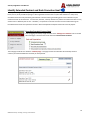
Recording Faith Integration Activities
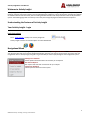
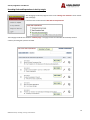
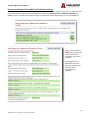
Once you have completed a Faith Integration (FI) goal, or as you approach the end of an academic year, you will need to
enter the details of your activities in the Faith Integration Activities link. Should you accomplish an activity that was not
included in your Goals and Expectations Report, you may still record it in the Faith Integration Activities link.
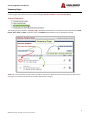
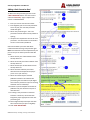
Be sure to enter a start date and end date for each FI activity you record. If the activity is not yet complete, you may
indicate such with the completion status drop-down.
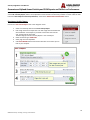
NOTE: To ensure correct reporting in FES, you will need to assign the academic year to which this FI activity applies for FES
by selecting the drop down list.
Recording Professional Development Activities
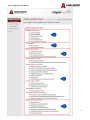
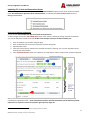
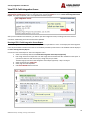
Once you have completed a Professional Development (PD) goal, or as you approach the end of an academic year, you will
need to enter the details of your activities in the appropriate professional development link. For example, if you indicated
you were going to attend a workshop for continuing education credit, you would insert the details of the workshop in the
appropriate link. Ideally, the category you selected in the Professional Development Goals and Expectations section of your
Goals and Expectations Report should match the category you select when recording the completed PD activity. Should you
accomplish a professional development activity that was not included in your Goals and Expectations Report, you may still
record it in the appropriate link.
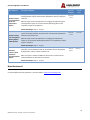
For clean and clear reporting, each activity should be a unique record. For example, if a faculty member serves on a council
or committee for 2 years, there will be 2 records; one for each year served. These activities are reported on the FES 2:
Activity Report for the current academic year. If a professional development activity is reporting incorrectly, an end date
may need to be entered.
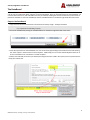
NOTE: To ensure correct reporting in FES, you will need to assign the academic year to which this Professional Development
activity applies for FES by selecting the drop down list.
20
08142014 Center for Teaching, Learning, and Assessment