1
Eurotech Worldwide Presence
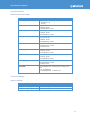
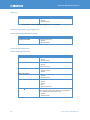
Table 44 con't
Contents
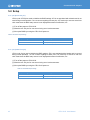
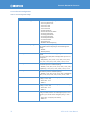
Setting
PME SCI *14
Set PME SCI of PCI Express.
・Disabled
・Enabled (Default)
*14: possible to set by changing PCI Express Port 1 to “Enable”
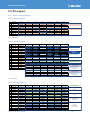
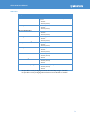
8.2.8.3. PCI Express Port 3~5 Configuration
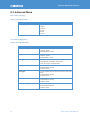
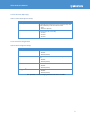
Table 45: PCI Express Port 3~5 Configuration Settings
Setting
PCI Express Port 3~5
Contents
Set PCI Express Root Port.
・Disabled
・Enabled (Default)
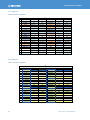
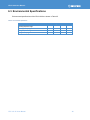
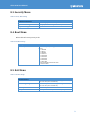
8.2.8.4. SB USB Configuration
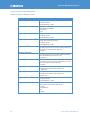
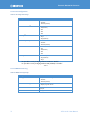
Table 46: SB USB Configuration Settings
Setting
EHCI1
EHCI2
USB Per-Port Disable Control
xHCI Pre-Boot Driver
xHCI Mode
HS Port #1~4 Switchable
69
Contents
Set USB ECHI (USB2.0).
・Disabled
・Enabled (Default)
Set USB ECHI (USB2.0) function.
・Disabled
・Enabled (Default)
Set USB per-Port (#0-5, #8, #9) Disable.
・Disabled (Default)
・Enabled
Set xHCI Pre-Boot router support.
・Disabled
・Enabled (Default)
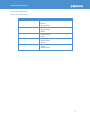
Set xHCI controller run mode.
・Disabled
・Enabled
・Auto
・Smart Auto (Default)
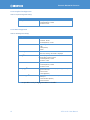
Enable switch HS (High Speed) port with xHCI and EHCI.
Port is allocated to EHCI by select Disabled. Corresponding SS
port is enabled by allocating HS port to xHCI.
・Disabled
・Enabled (Default)
CPU110-20 User Manual