1
BMG Labtechnologies
FLUOstar* OPTIMA Software User Manual
3.3 Program Configuration
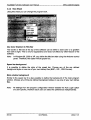
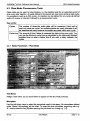
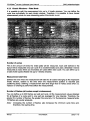
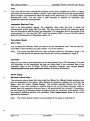
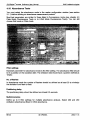
Program Configuration allows the user to modify the appearance of the software. You can
activate a feature by ticking the box next to the statement.
3.3.1 Preferences Sheet
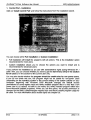
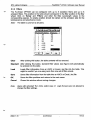
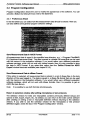
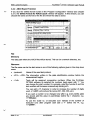
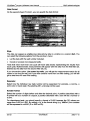
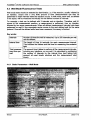
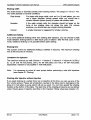
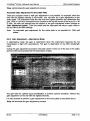
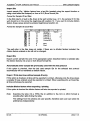
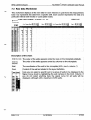
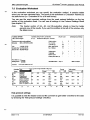
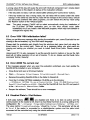
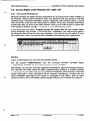
In the first sheet you can select how the measurement data should be stored. Here you
can also define some general program behavior settings.
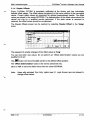
Progiam Configuration
Preferences I View I
Define format
|7
| 7 £ave measurement data in dBase format (necessary for BMG's evaluation program]
P
geOirntoseiopkWwiridGto^:^^
testprdtdcds
17 fitfep a[ter:ftnfsn1n9<a test tun
V
Confirm program fexft
)K.._
O
K J
Cancel
|
Help
|
Save Measurement Data in ASCII Format
All measurement data is saved in the specified user directory, e.g. '~:\Program Files\BMG\
FLUOoptima\<Usemame>\Data'. The data is saved in a dbase file format that can be used
with the macros in the evaluation software. If you would rather use a different evaluation
software package, which will not work with dbase formats, then it is also possible to store
the data in ASCII format. If you select this option then the 'Define Format for ASCII
Export' window becomes available (see chapter 3.3.3).
Save Measurement Data in dBase Format
If this option is selected, all measurement data is stored in a set of dbase files in the data
directory of the user logged in. The data is saved in a dbase file format that can be used
with the macros in the evaluation software. If you would rather use a different evaluation
software package, which will not work with dbase formats, then it is possible to get an
ASCII file (see above).
Note:
It is possible to use both formats simultaneously.
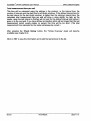
Return to selection window after editing microplates or test protocols
The selection window for tests and microplates contains previously defined setups and
options to edit, export, import, etc.. By default, you can return to the main control software
after creating or editing a test or microplate definition without returning to the selection
window. If you wish to see the selection window for the microplates or test protocol
definitions again, check the box in the 'Program Configuration' window.
26/123
0413F0003A
2002-11-15