1
Page 10
TCG User Manual
9. Error Messages - 7-Segment Display
In addition to the timecode reader errors reported by the SR-112 (see SR-112 User
Manual 11.3), the TCG has some new error messages.
Note that timecode Reader errors are disabled in GENERATE mode.
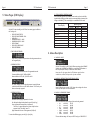
9.1. GENERATOR DELAY
TCG User Manual
Page 11
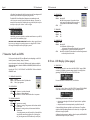
9.4. GENERATOR SYNC
This message is displayed in case of a Generator Sync Error (very unlikely).
9.5. GENERATOR FAILURE
This message is displayed in case of a Generator Internal Failure (even more unlikely).
This message (informational, not an error) is displayed when generator starts running
and a delay has been requested in menu 12 (Repair, or Generate to Vid Ref only)
9.2. GENERATOR SETTINGS MISMATCH
This message indicates a condition where the current TCG timecode type and/or rate
is not the same as the “Gen Format” menu setting (menu 10).
For example, generating ‘30DF 30.000’ locked to 29.97 NTSC video.
The generator will use the timecode type and rate from the menu setting until such
time as the requisite video and/or timecode inputs are connected. At that time it
may have to adjust the generated type and rate if the menu values are incompatible with the video and/or timecode inputs. This is when the GEN-STAT error would
be established.
The timecode type and/or rate values in the “Gen Status 1” status display will also
blink continuously to indicate the mismatch.
It is important not to confuse Menu 10 and the Gen Status 1 page. Menu 10 indicates
a setting not a status. The Gen Status 1 page will indicate the actual format and rate
of the generator output and flash if it doesn’t match the settings of menu 10.
9.3. CODE - VIDEO
This error, active in Repair mode with video reference only, indicates that the input
timecode type cannot be matched up with the video rate.
This is re-assessed every time the input timecode enters play motion, or following a
timecode type change, or when a reference is first recognized at the video input.
10. Error Messages - Other
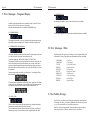
The following time code input errors will not be shown on the 7-segment display while
the Generator is running. They will however still be added to the error report listing.
“CODE ERR”
“CODESTOP”
“CF CHG “
“DF ERR “
“DISCONT “
“DF CHG “
“DROP OUT”
“TYPE CHG”
“INVALID “
“REPEAT “
-
-
-
-
-
-
-
-
-
-
Code Error
Code Stopped
Color Frame Change
Drop Frame Error
Discountinuity
Drop Frame Change
Code Drop Out
Code Type Change
Invalid Address
Repeated Frame
11. Non-Volatile Storage
The SR-112 has non-volatile memory holding the current settings, including all the
TCG settings. This memory is continuously updated so that, when the unit is turned
on, it is in the same condition as it was when powered down.
NOTE: You should wait approximately 10 seconds after a change was entered
before powering down, to allow for the flash memory to be updated.