1
Analyzing the PC Card
Cardbus Local Bus
This chapter introduces you to the FS2004 and lists the
minimum equipment required and accessories supplied for PC
Card Cardbus Local Bus analysis. This chapter also contains
information that is common to both state and timing analysis.
Duplicating the 167xx
Logic Analyzer
Master Diskette
Before you use the FS2004 software on the 167xx logic
Analyzer, make a duplicate copy of the master diskette. Then
store the master diskette and use the back-up copy to configure
your logic analyzer. This will help prevent the possibility of
losing or destroying the original files in the event the diskette
wears out, is damaged, or a file is accidentally deleted.
To make a duplicate copy, use the Duplicate Diskette operation
in the disk menu of your logic analyzer. For more information,
refer to the reference manual for your logic analyzer.
Accessories
Supplied
Minimum Equipment
Required
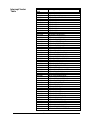
Signal Naming
Conventions
The FS2004 product consists of the following accessories:
•
The FS2004 hardware, which includes
•
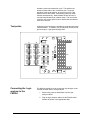
The probe/extender module and two jumpers
•
The logic analyzer interface module and one jumper
•
The inverse assembly and configuration software on a 3.5
inch diskette.
•
This operating manual
The minimum equipment required for analysis of a PC Card
Cardbus target consists of the following equipment:
•
An 165x, 1660/61/62, 1655x, 167xA, 16510A/B or 1680/90
Logic Analyzer (4 pods required)
•
The FS2004 Product
•
A PC Card Cardbus target
This operating manual uses the same signal notation as the PCI
LOCAL BUS SPECIFICATION - REVISION 2.1. That is, a #
symbol at the end of a signal name indicates that the signal’s
active state occurs when it is at a low voltage. The absence of a
# symbol indicates that the signal is active at a high voltage.
8