1
Aberdeen LLC
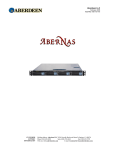
AberNAS 1U
7. Getting Connected
7.1.
Confirm the following connections are in place:
• Power Cord(s)
• Keyboard, Monitor, and Mouse
• Ethernet LAN Cables
• Com 1 & Parallel Ports (if applicable)
Note
It is recommended to use a regulating uninterruptible power supply (UPS) to protect the server from power surges, voltage spikes
and to keep your system operating in case of a power failure.
8. Powering Up
8.1.
Press the large red power button
Located on the front of the chassis in the middle.
8.2.
Press the button on the slim CD-Rom drive to eject the tray
• Insert preferred OS installation media.
• Proceed with OS installation by following the manufacturer’s recommended setup procedures.
Note
Important: It is recommended that you install the latest service packs and/or updates to obtain the highest performance and
reliability from your server.
- 10 -