1
Aberdeen LLC
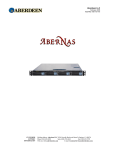
AberNAS 1U
11. Software Management
The Aberdeen AberNAS 120 has been completely configured and integrated with all software installed. The server
is ready for deployment within minutes.
NOTE
For further detailed documentation regarding the installed software including the Microsoft Windows Storage Server2003 and Areca
CLI 2 RAID management utility please refer to the accompanying NAS software .PDF files found within the Aberdeen User’s Manual
CD-ROM.
12. Microsoft Windows Storage Server 2003
If you connect a monitor (1024x768x85Hz resolution), a keyboard and a mouse to your Aberdeen NAS Server for easy setup
purposes.
12.1.
Initial Set-Up
• Power up the device and Login as:
User:
Administrator
Password:
monster
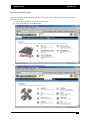
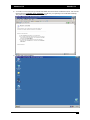
The easy Graphical User Interface (GUI) NAS interface will start. Click on “Administer this Server Appliance” and
a detailed help menu embedded into interface will appear. If you see a connection error on Internet Explorer, simply
click “Try Again.”
If you don’t want to connect your Aberdeen NAS Server to a monitor, keyboard and a mouse:
Connect the server to your network, turn it on and allow it approximately two (2) minutes to boot up. Go to any
computer connected to the same network, open up your web browser and type https://abernas:8098
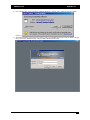
• Enter the default login information:
User:
Administrator
Password:
monster
The easy Graphical User Interface (GUI) NAS interface will start. Click on “Administer this Server Appliance” and
a detailed help menu embedded into interface will appear. If you see a connection error on Internet Explorer, simply
click “Try Again.”
If your network has a special IP Number or a Layer 2-3 switch and there is no DHCP Server present on your
network, second method may not function and it will be necessary to install a monitor, keyboard and mouse on the
NAS Server.
12.2.
Menu Access
To Manage Disk Volumes or Remote Desktop menus, you must be using Internet Explorer 5.5 or higher. For other
menus, any web browser application should function properly.
- 14 -