1
Aberdeen LLC
AberNAS 1U
13. Web Based RAID Management Utility.
How to Access Web Based RAID Management Utility.
A) If you have 12/16/24 drive bay NAS
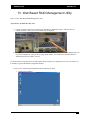
1) Connect a separate cable from your network to “RAID Array Management Port”. That port will not
transmit file data. It will be only for the RAID array management
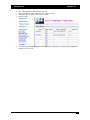
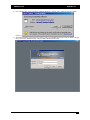
2) The port is set to 192.168.1.100 and 255.255.255.0 by default. You can access the RAID Management from
any remote computer on your network by typing the IP number on a web browser. Default username is
Admin and password is “0000” (4 zeros).
If you have DHCP setup and your network IP number doesn’t match, above method may not work. You need to set
it manually or get the automatically assigned IP number.
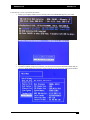
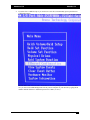
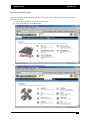
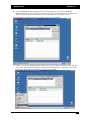
i) One way is to connect Keyboard-Monitor-Mouse and boot into NAS.
1.
Double click Archttppci
- 15 -