1
PL2775 Application Note
Document Rev 1.0
an_PL2775_User Manual 20110307
4.
Go to Windows Disk Management Tool and repartition the array disks. Total array size can only
be as big as the smallest capacity drive from the two drives attached.
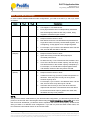
RAID1 Mode HDD Performance (USB3 Host Under PCIe GEN2 Interface)
5.
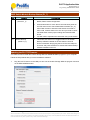
RAID1 Mode offers automatic data recovery feature whenever one SATA drive fails while USB is
connected to the computer. Note the following recovery steps:
(1) Observe if RAID Status Indicator (P1_0) LED is ON and either SATA1 (P3_0) or SATA2
(P3_1) LED is OFF. This could mean one of the SATA drives is damaged. You can also use
Prolific RAID Manager software to check the health status of both SATA drives.
(2) While the PL2775 demo board is still connected to the PC and powered on, replace the
damaged SATA drive with a new one. It is important that the PL2775 demo board is still
Prolific Technology Inc.
- 14 of 15 -
March 7, 2011
All the information in this document is deemed to be correct but is subject to change without prior notice. Prolific Technology Inc.
does not make any warranties (implied or otherwise) regarding the accuracy and completeness of this document and shall in no
event be liable for any loss of profit or any other commercial damage.