1
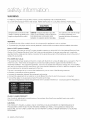
WARNING
TO REDUCE THE RISK OF ELECTRICSHOCK, DO NOT REMOVE THE COVER(OR BACK).
NO USER-SERVICEABLEPARTS ARE INSIDE. REFER SERVICINGTO QUALIFIEDSERVICE PERSONNEL.
CAUTION
TOREDUCE
THERISKOFELECTRIC
ThelightingflashandArrowhead
within CAUTION:
TriangleIsawarningsignalertingyouof SHOCK,
DONOTREMOVE
COVER
(ORBACK)
NO
USER
SERVICEABLE
PARTS
INSIDE,
REFER
dangerous
voltageInsidethe product
SERVICING
TOQUALIFIED
SERVICE
PERSONNEL,
Theexplanation
pointwithinthetriangle
isa warningsignalertingyouof
importantinstructions
accompanying
the product.
WARNING
• To reduce the risk of fire or electric shock, do not expose this appliance to rain or moisture.
,, To preventinjury,this playermust be securelyattachedto the floor/wallinaccordancewith the installationinstructions.
Note to CATV system installer
This reminder is provided to call CATVsystem installer's attention to Article 820-40 of the National Electrical Code
(Section 54 of Canadian ElectricalCode, Part I) that provides guidelines for proper grounding and, in particular,
specifies that the cable ground shall be connected to the grounding system of the building as close to the point of
cable entry as practical.
FCC NOTE (for U.S.A):
This equipment has been tested and found to comply with the limits for a Class B digital device, pursuant to Part 15
of the FCC rules. These limits are designed to provide reasonable protection against harmful interference in a
residential installation. This equipment generates, uses and can radiate radio frequency energy and, if not installed
and used in accordance with the instructions, may cause harmful interference to radio or television reception, which
can be determined by turning the equipment off and on.
The user is encouraged to try to correct the interference by one or more of the following measures.
,, Reorient or relocate the receiving antenna.
,, Increase the separation between the equipment and receiver.
• Connect this equipment into an outlet on a circuit different from that to which the receiver is connected.
• Consult the dealer or an experienced radio/TV technician for help.
This class B digital player meets all requirements of the Canadian Interference - Causing Equipment Regulations.
CLASS 1 LASER PRODUCT
Use of controls, adjustments or performance of procedures other than those specified herein may result in
hazardous radiation exposure.
CAUTION
THIS PRODUCT UTILIZES A LASER. USE OF CONTROLS OR ADJUSTMENTS OR PERFORMANCEOF
PROCEDURESOTHER THAN THOSE SPECIFIED HEREINMAY RESULT IN HAZARDOUS RADIATION
EXPOSURE.DO NOT OPEN COVER AND DO NOT REPAIR YOURSELF. REFERSERVICING TO QUALIFIED
PERSONNEL.
4 safety nformation